Search

Software Engineer's Notes

Tag

technology

What Is CAPTCHA? Understanding the Gatekeeper of the Web

What Is CAPTCHA? Understanding the Gatekeeper of the Web

CAPTCHA — an acronym for Completely Automated Public Turing test to tell Computers and Humans Apart — is one of the most widely used security mechanisms on the internet. It acts as a digital gatekeeper, ensuring that users interacting with a website are real humans and not automated bots. From login forms to comment sections and online registrations, CAPTCHA helps maintain the integrity of digital interactions.

The History of CAPTCHA

The concept of CAPTCHA was first introduced in the early 2000s by a team of researchers at Carnegie Mellon University, including Luis von Ahn, Manuel Blum, Nicholas Hopper, and John Langford.

Their goal was to create a test that computers couldn’t solve easily but humans could — a reverse Turing test. The original CAPTCHAs involved distorted text images that required human interpretation.

Over time, as optical character recognition (OCR) technology improved, CAPTCHAs had to evolve to stay effective. This led to the creation of new types, including:

  • Image-based CAPTCHAs: Users select images matching a prompt (e.g., “Select all images with traffic lights”).
  • Audio CAPTCHAs: Useful for visually impaired users, playing distorted audio that needs transcription.
  • reCAPTCHA (2007): Acquired by Google in 2009, this variant helped digitize books and later evolved into reCAPTCHA v2 (“I’m not a robot” checkbox) and v3, which uses risk analysis based on user behavior.

Today, CAPTCHAs have become an essential part of web security and user verification worldwide.

How Does CAPTCHA Work?

At its core, CAPTCHA works by presenting a task that is easy for humans but difficult for bots. The system leverages differences in human cognitive perception versus machine algorithms.

The Basic Flow:

  1. Challenge Generation:
    The server generates a random challenge (e.g., distorted text, pattern, image selection).
  2. User Interaction:
    The user attempts to solve it (e.g., typing the shown text, identifying images).
  3. Verification:
    The response is validated against the correct answer stored on the server or verified using a third-party CAPTCHA API.
  4. Access Granted/Denied:
    If correct, the user continues the process; otherwise, the system requests another attempt.

Modern CAPTCHAs like reCAPTCHA v3 use behavioral analysis — tracking user movements, mouse patterns, and browsing behavior — to determine whether the entity is human without explicit interaction.

Why Do We Need CAPTCHA?

CAPTCHAs serve as a first line of defense against malicious automation and spam. Common scenarios include:

  • Preventing spam comments on blogs or forums.
  • Protecting registration and login forms from brute-force attacks.
  • Securing online polls and surveys from manipulation.
  • Protecting e-commerce checkouts from fraudulent bots.
  • Ensuring fair access to services like ticket booking or limited-edition product launches.

Without CAPTCHA, automated scripts could easily overload or exploit web systems, leading to security breaches, data misuse, and infrastructure abuse.

Challenges and Limitations of CAPTCHA

While effective, CAPTCHAs also introduce several challenges:

  • Accessibility Issues:
    Visually impaired users or users with cognitive disabilities may struggle with complex CAPTCHAs.
  • User Frustration:
    Repeated or hard-to-read CAPTCHAs can hurt user experience and increase bounce rates.
  • AI Improvements:
    Modern AI models, especially those using machine vision, can now solve traditional CAPTCHAs with >95% accuracy, forcing constant innovation.
  • Privacy Concerns:
    Some versions (like reCAPTCHA) rely on user behavior tracking, raising privacy debates.

Developers must balance security, accessibility, and usability when implementing CAPTCHA systems.

Real-World Examples

Here are some examples of CAPTCHA usage in real applications:

  • Google reCAPTCHA – Used across millions of websites to protect forms and authentication flows.
  • Cloudflare Turnstile – A privacy-focused alternative that verifies users without tracking.
  • hCaptcha – Offers website owners a reward model while verifying human interactions.
  • Ticketmaster – Uses CAPTCHA during high-demand sales to prevent bots from hoarding tickets.
  • Facebook and Twitter – Employ CAPTCHAs to block spam accounts and fake registrations.

Integrating CAPTCHA into Modern Software Development

Integrating CAPTCHA into your development workflow can be straightforward, especially with third-party APIs and libraries.

Step-by-Step Integration Example (Google reCAPTCHA v2):

  1. Register your site at Google reCAPTCHA Admin Console.
  2. Get the site key and secret key.
  3. Add the CAPTCHA widget in your frontend form:
<pre class="wp-block-syntaxhighlighter-code"><form action="verify.php" method="post">
  <div class="g-recaptcha" data-sitekey="YOUR_SITE_KEY"></div>
  <input type="submit" value="Submit">
</form>
<a href="https://www.google.com/recaptcha/api.js">https://www.google.com/recaptcha/api.js</a>
</pre>
  1. Verify the response in your backend (e.g., PHP, Python, Java):
import requests

response = requests.post(
    "https://www.google.com/recaptcha/api/siteverify",
    data={"secret": "YOUR_SECRET_KEY", "response": user_response}
)
result = response.json()
if result["success"]:
    print("Human verified!")
else:
    print("Bot detected!")

  1. Handle verification results appropriately in your application logic.

Integration Tips:

  • Combine CAPTCHA with rate limiting and IP reputation analysis for stronger security.
  • For accessibility, always provide audio or alternate options.
  • Use asynchronous validation to improve UX.
  • Avoid placing CAPTCHA on every form unnecessarily — use it strategically.

Conclusion

CAPTCHA remains a cornerstone of online security — balancing usability and protection. As automation and AI evolve, so must CAPTCHA systems. The shift from simple text challenges to behavior-based and privacy-preserving verification illustrates this evolution.

For developers, integrating CAPTCHA thoughtfully into the software development process can significantly reduce automated abuse while maintaining a smooth user experience.


Single-Page Applications (SPA): A Practical Guide for Modern Web Teams

What is Single Page Application?

What is a Single-Page Application?

A Single-Page Application (SPA) is a web app that loads a single HTML document once and then updates the UI dynamically via JavaScript as the user navigates. Instead of requesting full HTML pages for every click, the browser fetches data (usually JSON) and the client-side application handles routing, state, and rendering.

A Brief History

  • Pre-2005: Early “dynamic HTML” and XMLHttpRequest experiments laid the groundwork for asynchronous page updates.
  • 2005 — AJAX named: The term AJAX popularized a new model: fetch data asynchronously and update parts of the page without full reloads.
  • 2010–2014 — Framework era:
    • Backbone.js and Knockout introduced MV* patterns.
    • AngularJS (2010) mainstreamed templating + two-way binding.
    • Ember (2011) formalized conventions for ambitious web apps.
    • React (2013) brought a component + virtual DOM model.
    • Vue (2014) emphasized approachability + reactivity.
  • 2017+ — SSR/SSG & hydration: Frameworks like Next.js, Nuxt, SvelteKit and Remix bridged SPA ergonomics with server-side rendering (SSR), static site generation (SSG), islands, and progressive hydration—mitigating SEO/perf issues while preserving SPA feel.
  • Today: “SPA” is often blended with SSR/SSG/ISR strategies to balance interactivity, performance, and SEO.

How Does an SPA Work?

  1. Initial Load:
    • Browser downloads a minimal HTML shell, JS bundle(s), and CSS.
  2. Client-Side Routing:
    • Clicking links updates the URL via the History API and swaps views without full reloads.
  3. Data Fetching:
    • The app requests JSON from APIs (REST/GraphQL), then renders UI from that data.
  4. State Management:
    • Local (component) state + global stores (Redux/Pinia/Zustand/MobX) track UI and data.
  5. Rendering & Hydration:
    • Pure client-side render or combine with SSR/SSG and hydrate on the client.
  6. Optimizations:
    • Code-splitting, lazy loading, prefetching, caching, service workers for offline.

Minimal Example (client fetch):

<!-- In your SPA index.html or embedded WP page -->
<div id="app"></div>
<script>
async function main() {
  const res = await fetch('/wp-json/wp/v2/posts?per_page=3');
  const posts = await res.json();
  document.getElementById('app').innerHTML =
    posts.map(p => `<article><h2>${p.title.rendered}</h2>${p.excerpt.rendered}</article>`).join('');
}
main();
</script>

Benefits

  • App-like UX: Snappy transitions; users stay “in flow.”
  • Reduced Server HTML: Fetch data once, render multiple views client-side.
  • Reusable Components: Encapsulated UI blocks accelerate development and consistency.
  • Offline & Caching: Service workers enable offline hints and instant back/forward.
  • API-First: Clear separation between data (API) and presentation (SPA) supports multi-channel delivery.

Challenges (and Practical Mitigations)

ChallengeWhy it HappensHow to Mitigate
Initial Load TimeLarge JS bundlesCode-split; lazy load routes; tree-shake; compress; adopt SSR/SSG for critical paths
SEO/IndexingContent rendered client-sideSSR/SSG or pre-render; HTML snapshots for bots; structured data; sitemap
Accessibility (a11y)Custom controls & focus can break semanticsUse semantic HTML; ARIA thoughtfully; manage focus on route changes; test with screen readers
Analytics & RoutingNo full page loadsManually fire page-view events on route changes; validate with SPA-aware analytics
State ComplexityCross-component syncKeep stores small; use query libraries (React Query/Apollo) and normalized caches
SecurityXSS, CSRF, token handlingEscape output, CSP, HttpOnly cookies or token best practices, WP nonces for REST
Memory LeaksLong-lived sessionsUnsubscribe/cleanup effects; audit with browser devtools

When Should You Use an SPA?

Great fit:

  • Dashboards, admin panels, CRMs, BI tools
  • Editors/builders (documents, diagrams, media)
  • Complex forms and interactive configurators
  • Applications needing offline or near-native responsiveness

Think twice (or go hybrid/SSR-first):

  • Content-heavy, SEO-critical publishing sites (blogs, news, docs)
  • Ultra-light marketing pages where first paint and crawlability are king

Real-World Examples (What They Teach Us)

  • Gmail / Outlook Web: Rich, multi-pane interactions; caching and optimistic UI matter.
  • Trello / Asana: Board interactions and real-time updates; state normalization and websocket events are key.
  • Notion: Document editor + offline sync; CRDTs or conflict-resistant syncing patterns are useful.
  • Figma (Web): Heavy client rendering with collaborative presence; performance budgets and worker threads become essential.
  • Google Maps: Incremental tile/data loading and seamless panning; chunked fetch + virtualization techniques.

Integrating SPAs Into a WordPress-Based Development Process

You have two proven paths. Choose based on your team’s needs and hosting constraints.

Option A — Hybrid: Embed an SPA in WordPress

Keep WordPress as the site, theme, and routing host; mount an SPA in a page/template and use the WP REST API for content.

Ideal when: You want to keep classic WP features/plugins, menus, login, and SEO routing — but need SPA-level interactivity on specific pages (e.g., /app, /dashboard).

Steps:

  1. Create a container page in WP (e.g., /app) with a <div id="spa-root"></div>.
  2. Enqueue your SPA bundle (built with React/Vue/Angular) from your theme or a small plugin:
// functions.php (theme) or a custom plugin
add_action('wp_enqueue_scripts', function() {
  wp_enqueue_script(
    'my-spa',
    get_stylesheet_directory_uri() . '/dist/app.bundle.js',
    array(), // add 'react','react-dom' if externalized
    '1.0.0',
    true
  );

  // Pass WP REST endpoint + nonce to the SPA
  wp_localize_script('my-spa', 'WP_ENV', array(
    'restUrl' => esc_url_raw( rest_url() ),
    'nonce'   => wp_create_nonce('wp_rest')
  ));
});

  1. Call the WP REST API from your SPA with nonce headers for authenticated routes:
async function wpGet(path) {
  const res = await fetch(`${WP_ENV.restUrl}${path}`, {
    headers: { 'X-WP-Nonce': WP_ENV.nonce }
  });
  if (!res.ok) throw new Error(await res.text());
  return res.json();
}

  1. Handle client-side routing inside the mounted div (e.g., React Router).
  2. SEO strategy: Use the classic WP page for meta + structured data; for deeply interactive sub-routes, consider pre-render/SSR for critical content or provide crawlable summaries.

Pros: Minimal infrastructure change; keeps WP admin/editor; fastest path to value.
Cons: You’ll still ship a client bundle; deep SPA routes won’t be first-class WP pages unless mirrored.

Option B — Headless WordPress + SPA Frontend

Run WordPress strictly as a content platform. Your frontend is a separate project (React/Next.js, Vue/Nuxt, SvelteKit, Angular Universal) consuming WP content via REST or WPGraphQL.

Ideal when: You need full control of performance, SSR/SSG/ISR, routing, edge rendering, and modern DX — while keeping WP’s editorial flow.

Steps:

  1. Prepare WordPress headlessly:
    • Enable Permalinks and ensure WP REST API is available (/wp-json/).
    • (Optional) Install WPGraphQL for a typed schema and powerful queries.
  2. Choose a frontend framework with SSR/SSG (e.g., Next.js).
  3. Fetch content at build/runtime and render pages server-side for SEO.

Next.js example (REST):

// pages/index.tsx
export async function getStaticProps() {
  const res = await fetch('https://your-wp-site.com/wp-json/wp/v2/posts?per_page=5');
  const posts = await res.json();
  return { props: { posts }, revalidate: 60 }; // ISR
}

export default function Home({ posts }) {
  return (
    <main>
      {posts.map(p => (
        <article key={p.id}>
          <h2 dangerouslySetInnerHTML={{__html: p.title.rendered}} />
          <div dangerouslySetInnerHTML={{__html: p.excerpt.rendered}} />
        </article>
      ))}
    </main>
  );
}

Next.js example (WPGraphQL):

// lib/wp.ts
export async function wpQuery(query: string, variables?: Record<string, any>) {
  const res = await fetch('https://your-wp-site.com/graphql', {
    method: 'POST',
    headers: {'Content-Type': 'application/json'},
    body: JSON.stringify({ query, variables })
  });
  const { data, errors } = await res.json();
  if (errors) throw new Error(JSON.stringify(errors));
  return data;
}

Pros: Best performance + SEO via SSR/SSG; tech freedom; edge rendering; clean separation.
Cons: Two repos to operate; preview/webhooks complexity; plugin/theme ecosystem may need headless-aware alternatives.

Development Process: From Idea to Production

1) Architecture & Standards

  • Decide Hybrid vs Headless early.
  • Define API contracts (OpenAPI/GraphQL schema).
  • Pick routing + data strategy (React Query/Apollo; SWR; fetch).
  • Set performance budgets (e.g., ≤ 200 KB initial JS, LCP < 2.5 s).

2) Security & Compliance

  • Enforce CSP, sanitize HTML output, store secrets safely.
  • Use WP nonces for REST writes; prefer HttpOnly cookies over localStorage for sensitive tokens.
  • Validate inputs server-side; rate-limit critical endpoints.

3) Accessibility (a11y)

  • Semantic HTML; keyboard paths; focus management on route change; color contrast.
  • Test with screen readers; add linting (eslint-plugin-jsx-a11y).

4) Testing

  • Unit: Jest/Vitest.
  • Integration: React Testing Library, Vue Test Utils.
  • E2E: Playwright/Cypress (SPA-aware route changes).
  • Contract tests: Ensure backend/frontend schema alignment.

5) CI/CD & Observability

  • Build + lint + test pipelines.
  • Preview deployments for content editors.
  • Monitor web vitals, route-change errors, and API latency (Sentry, OpenTelemetry).
  • Log client errors with route context.

6) SEO & Analytics for SPAs

  • For Hybrid: offload SEO to WP pages; expose JSON-LD/OG tags server-rendered.
  • For Headless: generate meta server-side; produce sitemap/robots; handle canonical URLs.
  • Fire analytics events on route change manually.

7) Performance Tuning

  • Split routes; lazy-load below-the-fold components.
  • Use image CDNs; serve modern formats (WebP/AVIF).
  • Cache API responses; use HTTP/2/3; prefetch likely next routes.

Example: Embedding a React SPA into a WordPress Page (Hybrid)

  1. Build your SPA to dist/ with a mount ID, e.g., <div id="spa-root"></div>.
  2. Create a WP page called “App” and insert <div id="spa-root"></div> via a Custom HTML block (or include it in a template).
  3. Enqueue the bundle (see PHP snippet above).
  4. Use WP REST for content/auth.
  5. Add a fallback message for no-JS users and bots.

Common Pitfalls & Quick Fixes

  • Back button doesn’t behave: Ensure router integrates with History API; restore scroll positions.
  • Flash of unstyled content: Inline critical CSS or SSR critical path.
  • “Works on dev, slow on prod”: Measure bundle size, enable gzip/brotli, serve from CDN, audit images.
  • Robots not seeing content: Add SSR/SSG or pre-render; verify with “Fetch as Google”-style tools.
  • CORS errors hitting WP REST: Configure Access-Control-Allow-Origin safely or proxy via same origin.

Checklist

  • Choose Hybrid or Headless
  • Define API schema/contracts
  • Set performance budgets + a11y rules
  • Implement routing + data layer
  • Add analytics on route change
  • SEO meta (server-rendered) + sitemap
  • Security: CSP, nonces, cookies, sanitization
  • CI/CD: build, test, preview, deploy
  • Monitoring: errors, web vitals, API latency

Final Thoughts

SPAs shine for interactive, app-like experiences, but you’ll get the best results when you pair them with the right rendering strategy (SSR/SSG/ISR) and a thoughtful DevEx around performance, accessibility, and SEO. With WordPress, you can go hybrid for speed and familiarity or headless for maximal control and scalability.

Multi-Factor Authentication (MFA): A Complete Guide

What is Multi-Factor Authentication?

In today’s digital world, security is more important than ever. Passwords alone are no longer enough to protect sensitive data, systems, and personal accounts. That’s where Multi-Factor Authentication (MFA) comes in. MFA adds an extra layer of security by requiring multiple forms of verification before granting access. In this post, we’ll explore what MFA is, its history, how it works, its main components, benefits, and practical ways to integrate it into modern software development processes.

What is Multi-Factor Authentication (MFA)?

Multi-Factor Authentication (MFA) is a security mechanism that requires users to provide two or more independent factors of authentication to verify their identity. Instead of relying solely on a username and password, MFA combines different categories of authentication to strengthen access security.

These factors usually fall into one of three categories:

  1. Something you know – passwords, PINs, or answers to security questions.
  2. Something you have – a physical device like a smartphone, hardware token, or smart card.
  3. Something you are – biometric identifiers such as fingerprints, facial recognition, or voice patterns.

A Brief History of MFA

  • 1960s – Passwords Introduced: Early computing systems introduced password-based authentication, but soon it became clear that passwords alone could be stolen or guessed.
  • 1980s – Two-Factor Authentication (2FA): The first wide adoption of hardware tokens emerged in the financial sector. RSA Security introduced tokens generating one-time passwords (OTPs).
  • 1990s – Wider Adoption: Enterprises began integrating smart cards and OTP devices for employees working with sensitive systems.
  • 2000s – Rise of Online Services: With e-commerce and online banking growing, MFA started becoming mainstream, using SMS-based OTPs and email confirmations.
  • 2010s – Cloud and Mobile Era: MFA gained momentum with apps like Google Authenticator, Authy, and push-based authentication, as cloud services required stronger protection.
  • Today – Ubiquity of MFA: MFA is now a standard security practice across industries, with regulations like GDPR, HIPAA, and PCI-DSS recommending or requiring it.

How Does MFA Work?

The MFA process follows these steps:

  1. Initial Login Attempt: A user enters their username and password.
  2. Secondary Challenge: After validating the password, the system prompts for a second factor (e.g., an OTP code, push notification approval, or biometric scan).
  3. Verification of Factors: The system verifies the additional factor(s).
  4. Access Granted or Denied: If all required factors are correct, the user gains access. Otherwise, access is denied.

MFA systems typically rely on:

  • Time-based One-Time Passwords (TOTP): Generated codes that expire quickly.
  • Push Notifications: Mobile apps sending approval requests.
  • Biometric Authentication: Fingerprint or facial recognition scans.
  • Hardware Tokens: Devices that produce unique, secure codes.

Main Components of MFA

  1. Authentication Factors: Knowledge, possession, and inherence (biometric).
  2. MFA Provider/Service: Software or platform managing authentication (e.g., Okta, Microsoft Authenticator, Google Identity Platform).
  3. User Device: Smartphone, smart card, or hardware token.
  4. Integration Layer: APIs and SDKs to connect MFA into existing applications.
  5. Policy Engine: Rules that determine when MFA is enforced (e.g., high-risk logins, remote access, or all logins).

Benefits of MFA

  • Enhanced Security: Strong protection against password theft, phishing, and brute-force attacks.
  • Regulatory Compliance: Meets security requirements in industries like finance, healthcare, and government.
  • Reduced Fraud: Prevents unauthorized access to financial accounts and sensitive systems.
  • Flexibility: Multiple methods available (tokens, biometrics, SMS, apps).
  • User Trust: Increases user confidence in the system’s security.

When and How Should We Use MFA?

MFA should be used whenever sensitive data or systems are accessed. Common scenarios include:

  • Online banking and financial transactions.
  • Corporate systems with confidential business data.
  • Cloud-based services (AWS, Azure, Google Cloud).
  • Email accounts and communication platforms.
  • Healthcare and government portals with personal data.

Organizations can enforce MFA selectively based on risk-based authentication—for example, requiring MFA only when users log in from new devices, unfamiliar locations, or during high-risk transactions.

Integrating MFA Into Software Development

To integrate MFA into modern software systems:

  1. Choose an MFA Provider: Options include Auth0, Okta, AWS Cognito, Azure AD, Google Identity.
  2. Use APIs & SDKs: Most MFA providers offer ready-to-use APIs, libraries, and plugins for web and mobile applications.
  3. Adopt Standards: Implement open standards like OAuth 2.0, OpenID Connect, and SAML with MFA extensions.
  4. Implement Risk-Based MFA: Use adaptive MFA policies (e.g., require MFA for admin access or when logging in from suspicious IPs).
  5. Ensure Usability: Provide multiple authentication options to avoid locking users out.
  6. Continuous Integration: Add MFA validation in CI/CD pipelines for admin and developer accounts accessing critical infrastructure.

Conclusion

Multi-Factor Authentication is no longer optional—it’s a necessity for secure digital systems. With its long history of evolution from simple passwords to advanced biometrics, MFA provides a robust defense against modern cyber threats. By integrating MFA into software development, organizations can safeguard users, comply with regulations, and build trust in their platforms.

What is a Man-in-the-Middle (MITM) Attack?

What is a man in the middle attack?

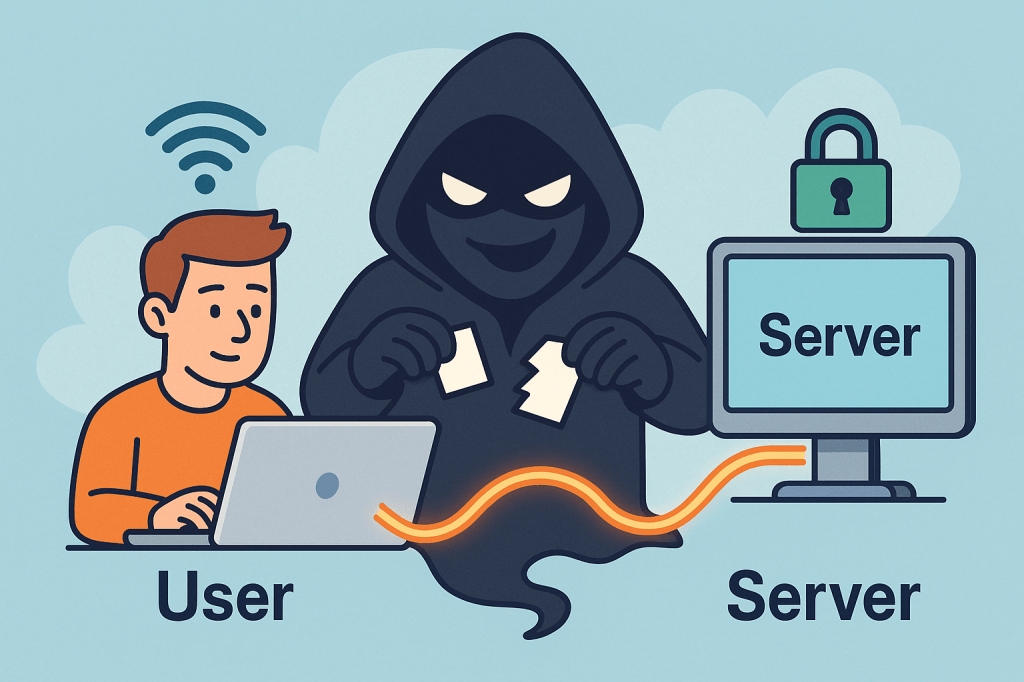
A Man-in-the-Middle (MITM) attack is when a third party secretly intercepts, reads, and possibly alters the communication between two parties who believe they are talking directly to each other. Think of it as someone quietly sitting between two people on a phone call, listening, possibly changing words, and passing the altered conversation on.

How MITM attacks work ?

A MITM attack has two essential parts: interception and optionally manipulation.

1) Interception (how the attacker gets between you and the other party)

The attacker places themselves on the network path so traffic sent from A → B goes through the attacker first. Common interception vectors (conceptual descriptions only):

  • Rogue Wi-Fi / Evil twin: attacker sets up a fake Wi-Fi hotspot with a convincing SSID (e.g., “CoffeeShop_WiFi”). Users connect and all traffic goes through the attacker’s machine.
  • ARP spoofing / ARP poisoning (local networks): attacker sends fake ARP messages on a LAN so traffic for the router or for another host is directed to the attacker’s NIC.
  • DNS spoofing / DNS cache poisoning: attacker poisons DNS responses so a domain name resolves to an IP address the attacker controls.
  • Compromised routers, proxies, or ISPs: if a router or upstream provider is compromised or misconfigured, traffic can be intercepted at that point.
  • BGP hijacking (on the internet backbone): attacker manipulates routing announcements to direct traffic over infrastructure they control.
  • Compromised certificate authorities or weak TLS setups: attacker abuses trust in certificates to intercept “secure” connections.

Important: the above are conceptual descriptions to help you understand how interception happens. I’m not providing exploit steps or tools to carry them out.

2) Manipulation (what the attacker can do with intercepted traffic)

Once traffic passes through the attacker, they can:

  • Eavesdrop — read plaintext communication (passwords, messages, session cookies).
  • Harvest credentials — capture login forms and credentials.
  • Modify data in transit — change web pages, inject malicious scripts, alter transactions.
  • Session hijack — steal session cookies or tokens to impersonate a user.
  • Downgrade connections — force a downgrade from HTTPS to HTTP or strip TLS (SSL stripping) if possible.
  • Impersonate endpoints — present fake certificates or proxy TLS connections to hide themselves.

Typical real-world scenarios / examples

  • You connect to “FreeAirportWiFi” and a fake hotspot captures your login to a webmail service.
  • On a corporate LAN, an attacker uses ARP spoofing to capture internal web traffic and collect session cookies.
  • DNS entries for a banking site are poisoned so users are sent to a look-alike site where credentials are harvested.
  • A corporate TLS-intercepting proxy (legitimate in some orgs) inspects HTTPS traffic — if misconfigured or if certificates are not validated correctly, this can be abused.

What’s the issue and how can MITM affect us?

MITM attacks threaten confidentiality, integrity, and authenticity:

  • Confidentiality breach: private messages, PII, payment details, health records can be exposed.
  • Credential theft & account takeover: stolen passwords or tokens lead to fraud, identity theft, or account compromises.
  • Financial loss / fraud: attackers can alter payment instructions (e.g., change bank account numbers).
  • Supply-chain or software tampering: updates or downloads could be altered.
  • Reputation and legal risk: businesses can lose user trust and face compliance issues if customer data is intercepted.

Small, everyday examples (end-user impact): stolen email logins, unauthorized purchases, unauthorized access to corporate systems. For organizations: data breach notifications, regulatory fines, and remediation costs.

How to prevent Man-in-the-Middle attacks — practical, defensible steps

Below are layered, defense-in-depth controls: user practices, network configuration, application design, and monitoring.

A. User & device best practices

  • Avoid public/untrusted Wi-Fi: treat public Wi-Fi as untrusted. If you must use it, use a reputable VPN.
  • Prefer mobile/cellular networks when doing sensitive transactions if a trusted Wi-Fi is not available.
  • Check HTTPS / certificate details for sensitive sites: browsers show padlock and certificate information (issuer, valid dates). If warnings appear, do not proceed.
  • Use Multi-Factor Authentication (MFA): even if credentials are stolen, MFA adds a barrier.
  • Keep devices patched: OS, browser, and app updates close known vulnerabilities attackers exploit.
  • Use reputable endpoint security (antivirus/EDR) that can detect suspicious network drivers or proxying.

B. Network & infrastructure controls

  • Use WPA2/WPA3 and strong Wi-Fi passwords; disable open Wi-Fi for business networks unless behind secure gateways.
  • Harden DNS: use DNSSEC where possible and validate DNS responses; consider DNS over HTTPS (DoH) or DNS over TLS (DoT) for clients.
  • Deploy network segmentation and limit broadcast domains (reduces ARP spoofing exposure).
  • Use secure routing practices and monitor BGP for suspicious route changes (for large networks / ISPs).
  • Disable unnecessary proxying and block rogue DHCP servers on internal networks.

C. TLS / application-level protections

  • Enforce HTTPS everywhere: redirect HTTP → HTTPS and ensure all resources load over HTTPS to avoid mixed-content issues.
  • Use HSTS (HTTP Strict Transport Security) with preload when appropriate — forces browsers to only use HTTPS for your domain.
  • Enable OCSP stapling and certificate transparency: reduces chances of accepting revoked/forged certs.
  • Prefer modern TLS versions and ciphers; disable older, vulnerable protocols (SSLv3, TLS 1.0/1.1).
  • Certificate pinning (in mobile apps or critical clients) — binds an app to a known certificate or public key to prevent forged certificates (use cautiously; requires careful update procedures).
  • Mutual TLS (mTLS) for machine-to-machine or internal high-security services — both sides verify certificates.
  • Use strong authentication and short-lived tokens for APIs; avoid relying solely on long-lived session cookies without binding.

D. Organizational policies & monitoring

  • Use enterprise VPNs for remote workers, with two-factor auth and endpoint posture checks.
  • Implement Intrusion Detection / Prevention (IDS/IPS) and network monitoring to spot ARP anomalies, rogue DHCP servers, unusual TLS/HTTPS flows, or unexpected proxying.
  • Log and review TLS handshakes, certs presented, and network flows — automated alerts for anomalous certificate issuers or frequent certificate changes.
  • Train users to recognize fake Wi-Fi, phishing, and certificate warnings.
  • Limit administrative privileges — reduce what an attacker can access with stolen credentials.
  • Adopt secure SDLC practices: ensure apps validate TLS, implement safe error handling, and do not suppress certificate validation during testing.

E. App developer guidance (to make MITM harder)

  • Never disable certificate validation in client code for production.
  • Implement certificate pinning where appropriate, with a safe update path (e.g., pin several keys or allow a backup).
  • Use OAuth / OpenID best practices (use PKCE for public clients).
  • Use secure cookie flags (Secure, HttpOnly, SameSite) and short session lifetimes.
  • Prefer token revocation and rotation; make stolen tokens short-lived.

Detecting a possible MITM (signs to watch for)

  • Browser security warnings about invalid certificates, untrusted issuers, or certificate name mismatches.
  • Frequent or unexpected TLS/HTTPS certificate changes for the same site.
  • Unusually slow connections or pages that change content unexpectedly.
  • Login failures that occur only on a certain network (e.g., at a coffee shop).
  • Unexpected prompts to install root certificates (red flag — don’t install unless from your trusted IT).
  • Repeated authentication prompts where you’d normally remain logged in.

If you suspect a MITM:

  1. Immediately disconnect from the network (turn off Wi-Fi/cable).
  2. Reconnect using a trusted network (e.g., mobile tethering) or VPN.
  3. Change critical passwords from a trusted network.
  4. Scan your device for malware.
  5. Notify your org’s security team and preserve logs if possible.

Quick checklist you can use / share

  • Use HTTPS everywhere (HSTS, OCSP stapling)
  • Enforce MFA across accounts
  • Don’t use public Wi-Fi for sensitive tasks; if you must, use VPN
  • Keep software and certificates up to date
  • Enable secure cookie flags and short sessions
  • Monitor network for ARP/DNS anomalies and certificate anomalies
  • Train users on Wi-Fi safety & certificate warnings

Short FAQ

Q: Is HTTPS enough to prevent MITM?
A: HTTPS/TLS dramatically reduces MITM risk if implemented and validated correctly. However, misconfigured TLS, compromised CAs, or users ignoring browser warnings can still enable MITM. Combine TLS with HSTS, OCSP stapling, and client-side checks for stronger protection.

Q: Can a corporate proxy cause MITM?
A: Some corporate proxies intentionally intercept TLS for inspection (they present their own certs to client devices that have a corporate root installed). That’s legitimate in many organizations but must be clearly controlled, configured, and audited. Misconfiguration or abuse could be risky.

Q: Should I use certificate pinning in my web app?
A: Pinning helps but requires careful operational planning to avoid locking out users when certs change. For mobile apps and sensitive connections, pinning to a set of public keys (not single cert) and having a backup plan is common.

Forward Secrecy in Computer Science: A Detailed Guide

What is forward secrecy?

What is Forward Secrecy?

Forward Secrecy (also called Perfect Forward Secrecy or PFS) is a cryptographic property that ensures the confidentiality of past communications even if the long-term private keys of a server are compromised in the future.

In simpler terms: if someone records your encrypted traffic today and later manages to steal the server’s private key, forward secrecy prevents them from decrypting those past messages.

This makes forward secrecy a powerful safeguard in modern security protocols, especially in an age where data is constantly being transmitted and stored.

A Brief History of Forward Secrecy

The concept of forward secrecy grew out of concerns around key compromise and long-term encryption risks:

  • 1976 – Diffie–Hellman key exchange introduced: Whitfield Diffie and Martin Hellman presented a method for two parties to establish a shared secret over an insecure channel. This idea laid the foundation for forward secrecy.
  • 1980s–1990s – Early SSL/TLS protocols: Early versions of SSL/TLS encryption primarily relied on static RSA keys. While secure at the time, they did not provide forward secrecy—meaning if a private RSA key was stolen, past encrypted sessions could be decrypted.
  • 2000s – TLS with Ephemeral Diffie–Hellman (DHE/ECDHE): Forward secrecy became more common with the adoption of ephemeral Diffie–Hellman key exchanges, where temporary session keys were generated for each communication.
  • 2010s – Industry adoption: Companies like Google, Facebook, and WhatsApp began enforcing forward secrecy in their security protocols to protect users against large-scale data breaches and surveillance.
  • Today: Forward secrecy is considered a best practice in modern cryptographic systems and is a default in most secure implementations of TLS 1.3.

How Does Forward Secrecy Work?

Forward secrecy relies on ephemeral key exchanges—temporary keys that exist only for the duration of a single session.

The process typically works like this:

  1. Key Agreement: Two parties (e.g., client and server) use a protocol like Diffie–Hellman Ephemeral (DHE) or Elliptic-Curve Diffie–Hellman Ephemeral (ECDHE) to generate a temporary session key.
  2. Ephemeral Nature: Once the session ends, the key is discarded and never stored permanently.
  3. Data Encryption: All messages exchanged during the session are encrypted with this temporary key.
  4. Protection: Even if the server’s private key is later compromised, attackers cannot use it to decrypt old traffic because the session keys were unique and have been destroyed.

This contrasts with static key exchanges, where a single private key could unlock all past communications if stolen.

Benefits of Forward Secrecy

Forward secrecy offers several key advantages:

  • Protection Against Key Compromise: If an attacker steals your long-term private key, they still cannot decrypt past sessions.
  • Data Privacy Over Time: Even if adversaries record encrypted traffic today, it will remain safe in the future.
  • Resilience Against Mass Surveillance: Prevents large-scale attackers from retroactively decrypting vast amounts of data.
  • Improved Security Practices: Encourages modern cryptographic standards such as TLS 1.3.

Example:

Imagine an attacker records years of encrypted messages between a bank and its customers. Later, they manage to steal the bank’s private TLS key.

  • Without forward secrecy: all those years of recorded traffic could be decrypted.
  • With forward secrecy: the attacker gains nothing—each past session had its own temporary key that is now gone.

Weaknesses and Limitations of Forward Secrecy

While forward secrecy is powerful, it is not without challenges:

  • Performance Overhead: Generating ephemeral keys requires more CPU resources, though this has become less of an issue with modern hardware.
  • Complex Implementations: Incorrectly implemented ephemeral key exchange protocols may introduce vulnerabilities.
  • Compatibility Issues: Older clients, servers, or protocols may not support DHE/ECDHE, leading to fallback on weaker, non-forward-secret modes.
  • No Protection for Current Sessions: If a session key is stolen during an active session, forward secrecy cannot help—it only protects past sessions.

Why and How Should We Use Forward Secrecy?

Forward secrecy is a must-use in today’s security landscape because:

  • Data breaches are inevitable, but forward secrecy reduces their damage.
  • Cloud services, messaging platforms, and financial institutions handle sensitive data daily.
  • Regulations and industry standards increasingly recommend or mandate forward secrecy.

Real-World Examples:

  • Google and Facebook: Enforce forward secrecy across their HTTPS connections to protect user data.
  • WhatsApp and Signal: Use end-to-end encryption with forward secrecy, ensuring messages cannot be decrypted even if long-term keys are compromised.
  • TLS 1.3 (2018): The newest version of TLS requires forward secrecy by default, pushing the industry toward safer encryption practices.

Integrating Forward Secrecy into Software Development

Here’s how you can adopt forward secrecy in your own development process:

  1. Use Modern Protocols: Prefer TLS 1.3 or TLS 1.2 with ECDHE key exchange.
  2. Update Cipher Suites: Configure servers to prioritize forward-secret cipher suites (e.g., ECDHE_RSA_WITH_AES_256_GCM_SHA384).
  3. Secure Messaging Systems: Implement end-to-end encryption protocols that leverage ephemeral keys.
  4. Code Reviews & Testing: Ensure forward secrecy is included in security testing and DevSecOps pipelines.
  5. Stay Updated: Regularly patch and upgrade libraries like OpenSSL, BoringSSL, or GnuTLS to ensure forward secrecy support.

Conclusion

Forward secrecy is no longer optional—it is a critical defense mechanism in modern cryptography. By ensuring that past communications remain private even after a key compromise, forward secrecy offers long-term protection in an increasingly hostile cyber landscape.

Integrating forward secrecy into your software development process not only enhances security but also builds user trust. With TLS 1.3, messaging protocols, and modern encryption libraries, adopting forward secrecy is easier than ever.

Homomorphic Encryption: A Comprehensive Guide

What is Homomorphic Encryption?

What is Homomorphic Encryption?

Homomorphic Encryption (HE) is an advanced form of encryption that allows computations to be performed on encrypted data without ever decrypting it. The result of the computation, once decrypted, matches the output as if the operations were performed on the raw, unencrypted data.

In simpler terms: you can run mathematical operations on encrypted information while keeping it private and secure. This makes it a powerful tool for data security, especially in environments where sensitive information needs to be processed by third parties.

A Brief History of Homomorphic Encryption

  • 1978 – Rivest, Adleman, Dertouzos (RAD paper): The concept was first introduced in their work on “Privacy Homomorphisms,” which explored how encryption schemes could support computations on ciphertexts.
  • 1982–2000s – Partial Homomorphism: Several encryption schemes were developed that supported only one type of operation (either addition or multiplication). Examples include RSA (multiplicative homomorphism) and Paillier (additive homomorphism).
  • 2009 – Breakthrough: Craig Gentry proposed the first Fully Homomorphic Encryption (FHE) scheme as part of his PhD thesis. This was a landmark moment, proving that it was mathematically possible to support arbitrary computations on encrypted data.
  • 2010s–Present – Improvements: Since Gentry’s breakthrough, researchers and companies (e.g., IBM, Microsoft, Google) have been working on making FHE more practical by improving performance and reducing computational overhead.

How Does Homomorphic Encryption Work?

At a high level, HE schemes use mathematical structures (like lattices, polynomials, or number theory concepts) to allow algebraic operations directly on ciphertexts.

  1. Encryption: Plaintext data is encrypted using a special homomorphic encryption scheme.
  2. Computation on Encrypted Data: Mathematical operations (addition, multiplication, etc.) are performed directly on the ciphertext.
  3. Decryption: The encrypted result is decrypted, yielding the same result as if the operations were performed on plaintext.

For example:

  • Suppose you encrypt numbers 4 and 5.
  • The server adds the encrypted values without knowing the actual numbers.
  • When you decrypt the result, you get 9.

This ensures that sensitive data remains secure during computation.

Variations of Homomorphic Encryption

There are different types of HE based on the level of operations supported:

  1. Partially Homomorphic Encryption (PHE): Supports only one operation (e.g., RSA supports multiplication, Paillier supports addition).
  2. Somewhat Homomorphic Encryption (SHE): Supports both addition and multiplication, but only for a limited number of operations before noise makes the ciphertext unusable.
  3. Fully Homomorphic Encryption (FHE): Supports unlimited operations of both addition and multiplication. This is the “holy grail” of HE but is computationally expensive.

Benefits of Homomorphic Encryption

  • Privacy Preservation: Data remains encrypted even during processing.
  • Enhanced Security: Third parties (e.g., cloud providers) can compute on data without accessing the raw information.
  • Regulatory Compliance: Helps organizations comply with privacy laws (HIPAA, GDPR) by securing sensitive data such as health or financial records.
  • Collaboration: Enables secure multi-party computation where organizations can jointly analyze data without exposing raw datasets.

Why and How Should We Use It?

We should use HE in cases where data confidentiality and secure computation are equally important. Traditional encryption secures data at rest and in transit, but HE secures data while in use.

Implementation steps include:

  1. Choosing a suitable library or framework (e.g., Microsoft SEAL, IBM HELib, PALISADE).
  2. Identifying use cases where sensitive computations are required (e.g., health analytics, secure financial transactions).
  3. Integrating HE into existing software through APIs or SDKs provided by these libraries.

Real World Examples of Homomorphic Encryption

  • Healthcare: Hospitals can encrypt patient data and send it to cloud servers for analysis (like predicting disease risks) without exposing sensitive medical records.
  • Finance: Banks can run fraud detection models on encrypted transaction data, ensuring privacy of customer information.
  • Machine Learning: Encrypted datasets can be used to train machine learning models securely, protecting training data from leaks.
  • Government & Defense: Classified information can be processed securely by contractors without disclosing the underlying sensitive details.

Integrating Homomorphic Encryption into Software Development

  1. Assess the Need: Determine if your application processes sensitive data that requires computation by third parties.
  2. Select an HE Library: Popular libraries include SEAL (Microsoft), HELib (IBM), and PALISADE (open-source).
  3. Design for Performance: HE is still computationally heavy; plan your architecture with efficient algorithms and selective encryption.
  4. Testing & Validation: Run test scenarios to validate that encrypted computations produce correct results.
  5. Deployment: Deploy as part of your microservices or cloud architecture, ensuring encrypted workflows where required.

Conclusion

Homomorphic Encryption is a game-changer in modern cryptography. While still in its early stages of practical adoption due to performance challenges, it provides a new paradigm of data security: protecting information not only at rest and in transit, but also during computation.

As the technology matures, more industries will adopt it to balance data utility with data privacy—a crucial requirement in today’s digital landscape.

Secure Socket Layer (SSL): A Practical Guide for Modern Developers

What is Secure Socket Layer?

What is Secure Socket Layer (SSL)?

Secure Socket Layer (SSL) is a cryptographic protocol originally designed to secure communication over networks. Modern “SSL” in practice means TLS (Transport Layer Security)—the standardized, more secure successor to SSL. Although people say “SSL certificate,” what you deploy today is TLS (prefer TLS 1.2+, ideally TLS 1.3).

Goal: ensure that data sent between a client (browser/app) and a server is confidential, authentic, and untampered.

How SSL/TLS Works (Step by Step)

  1. Client Hello
    The client initiates a connection, sending supported TLS versions, cipher suites, and a random value.
  2. Server Hello & Certificate
    The server picks the best mutual cipher suite, returns its certificate chain (proving its identity), and sends its own random value.
  3. Key Agreement
    Using Diffie–Hellman (typically ECDHE), client and server derive a shared session key. This provides forward secrecy (a future key leak won’t decrypt past traffic).
  4. Certificate Validation (Client-side)
    The client verifies the server’s certificate:
    • Issued by a trusted Certificate Authority (CA)
    • Hostname matches the certificate’s CN/SAN
    • Certificate is valid (not expired/revoked)
  5. Finished Messages
    Both sides confirm handshake integrity. From now on, application data is encrypted with the session keys.
  6. Secure Data Transfer
    Data is encrypted (confidentiality), MAC’d or AEAD-authenticated (integrity), and tied to the server identity (authentication).

Key Features & Components (In Detail)

1) Certificates & Public Key Infrastructure (PKI)

  • End-Entity Certificate (the “SSL certificate”): issued to your domain/service.
  • Chain of Trust: your cert → intermediate CA(s) → root CA (embedded in OS/browser trust stores).
  • SAN (Subject Alternative Name): lists all domain names the certificate covers.
  • Wildcard Certs: e.g., *.example.com—useful for many subdomains.
  • EV/OV/DV: validation levels; DV is common and free via Let’s Encrypt.

2) TLS Versions & Cipher Suites

  • Prefer TLS 1.3 (simpler, faster, more secure defaults).
  • Cipher suites define algorithms for key exchange, encryption, and authentication.
  • Favor AEAD ciphers (e.g., AES-GCM, ChaCha20-Poly1305).

3) Perfect Forward Secrecy (PFS)

  • Achieved via (EC)DHE key exchange. Protects past sessions even if the server key is compromised later.

4) Authentication Models

  • Server Auth (typical web browsing).
  • Mutual TLS (mTLS) for APIs/microservices: both client and server present certificates.

5) Session Resumption

  • TLS session tickets or session IDs speed up repeat connections and reduce handshake overhead.

6) Integrity & Replay Protection

  • Each record has an integrity check (AEAD tag). Sequence numbers and nonces prevent replays.

Benefits & Advantages

  • Confidentiality: prevents eavesdropping (e.g., passwords, tokens, PII).
  • Integrity: detects tampering and man-in-the-middle (MITM) attacks.
  • Authentication: clients know they’re talking to the real server.
  • Compliance: many standards (PCI DSS, HIPAA, GDPR) expect encryption in transit.
  • SEO & Browser UX: HTTPS is a ranking signal; modern browsers label HTTP as “Not Secure.”
  • Performance: TLS 1.3 plus HTTP/2 or HTTP/3 (QUIC) can be faster than legacy HTTP due to fewer round trips and better multiplexing.

When & How Should We Use It?

Short answer: Always use HTTPS for public websites and TLS for all internal services and APIs—including development and staging—unless there’s a compelling, temporary reason not to.

Use cases:

  • Public web apps and websites (user logins, checkout, dashboards)
  • REST/gRPC APIs between services (often with mTLS)
  • Mobile apps calling backends
  • Messaging systems (MQTT over TLS for IoT)
  • Email in transit (SMTP with STARTTLS, IMAP/POP3 over TLS)
  • Data pipelines (Kafka, Postgres/MySQL connections over TLS)

Real-World Examples

  1. E-commerce Checkout
    • Browser ↔ Storefront: HTTPS with TLS 1.3
    • Storefront ↔ Payment Gateway: TLS with pinned CA or mTLS
    • Benefits: protects cardholder data; meets PCI DSS; builds user trust.
  2. B2B API Integration
    • Partner systems exchange JSON over HTTPS with mTLS.
    • Mutual auth plus scopes/claims reduces risk of credential leakage and MITM.
  3. Service Mesh in Kubernetes
    • Sidecars (e.g., Envoy) automatically enforce mTLS between pods.
    • Central policy defines minimum TLS version/ciphers; cert rotation is automatic.
  4. IoT Telemetry
    • Device ↔ Broker: MQTT over TLS with client certs.
    • Even if devices live on hostile networks, data remains confidential and authenticated.
  5. Email Security
    • SMTP with STARTTLS opportunistic encryption; for stricter guarantees, use MTA-STS and TLSRPT policies.

Integrating TLS Into Your Software Development Process

Phase 1 — Foundation & Inventory

  • Asset Inventory: list all domains, subdomains, services, and ports that accept connections.
  • Threat Modeling: identify data sensitivity and where mTLS is required.

Phase 2 — Certificates & Automation

  • Issue Certificates: Use a reputable CA. For web domains, Let’s Encrypt via ACME (e.g., Certbot) is ideal for automation.
  • Automated Renewal: never let certs expire. Integrate renewal hooks and monitoring.
  • Key Management: generate keys on the server or HSM; restrict file permissions; back up securely.

Phase 3 — Server Configuration (Web/App/API)

  • Enforce TLS: redirect HTTP→HTTPS; enable HSTS (with preload once you’re confident).
  • TLS Versions: enable TLS 1.2+, prefer TLS 1.3; disable SSLv2/3, TLS 1.0/1.1.
  • Ciphers: choose modern AEAD ciphers; disable weak/legacy ones.
  • OCSP Stapling: improve revocation checking performance.
  • HTTP/2 or HTTP/3: enable for multiplexing performance benefits.

Phase 4 — Client & API Hardening

  • Certificate Validation: ensure hostname verification and full chain validation.
  • mTLS (where needed): issue client certs; manage lifecycle (provision, rotate, revoke).
  • Pinning (cautious): consider HPKP alternatives (TLSA/DANE in DNSSEC or CA pinning in apps) to avoid bricking clients.

Phase 5 — CI/CD & Testing

  • Automated Scans: add TLS configuration checks (e.g., linting scripts) in CI.
  • Integration Tests: verify HTTPS endpoints, expected protocols/ciphers, and mTLS paths.
  • Dynamic Tests: run handshake checks in staging before prod deploys.

Phase 6 — Monitoring & Governance

  • Observability: track handshake errors, protocol use, cert expiry, ticket keys.
  • Logging: log TLS version and cipher used (sans secrets).
  • Policy: minimum TLS version, allowed CAs, rotation intervals, and incident runbooks.

Practical Snippets & Commands

Generate a Private Key & CSR (OpenSSL)

# 1) Private key (ECDSA P-256)
openssl ecparam -genkey -name prime256v1 -noout -out privkey.pem

# 2) Certificate Signing Request (CSR)
openssl req -new -key privkey.pem -out domain.csr -subj "/CN=example.com"

Use Let’s Encrypt (Certbot) – Typical Webserver

# Install certbot per your OS, then:
sudo certbot --nginx -d example.com -d www.example.com
# or for Apache:
sudo certbot --apache -d example.com

cURL: Verify TLS & Show Handshake Details

curl -Iv https://example.com

Java (OkHttp) with TLS (hostname verification is on by default)

OkHttpClient client = new OkHttpClient.Builder().build();
Request req = new Request.Builder().url("https://api.example.com").build();
Response res = client.newCall(req).execute();

Python (requests) with Certificate Verification

import requests
r = requests.get("https://api.example.com", timeout=10)  # verifies by default
print(r.status_code)

Enforcing HTTPS in Nginx (Basic)

server {
listen 80;
server_name example.com http://www.example.com;
return 301 https://$host$request_uri;
}

server {
listen 443 ssl http2;
server_name example.com http://www.example.com;

ssl_protocols TLSv1.2 TLSv1.3;
ssl_ciphers TLS_AES_256_GCM_SHA384:TLS_AES_128_GCM_SHA256:TLS_CHACHA20_POLY1305_SHA256;
ssl_prefer_server_ciphers on;

# Provide full chain and key
ssl_certificate /etc/letsencrypt/live/example.com/fullchain.pem;
ssl_certificate_key /etc/letsencrypt/live/example.com/privkey.pem;

# HSTS (enable after testing redirects)
add_header Strict-Transport-Security “max-age=31536000; includeSubDomains; preload” always;

location / {
proxy_pass http://app:8080;
}
}

Common Pitfalls (and How to Avoid Them)

  • Forgetting renewals: automate via ACME; alert on expiry ≥30 days out.
  • Serving incomplete chains: always deploy the full chain (leaf + intermediates).
  • Weak ciphers/old protocols: disable TLS 1.0/1.1 and legacy ciphers.
  • No HSTS after go-live: once redirects are stable, enable HSTS (careful with preload).
  • Skipping internal encryption: internal traffic is valuable to attackers—use mTLS.
  • Certificate sprawl: track ownership and expiry across teams and environments.

FAQ

Is SSL different from TLS?
Yes. SSL is the older protocol. Today, we use TLS; the term “SSL certificate” persists out of habit.

Which TLS version should I use?
TLS 1.3 preferred; keep TLS 1.2 for compatibility. Disable older versions.

Do I need a paid certificate?
Not usually. DV certs via Let’s Encrypt are trusted and free. For enterprise identity needs, OV/EV may be required by policy.

When should I use mTLS?
For service-to-service trust, partner APIs, and environments where client identity must be cryptographically proven.

Developer Checklist (Revision List)

  • Inventory all domains/services needing TLS
  • Decide: public DV vs internal PKI; mTLS where needed
  • Automate issuance/renewal (ACME) and monitor expiry
  • Enforce HTTPS, redirects, and HSTS
  • Enable TLS 1.3 (keep 1.2), disable legacy protocols
  • Choose modern AEAD ciphers (AES-GCM/ChaCha20-Poly1305)
  • Configure OCSP stapling and session resumption
  • Add TLS tests to CI/CD; pre-prod handshake checks
  • Log TLS version/cipher; alert on handshake errors
  • Document policy (min version, CAs, rotation, mTLS rules)

Saga Pattern: Reliable Distributed Transactions for Microservices

What is saga pattern?

What Is a Saga Pattern?

A saga is a sequence of local transactions that update multiple services without a global ACID transaction. Each local step commits in its own database and publishes an event or sends a command to trigger the next step. If any step fails, the saga runs compensating actions to undo the work already completed. The result is eventual consistency across services.

How Does It Work?

Two Coordination Styles

  • Choreography (event-driven): Each service listens for events and emits new events after its local transaction. There is no central coordinator.
    Pros: simple, highly decoupled. Cons: flow becomes hard to visualize/govern as steps grow.
  • Orchestration (command-driven): A dedicated orchestrator (or “process manager”) tells services what to do next and tracks state.
    Pros: clear control and visibility. Cons: one more component to run and scale.

Compensating Transactions

Instead of rolling back with a global lock, sagas use compensation—business-level “undo” (e.g., “release inventory”, “refund payment”). Compensations must be idempotent and safe to retry.

Success & Failure Paths

  • Happy path: Step A → Step B → Step C → Done
  • Failure path: Step B fails → run B’s compensation (if needed) → run A’s compensation → saga ends in a terminal “compensated” state.

How to Implement a Saga (Step-by-Step)

  1. Model the business workflow
    • Write the steps, inputs/outputs, and compensation rules for each step.
    • Define when the saga starts, ends, and the terminal states.
  2. Choose coordination style
    • Start with orchestration for clarity on complex flows; use choreography for small, stable workflows.
  3. Define messages
    • Commands (do X) and events (X happened). Include correlation IDs and idempotency keys.
  4. Persist saga state
    • Keep a saga log/state (e.g., “PENDING → RESERVED → CHARGED → SHIPPED”). Store step results and compensation status.
  5. Guarantee message delivery
    • Use a broker (e.g., Kafka/RabbitMQ/Azure Service Bus). Implement at-least-once delivery + idempotent handlers.
    • Consider the Outbox pattern so DB changes and messages are published atomically.
  6. Retries, timeouts, and backoff
    • Add exponential backoff and timeouts per step. Use dead-letter queues for poison messages.
  7. Design compensations
    • Make them idempotent, auditable, and business-correct (refund, release, cancel, notify).
  8. Observability
    • Emit traces (OpenTelemetry), metrics (success rate, average duration, compensation rate), and structured logs with correlation IDs.
  9. Testing
    • Unit test each step and its compensation.
    • Contract test message schemas.
    • End-to-end tests for happy & failure paths (including chaos/timeout scenarios).
  10. Production hardening checklist
  • Schema versioning, consumer backward compatibility
  • Replay safety (idempotency)
  • Operational runbooks for stuck/partial sagas
  • Access control on orchestration commands

Mini Orchestration Sketch (Pseudocode)

startSaga(orderId):
  save(state=PENDING)
  send ReserveInventory(orderId)

on InventoryReserved(orderId):
  save(state=RESERVED)
  send ChargePayment(orderId)

on PaymentCharged(orderId):
  save(state=CHARGED)
  send CreateShipment(orderId)

on ShipmentCreated(orderId):
  save(state=COMPLETED)

on StepFailed(orderId, step):
  runCompensationsUpTo(step)
  save(state=COMPENSATED)

Main Features

  • Long-lived, distributed workflows with eventual consistency
  • Compensating transactions instead of global rollbacks
  • Asynchronous messaging and decoupled services
  • Saga state/log for reliability, retries, and audits
  • Observability hooks (tracing, metrics, logs)
  • Idempotent handlers and deduplication for safe replays

Advantages & Benefits (In Detail)

  • High availability: No cross-service locks or 2PC; services stay responsive.
  • Business-level correctness: Compensations reflect real business semantics (refunds, releases).
  • Scalability & autonomy: Each service owns its data; sagas coordinate outcomes, not tables.
  • Resilience to partial failures: Built-in retries, timeouts, and compensations.
  • Clear audit trail: Saga state/log makes post-mortems and compliance easier.
  • Evolvability: Add steps or change flows with isolated deployments and versioned events.

When and Why You Should Use It

Use sagas when:

  • A process spans multiple services/datastores and global transactions aren’t available (or are too costly).
  • Steps are long-running (minutes/hours) and eventual consistency is acceptable.
  • You need business-meaningful undo (refund, release, cancel).

Prefer simpler patterns when:

  • All updates are inside one service/database with ACID support.
  • The process is tiny and won’t change—choreography might still be fine, but a direct call chain could be simpler.

Real-World Examples (Detailed)

  1. E-commerce Checkout
    • Steps: Reserve inventory → Charge payment → Create shipment → Confirm order
    • Failure: If shipment creation fails, refund payment, release inventory, cancel order, notify customer.
  2. Travel Booking
    • Steps: Hold flight → Hold hotel → Hold car → Confirm all and issue tickets
    • Failure: If hotel hold fails, release flight/car holds and void payments.
  3. Banking Transfers
    • Steps: Debit source → Credit destination → Notify
    • Failure: If credit fails, reverse debit and flag account for review.
  4. KYC-Gated Subscription
    • Steps: Create account → Run KYC → Activate subscription → Send welcome
    • Failure: If KYC fails, deactivate, refund, delete PII per policy.

Integrating Sagas into Your Software Development Process

  1. Architecture & Design
    • Start with domain event storming or BPMN to map steps and compensations.
    • Choose orchestration for complex flows; choreography for simple, stable ones.
    • Define message schemas (JSON/Avro), correlation IDs, and error contracts.
  2. Team Practices
    • Consumer-driven contracts for messages; enforce schema compatibility in CI.
    • Readiness checklists before adding a new step: idempotency, compensation, timeout, metrics.
    • Playbooks for manual compensation, replay, and DLQ handling.
  3. Platform & Tooling
    • Message broker, saga state store, and a dashboard for monitoring runs.
    • Consider helpers/frameworks (e.g., workflow engines or lightweight state machines) if they fit your stack.
  4. CI/CD & Operations
    • Use feature flags to roll out steps incrementally.
    • Add synthetic transactions in staging to exercise both happy and compensating paths.
    • Capture traces/metrics and set alerts on compensation spikes, timeouts, and DLQ growth.
  5. Security & Compliance
    • Propagate auth context safely; authorize orchestrator commands.
    • Keep audit logs of compensations; plan for PII deletion and data retention.

Quick Implementation Checklist

  • Business steps + compensations defined
  • Orchestration vs. choreography decision made
  • Message schemas with correlation/idempotency keys
  • Saga state persistence + outbox pattern
  • Retries, timeouts, DLQ, backoff
  • Idempotent handlers and duplicate detection
  • Tracing, metrics, structured logs
  • Contract tests + end-to-end failure tests
  • Ops playbooks and dashboards

Sagas coordinate multi-service workflows through local commits + compensations, delivering eventual consistency without 2PC. Start with a clear model, choose orchestration for complex flows, make every step idempotent & observable, and operationalize with retries, timeouts, outbox, DLQ, and dashboards.

Understanding Dependency Injection in Software Development

Understanding Dependency Injection

What is Dependency Injection?

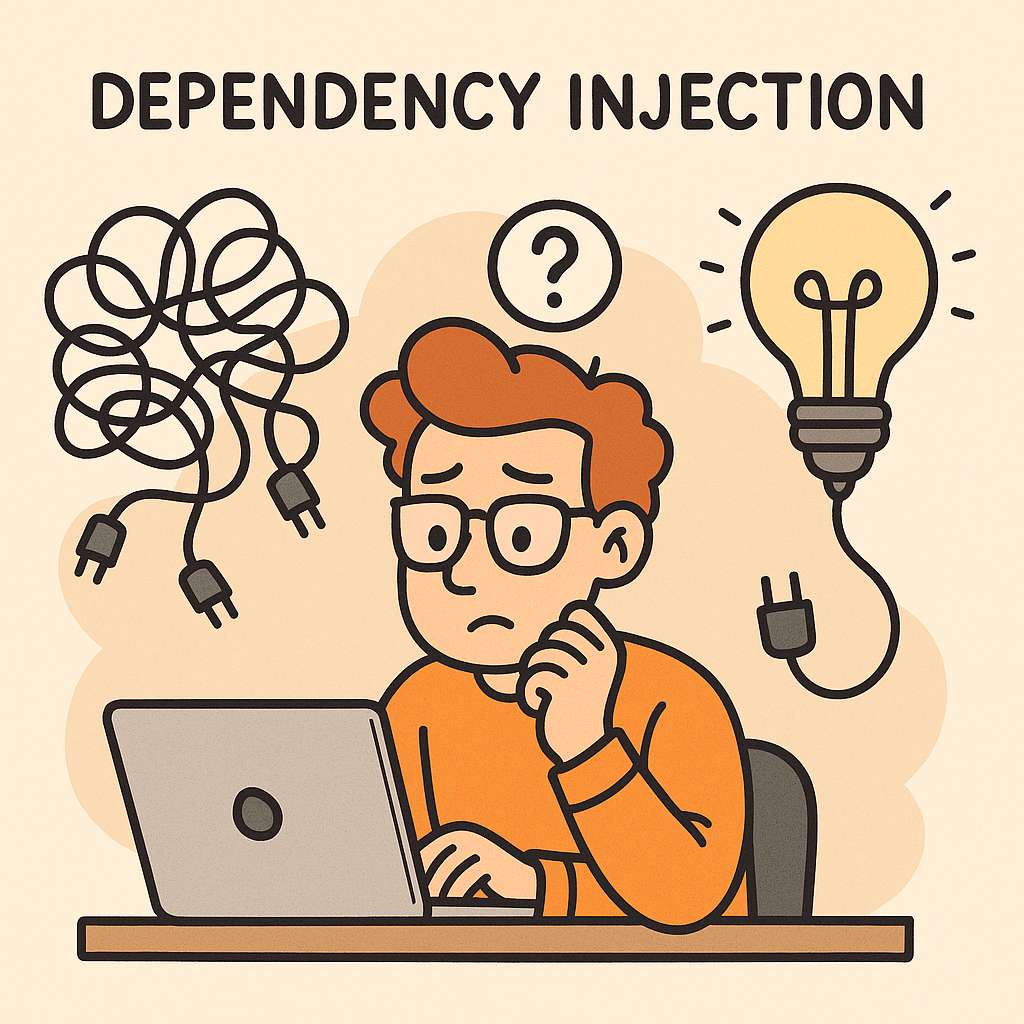
Dependency Injection (DI) is a design pattern in software engineering where the dependencies of a class or module are provided from the outside, rather than being created internally. In simpler terms, instead of a class creating the objects it needs, those objects are “injected” into it. This approach decouples components, making them more flexible, testable, and maintainable.

For example, instead of a class instantiating a database connection itself, the connection object is passed to it. This allows the class to work with different types of databases without changing its internal logic.

A Brief History of Dependency Injection

The concept of Dependency Injection has its roots in the Inversion of Control (IoC) principle, which was popularized in the late 1990s and early 2000s. Martin Fowler formally introduced the term “Dependency Injection” in 2004, describing it as a way to implement IoC. Frameworks like Spring (Java) and later .NET Core made DI a first-class citizen in modern software development, encouraging developers to separate concerns and write loosely coupled code.

Main Components of Dependency Injection

Dependency Injection typically involves the following components:

  • Service (Dependency): The object that provides functionality (e.g., a database service, logging service).
  • Client (Dependent Class): The object that depends on the service to function.
  • Injector (Framework or Code): The mechanism responsible for providing the service to the client.

For example, in Java Spring:

  • The database service is the dependency.
  • The repository class is the client.
  • The Spring container is the injector that wires them together.

Why is Dependency Injection Important?

DI plays a crucial role in writing clean and maintainable code because:

  • It decouples the creation of objects from their usage.
  • It makes code more adaptable to change.
  • It enables easier testing by allowing dependencies to be replaced with mocks or stubs.
  • It reduces the “hardcoding” of configurations and promotes flexibility.

Benefits of Dependency Injection

  1. Loose Coupling: Clients are independent of specific implementations.
  2. Improved Testability: You can easily inject mock dependencies for unit testing.
  3. Reusability: Components can be reused in different contexts.
  4. Flexibility: Swap implementations without modifying the client.
  5. Cleaner Code: Reduces boilerplate code and centralizes dependency management.

When and How Should We Use Dependency Injection?

  • When to Use:
    • In applications that require flexibility and maintainability.
    • When components need to be tested in isolation.
    • In large systems where dependency management becomes complex.
  • How to Use:
    • Use frameworks like Spring (Java), Guice (Java), Dagger (Android), or ASP.NET Core built-in DI.
    • Apply DI principles when designing classes—focus on interfaces rather than concrete implementations.
    • Configure injectors (containers) to manage dependencies automatically.

Real World Examples of Dependency Injection

Spring Framework (Java):
A service class can be injected into a controller without explicitly creating an instance.

    @Service
    public class UserService {
        public String getUser() {
            return "Emre";
        }
    }
    
    @RestController
    public class UserController {
        private final UserService userService;
    
        @Autowired
        public UserController(UserService userService) {
            this.userService = userService;
        }
    
        @GetMapping("/user")
        public String getUser() {
            return userService.getUser();
        }
    }


    Conclusion

    Dependency Injection is more than just a pattern—it’s a fundamental approach to building flexible, testable, and maintainable software. By externalizing the responsibility of managing dependencies, developers can focus on writing cleaner code that adapts easily to change. Whether you’re building a small application or a large enterprise system, DI can simplify your architecture and improve long-term productivity.

    Blog at WordPress.com.

    Up ↑