Search

Software Engineer's Notes

Tag

Software Security

Cryptographically Secure Pseudo-Random Number Generator (CSPRNG)

What is Cryptographically Secure Pseudo-Random Number Generator?

In modern computing, randomness plays a vital role in security, encryption, authentication, and even everyday applications. But not all randomness is created equal. When dealing with sensitive data, we need something much stronger than just “random”—we need cryptographically secure pseudo-random number generators (CSPRNGs). In this blog, we’ll explore what they are, their history, how they work, and why they’re so important in software development.

What is a Cryptographically Secure Pseudo-Random Number Generator?

A CSPRNG is a type of algorithm that generates numbers that appear random but are actually produced by a deterministic process. Unlike regular pseudo-random number generators (PRNGs), which may be predictable with enough knowledge of their internal state, CSPRNGs are specifically designed to withstand cryptographic attacks.

In other words, even if an attacker observes many outputs from a CSPRNG, they should not be able to determine the next output or deduce the internal state.

A Brief History of CSPRNGs

The history of random number generation in cryptography dates back to the early days of secure communications:

  • 1940s – WWII era: Randomness was used in encryption systems like the one-time pad, which relied on truly random keys. However, generating and distributing such randomness securely was impractical.
  • 1960s–1970s: As computers evolved, researchers began designing algorithms to simulate randomness. Early pseudo-random generators (like Linear Congruential Generators) were fast but not secure for cryptographic use.
  • 1980s–1990s: With the rise of public-key cryptography (RSA, Diffie-Hellman), stronger random number generation became critical. This led to the development of algorithms like Blum Blum Shub (1986) and Yarrow (1999).
  • 2000s–Today: Modern operating systems now include secure random number sources, such as /dev/random and /dev/urandom in Unix-like systems, and CryptGenRandom or CNG in Windows. Algorithms like Fortuna and HMAC_DRBG are widely used in cryptographic libraries.

Features and Characteristics of CSPRNGs

CSPRNGs are different from regular PRNGs because they meet strict cryptographic requirements. Key features include:

  1. Unpredictability: Given past outputs, the next output cannot be guessed.
  2. Resistance to State Compromise: Even if some internal state is leaked, it should not compromise past or future outputs.
  3. High Entropy Source: They often draw from unpredictable system events (e.g., mouse movements, keystrokes, network interrupts).
  4. Deterministic Expansion: Once seeded with secure entropy, they can generate large amounts of secure random data.
  5. Standards Compliance: Many are defined by standards like NIST SP 800-90A.

How Does a CSPRNG Work?

At its core, a CSPRNG works in two stages:

  1. Seeding (Entropy Collection):
    The system gathers entropy from unpredictable sources like hardware noise, CPU timings, or environmental factors.
  2. Expansion (Pseudo-Random Generation):
    The seed is processed through a secure algorithm (such as AES in counter mode, SHA-256 hashing, or HMAC). This allows the generator to produce a long stream of secure pseudo-random numbers.

For example:

  • A hash-based CSPRNG applies a secure hash function to seed data repeatedly.
  • A block cipher-based CSPRNG encrypts counters with a secret seed to produce outputs.

Both approaches ensure that the output is indistinguishable from true randomness.

Why is it Important?

CSPRNGs are the backbone of modern security. Without them, encryption and authentication systems would be predictable and vulnerable. Their importance spans across:

  • Key Generation: Secure keys for symmetric and asymmetric cryptography.
  • Session Tokens: Secure identifiers for logins and sessions.
  • Nonces and IVs: Ensuring uniqueness in encryption schemes.
  • Password Salt Generation: Preventing rainbow table attacks.

Without cryptographic security in random numbers, attackers could exploit weaknesses and compromise entire systems.

Advantages and Benefits

  1. Security Assurance: Provides unpredictable randomness that resists cryptanalysis.
  2. Scalability: Can produce large amounts of random data from a small seed.
  3. Versatility: Used in encryption, authentication, simulations, and secure protocols.
  4. Backward and Forward Secrecy: Protects both past and future outputs even if part of the state is exposed.
  5. Standardization: Recognized and trusted across industries.

When and How Should We Use It?

You should use CSPRNGs whenever randomness has a security impact:

  • Generating cryptographic keys (RSA, AES, ECC).
  • Creating session identifiers or API tokens.
  • Producing salts and nonces for password hashing and encryption.
  • In secure protocols (TLS, SSH, IPsec).

For non-security tasks (like shuffling items in a game), a regular PRNG may suffice. But for anything involving sensitive data, always use a CSPRNG.

Integrating CSPRNGs into Software Development

Most modern languages and frameworks provide built-in CSPRNG libraries. Integration usually involves using the recommended secure API instead of regular random functions. Examples:

  • Java: SecureRandom class.
  • Python: secrets module or os.urandom().
  • C/C++: getrandom(), /dev/urandom, or libraries like OpenSSL.
  • JavaScript (Web): window.crypto.getRandomValues().
  • .NET: RNGCryptoServiceProvider or RandomNumberGenerator.

Best Practices for Integration:

  • Always use language-provided CSPRNG libraries (don’t roll your own).
  • Ensure proper seeding with entropy from the OS.
  • Use latest libraries that comply with security standards.
  • Apply code reviews and security audits to confirm correct usage.

Conclusion

Cryptographically Secure Pseudo-Random Number Generators are one of the unsung heroes of modern computing. They ensure that our communications, logins, and transactions remain safe from attackers. By understanding their history, characteristics, and applications, we can better integrate them into our software development processes and build secure systems.

Whenever security is at stake, always rely on a CSPRNG—because in cryptography, true randomness matters.
Understanding Transport Layer Security (TLS): A Complete Guide

What is Transport Layer Security?

What is TLS?

Transport Layer Security (TLS) is a cryptographic protocol that ensures secure communication between computers over a network. It is the successor to Secure Sockets Layer (SSL) and is widely used to protect data exchanged across the internet, such as when browsing websites, sending emails, or transferring files.

TLS establishes a secure channel by encrypting the data, making sure that attackers cannot eavesdrop or tamper with the information. Today, TLS is a cornerstone of internet security and is fundamental to building trust in digital communications.

How Does TLS Work?

TLS operates in two major phases:

1. Handshake Phase

  • When a client (like a web browser) connects to a server (like a website), they first exchange cryptographic information.
  • The server presents its TLS certificate, which is issued by a trusted Certificate Authority (CA). This allows the client to verify the server’s authenticity.
  • A key exchange mechanism is used (e.g., RSA or Diffie-Hellman) to securely agree on a shared secret key.

2. Data Encryption Phase

  • After the handshake, both client and server use the shared key to encrypt the data.
  • This ensures confidentiality (data cannot be read by outsiders), integrity (data cannot be altered undetected), and authentication (you’re communicating with the right server).

Main Components of TLS

  1. TLS Handshake Protocol
    • Negotiates the encryption algorithms and establishes session keys.
  2. Certificates and Certificate Authorities (CAs)
    • Digital certificates validate the server’s identity.
    • CAs issue and verify these certificates to ensure trust.
  3. Public Key Infrastructure (PKI)
    • Uses asymmetric cryptography (public/private keys) for authentication and key exchange.
  4. Symmetric Encryption
    • Once the handshake is complete, data is encrypted with a shared symmetric key, which is faster and more efficient.
  5. Message Authentication Codes (MACs)
    • Ensure data integrity by verifying that transmitted messages are not altered.

Advantages and Benefits of TLS

  1. Confidentiality – Prevents unauthorized access by encrypting data in transit.
  2. Integrity – Detects and prevents data tampering.
  3. Authentication – Validates server (and sometimes client) identity using certificates.
  4. Trust & Compliance – Required for compliance with standards like PCI DSS, GDPR, and HIPAA.
  5. Performance with Security – Modern TLS versions (like TLS 1.3) are optimized for speed without compromising security.

When and How Should We Use TLS?

  • Websites & Web Applications: Protects HTTP traffic via HTTPS.
  • Email Communication: Secures SMTP, IMAP, and POP3.
  • APIs & Microservices: Ensures secure communication between distributed components.
  • File Transfers: Used in FTPS and SFTP for secure file exchange.
  • VoIP & Messaging: Protects real-time communication channels.

Simply put, TLS should be used anytime sensitive or private data is exchanged over a network.

Real-World Examples

  1. HTTPS Websites: Every secure website (with a padlock icon in browsers) uses TLS.
  2. Online Banking: TLS secures login credentials, financial transactions, and personal data.
  3. E-commerce Platforms: Protects payment information during checkout.
  4. Healthcare Systems: Secures patient data to comply with HIPAA.
  5. Cloud Services: Ensures secure API calls between cloud-based applications.

How to Integrate TLS into the Software Development Process

  1. Use HTTPS by Default
    • Always deploy TLS certificates on your web servers and enforce HTTPS connections.
  2. Automate Certificate Management
    • Use tools like Let’s Encrypt for free and automated certificate renewal.
  3. Secure APIs and Microservices
    • Apply TLS for internal service-to-service communication in microservice architectures.
  4. Enforce Strong TLS Configurations
    • Disable outdated protocols like SSL, TLS 1.0, and TLS 1.1.
    • Use TLS 1.2 or TLS 1.3 for stronger security.
  5. CI/CD Integration
    • Include TLS configuration tests in your pipeline to ensure secure deployments.
  6. Regular Security Audits
    • Continuously scan your applications and servers for weak TLS configurations.

Conclusion

Transport Layer Security (TLS) is not just a security protocol—it’s the backbone of secure digital communication. By encrypting data, authenticating identities, and preserving integrity, TLS builds trust between users and applications.

Whether you are building a website, developing an API, or running enterprise systems, integrating TLS into your software development process is no longer optional—it’s essential.

Salted Challenge Response Authentication Mechanism (SCRAM): A Practical Guide

What is Salted Challenge Response Authentication Mechanism?

SCRAM authenticates users without sending passwords, stores only derived keys (not plaintext), and prevents replay attacks with nonces and salts. It’s a modern alternative to legacy password schemes and is available via SASL in many servers and clients.

What Is SCRAM?

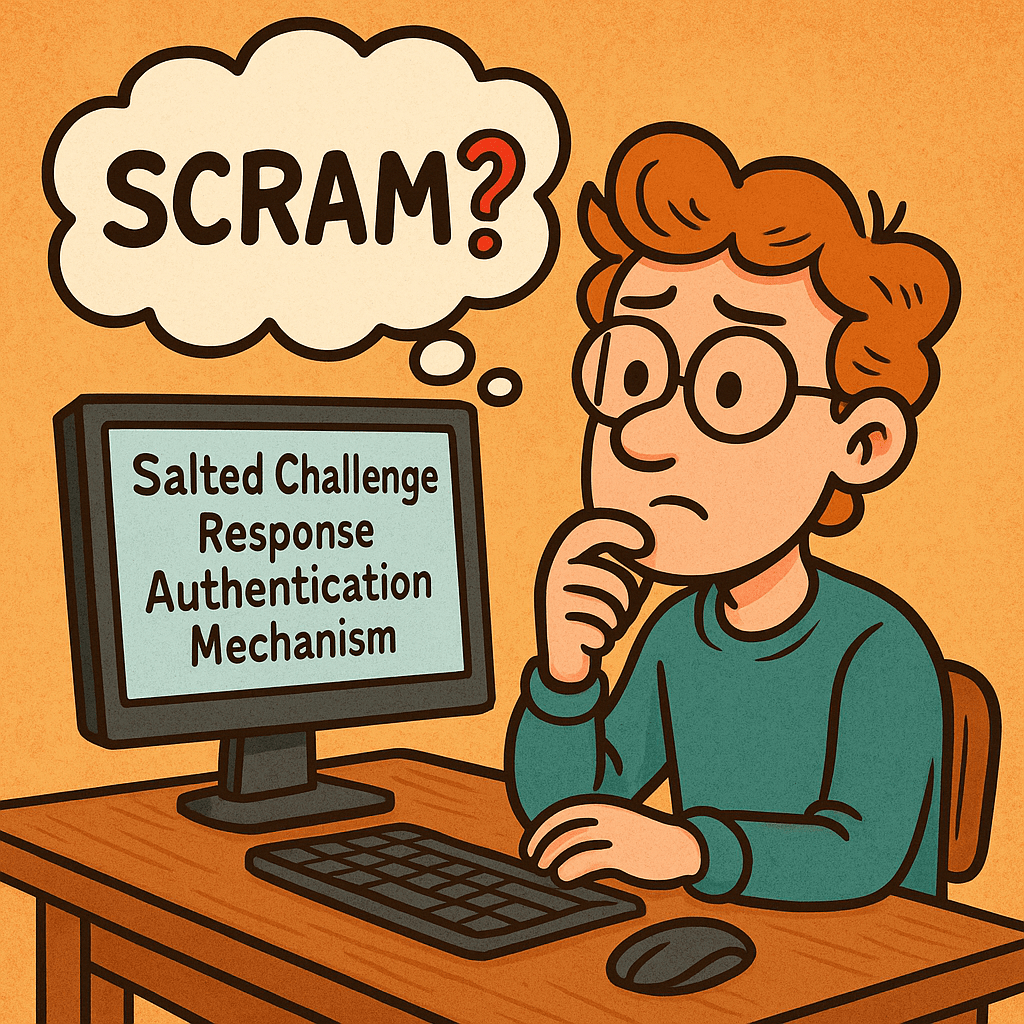
Salted Challenge Response Authentication Mechanism (SCRAM) is a password-based authentication protocol standardized by the IETF (commonly used as a SASL mechanism). Instead of transmitting the user’s password, SCRAM proves knowledge of it through a challenge-response exchange using:

  • a salt (unique per account),
  • a nonce (unique per session),
  • an iteration count (work factor),
  • and a key-derivation function (e.g., PBKDF2 with HMAC-SHA-256).

Common variants: SCRAM-SHA-1, SCRAM-SHA-256, and SCRAM-SHA-512 (some deployments also use channel binding for MITM protection).

How SCRAM Works (Step-by-Step)

Notation: H() = hash (e.g., SHA-256), HMAC(k,m), KDF(password, salt, iterations) = PBKDF2-HMAC.

  1. Client → Server: client-first-message
    Sends username and a fresh client nonce nc.
  2. Server → Client: server-first-message
    Looks up user’s stored auth data, returns:
    • salt s (from account record),
    • iteration count i,
    • server nonce ns (fresh, often concatenated with nc).
  3. Client computes keys locally
    • SaltedPassword = KDF(password, s, i)
    • ClientKey = HMAC(SaltedPassword, "Client Key")
    • StoredKey = H(ClientKey)
    • Builds an auth message transcript (the exact strings of the three messages).
  4. Client → Server: client-final-message
    Sends:
    • combined nonce (nc+ns),
    • ClientProof = ClientKey XOR HMAC(StoredKey, AuthMessage)
      (This proves the client knows the password without sending it.)
  5. Server verifies
    • Recomputes StoredKey from its stored data, verifies ClientProof.
    • If valid, computes ServerKey = HMAC(SaltedPassword, "Server Key") and
      ServerSignature = HMAC(ServerKey, AuthMessage).
  6. Server → Client: server-final-message
    Returns ServerSignature so the client can verify it’s talking to the real server.

What the server stores: never the plaintext password. It stores salt, iteration count, and either the SaltedPassword or the derived StoredKey and ServerKey (or values sufficient to recompute/verify them).

Main Features & Components

  • Salting: Unique per-user salt thwarts rainbow tables.
  • Key Derivation with Work Factor: Iterations make brute force slower.
  • Challenge-Response with Nonces: Prevents replay attacks.
  • Mutual Authentication: Client verifies the server via ServerSignature.
  • No Plaintext Passwords in Transit or at Rest: Only derived values are stored/transmitted.
  • Channel Binding (optional): Binds auth to the underlying TLS channel to deter MITM.

Benefits & Advantages

  • Strong security with passwords: Better than Basic/Digest/PLAIN (without TLS).
  • Minimal leakage if DB is stolen: Attackers get salts and derived keys, not plaintext.
  • Replay-resistant: Nonces and signed transcripts block replays.
  • Standards-based & widely supported: Kafka, PostgreSQL, MongoDB, IMAP/SMTP, XMPP, LDAP, etc.
  • No PKI dependency: Works with or without TLS (though TLS is strongly recommended).

When & How to Use SCRAM

Use SCRAM when you:

  • need password-based auth with solid defenses (microservices, message brokers, DBs),
  • require mutual verification (client also verifies server),
  • want a drop-in option supported by SASL frameworks and libraries.

Pair it with TLS in any hostile network. Prefer SCRAM-SHA-256 or stronger. Enable channel binding where client/server stacks support it.

Real-World Use Cases

  • Message brokers: Kafka clusters using SASL/SCRAM for client-to-broker auth.
  • Databases: PostgreSQL and MongoDB deployments using SCRAM-SHA-256.
  • Email/XMPP/LDAP: SASL SCRAM to avoid password exposure and replays.
  • Enterprise gateways: Reverse proxies terminating TLS and relaying SCRAM to backends.

Implementation Blueprint (Server-Side)

Account creation / password change

  • Generate random salt (16–32 bytes).
  • Choose iterations (e.g., 65,536+; tune for latency).
  • Compute SaltedPassword = KDF(password, salt, iterations).
  • Derive and store either:
    • StoredKey = H(HMAC(SaltedPassword, "Client Key"))
    • ServerKey = HMAC(SaltedPassword, "Server Key")
    • plus salt, iterations, username
    • (Optionally store SaltedPassword if your library expects it, but avoid storing plaintext or unsalted hashes.)

Authentication flow (pseudocode)

# server-first-message
record = lookup(username)
nonce_s  = random()
send { salt: record.salt, iter: record.iter, nonce: client_nonce + nonce_s }

# client-final-message arrives with ClientProof and combined nonce
authMsg = transcript(clientFirst, serverFirst, clientFinalWithoutProof)

# Verify proof
ClientSignature = HMAC(record.StoredKey, authMsg)
ClientKey = XOR(ClientProof, ClientSignature)
StoredKey' = H(ClientKey)
if StoredKey' != record.StoredKey: reject

# Success: send server signature for mutual auth
ServerSignature = HMAC(record.ServerKey, authMsg)
return { server_signature: ServerSignature }

Storage schema (example)

users(
  id PK,
  username UNIQUE,
  salt VARBINARY(32),
  iterations INT,
  stored_key VARBINARY(32 or 64),
  server_key VARBINARY(32 or 64),
  updated_at TIMESTAMP
)

Security Best Practices

  • Always use TLS, and enable channel binding if your stack supports it.
  • Strong randomness for salts and nonces (CSPRNG).
  • High iteration counts tuned to your latency budget; revisit yearly.
  • Rate-limit and lockout policies to deter online guessing.
  • Audit and rotate credentials; support password upgrades (e.g., SHA-1 → SHA-256).
  • Side-channel hygiene: constant-time comparisons; avoid verbose error messages.

Integrating SCRAM into Your Software Development Process

1) Design & Requirements

  • Decide on algorithm (prefer SCRAM-SHA-256 or higher) and iterations.
  • Define migration plan from existing auth (fallback or forced reset).

2) Implementation

  • Use a well-maintained SASL/SCRAM library for your language/runtime.
  • Centralize KDF and nonce/salt generation utilities.
  • Add feature flags to switch mechanisms and iteration counts.

3) Configuration & DevOps

  • Store salts/keys only in your DB; protect backups.
  • Secrets (e.g., TLS keys) in a vault; enforce mTLS between services where applicable.
  • Add dashboards for auth failures, lockouts, and latency.

4) Testing

  • Unit-test transcripts against known vectors from your library/docs.
  • Property/fuzz tests for parser edge cases (attribute order, malformed messages).
  • Integration tests with TLS on/off, and with channel binding if used.

5) Rollout

  • Canary a subset of users/services.
  • Monitor failure rates and latency; adjust iterations if needed.
  • Backfill/migrate user records on next login or via scheduled jobs.

Comparison Cheat Sheet

MechanismSends Password?Server StoresReplay-ResistantMutual AuthNotes
Basic (over TLS)Yes (base64)Plain/Hash (app-defined)NoNoOnly acceptable with strong TLS; still weak vs replays if tokens leak.
DigestNoHash of passwordPartiallyNoOutdated; weaker KDF and known issues.
PLAIN (over TLS)YesApp-definedNoNoOnly safe inside TLS; still exposes password at app layer.
SCRAMNoSalted keysYesYesModern default for password auth; supports channel binding.
OAuth 2.0/OIDCN/ATokensYesYes (via TLS + signatures)Token-based; different tradeoffs and flow.

Developer Quick-Start (Language-Agnostic)

  • Pick a library that supports SCRAM-SHA-256 and (if possible) channel binding.
  • Server config: enable the SCRAM mechanism; set minimum iteration count and required hash.
  • Client config: select SCRAM mechanism; supply username/password; verify server signature.
  • Migrations: on user login, if you detect an old scheme (e.g., SHA-1), re-derive keys with SHA-256 and higher iterations and update the record.

FAQs

Do I still need TLS with SCRAM?
Yes. SCRAM protects passwords and gives mutual auth, but TLS protects confidentiality/integrity of all data and enables channel binding.

Which hash should I choose?
Use SCRAM-SHA-256 or stronger. Avoid SHA-1 for new systems.

How many iterations?
Start with a value that adds ~50–150 ms on your hardware per attempt, then adjust based on throughput/latency targets.

Final Checklist

  • SCRAM-SHA-256 enabled on server and clients
  • Unique salt per user, secure CSPRNG
  • Iterations set and documented; metrics in place
  • TLS enforced; channel binding on where supported
  • Tests cover transcripts, edge cases, and migrations
  • Monitoring, rate-limiting, and lockouts configured

Simple Authentication and Security Layer (SASL): A Practical Guide

What is Simple Authentication and Security Layer?

SASL (Simple Authentication and Security Layer) is a framework that adds pluggable authentication and optional post-authentication security (integrity/confidentiality) to application protocols such as SMTP, IMAP, POP3, LDAP, XMPP, AMQP 1.0, Kafka, and more. Instead of hard-coding one login method into each protocol, SASL lets clients and servers negotiate from a menu of mechanisms (e.g., SCRAM, Kerberos/GSSAPI, OAuth bearer tokens, etc.).

What Is SASL?

SASL is a protocol-agnostic authentication layer defined so that an application protocol (like IMAP or LDAP) can “hook in” standardized auth exchanges without reinventing them. It specifies:

  • How a client and server negotiate an authentication mechanism
  • How they exchange challenges and responses for that mechanism
  • Optionally, how they enable a security layer after auth (message integrity and/or encryption)

Key idea: SASL = negotiation + mechanism plug-ins, not a single algorithm.

How SASL Works (Step by Step)

  1. Advertise capabilities
    The server advertises supported SASL mechanisms (e.g., SCRAM-SHA-256, GSSAPI, PLAIN, OAUTHBEARER).
  2. Client selects mechanism
    The client picks one mechanism it supports (optionally sending an initial response).
  3. Challenge–response exchange
    The server sends a challenge; the client replies with mechanism-specific data (proofs, nonces, tickets, tokens, etc.). Multiple rounds may occur.
  4. Authentication result
    On success, the server confirms authentication. Some mechanisms can now negotiate a security layer (per-message integrity/confidentiality). In practice, most modern deployments use TLS for the transport layer and skip SASL’s own security layer.
  5. Application traffic
    The client proceeds with the protocol (fetch mail, query directory, produce to Kafka, etc.), now authenticated (and protected by TLS and/or the SASL layer if negotiated).

Core Components & Concepts

  • Mechanism: The algorithm/protocol used to authenticate (e.g., SCRAM-SHA-256, GSSAPI, OAUTHBEARER, PLAIN).
  • Initial response: Optional first payload sent with the mechanism selection.
  • Challenge/response: The back-and-forth messages carrying proofs and metadata.
  • Security layer: Optional integrity/confidentiality after auth (distinct from TLS).
  • Channel binding: A way to bind auth to the outer TLS channel to prevent MITM downgrades (used by mechanisms like SCRAM with channel binding).

Common SASL Mechanisms (When to Use What)

MechanismWhat it isUse whenNotes
SCRAM-SHA-256/512Salted Challenge Response Authentication Mechanism using SHA-2You want strong password auth with no plaintext passwords on the wire and hashed+salted storageModern default for many systems (Kafka, PostgreSQL ≥10). Supports channel binding variants.
GSSAPI (Kerberos)Enterprise single sign-on via Kerberos ticketsYou have an Active Directory / Kerberos realm and want SSOExcellent for internal corp networks; more setup complexity.
OAUTHBEAREROAuth 2.0 bearer tokens in SASLYou issue/verify OAuth tokensGreat for cloud/microservices; aligns with identity providers (IdPs).
EXTERNALUse external credentials from the transport (e.g., TLS client cert)You use mutual TLSNo passwords; trust comes from certificates.
PLAINUsername/password in clear (over TLS)You already enforce TLS everywhere and need simplicityEasy but must require TLS. Do not use without TLS.
CRAM-MD5 / DIGEST-MD5Legacy challenge-responseLegacy interop onlyConsider migrating to SCRAM.

Practical default today: TLS + SCRAM-SHA-256 (or TLS + OAUTHBEARER if you already run OAuth).

Advantages & Benefits

  • Pluggable & future-proof: Swap mechanisms without changing the application protocol.
  • Centralized policy: Standardizes auth across many services.
  • Better password handling (with SCRAM): No plaintext at rest, resistant to replay.
  • Enterprise SSO (with GSSAPI): Kerberos tickets instead of passwords.
  • Cloud-friendly (with OAUTHBEARER): Leverage existing IdP and token lifecycles.
  • Interoperability: Widely implemented in mail, messaging, directory services, and databases.

When & How Should You Use SASL?

Use SASL when your protocol (or product) supports it natively and you need one or more of:

  • Strong password auth with modern hashing ⇒ choose SCRAM-SHA-256/512.
  • Single Sign-On in enterprise ⇒ choose GSSAPI (Kerberos).
  • IdP integration & short-lived credentials ⇒ choose OAUTHBEARER.
  • mTLS-based trust ⇒ choose EXTERNAL.
  • Simplicity under TLSPLAIN (TLS mandatory).

Deployment principles

  • Always enable TLS (or equivalent) even if the mechanism supports a security layer.
  • Prefer SCRAM over legacy mechanisms when using passwords.
  • Enforce mechanism allow-lists (e.g., disable PLAIN if TLS is off).
  • Use channel binding where available.
  • Centralize secrets in a secure vault and rotate regularly.

Real-World Use Cases (Deep-Dive)

1) Email: SMTP, IMAP, POP3

  • Goal: Authenticate mail clients to servers.
  • Mechanisms: PLAIN (over TLS), LOGIN (non-standard but common), SCRAM, OAUTHBEARER/XOAUTH2 for providers with OAuth.
  • Flow: Client connects with STARTTLS or SMTPS/IMAPS → server advertises mechanisms → client authenticates → proceeds to send/receive mail.
  • Why SASL: Broad client interop, ability to modernize from PLAIN to SCRAM/OAuth without changing SMTP/IMAP themselves.

2) LDAP Directory (SASL Bind)

  • Goal: Authenticate users/applications to a directory (OpenLDAP, 389-ds).
  • Mechanisms: GSSAPI (Kerberos SSO), EXTERNAL (TLS client certs), SCRAM, PLAIN (with TLS).
  • Why SASL: Flexible enterprise auth: service accounts via SCRAM, employees via Kerberos.

3) Kafka Producers/Consumers

  • Goal: Secure cluster access per client/app.
  • Mechanisms: SASL/SCRAM-SHA-256, SASL/OAUTHBEARER, SASL/GSSAPI in some shops.
  • Why SASL: Centralize identity, attach ACLs per principal, rotate secrets/tokens cleanly.

Kafka client example (SCRAM-SHA-256):

# client.properties
security.protocol=SASL_SSL
sasl.mechanism=SCRAM-SHA-256
sasl.jaas.config=org.apache.kafka.common.security.scram.ScramLoginModule required \
 username="app-user" \
 password="s3cr3t";

4) XMPP (Jabber)

  • Goal: Client-to-server and server-to-server auth.
  • Mechanisms: SCRAM, EXTERNAL (certs), sometimes GSSAPI.
  • Why SASL: Clean negotiation, modern password handling, works across diverse servers/clients.

5) PostgreSQL ≥ 10 (Database Logins)

  • Goal: Strong password auth for DB clients.
  • Mechanisms: SASL/SCRAM-SHA-256 preferred over MD5.
  • Why SASL: Mitigates plaintext/MD5 weaknesses; supports channel binding with TLS.

6) AMQP 1.0 Messaging (e.g., Apache Qpid, Azure Service Bus)

  • Goal: Authenticate publishers/consumers.
  • Mechanisms: PLAIN (over TLS), EXTERNAL, OAUTHBEARER depending on broker.
  • Why SASL: AMQP 1.0 defines SASL for its handshake, so it’s the standard path.

Implementation Patterns (Developers & Operators)

Choose mechanisms

  • Default: TLS + SCRAM-SHA-256
  • Enterprise SSO: TLS + GSSAPI
  • Cloud IdP: TLS + OAUTHBEARER (short-lived tokens)

Server hardening checklist

  • Require TLS for all auth (disable cleartext fallbacks)
  • Allow-list mechanisms (disable weak/legacy ones)
  • Rate-limit authentication attempts
  • Rotate secrets/tokens; enforce password policy for SCRAM
  • Audit successful/failed auths; alert on anomalies
  • Enable channel binding (if supported)

Client best practices

  • Verify server certificates and hostnames
  • Prefer SCRAM over PLAIN where offered
  • Cache/refresh OAuth tokens properly
  • Fail closed if the server downgrades mechanisms or TLS

Example: SMTP AUTH with SASL PLAIN (over TLS)

Use only over TLS. PLAIN sends credentials in a single base64-encoded blob.

S: 220 mail.example.com ESMTP
C: EHLO client.example
S: 250-AUTH PLAIN SCRAM-SHA-256
C: STARTTLS
S: 220 Ready to start TLS
... (TLS negotiated) ...
C: AUTH PLAIN AHVzZXJuYW1lAHN1cGVyLXNlY3JldA==
S: 235 2.7.0 Authentication successful

If available, prefer:

C: AUTH SCRAM-SHA-256 <initial-client-response>

SCRAM protects against replay and stores salted, hashed passwords server-side.

Limitations & Gotchas

  • Not a silver bullet: SASL standardizes auth, but you still need TLS, good secrets hygiene, and strong ACLs.
  • Mechanism mismatches: Client/Server must overlap on at least one mechanism.
  • Legacy clients: Some only support PLAIN/LOGIN; plan for a migration path.
  • Operational complexity: Kerberos and OAuth introduce infrastructure to manage.
  • Security layer confusion: Most deployments rely on TLS instead of SASL’s own integrity/confidentiality layer; ensure your team understands the difference.

Integration Into Your Software Development Process

Design phase

  • Decide your identity model (passwords vs. Kerberos vs. OAuth).
  • Select mechanisms accordingly; document the allow-list.

Implementation

  • Use well-maintained libraries (mail, LDAP, Kafka clients, Postgres drivers) that support your chosen mechanisms.
  • Wire in TLS first, then SASL.
  • Add config flags to switch mechanisms per environment (dev/stage/prod).

Testing

  • Unit tests for mechanism negotiation and error handling.
  • Integration tests in CI with TLS on and mechanism allow-lists enforced.
  • Negative tests: expired OAuth tokens, wrong SCRAM password, TLS downgrade attempts.

Operations

  • Centralize secrets in a vault; automate rotation.
  • Monitor auth logs; alert on brute-force patterns.
  • Periodically reassess supported mechanisms (deprecate legacy ones).

Summary

SASL gives you a clean, extensible way to add strong authentication to many protocols without bolting on one-off solutions. In modern systems, pairing TLS with SCRAM, GSSAPI, or OAUTHBEARER delivers robust security, smooth migrations, and broad interoperability—whether you’re running mail servers, directories, message brokers, or databases.

Blog at WordPress.com.

Up ↑