Search

Software Engineer's Notes

Tag

Software Engineering

A/B Testing: A Practical Guide for Software Teams

What is A/B Testing?

What Is A/B Testing?

A/B testing (a.k.a. split testing or controlled online experiments) is a method of comparing two or more variants of a product change—such as copy, layout, flow, pricing, or algorithm—by randomly assigning users to variants and measuring which one performs better against a predefined metric (e.g., conversion, retention, time-to-task).

At its heart: random assignment + consistent tracking + statistical inference.

A Brief History (Why A/B Testing Took Over)

  • Early 1900s — Controlled experiments: Agricultural and medical fields formalized randomized trials and statistical inference.
  • Mid-20th century — Statistical tooling: Hypothesis testing, p-values, confidence intervals, power analysis, and experimental design matured in academia and industry R&D.
  • 1990s–2000s — The web goes measurable: Log files, cookies, and analytics made user behavior observable at scale.
  • 2000s–2010s — Experimentation platforms: Companies productized experimentation (feature flags, automated randomization, online metrics pipelines).
  • Today — “Experimentation culture”: Product, growth, design, and engineering teams treat experiments as routine, from copy tweaks to search/recommendation algorithms.

Core Components & Features

1) Hypothesis & Success Metrics

  • Hypothesis: A clear, falsifiable statement (e.g., “Showing social proof will increase sign-ups by 5%”).
  • Primary metric: One north-star KPI (e.g., conversion rate, revenue/user, task completion).
  • Guardrail metrics: Health checks to prevent harm (e.g., latency, churn, error rates).

2) Randomization & Assignment

  • Unit of randomization: User, session, account, device, or geo—pick the unit that minimizes interference.
  • Stable bucketing: Deterministic hashing (e.g., userID → bucket) ensures users stay in the same variant.
  • Traffic allocation: 50/50 is common; you can ramp gradually (1% → 5% → 20% → 50% → 100%).

3) Instrumentation & Data Quality

  • Event tracking: Consistent event names, schemas, and timestamps.
  • Exposure logging: Record which variant each user saw.
  • Sample Ratio Mismatch (SRM) checks: Detect broken randomization or filtering errors.

4) Statistical Engine

  • Frequentist or Bayesian: Both are valid; choose one approach and document your decision rules.
  • Power & duration: Estimate sample size before launch to avoid underpowered tests.
  • Multiple testing controls: Correct when running many metrics or variants.

5) Feature Flagging & Rollouts

  • Kill switch: Instantly turn off a harmful variant.
  • Targeting: Scope by country, device, cohort, or feature entitlement.
  • Gradual rollouts: Reduce risk and observe leading indicators.

How A/B Testing Works (Step-by-Step)

  1. Frame the problem
    • Define the user problem and the behavioral outcome you want to change.
    • Write a precise hypothesis and pick one primary metric (and guardrails).
  2. Design the experiment
    • Choose the unit of randomization and traffic split.
    • Compute minimum detectable effect (MDE) and sample size/power.
    • Decide the test window (consider seasonality, weekends vs weekdays).
  3. Prepare instrumentation
    • Add/verify events and parameters.
    • Add exposure logging (user → variant).
    • Set up dashboards for primary and guardrail metrics.
  4. Implement variants
    • A (control): Current experience.
    • B (treatment): Single, intentionally scoped change. Avoid bundling many changes.
  5. Ramp safely
    • Start with a small percentage to validate no obvious regressions (guardrails: latency, errors, crash rate).
    • Increase to planned split once stable.
  6. Run until stopping criteria
    • Precommit rules: fixed sample size or statistical thresholds (e.g., 95% confidence / high posterior).
    • Don’t peek and stop early unless you’ve planned sequential monitoring.
  7. Analyze & interpret
    • Check SRM, data freshness, assignment integrity.
    • Evaluate effect size, uncertainty (CIs or posteriors), and guardrails.
    • Consider heterogeneity (e.g., new vs returning users), but beware p-hacking.
  8. Decide & roll out
    • Ship B if it improves the primary metric without harming guardrails.
    • Rollback or iterate if neutral/negative or inconclusive.
    • Document learnings and add to a searchable “experiment logbook.”

Benefits

  • Customer-centric outcomes: Real user behavior, not opinions.
  • Reduced risk: Gradual exposure with kill switches prevents widespread harm.
  • Compounding learning: Your experiment log becomes a strategic asset.
  • Cross-functional alignment: Designers, PMs, and engineers align around clear metrics.
  • Efficient investment: Double down on changes that actually move the needle.

Challenges & Pitfalls (and How to Avoid Them)

  • Underpowered tests: Too little traffic or too short duration → inconclusive results.
    • Fix: Do power analysis; increase traffic or MDE; run longer.
  • Sample Ratio Mismatch (SRM): Unequal assignment when you expected 50/50.
    • Fix: Automate SRM checks; verify hashing, filters, bot traffic, and eligibility gating.
  • Peeking & p-hacking: Repeated looks inflate false positives.
    • Fix: Predefine stopping rules; use sequential methods if you must monitor continuously.
  • Metric mis-specification: Optimizing vanity metrics can hurt long-term value.
    • Fix: Choose metrics tied to business value; set guardrails.
  • Interference & contamination: Users see both variants (multi-device) or influence each other (network effects).
    • Fix: Pick the right unit; consider cluster-randomized tests.
  • Seasonality & novelty effects: Short-term lifts can fade.
    • Fix: Run long enough; validate with holdouts/longitudinal analysis.
  • Multiple comparisons: Many metrics/variants inflate Type I error.
    • Fix: Pre-register metrics; correct (e.g., Holm-Bonferroni) or use hierarchical/Bayesian models.

When Should You Use A/B Testing?

Use it when:

  • You can randomize exposure and measure outcomes reliably.
  • The expected effect is detectable with your traffic and time constraints.
  • The change is reversible and safe to ramp behind a flag.
  • You need causal evidence (vs. observational analytics).

Avoid or rethink when:

  • The feature is safety-critical or legally constrained (no risky variants).
  • Traffic is too low for a meaningful test—consider switchback tests, quasi-experiments, or qualitative research.
  • The change is broad and coupled (e.g., entire redesign) — consider staged launches plus targeted experiments inside the redesign.

Integrating A/B Testing Into Your Software Development Process

1) Add Experimentation to Your SDLC

  • Backlog (Idea → Hypothesis):
    • Each experiment ticket includes hypothesis, primary metric, MDE, power estimate, and rollout plan.
  • Design & Tech Spec:
    • Define variants, event schema, exposure logging, and guardrails.
    • Document assignment unit and eligibility filters.
  • Implementation:
    • Wrap changes in feature flags with a kill switch.
    • Add analytics events; verify in dev/staging with synthetic users.
  • Code Review:
    • Check flag usage, deterministic bucketing, and event coverage.
    • Ensure no variant leaks (CSS/JS not loaded across variants unintentionally).
  • Release & Ramp:
    • Start at 1–5% to validate stability; then ramp to target split.
    • Monitor guardrails in real time; alert on SRM or error spikes.
  • Analysis & Decision:
    • Use precommitted rules; share dashboards; write a brief “experiment memo.”
    • Update your Experiment Logbook (title, hypothesis, dates, cohorts, results, learnings, links to PRs/dashboards).
  • Operationalize Learnings:
    • Roll proven improvements to 100%.
    • Create Design & Content Playbooks from repeatable wins (e.g., messaging patterns that consistently outperform).

2) Minimal Tech Stack (Tool-Agnostic)

  • Feature flags & targeting: Server-side or client-side SDK with deterministic hashing.
  • Assignment & exposure service: Central place to decide variant and log the exposure event.
  • Analytics pipeline: Event ingestion → cleaning → sessionization/cohorting → metrics store.
  • Experiment service: Defines experiments, splits traffic, enforces eligibility, and exposes results.
  • Dashboards & alerting: Real-time guardrails + end-of-test summaries.
  • Data quality jobs: Automated SRM checks, missing event detection, and schema validation.

3) Governance & Culture

  • Pre-registration: Write hypotheses and metrics before launch.
  • Ethics & privacy: Respect consent, data minimization, and regional regulations.
  • Education: Train PM/Design/Eng on power, peeking, SRM, and metric selection.
  • Review board (optional): Larger orgs can use a small reviewer group to sanity-check experimental design.

Practical Examples

  • Signup flow: Test shorter forms vs. progressive disclosure; primary metric: completed signups; guardrails: support tickets, refund rate.
  • Onboarding: Compare tutorial variants; metric: 7-day activation (first “aha” event).
  • Pricing & packaging: Test plan names or anchor prices in a sandboxed flow; guardrails: churn, support contacts, NPS.
  • Search/ranking: Algorithmic tweaks; use interleaving or bucket testing with holdout cohorts; guardrails: latency, relevance complaints.

FAQ

Q: Frequentist or Bayesian?
A: Either works if you predefine decision rules and educate stakeholders. Bayesian posteriors are intuitive; frequentist tests are widely standard.

Q: How long should I run a test?
A: Until you reach the planned sample size or stopping boundary, covering at least one full user-behavior cycle (e.g., weekend + weekday).

Q: What if my traffic is low?
A: Increase MDE, test higher-impact changes, aggregate across geos, or use sequential tests. Complement with qualitative research.

Quick Checklist

  • Hypothesis, primary metric, guardrails, MDE, power
  • Unit of randomization and eligibility
  • Feature flag + kill switch
  • Exposure logging and event schema
  • SRM monitoring and guardrail alerts
  • Precommitted stopping rules
  • Analysis report + decision + logbook entry
End-to-End Testing in Software Development

What is End to End testing?

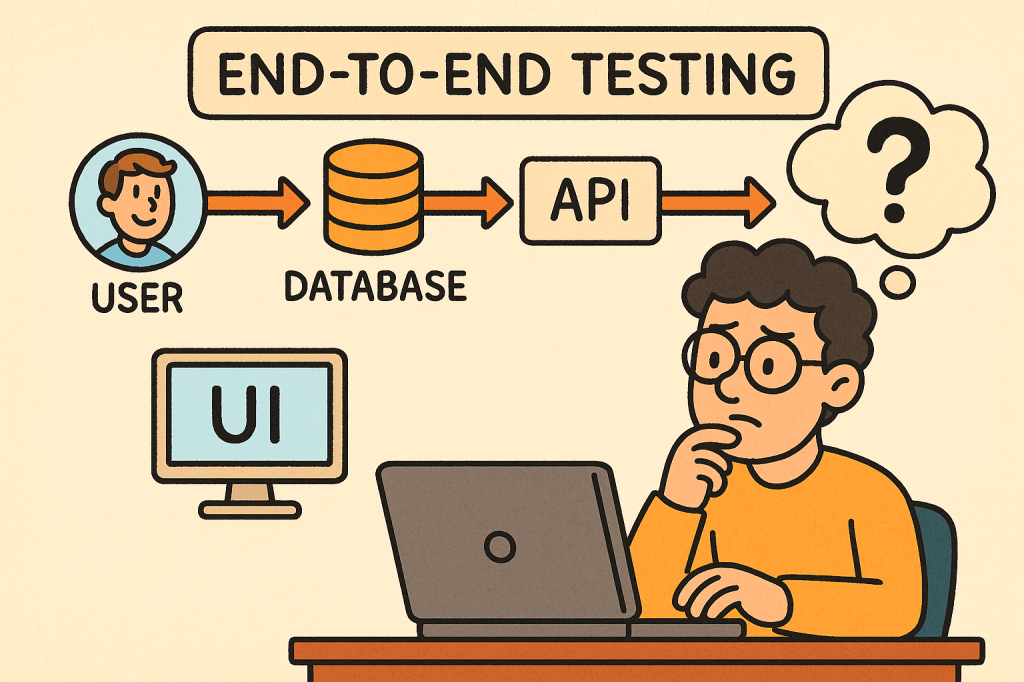
In today’s fast-paced software world, ensuring your application works seamlessly from start to finish is critical. That’s where End-to-End (E2E) testing comes into play. It validates the entire flow of an application — from the user interface down to the database and back — making sure every component interacts correctly and the overall system meets user expectations.

What is End-to-End Testing?

End-to-End testing is a type of software testing that evaluates an application’s workflow from start to finish, simulating real-world user scenarios. The goal is to verify that the entire system — including external dependencies like databases, APIs, and third-party services — functions correctly together.

Instead of testing a single module or service in isolation, E2E testing ensures that the complete system behaves as expected when all integrated parts are combined.

For example, in an e-commerce system:

  • A user logs in,
  • Searches for a product,
  • Adds it to the cart,
  • Checks out using a payment gateway,
  • And receives a confirmation email.

E2E testing verifies that this entire sequence works flawlessly.

How Does End-to-End Testing Work?

End-to-End testing typically follows these steps:

  1. Identify User Scenarios
    Define the critical user journeys — the sequences of actions users perform in real life.
  2. Set Up the Test Environment
    Prepare a controlled environment that includes all necessary systems, APIs, and databases.
  3. Define Input Data and Expected Results
    Determine what inputs will be used and what the expected output or behavior should be.
  4. Execute the Test
    Simulate the actual user actions step by step using automated or manual scripts.
  5. Validate Outcomes
    Compare the actual behavior against expected results to confirm whether the test passes or fails.
  6. Report and Fix Issues
    Log any discrepancies and collaborate with the development team to address defects.

Main Components of End-to-End Testing

Let’s break down the key components that make up an effective E2E testing process:

1. Test Scenarios

These represent real-world user workflows. Each scenario tests a complete path through the system, ensuring functional correctness across modules.

2. Test Data

Reliable, representative test data is crucial. It mimics real user inputs and system states to produce accurate testing results.

3. Test Environment

A controlled setup that replicates the production environment — including databases, APIs, servers, and third-party systems — to validate integration behavior.

4. Automation Framework

Automation tools such as Cypress, Selenium, Playwright, or TestCafe are often used to run tests efficiently and repeatedly.

5. Assertions and Validation

Assertions verify that the actual output matches the expected result. These validations ensure each step in the workflow behaves correctly.

6. Reporting and Monitoring

After execution, results are compiled into reports for developers and QA engineers to analyze, helping identify defects quickly.

Benefits of End-to-End Testing

1. Ensures System Reliability

By testing complete workflows, E2E tests ensure that the entire application — not just individual components — works as intended.

2. Detects Integration Issues Early

Since E2E testing validates interactions between modules, it can catch integration bugs that unit or component tests might miss.

3. Improves User Experience

It simulates how real users interact with the system, guaranteeing that the most common paths are always functional.

4. Increases Confidence Before Release

With E2E testing, teams gain confidence that new code changes won’t break existing workflows.

5. Reduces Production Failures

Because it validates real-life scenarios, E2E testing minimizes the risk of major failures after deployment.

Challenges of End-to-End Testing

While E2E testing offers significant value, it also comes with some challenges:

  1. High Maintenance Cost
    Automated E2E tests can become fragile as UI or workflows change frequently.
  2. Slow Execution Time
    Full workflow tests take longer to run than unit or integration tests.
  3. Complex Setup
    Simulating a full production environment — with multiple services, APIs, and databases — can be complex and resource-intensive.
  4. Flaky Tests
    Tests may fail intermittently due to timing issues, network delays, or dependency unavailability.
  5. Difficult Debugging
    When something fails, tracing the root cause can be challenging since multiple systems are involved.

When and How to Use End-to-End Testing

E2E testing is best used when:

  • Critical user workflows need validation.
  • Cross-module integrations exist.
  • Major releases are scheduled.
  • You want confidence in production stability.

Typically, it’s conducted after unit and integration tests have passed.
In Agile or CI/CD environments, E2E tests are often automated and run before deployment to ensure regressions are caught early.

Integrating End-to-End Testing into Your Software Development Process

Here’s how you can effectively integrate E2E testing:

  1. Define Key User Journeys Early
    Collaborate with QA, developers, and business stakeholders to identify essential workflows.
  2. Automate with Modern Tools
    Use frameworks like Cypress, Selenium, or Playwright to automate repetitive E2E scenarios.
  3. Incorporate into CI/CD Pipeline
    Run E2E tests automatically as part of your build and deployment process.
  4. Use Staging Environments
    Always test in an environment that mirrors production as closely as possible.
  5. Monitor and Maintain Tests
    Regularly update test scripts as the UI, APIs, and workflows evolve.
  6. Combine with Other Testing Levels
    Balance E2E testing with unit, integration, and acceptance testing to maintain a healthy test pyramid.

Conclusion

End-to-End testing plays a vital role in ensuring the overall quality and reliability of modern software applications.
By validating real user workflows, it gives teams confidence that everything — from UI to backend — functions smoothly.

While it can be resource-heavy, integrating automated E2E testing within a CI/CD pipeline helps teams catch critical issues early and deliver stable, high-quality releases.

Single-Page Applications (SPA): A Practical Guide for Modern Web Teams

What is Single Page Application?

What is a Single-Page Application?

A Single-Page Application (SPA) is a web app that loads a single HTML document once and then updates the UI dynamically via JavaScript as the user navigates. Instead of requesting full HTML pages for every click, the browser fetches data (usually JSON) and the client-side application handles routing, state, and rendering.

A Brief History

  • Pre-2005: Early “dynamic HTML” and XMLHttpRequest experiments laid the groundwork for asynchronous page updates.
  • 2005 — AJAX named: The term AJAX popularized a new model: fetch data asynchronously and update parts of the page without full reloads.
  • 2010–2014 — Framework era:
    • Backbone.js and Knockout introduced MV* patterns.
    • AngularJS (2010) mainstreamed templating + two-way binding.
    • Ember (2011) formalized conventions for ambitious web apps.
    • React (2013) brought a component + virtual DOM model.
    • Vue (2014) emphasized approachability + reactivity.
  • 2017+ — SSR/SSG & hydration: Frameworks like Next.js, Nuxt, SvelteKit and Remix bridged SPA ergonomics with server-side rendering (SSR), static site generation (SSG), islands, and progressive hydration—mitigating SEO/perf issues while preserving SPA feel.
  • Today: “SPA” is often blended with SSR/SSG/ISR strategies to balance interactivity, performance, and SEO.

How Does an SPA Work?

  1. Initial Load:
    • Browser downloads a minimal HTML shell, JS bundle(s), and CSS.
  2. Client-Side Routing:
    • Clicking links updates the URL via the History API and swaps views without full reloads.
  3. Data Fetching:
    • The app requests JSON from APIs (REST/GraphQL), then renders UI from that data.
  4. State Management:
    • Local (component) state + global stores (Redux/Pinia/Zustand/MobX) track UI and data.
  5. Rendering & Hydration:
    • Pure client-side render or combine with SSR/SSG and hydrate on the client.
  6. Optimizations:
    • Code-splitting, lazy loading, prefetching, caching, service workers for offline.

Minimal Example (client fetch):

<!-- In your SPA index.html or embedded WP page -->
<div id="app"></div>
<script>
async function main() {
  const res = await fetch('/wp-json/wp/v2/posts?per_page=3');
  const posts = await res.json();
  document.getElementById('app').innerHTML =
    posts.map(p => `<article><h2>${p.title.rendered}</h2>${p.excerpt.rendered}</article>`).join('');
}
main();
</script>

Benefits

  • App-like UX: Snappy transitions; users stay “in flow.”
  • Reduced Server HTML: Fetch data once, render multiple views client-side.
  • Reusable Components: Encapsulated UI blocks accelerate development and consistency.
  • Offline & Caching: Service workers enable offline hints and instant back/forward.
  • API-First: Clear separation between data (API) and presentation (SPA) supports multi-channel delivery.

Challenges (and Practical Mitigations)

ChallengeWhy it HappensHow to Mitigate
Initial Load TimeLarge JS bundlesCode-split; lazy load routes; tree-shake; compress; adopt SSR/SSG for critical paths
SEO/IndexingContent rendered client-sideSSR/SSG or pre-render; HTML snapshots for bots; structured data; sitemap
Accessibility (a11y)Custom controls & focus can break semanticsUse semantic HTML; ARIA thoughtfully; manage focus on route changes; test with screen readers
Analytics & RoutingNo full page loadsManually fire page-view events on route changes; validate with SPA-aware analytics
State ComplexityCross-component syncKeep stores small; use query libraries (React Query/Apollo) and normalized caches
SecurityXSS, CSRF, token handlingEscape output, CSP, HttpOnly cookies or token best practices, WP nonces for REST
Memory LeaksLong-lived sessionsUnsubscribe/cleanup effects; audit with browser devtools

When Should You Use an SPA?

Great fit:

  • Dashboards, admin panels, CRMs, BI tools
  • Editors/builders (documents, diagrams, media)
  • Complex forms and interactive configurators
  • Applications needing offline or near-native responsiveness

Think twice (or go hybrid/SSR-first):

  • Content-heavy, SEO-critical publishing sites (blogs, news, docs)
  • Ultra-light marketing pages where first paint and crawlability are king

Real-World Examples (What They Teach Us)

  • Gmail / Outlook Web: Rich, multi-pane interactions; caching and optimistic UI matter.
  • Trello / Asana: Board interactions and real-time updates; state normalization and websocket events are key.
  • Notion: Document editor + offline sync; CRDTs or conflict-resistant syncing patterns are useful.
  • Figma (Web): Heavy client rendering with collaborative presence; performance budgets and worker threads become essential.
  • Google Maps: Incremental tile/data loading and seamless panning; chunked fetch + virtualization techniques.

Integrating SPAs Into a WordPress-Based Development Process

You have two proven paths. Choose based on your team’s needs and hosting constraints.

Option A — Hybrid: Embed an SPA in WordPress

Keep WordPress as the site, theme, and routing host; mount an SPA in a page/template and use the WP REST API for content.

Ideal when: You want to keep classic WP features/plugins, menus, login, and SEO routing — but need SPA-level interactivity on specific pages (e.g., /app, /dashboard).

Steps:

  1. Create a container page in WP (e.g., /app) with a <div id="spa-root"></div>.
  2. Enqueue your SPA bundle (built with React/Vue/Angular) from your theme or a small plugin:
// functions.php (theme) or a custom plugin
add_action('wp_enqueue_scripts', function() {
  wp_enqueue_script(
    'my-spa',
    get_stylesheet_directory_uri() . '/dist/app.bundle.js',
    array(), // add 'react','react-dom' if externalized
    '1.0.0',
    true
  );

  // Pass WP REST endpoint + nonce to the SPA
  wp_localize_script('my-spa', 'WP_ENV', array(
    'restUrl' => esc_url_raw( rest_url() ),
    'nonce'   => wp_create_nonce('wp_rest')
  ));
});

  1. Call the WP REST API from your SPA with nonce headers for authenticated routes:
async function wpGet(path) {
  const res = await fetch(`${WP_ENV.restUrl}${path}`, {
    headers: { 'X-WP-Nonce': WP_ENV.nonce }
  });
  if (!res.ok) throw new Error(await res.text());
  return res.json();
}

  1. Handle client-side routing inside the mounted div (e.g., React Router).
  2. SEO strategy: Use the classic WP page for meta + structured data; for deeply interactive sub-routes, consider pre-render/SSR for critical content or provide crawlable summaries.

Pros: Minimal infrastructure change; keeps WP admin/editor; fastest path to value.
Cons: You’ll still ship a client bundle; deep SPA routes won’t be first-class WP pages unless mirrored.

Option B — Headless WordPress + SPA Frontend

Run WordPress strictly as a content platform. Your frontend is a separate project (React/Next.js, Vue/Nuxt, SvelteKit, Angular Universal) consuming WP content via REST or WPGraphQL.

Ideal when: You need full control of performance, SSR/SSG/ISR, routing, edge rendering, and modern DX — while keeping WP’s editorial flow.

Steps:

  1. Prepare WordPress headlessly:
    • Enable Permalinks and ensure WP REST API is available (/wp-json/).
    • (Optional) Install WPGraphQL for a typed schema and powerful queries.
  2. Choose a frontend framework with SSR/SSG (e.g., Next.js).
  3. Fetch content at build/runtime and render pages server-side for SEO.

Next.js example (REST):

// pages/index.tsx
export async function getStaticProps() {
  const res = await fetch('https://your-wp-site.com/wp-json/wp/v2/posts?per_page=5');
  const posts = await res.json();
  return { props: { posts }, revalidate: 60 }; // ISR
}

export default function Home({ posts }) {
  return (
    <main>
      {posts.map(p => (
        <article key={p.id}>
          <h2 dangerouslySetInnerHTML={{__html: p.title.rendered}} />
          <div dangerouslySetInnerHTML={{__html: p.excerpt.rendered}} />
        </article>
      ))}
    </main>
  );
}

Next.js example (WPGraphQL):

// lib/wp.ts
export async function wpQuery(query: string, variables?: Record<string, any>) {
  const res = await fetch('https://your-wp-site.com/graphql', {
    method: 'POST',
    headers: {'Content-Type': 'application/json'},
    body: JSON.stringify({ query, variables })
  });
  const { data, errors } = await res.json();
  if (errors) throw new Error(JSON.stringify(errors));
  return data;
}

Pros: Best performance + SEO via SSR/SSG; tech freedom; edge rendering; clean separation.
Cons: Two repos to operate; preview/webhooks complexity; plugin/theme ecosystem may need headless-aware alternatives.

Development Process: From Idea to Production

1) Architecture & Standards

  • Decide Hybrid vs Headless early.
  • Define API contracts (OpenAPI/GraphQL schema).
  • Pick routing + data strategy (React Query/Apollo; SWR; fetch).
  • Set performance budgets (e.g., ≤ 200 KB initial JS, LCP < 2.5 s).

2) Security & Compliance

  • Enforce CSP, sanitize HTML output, store secrets safely.
  • Use WP nonces for REST writes; prefer HttpOnly cookies over localStorage for sensitive tokens.
  • Validate inputs server-side; rate-limit critical endpoints.

3) Accessibility (a11y)

  • Semantic HTML; keyboard paths; focus management on route change; color contrast.
  • Test with screen readers; add linting (eslint-plugin-jsx-a11y).

4) Testing

  • Unit: Jest/Vitest.
  • Integration: React Testing Library, Vue Test Utils.
  • E2E: Playwright/Cypress (SPA-aware route changes).
  • Contract tests: Ensure backend/frontend schema alignment.

5) CI/CD & Observability

  • Build + lint + test pipelines.
  • Preview deployments for content editors.
  • Monitor web vitals, route-change errors, and API latency (Sentry, OpenTelemetry).
  • Log client errors with route context.

6) SEO & Analytics for SPAs

  • For Hybrid: offload SEO to WP pages; expose JSON-LD/OG tags server-rendered.
  • For Headless: generate meta server-side; produce sitemap/robots; handle canonical URLs.
  • Fire analytics events on route change manually.

7) Performance Tuning

  • Split routes; lazy-load below-the-fold components.
  • Use image CDNs; serve modern formats (WebP/AVIF).
  • Cache API responses; use HTTP/2/3; prefetch likely next routes.

Example: Embedding a React SPA into a WordPress Page (Hybrid)

  1. Build your SPA to dist/ with a mount ID, e.g., <div id="spa-root"></div>.
  2. Create a WP page called “App” and insert <div id="spa-root"></div> via a Custom HTML block (or include it in a template).
  3. Enqueue the bundle (see PHP snippet above).
  4. Use WP REST for content/auth.
  5. Add a fallback message for no-JS users and bots.

Common Pitfalls & Quick Fixes

  • Back button doesn’t behave: Ensure router integrates with History API; restore scroll positions.
  • Flash of unstyled content: Inline critical CSS or SSR critical path.
  • “Works on dev, slow on prod”: Measure bundle size, enable gzip/brotli, serve from CDN, audit images.
  • Robots not seeing content: Add SSR/SSG or pre-render; verify with “Fetch as Google”-style tools.
  • CORS errors hitting WP REST: Configure Access-Control-Allow-Origin safely or proxy via same origin.

Checklist

  • Choose Hybrid or Headless
  • Define API schema/contracts
  • Set performance budgets + a11y rules
  • Implement routing + data layer
  • Add analytics on route change
  • SEO meta (server-rendered) + sitemap
  • Security: CSP, nonces, cookies, sanitization
  • CI/CD: build, test, preview, deploy
  • Monitoring: errors, web vitals, API latency

Final Thoughts

SPAs shine for interactive, app-like experiences, but you’ll get the best results when you pair them with the right rendering strategy (SSR/SSG/ISR) and a thoughtful DevEx around performance, accessibility, and SEO. With WordPress, you can go hybrid for speed and familiarity or headless for maximal control and scalability.

Risk-Based Authentication: A Smarter Way to Secure Users

What is risk based authentication?

What is Risk-Based Authentication?

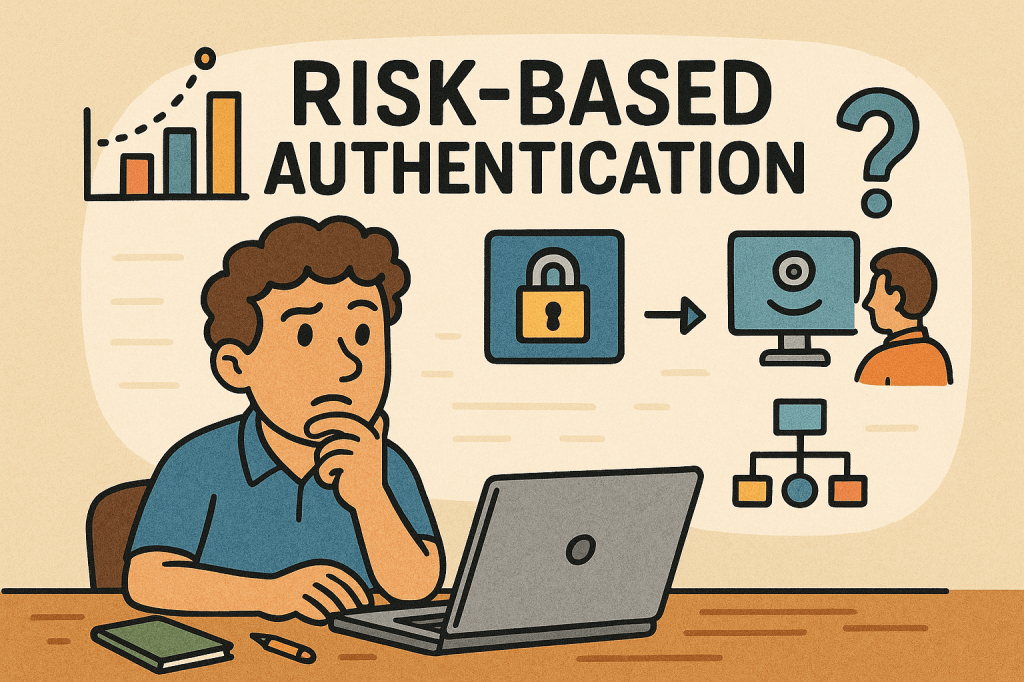
Risk-Based Authentication (RBA) is an adaptive security approach that evaluates the risk level of a login attempt and adjusts the authentication requirements accordingly. Instead of always requiring the same credentials (like a password and OTP), RBA looks at context—such as device, location, IP address, and user behavior—and decides whether to grant, challenge, or block access.

This method helps balance security and user experience, ensuring that legitimate users face fewer obstacles while suspicious attempts get stricter checks.

A Brief History of Risk-Based Authentication

The concept of Risk-Based Authentication emerged in the early 2000s as online fraud and phishing attacks grew, especially in banking and financial services. Traditional two-factor authentication (2FA) was widely adopted, but it became clear that requiring extra steps for every login created friction for users.

Banks and e-commerce companies began exploring context-aware security, leveraging early fraud detection models. By the mid-2000s, vendors like RSA and large financial institutions were deploying adaptive authentication tools.

Over the years, with advancements in machine learning, behavioral analytics, and big data, RBA evolved into a more precise and seamless mechanism. Today, it’s a cornerstone of Zero Trust architectures and widely used in industries like finance, healthcare, and enterprise IT.

How Does Risk-Based Authentication Work?

RBA works by assigning a risk score to each login attempt, based on contextual signals. Depending on the score, the system decides the next step:

  1. Data Collection – Gather information such as:
    • Device type and fingerprint
    • IP address and geolocation
    • Time of access
    • User’s typical behavior (keystroke patterns, navigation habits)
  2. Risk Scoring – Use rules or machine learning to calculate the probability that the login is fraudulent.
  3. Decision Making – Based on thresholds:
    • Low Risk → Allow login with minimal friction.
    • Medium Risk → Ask for additional verification (OTP, security questions, push notification).
    • High Risk → Block the login or require strong multi-factor authentication.

Main Components of Risk-Based Authentication

  • Risk Engine – The core system that analyzes contextual data and assigns risk scores.
  • Data Sources – Inputs such as IP reputation, device fingerprints, geolocation, and behavioral biometrics.
  • Policy Rules – Configurable logic that defines how the system should respond to different risk levels.
  • Adaptive Authentication Methods – Secondary checks like OTPs, SMS codes, biometrics, or security keys triggered only when needed.
  • Integration Layer – APIs or SDKs that integrate RBA into applications, identity providers, or single sign-on systems.

Benefits of Risk-Based Authentication

  1. Improved Security
    • Detects abnormal behavior like unusual login locations or impossible travel scenarios.
    • Makes it harder for attackers to compromise accounts even with stolen credentials.
  2. Better User Experience
    • Reduces unnecessary friction for trusted users.
    • Only challenges users when risk is detected.
  3. Scalability
    • Works dynamically across millions of logins without overwhelming help desks.
  4. Compliance Support
    • Meets security standards (e.g., PSD2, HIPAA, PCI-DSS) by demonstrating adaptive risk mitigation.

Weaknesses of Risk-Based Authentication

While powerful, RBA isn’t flawless:

  • False Positives – Legitimate users may be flagged and challenged if they travel often or use different devices.
  • Bypass with Sophisticated Attacks – Advanced attackers may mimic device fingerprints or use botnets to appear “low risk.”
  • Complex Implementation – Requires integration with multiple data sources, tuning of risk models, and ongoing maintenance.
  • Privacy Concerns – Collecting and analyzing user behavior (like keystrokes or device details) may raise regulatory and ethical issues.

When and How to Use Risk-Based Authentication

RBA is best suited for environments where security risk is high but user convenience is critical, such as:

  • Online banking and financial services
  • E-commerce platforms
  • Enterprise single sign-on solutions
  • Healthcare portals and government services
  • SaaS platforms with global user bases

It’s especially effective when you want to strengthen authentication without forcing MFA on every single login.

Integrating RBA Into Your Software Development Process

To adopt RBA in your applications:

  1. Assess Security Requirements – Identify which applications and users require adaptive authentication.
  2. Choose an RBA Provider – Options include identity providers (Okta, Ping Identity, Azure AD, Keycloak with extensions) or building custom engines.
  3. Integrate via APIs/SDKs – Many RBA providers offer APIs that hook into your login and identity management system.
  4. Define Risk Policies – Set thresholds for low, medium, and high risk.
  5. Test and Tune Continuously – Use A/B testing and monitoring to reduce false positives and improve accuracy.
  6. Ensure Compliance – Review data collection methods to meet GDPR, CCPA, and other privacy laws.

Conclusion

Risk-Based Authentication provides the perfect balance between strong security and seamless usability. By adapting authentication requirements based on real-time context, it reduces friction for genuine users while blocking suspicious activity.

When thoughtfully integrated into software development processes, RBA can help organizations move towards a Zero Trust security model, protect sensitive data, and create a safer digital ecosystem.

One-Time Password (OTP): A Practical Guide for Engineers

What is One-Time Password?

What is a One-Time Password?

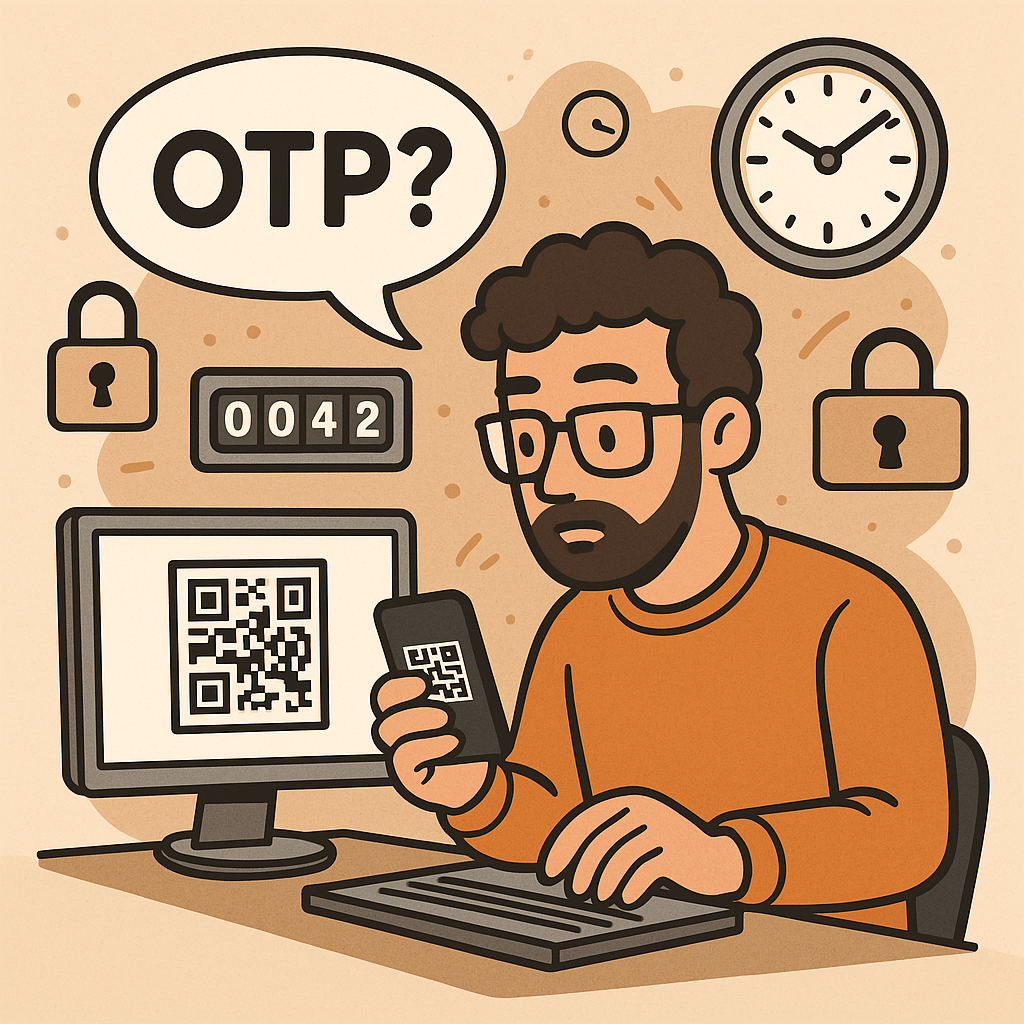
A One-Time Password (OTP) is a code (e.g., 6–8 digits) that’s valid for a single use and typically expires quickly (e.g., 30–60 seconds). OTPs are used to:

  • Strengthen login (as a second factor, MFA)
  • Approve sensitive actions (step-up auth)
  • Validate contact points (phone/email ownership)
  • Reduce fraud in payment or money movement flows

OTPs may be:

  • TOTP: time-based, generated locally in an authenticator app (e.g., 6-digit code rotating every 30s)
  • HOTP: counter-based, generated from a moving counter value
  • Out-of-band: delivered via SMS, email, or push (server sends the code out through another channel)

A Brief History (S/Key → HOTP → TOTP → Modern MFA)

  • 1981: Leslie Lamport introduces the concept of one-time passwords using hash chains.
  • 1990s (S/Key / OTP): Early challenge-response systems popularize one-time codes derived from hash chains (RFC 1760, later RFC 2289).
  • 2005 (HOTP, RFC 4226): Standardizes HMAC-based One-Time Password using a counter; each next code increments a counter.
  • 2011 (TOTP, RFC 6238): Standardizes Time-based OTP by replacing counter with time steps (usually 30 seconds), enabling app-based codes (Google Authenticator, Microsoft Authenticator, etc.).
  • 2010s–present: OTP becomes a mainstream second factor. The ecosystem expands with push approvals, number matching, device binding, and WebAuthn (which offers phishing-resistant MFA; OTP still widely used for reach and familiarity).

How OTP Works (with step-by-step flows)

1. TOTP (Time-based One-Time Password)

Idea: Client and server share a secret key. Every 30 seconds, both compute a new code from the secret + current time.

Generation (client/app):

  1. Determine current Unix time t.
  2. Compute time step T = floor(t / 30).
  3. Compute HMAC(secret, T) (e.g., HMAC-SHA-1/256).
  4. Dynamic truncate to 31-bit integer, then mod 10^digits (e.g., 10^6 → 6 digits).
  5. Display code like 413 229 (expires when the 30-second window rolls).

Verification (server):

  1. Recompute expected codes for T plus a small window (e.g., T-1, T, T+1) to tolerate clock skew.
  2. Compare user-entered code with any expected code.
  3. Enforce rate limiting and replay protection.

2. HOTP (Counter-based One-Time Password)

Idea: Instead of time, use a counter that increments on each code generation.

Generation: HMAC(secret, counter) → truncate → mod 10^digits.
Verification: Server allows a look-ahead window to resynchronize if client counters drift.

3. Out-of-Band Codes (SMS/Email/Push)

Idea: Server creates a random code and sends it through a side channel (e.g., SMS).
Verification: User types the received code; server checks match and expiration.

Pros: No app install; broad reach.
Cons: Vulnerable to SIM swap, SS7 weaknesses, email compromise, and phishing relays.

Core Components of an OTP System

  • Shared Secret (TOTP/HOTP): A per-user secret key (e.g., Base32) provisioned via QR code/URI during enrollment.
  • Code Generator:
    • Client-side (authenticator app) for TOTP/HOTP
    • Server-side generator for out-of-band codes
  • Delivery Channel: SMS, email, or push (for out-of-band); not needed for app-based TOTP/HOTP.
  • Verifier Service: Validates codes with timing/counter windows, rate limits, and replay detection.
  • Secure Storage: Store secrets with strong encryption and access controls (e.g., HSM or KMS).
  • Enrollment & Recovery: QR provisioning, backup codes, device change/reset flows.
  • Observability & Risk Engine: Logging, anomaly detection, geo/behavioral checks, adaptive step-up.

Benefits of Using OTP

  • Stronger security than passwords alone (defends against password reuse and basic credential stuffing).
  • Low friction & low cost (especially TOTP apps—no per-SMS fees).
  • Offline capability (TOTP works without network on the user device).
  • Standards-based & interoperable (HOTP/TOTP widely supported).
  • Flexible use cases: MFA, step-up approvals, transaction signing, device verification.

Weaknesses & Common Attacks

  • Phishing & Real-Time Relay: Attackers proxy login, capturing OTP and replaying instantly.
  • SIM Swap / SS7 Issues (SMS OTP): Phone number hijacking allows interception of SMS codes.
  • Email Compromise: If email is breached, emailed OTPs are exposed.
  • Malware/Overlays on Device: Can exfiltrate TOTP codes or intercept out-of-band messages.
  • Shared-Secret Risks: Poor secret handling during provisioning/storage leaks all future codes.
  • Clock Drift (TOTP): Device/server time mismatch causes false rejects.
  • Brute-force Guessing: Short codes require strict rate limiting and lockouts.
  • Usability & Recovery Gaps: Device loss without backup codes locks users out.

Note: OTP improves security but is not fully phishing-resistant. For high-risk scenarios, pair with phishing-resistant MFA (e.g., WebAuthn security keys or device-bound passkeys) and/or number-matching push.

When and How Should You Use OTP?

Use OTP when:

  • Adding MFA to protect accounts with moderate to high value.
  • Performing step-up auth for sensitive actions (password change, wire transfer).
  • Validating contact channels (phone/email ownership).
  • Operating offline contexts (TOTP works without data).

Choose the method:

  • TOTP app (recommended default): secure, cheap, offline, broadly supported.
  • SMS/email OTP: maximize reach; acceptable for low/medium risk with compensating controls.
  • Push approvals with number matching: good UX and better phishing defenses than raw OTP entry.
  • HOTP: niche, but useful for hardware tokens or counter-based devices.

Integration Guide for Your Software Development Lifecycle

1. Architecture Overview

  • Backend: OTP service (issue/verify), secret vault/KMS, rate limiter, audit logs.
  • Frontend: Enrollment screens (QR), verification forms, recovery/backup code flows.
  • Delivery (optional): SMS/email provider, push service.
  • Risk & Observability: Metrics, alerts, anomaly detection.

2. Enrollment Flow (TOTP)

  1. Generate a random per-user secret (160–256 bits).
  2. Store encrypted; never log secrets.
  3. Show otpauth:// URI as a QR code (issuer, account name, algorithm, digits, period).
  4. Ask user to type the current app code to verify setup.
  5. Issue backup codes; prompt to save securely.

3. Verification Flow (TOTP)

  1. User enters 6-digit code.
  2. Server recomputes expected codes for T-1..T+1.
  3. If match → success; else increment rate-limit counters and show safe errors.
  4. Log event and update risk signals.

4. Out-of-Band OTP Flow (SMS/Email)

  1. Server creates a random code (e.g., 6–8 digits), stores hash + expiry (e.g., 5 min).
  2. Send via chosen channel; avoid secrets in message templates.
  3. Verify user input; invalidate on success; limit attempts.

5. Code Examples (Quick Starts)

Java (Spring Security + TOTP using java-time + any TOTP lib):

// Pseudocode: verify TOTP code for user
boolean verifyTotp(String base32Secret, int userCode, long nowEpochSeconds) {
  long timeStep = 30;
  long t = nowEpochSeconds / timeStep;
  for (long offset = -1; offset <= 1; offset++) {
    int expected = Totp.generate(base32Secret, t + offset); // lib call
    if (expected == userCode) return true;
  }
  return false;
}

Node.js (TOTP with otplib or speakeasy):

const { authenticator } = require('otplib');
authenticator.options = { step: 30, digits: 6 }; // default
const isValid = authenticator.verify({
  token: userInput,
  secret: base32Secret
});

Python (pyotp):

import pyotp, time
totp = pyotp.TOTP(base32_secret, interval=30, digits=6)
is_valid = totp.verify(user_input, valid_window=1)  # allow ±1 step

6. Data Model & Storage

  • user_id, otp_type (TOTP/HOTP/SMS/email), secret_ref (KMS handle), enrolled_at, revoked_at
  • For out-of-band: otp_hash, expires_at, attempts, channel, destination_masked
  • Never store raw secrets or raw sent codes; store hash + salt for generated codes.

7. DevOps & Config

  • Secrets in KMS/HSM; rotate issuer keys periodically.
  • Rate limits: attempts per minute/hour/day; IP + account scoped.
  • Alerting: spikes in failures, drift errors, provider delivery issues.
  • Feature flags to roll out MFA gradually and enforce for riskier cohorts.

UX & Security Best Practices

  • Promote app-based TOTP over SMS/email by default; offer SMS/email as fallback.
  • Number matching for push approvals to mitigate tap-yes fatigue.
  • Backup codes: one-time printable set; show only on enrollment; allow regen with step-up.
  • Device time checks: prompt users if the clock is off; provide NTP sync tips.
  • Masked channels: show •••-•••-1234 rather than full phone/email.
  • Progressive enforcement: warn first, then require OTP for risky events.
  • Anti-phishing: distinguish trusted UI (e.g., app domain, passkeys), consider origin binding and link-proofing.
  • Accessibility & i18n: voice, large text, copy/paste, code grouping 123-456.

Testing & Monitoring Checklist

Functional

  • TOTP verification with ±1 step window
  • SMS/email resend throttling and code invalidation
  • Backup codes (single use)
  • Enrollment verification required before enablement

Security

  • Secrets stored via KMS/HSM; no logging of secrets/codes
  • Brute-force rate limits + exponential backoff
  • Replay protection (invalidate out-of-band codes on success)
  • Anti-automation (CAPTCHA/behavioral) where appropriate

Reliability

  • SMS/email provider failover or graceful degradation
  • Clock drift alarm; NTP health
  • Dashboards: success rate, latency, delivery failure, fraud signals

Glossary

  • OTP: One-Time Password—single-use code for auth or approvals.
  • HOTP (RFC 4226): HMAC-based counter-driven OTP.
  • TOTP (RFC 6238): Time-based OTP—rotates every fixed period (e.g., 30s).
  • MFA: Multi-Factor Authentication—two or more independent factors.
  • Step-Up Auth: Extra verification for high-risk actions.
  • Number Matching: Push approval shows a code the user must match, deterring blind approval.
  • WebAuthn/Passkeys: Phishing-resistant MFA based on public-key cryptography.

Final Thoughts

OTP is a powerful, standards-backed control that significantly raises the bar for attackers—if you implement it well. Prefer TOTP apps for security and cost, keep SMS/email for reach with compensating controls, and plan a path toward phishing-resistant options (WebAuthn) for your most sensitive use cases.

Multi-Factor Authentication (MFA): A Complete Guide

What is Multi-Factor Authentication?

In today’s digital world, security is more important than ever. Passwords alone are no longer enough to protect sensitive data, systems, and personal accounts. That’s where Multi-Factor Authentication (MFA) comes in. MFA adds an extra layer of security by requiring multiple forms of verification before granting access. In this post, we’ll explore what MFA is, its history, how it works, its main components, benefits, and practical ways to integrate it into modern software development processes.

What is Multi-Factor Authentication (MFA)?

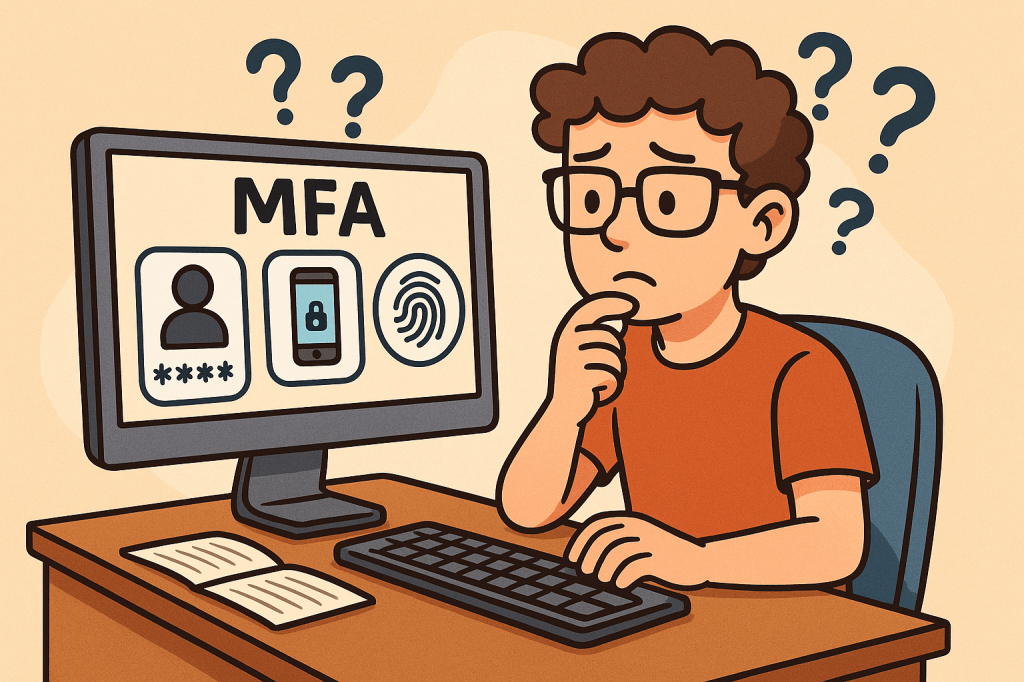
Multi-Factor Authentication (MFA) is a security mechanism that requires users to provide two or more independent factors of authentication to verify their identity. Instead of relying solely on a username and password, MFA combines different categories of authentication to strengthen access security.

These factors usually fall into one of three categories:

  1. Something you know – passwords, PINs, or answers to security questions.
  2. Something you have – a physical device like a smartphone, hardware token, or smart card.
  3. Something you are – biometric identifiers such as fingerprints, facial recognition, or voice patterns.

A Brief History of MFA

  • 1960s – Passwords Introduced: Early computing systems introduced password-based authentication, but soon it became clear that passwords alone could be stolen or guessed.
  • 1980s – Two-Factor Authentication (2FA): The first wide adoption of hardware tokens emerged in the financial sector. RSA Security introduced tokens generating one-time passwords (OTPs).
  • 1990s – Wider Adoption: Enterprises began integrating smart cards and OTP devices for employees working with sensitive systems.
  • 2000s – Rise of Online Services: With e-commerce and online banking growing, MFA started becoming mainstream, using SMS-based OTPs and email confirmations.
  • 2010s – Cloud and Mobile Era: MFA gained momentum with apps like Google Authenticator, Authy, and push-based authentication, as cloud services required stronger protection.
  • Today – Ubiquity of MFA: MFA is now a standard security practice across industries, with regulations like GDPR, HIPAA, and PCI-DSS recommending or requiring it.

How Does MFA Work?

The MFA process follows these steps:

  1. Initial Login Attempt: A user enters their username and password.
  2. Secondary Challenge: After validating the password, the system prompts for a second factor (e.g., an OTP code, push notification approval, or biometric scan).
  3. Verification of Factors: The system verifies the additional factor(s).
  4. Access Granted or Denied: If all required factors are correct, the user gains access. Otherwise, access is denied.

MFA systems typically rely on:

  • Time-based One-Time Passwords (TOTP): Generated codes that expire quickly.
  • Push Notifications: Mobile apps sending approval requests.
  • Biometric Authentication: Fingerprint or facial recognition scans.
  • Hardware Tokens: Devices that produce unique, secure codes.

Main Components of MFA

  1. Authentication Factors: Knowledge, possession, and inherence (biometric).
  2. MFA Provider/Service: Software or platform managing authentication (e.g., Okta, Microsoft Authenticator, Google Identity Platform).
  3. User Device: Smartphone, smart card, or hardware token.
  4. Integration Layer: APIs and SDKs to connect MFA into existing applications.
  5. Policy Engine: Rules that determine when MFA is enforced (e.g., high-risk logins, remote access, or all logins).

Benefits of MFA

  • Enhanced Security: Strong protection against password theft, phishing, and brute-force attacks.
  • Regulatory Compliance: Meets security requirements in industries like finance, healthcare, and government.
  • Reduced Fraud: Prevents unauthorized access to financial accounts and sensitive systems.
  • Flexibility: Multiple methods available (tokens, biometrics, SMS, apps).
  • User Trust: Increases user confidence in the system’s security.

When and How Should We Use MFA?

MFA should be used whenever sensitive data or systems are accessed. Common scenarios include:

  • Online banking and financial transactions.
  • Corporate systems with confidential business data.
  • Cloud-based services (AWS, Azure, Google Cloud).
  • Email accounts and communication platforms.
  • Healthcare and government portals with personal data.

Organizations can enforce MFA selectively based on risk-based authentication—for example, requiring MFA only when users log in from new devices, unfamiliar locations, or during high-risk transactions.

Integrating MFA Into Software Development

To integrate MFA into modern software systems:

  1. Choose an MFA Provider: Options include Auth0, Okta, AWS Cognito, Azure AD, Google Identity.
  2. Use APIs & SDKs: Most MFA providers offer ready-to-use APIs, libraries, and plugins for web and mobile applications.
  3. Adopt Standards: Implement open standards like OAuth 2.0, OpenID Connect, and SAML with MFA extensions.
  4. Implement Risk-Based MFA: Use adaptive MFA policies (e.g., require MFA for admin access or when logging in from suspicious IPs).
  5. Ensure Usability: Provide multiple authentication options to avoid locking users out.
  6. Continuous Integration: Add MFA validation in CI/CD pipelines for admin and developer accounts accessing critical infrastructure.

Conclusion

Multi-Factor Authentication is no longer optional—it’s a necessity for secure digital systems. With its long history of evolution from simple passwords to advanced biometrics, MFA provides a robust defense against modern cyber threats. By integrating MFA into software development, organizations can safeguard users, comply with regulations, and build trust in their platforms.

PKCE (Proof Key for Code Exchange): A Practical Guide for Modern OAuth 2.0

What is PKCE?

What Is PKCE?

PKCE (Proof Key for Code Exchange) is a security extension to OAuth 2.0 that protects the Authorization Code flow from interception attacks—especially for public clients like mobile apps, SPAs, desktop apps, and CLI tools that can’t safely store a client secret.

At its core, PKCE binds the authorization request and the token request using a pair of values:

  • code_verifier – a high-entropy, random string generated by the client.
  • code_challenge – a transformed version of the verifier (usually SHA-256, base64url-encoded) sent on the initial authorization request.

Only the app that knows the original code_verifier can exchange the authorization code for tokens.

A Brief History

  • 2015 — RFC 7636 formally introduced PKCE to mitigate “authorization code interception” attacks, first targeting native apps (mobile/desktop).
  • 2017–2020 — Broad adoption across identity providers (IdPs) and SDKs made PKCE the de-facto choice for public clients.
  • OAuth 2.1 (draft) consolidates best practices by recommending Authorization Code + PKCE (and deprecating the implicit flow) for browsers and mobile apps.

Bottom line: PKCE evolved from a “mobile-only hardening” to best practice for all OAuth clients, including SPAs.

How PKCE Works (Step-by-Step)

  1. App creates a code_verifier
    • A cryptographically random string: 43–128 characters from [A-Z] [a-z] [0-9] - . _ ~.
  2. App derives a code_challenge
    • code_challenge = BASE64URL(SHA256(code_verifier))
    • Sets code_challenge_method=S256 (preferred). plain exists for legacy, but avoid it.
  3. User authorization request (front-channel)
    • Browser navigates to the Authorization Server (AS) /authorize with:
      • response_type=code
      • client_id=…
      • redirect_uri=…
      • scope=…
      • state=…
      • code_challenge=<derived value>
      • code_challenge_method=S256
  4. User signs in & consents
    • AS authenticates the user and redirects back to redirect_uri with code (and state).
  5. Token exchange (back-channel)
    • App POSTs to /token with: grant_type=authorization_code code=<received code> redirect_uri=... client_id=... code_verifier=<original random string>
    • The AS recomputes BASE64URL(SHA256(code_verifier)) and compares to the stored code_challenge.
  6. Tokens issued
    • If the verifier matches, the AS returns tokens (access/refresh/ID token).

If an attacker steals the authorization code during step 4, it’s useless without the original code_verifier.

How PKCE Works (Step-by-Step)

  1. App creates a code_verifier
    • A cryptographically random string: 43–128 characters from [A-Z] [a-z] [0-9] - . _ ~.
  2. App derives a code_challenge
    • code_challenge = BASE64URL(SHA256(code_verifier))
    • Sets code_challenge_method=S256 (preferred). plain exists for legacy, but avoid it.
  3. User authorization request (front-channel)
    • Browser navigates to the Authorization Server (AS) /authorize with:
response_type=code
client_id=...
redirect_uri=...
scope=...
state=...
code_challenge=<derived value>
code_challenge_method=S256

  1. User signs in & consents
    • AS authenticates the user and redirects back to redirect_uri with code (and state).
  2. Token exchange (back-channel)
    • App POSTs to /token with:
grant_type=authorization_code
code=<received code>
redirect_uri=...
client_id=...
code_verifier=<original random string>

  1. Tokens issued
    • If the verifier matches, the AS returns tokens (access/refresh/ID token).

If an attacker steals the authorization code during step 4, it’s useless without the original code_verifier.

Key Components & Features

  • code_verifier: High-entropy, single-use secret generated per login attempt.
  • code_challenge: Deterministic transform of the verifier; never sensitive on its own.
  • S256 method: Strong default (code_challenge_method=S256); plain only for edge cases.
  • State & nonce: Still recommended for CSRF and replay protections alongside PKCE.
  • Redirect URI discipline: Exact matching, HTTPS (for web), and claimed HTTPS URLs on mobile where possible.
  • Back-channel token exchange: Reduces exposure compared to implicit flows.

Advantages & Benefits

  • Mitigates code interception (custom URI handlers, OS-level handoff, browser extensions, proxies).
  • No client secret required for public clients; still robust for confidential clients.
  • Works everywhere (mobile, SPA, desktop, CLI).
  • Backwards compatible with Authorization Code flow; easy to enable on most IdPs.
  • Aligns with OAuth 2.1 best practices and most security recommendations.

Known Weaknesses & Limitations

  • Not a phishing cure-all: PKCE doesn’t stop users from signing into a fake AS. Use trusted domains, phishing-resistant MFA, and App-Bound Domains on mobile.
  • Verifier theft: If the code_verifier is leaked (e.g., via logs, devtools, or XSS in a SPA), the protection is reduced. Treat it as a secret at runtime.
  • Still requires TLS and correct redirect URIs: Misconfigurations undermine PKCE.
  • SPA storage model: In-browser JS apps must guard against XSS and avoid persisting sensitive artifacts unnecessarily.

Why You Should Use PKCE

  • You’re building mobile, SPA, desktop, or CLI apps.
  • Your security posture targets Authorization Code (not implicit).
  • Your IdP supports it (almost all modern ones do).
  • You want a future-proof, standards-aligned OAuth setup.

Use PKCE by default. There’s almost no downside and plenty of upside.

Integration Patterns (By Platform)

Browser-Based SPA

  • Prefer Authorization Code + PKCE over implicit.
  • Keep the code_verifier in memory (not localStorage) when possible.
  • Use modern frameworks/SDKs that handle the PKCE dance.

Pseudo-JS example (client side):

// 1) Create code_verifier and code_challenge
const codeVerifier = base64UrlRandom(64);
const codeChallenge = await s256ToBase64Url(codeVerifier);

// 2) Start the authorization request
const params = new URLSearchParams({
  response_type: 'code',
  client_id: CLIENT_ID,
  redirect_uri: REDIRECT_URI,
  scope: 'openid profile email',
  state: cryptoRandomState(),
  code_challenge: codeChallenge,
  code_challenge_method: 'S256'
});
window.location.href = `${AUTHORIZATION_ENDPOINT}?${params.toString()}`;

// 3) On callback: exchange code for tokens (via your backend or a secure PKCE-capable SDK)

Tip: Many teams terminate the token exchange on a lightweight backend to reduce token handling in the browser and to set httpOnly, Secure cookies.

Native Mobile (iOS/Android)

  • Use App/AS-supported SDKs with PKCE enabled.
  • Prefer claimed HTTPS redirects (Apple/Android App Links) over custom schemes when possible.

Desktop / CLI

  • Use the system browser with loopback (http://127.0.0.1:<port>) redirect URIs and PKCE.
  • Ensure the token exchange runs locally and never logs secrets.

Server-Side Web Apps (Confidential Clients)

  • You usually have a client secret—but add PKCE anyway for defense-in-depth.
  • Many frameworks (Spring Security, ASP.NET Core, Django) enable PKCE with a toggle.

Provider & Framework Notes

  • Spring Security: PKCE is on by default for public clients; for SPAs, combine with OAuth2 login and an API gateway/session strategy.
  • ASP.NET Core: Set UsePkce = true on OpenIdConnect options.
  • Node.js: Use libraries like openid-client, @azure/msal-browser, @okta/okta-auth-js, or provider SDKs with PKCE support.
  • IdPs: Auth0, Okta, Azure AD/Microsoft Entra, AWS Cognito, Google, Apple, and Keycloak all support PKCE.

(Exact flags differ per SDK; search your stack’s docs for “PKCE”.)

Rollout Checklist

  1. Enable PKCE on your OAuth client configuration (IdP).
  2. Use S256, never plain unless absolutely forced.
  3. Harden redirect URIs (HTTPS, exact match; mobile: app-bound/claimed links).
  4. Generate strong verifiers (43–128 chars; cryptographically random).
  5. Store verifier minimally (memory where possible; never log it).
  6. Keep state/nonce protections in place.
  7. Enforce TLS everywhere; disable insecure transports.
  8. Test negative cases (wrong verifier, missing method).
  9. Monitor for failed PKCE validations and unusual callback patterns.

Testing PKCE End-to-End

  • Unit: generator for code_verifier length/charset; S256 transform correctness.
  • Integration: full redirect round-trip; token exchange with correct/incorrect verifier.
  • Security: XSS scanning for SPAs; log review to confirm no secrets are printed.
  • UX: deep links on mobile; fallback flows if no system browser available.

Common Pitfalls (and Fixes)

  • invalid_grant on /token: Verifier doesn’t match challenge.
    • Recompute S256 and base64url without padding; ensure you used the same verifier used to create the challenge.
  • Mismatched redirect_uri:
    • The exact redirect URI in /token must match what was used in /authorize.
  • Leaky logs:
    • Sanitize server and client logs; mask query params and token bodies.

Frequently Asked Questions

Do I still need a client secret?

  • Public clients (mobile/SPA/CLI) can’t keep one—PKCE compensates. Confidential clients should keep the secret and may add PKCE.

Is PKCE enough for SPAs?

  • It’s necessary but not sufficient. Also apply CSP, XSS protections, and consider backend-for-frontend patterns.

Why S256 over plain?

  • S256 prevents trivial replay if the challenge is observed; plain offers minimal value.

Conclusion

PKCE is a small change with huge security payoff. Add it to any Authorization Code flow—mobile, web, desktop, or CLI—to harden against code interception and align with modern OAuth guidance.

What is a Man-in-the-Middle (MITM) Attack?

What is a man in the middle attack?

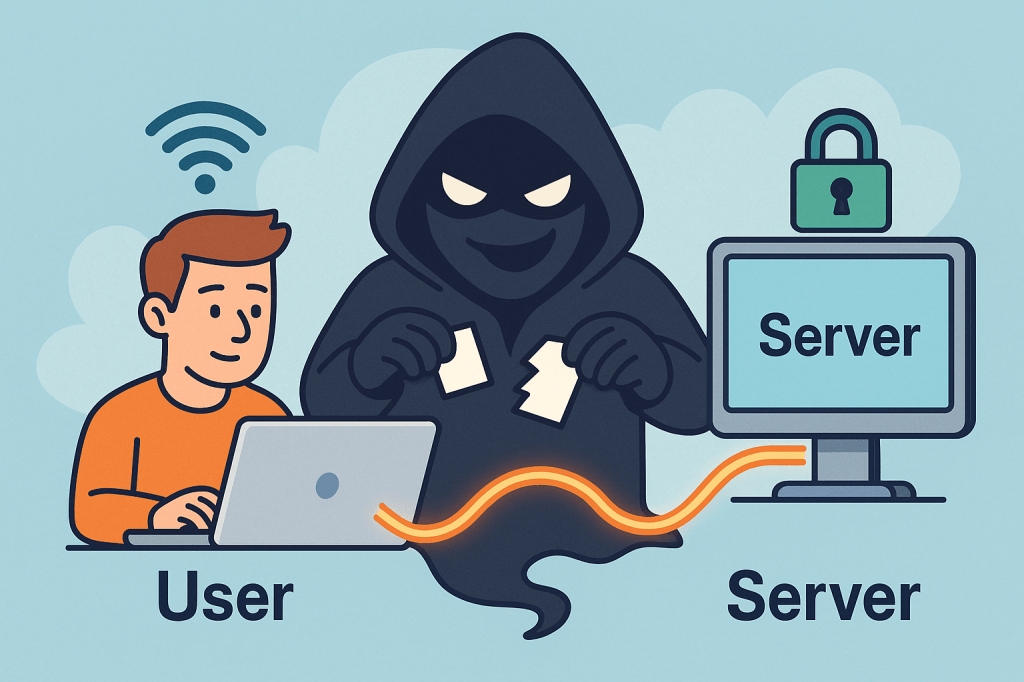
A Man-in-the-Middle (MITM) attack is when a third party secretly intercepts, reads, and possibly alters the communication between two parties who believe they are talking directly to each other. Think of it as someone quietly sitting between two people on a phone call, listening, possibly changing words, and passing the altered conversation on.

How MITM attacks work ?

A MITM attack has two essential parts: interception and optionally manipulation.

1) Interception (how the attacker gets between you and the other party)

The attacker places themselves on the network path so traffic sent from A → B goes through the attacker first. Common interception vectors (conceptual descriptions only):

  • Rogue Wi-Fi / Evil twin: attacker sets up a fake Wi-Fi hotspot with a convincing SSID (e.g., “CoffeeShop_WiFi”). Users connect and all traffic goes through the attacker’s machine.
  • ARP spoofing / ARP poisoning (local networks): attacker sends fake ARP messages on a LAN so traffic for the router or for another host is directed to the attacker’s NIC.
  • DNS spoofing / DNS cache poisoning: attacker poisons DNS responses so a domain name resolves to an IP address the attacker controls.
  • Compromised routers, proxies, or ISPs: if a router or upstream provider is compromised or misconfigured, traffic can be intercepted at that point.
  • BGP hijacking (on the internet backbone): attacker manipulates routing announcements to direct traffic over infrastructure they control.
  • Compromised certificate authorities or weak TLS setups: attacker abuses trust in certificates to intercept “secure” connections.

Important: the above are conceptual descriptions to help you understand how interception happens. I’m not providing exploit steps or tools to carry them out.

2) Manipulation (what the attacker can do with intercepted traffic)

Once traffic passes through the attacker, they can:

  • Eavesdrop — read plaintext communication (passwords, messages, session cookies).
  • Harvest credentials — capture login forms and credentials.
  • Modify data in transit — change web pages, inject malicious scripts, alter transactions.
  • Session hijack — steal session cookies or tokens to impersonate a user.
  • Downgrade connections — force a downgrade from HTTPS to HTTP or strip TLS (SSL stripping) if possible.
  • Impersonate endpoints — present fake certificates or proxy TLS connections to hide themselves.

Typical real-world scenarios / examples

  • You connect to “FreeAirportWiFi” and a fake hotspot captures your login to a webmail service.
  • On a corporate LAN, an attacker uses ARP spoofing to capture internal web traffic and collect session cookies.
  • DNS entries for a banking site are poisoned so users are sent to a look-alike site where credentials are harvested.
  • A corporate TLS-intercepting proxy (legitimate in some orgs) inspects HTTPS traffic — if misconfigured or if certificates are not validated correctly, this can be abused.

What’s the issue and how can MITM affect us?

MITM attacks threaten confidentiality, integrity, and authenticity:

  • Confidentiality breach: private messages, PII, payment details, health records can be exposed.
  • Credential theft & account takeover: stolen passwords or tokens lead to fraud, identity theft, or account compromises.
  • Financial loss / fraud: attackers can alter payment instructions (e.g., change bank account numbers).
  • Supply-chain or software tampering: updates or downloads could be altered.
  • Reputation and legal risk: businesses can lose user trust and face compliance issues if customer data is intercepted.

Small, everyday examples (end-user impact): stolen email logins, unauthorized purchases, unauthorized access to corporate systems. For organizations: data breach notifications, regulatory fines, and remediation costs.

How to prevent Man-in-the-Middle attacks — practical, defensible steps

Below are layered, defense-in-depth controls: user practices, network configuration, application design, and monitoring.

A. User & device best practices

  • Avoid public/untrusted Wi-Fi: treat public Wi-Fi as untrusted. If you must use it, use a reputable VPN.
  • Prefer mobile/cellular networks when doing sensitive transactions if a trusted Wi-Fi is not available.
  • Check HTTPS / certificate details for sensitive sites: browsers show padlock and certificate information (issuer, valid dates). If warnings appear, do not proceed.
  • Use Multi-Factor Authentication (MFA): even if credentials are stolen, MFA adds a barrier.
  • Keep devices patched: OS, browser, and app updates close known vulnerabilities attackers exploit.
  • Use reputable endpoint security (antivirus/EDR) that can detect suspicious network drivers or proxying.

B. Network & infrastructure controls

  • Use WPA2/WPA3 and strong Wi-Fi passwords; disable open Wi-Fi for business networks unless behind secure gateways.
  • Harden DNS: use DNSSEC where possible and validate DNS responses; consider DNS over HTTPS (DoH) or DNS over TLS (DoT) for clients.
  • Deploy network segmentation and limit broadcast domains (reduces ARP spoofing exposure).
  • Use secure routing practices and monitor BGP for suspicious route changes (for large networks / ISPs).
  • Disable unnecessary proxying and block rogue DHCP servers on internal networks.

C. TLS / application-level protections

  • Enforce HTTPS everywhere: redirect HTTP → HTTPS and ensure all resources load over HTTPS to avoid mixed-content issues.
  • Use HSTS (HTTP Strict Transport Security) with preload when appropriate — forces browsers to only use HTTPS for your domain.
  • Enable OCSP stapling and certificate transparency: reduces chances of accepting revoked/forged certs.
  • Prefer modern TLS versions and ciphers; disable older, vulnerable protocols (SSLv3, TLS 1.0/1.1).
  • Certificate pinning (in mobile apps or critical clients) — binds an app to a known certificate or public key to prevent forged certificates (use cautiously; requires careful update procedures).
  • Mutual TLS (mTLS) for machine-to-machine or internal high-security services — both sides verify certificates.
  • Use strong authentication and short-lived tokens for APIs; avoid relying solely on long-lived session cookies without binding.

D. Organizational policies & monitoring

  • Use enterprise VPNs for remote workers, with two-factor auth and endpoint posture checks.
  • Implement Intrusion Detection / Prevention (IDS/IPS) and network monitoring to spot ARP anomalies, rogue DHCP servers, unusual TLS/HTTPS flows, or unexpected proxying.
  • Log and review TLS handshakes, certs presented, and network flows — automated alerts for anomalous certificate issuers or frequent certificate changes.
  • Train users to recognize fake Wi-Fi, phishing, and certificate warnings.
  • Limit administrative privileges — reduce what an attacker can access with stolen credentials.
  • Adopt secure SDLC practices: ensure apps validate TLS, implement safe error handling, and do not suppress certificate validation during testing.

E. App developer guidance (to make MITM harder)

  • Never disable certificate validation in client code for production.
  • Implement certificate pinning where appropriate, with a safe update path (e.g., pin several keys or allow a backup).
  • Use OAuth / OpenID best practices (use PKCE for public clients).
  • Use secure cookie flags (Secure, HttpOnly, SameSite) and short session lifetimes.
  • Prefer token revocation and rotation; make stolen tokens short-lived.

Detecting a possible MITM (signs to watch for)

  • Browser security warnings about invalid certificates, untrusted issuers, or certificate name mismatches.
  • Frequent or unexpected TLS/HTTPS certificate changes for the same site.
  • Unusually slow connections or pages that change content unexpectedly.
  • Login failures that occur only on a certain network (e.g., at a coffee shop).
  • Unexpected prompts to install root certificates (red flag — don’t install unless from your trusted IT).
  • Repeated authentication prompts where you’d normally remain logged in.

If you suspect a MITM:

  1. Immediately disconnect from the network (turn off Wi-Fi/cable).
  2. Reconnect using a trusted network (e.g., mobile tethering) or VPN.
  3. Change critical passwords from a trusted network.
  4. Scan your device for malware.
  5. Notify your org’s security team and preserve logs if possible.

Quick checklist you can use / share

  • Use HTTPS everywhere (HSTS, OCSP stapling)
  • Enforce MFA across accounts
  • Don’t use public Wi-Fi for sensitive tasks; if you must, use VPN
  • Keep software and certificates up to date
  • Enable secure cookie flags and short sessions
  • Monitor network for ARP/DNS anomalies and certificate anomalies
  • Train users on Wi-Fi safety & certificate warnings

Short FAQ

Q: Is HTTPS enough to prevent MITM?
A: HTTPS/TLS dramatically reduces MITM risk if implemented and validated correctly. However, misconfigured TLS, compromised CAs, or users ignoring browser warnings can still enable MITM. Combine TLS with HSTS, OCSP stapling, and client-side checks for stronger protection.

Q: Can a corporate proxy cause MITM?
A: Some corporate proxies intentionally intercept TLS for inspection (they present their own certs to client devices that have a corporate root installed). That’s legitimate in many organizations but must be clearly controlled, configured, and audited. Misconfiguration or abuse could be risky.

Q: Should I use certificate pinning in my web app?
A: Pinning helps but requires careful operational planning to avoid locking out users when certs change. For mobile apps and sensitive connections, pinning to a set of public keys (not single cert) and having a backup plan is common.

Integration Testing: A Practical Guide for Real-World Software Systems

What is integration testing?

Integration testing verifies that multiple parts of your system work correctly together—modules, services, databases, queues, third-party APIs, configuration, and infrastructure glue. Where unit tests validate small pieces in isolation, integration tests catch issues at the seams: misconfigured ports, serialization mismatches, transaction boundaries, auth headers, timeouts, and more.

What Is an Integration Test?

An integration test exercises a feature path across two or more components:

  • A web controller + service + database
  • Two microservices communicating over HTTP/REST or messaging
  • Your code + a real (or realistic) external system such as PostgreSQL, Redis, Kafka, S3, Stripe, or a mock double that replicates its behavior

It aims to answer: “Given realistic runtime conditions, do the collaborating parts interoperate as intended?”

How Integration Tests Work (Step-by-Step)

  1. Assemble the slice
    Decide which components to include (e.g., API layer + persistence) and what to substitute (e.g., real DB in a container vs. an in-memory alternative).
  2. Provision dependencies
    Spin up databases, message brokers, or third-party doubles. Popular approaches:
    • Ephemeral containers (e.g., Testcontainers for DBs/Brokers/Object stores)
    • Local emulators (e.g., LocalStack for AWS)
    • HTTP stubs (e.g., WireMock, MockServer) to simulate third-party APIs
  3. Seed test data & configuration
    Apply migrations, insert fixtures, set secrets/env vars, and configure network endpoints.
  4. Execute realistic scenarios
    Drive the system via its public interface (HTTP calls, messages on a topic/queue, method entry points that span layers).
  5. Assert outcomes
    Verify HTTP status/body, DB state changes, published messages, idempotency, retries, metrics/log signatures, and side effects.
  6. Teardown & isolate
    Clean up containers, reset stubs, and ensure tests are independent and order-agnostic.

Key Components of Integration Testing

  • System under test (SUT) boundary: Define exactly which modules/services are “in” vs. “out.”
  • Realistic dependencies: Databases, caches, queues, object stores, identity providers.
  • Test doubles where necessary:
    • Stubs for fixed responses (e.g., pricing API)
    • Mocks for interaction verification (e.g., “was /charge called with X?”)
  • Environment management: Containers, docker-compose, or cloud emulators; test-only configs.
  • Data management: Migrations + fixtures; factories/builders for readable setup.
  • Observability hooks: Logs, metrics, tracing assertions (useful for debugging flaky flows).
  • Repeatable orchestration: Scripts/Gradle/Maven/npm to run locally and in CI the same way.

Benefits

  • Catches integration bugs early: Contract mismatches, auth failures, connection strings, TLS issues.
  • Confidence in deploys: Reduced incidents due to configuration drift.
  • Documentation by example: Tests serve as living examples of real flows.
  • Fewer flaky end-to-end tests: Solid integration coverage means you need fewer slow, brittle E2E UI tests.

When (and How) to Use Integration Tests

Use integration tests when:

  • A unit test can’t surface real defects (e.g., SQL migrations, ORM behavior, transaction semantics).
  • Two or more services/modules must agree on contracts (schemas, headers, error codes).
  • You rely on infra features (indexes, isolation levels, topic partitions, S3 consistency).

How to apply effectively:

  • Target critical paths first: sign-up, login, payments, ordering, data ingestion.
  • Prefer ephemeral, production-like dependencies: containers over mocks for DBs/brokers.
  • Keep scope tight: Test one coherent flow per test; avoid sprawling “kitchen-sink” cases.
  • Make it fast enough: Parallelize tests, reuse containers per test class/suite.
  • Run in CI for each PR: Same commands locally and in the pipeline to avoid “works on my machine.”

Integration vs. Unit vs. End-to-End (Quick Table)

AspectUnit TestIntegration TestEnd-to-End (E2E)
ScopeSingle class/functionMultiple components/servicesFull system incl. UI
DependenciesAll mockedRealistic (DB, broker) or stubsAll real
SpeedMillisecondsSecondsSeconds–Minutes
FlakinessLowMedium (manageable)Higher
PurposeLogic correctnessInteroperation correctnessUser journey correctness

Tooling & Patterns (Common Stacks)

  • Containers & Infra: Testcontainers, docker-compose, LocalStack, Kind (K8s)
  • HTTP Stubs: WireMock, MockServer
  • Contract Testing: Pact (consumer-driven contracts)
  • DB Migrations/Fixtures: Flyway, Liquibase; SQL scripts; FactoryBoy/FactoryBot-style data builders
  • CI: GitHub Actions, GitLab CI, Jenkins with service containers

Real-World Examples (Detailed)

1) Service + Database (Java / Spring Boot + PostgreSQL)

Goal: Verify repository mappings, transactions, and API behavior.

// build.gradle (snippet)
testImplementation("org.testcontainers:junit-jupiter:1.20.1")
testImplementation("org.testcontainers:postgresql:1.20.1")
testImplementation("org.springframework.boot:spring-boot-starter-test")

// Example JUnit 5 test
@AutoConfigureMockMvc
@SpringBootTest
@Testcontainers
class ItemApiIT {

  @Container
  static PostgreSQLContainer<?> pg = new PostgreSQLContainer<>("postgres:16");

  @DynamicPropertySource
  static void dbProps(DynamicPropertyRegistry r) {
    r.add("spring.datasource.url", pg::getJdbcUrl);
    r.add("spring.datasource.username", pg::getUsername);
    r.add("spring.datasource.password", pg::getPassword);
  }

  @Autowired MockMvc mvc;
  @Autowired ItemRepository repo;

  @Test
  void createAndFetchItem() throws Exception {
    mvc.perform(post("/items")
        .contentType(MediaType.APPLICATION_JSON)
        .content("{\"group\":\"tools\",\"name\":\"wrench\",\"count\":5,\"cost\":12.5}"))
      .andExpect(status().isCreated());

    mvc.perform(get("/items?group=tools"))
      .andExpect(status().isOk())
      .andExpect(jsonPath("$[0].name").value("wrench"));

    assertEquals(1, repo.count());
  }
}

What this proves: Spring wiring, JSON (de)serialization, transactionality, schema/mappings, and HTTP contract all work together against a real Postgres.

2) Outbound HTTP to a Third-Party API (WireMock)

@WireMockTest(httpPort = 8089)
class PaymentClientIT {

  @Test
  void chargesCustomer() {
    // Stub Stripe-like API
    stubFor(post(urlEqualTo("/v1/charges"))
      .withRequestBody(containing("\"amount\": 2000"))
      .willReturn(aResponse().withStatus(200).withBody("{\"id\":\"ch_123\",\"status\":\"succeeded\"}")));

    PaymentClient client = new PaymentClient("http://localhost:8089", "test_key");
    ChargeResult result = client.charge("cust_1", 2000);

    assertEquals("succeeded", result.status());
    verify(postRequestedFor(urlEqualTo("/v1/charges")));
  }
}

What this proves: Your serialization, auth headers, timeouts/retries, and error handling match the third-party contract.

3) Messaging Flow (Kafka)

  • Start a Kafka container; publish a test message to the input topic.
  • Assert your consumer processes it and publishes to the output topic or persists to the DB.
  • Validate at-least-once handling and idempotency by sending duplicates.

Signals covered: Consumer group config, serialization (Avro/JSON/Protobuf), offsets, partitions, dead-letter behavior.

4) Python / Django API + Postgres (pytest + Testcontainers)

# pyproject.toml deps: pytest, pytest-django, testcontainers[postgresql], requests
def test_create_and_get_item(live_server, postgres_container):
    # Set DATABASE_URL from container, run migrations, then:
    r = requests.post(f"{live_server.url}/items", json={"group":"tools","name":"wrench","count":5,"cost":12.5})
    assert r.status_code == 201
    r2 = requests.get(f"{live_server.url}/items?group=tools")
    assert r2.status_code == 200 and r2.json()[0]["name"] == "wrench"

Design Tips & Best Practices

  • Define the “slice” explicitly (avoid accidental E2E tests).
  • One scenario per test; keep them readable and deterministic.
  • Prefer real infra where cheap (real DB > in-memory); use stubs for costly/unreliable externals.
  • Make tests parallel-safe: unique schema names, randomized ports, isolated fixtures.
  • Stabilize flakiness: time controls (freeze time), retry assertions for eventually consistent flows, awaitility patterns.
  • Contracts first: validate schemas and error shapes; consider consumer-driven contracts to prevent breaking changes.
  • Observability: assert on logs/metrics/traces for non-functional guarantees (retries, circuit-breakers).

Common Pitfalls (and Fixes)

  • Slow suites → Parallelize, reuse containers per class, trim scope, share fixtures.
  • Brittle external dependencies → Stub third-party APIs; only run “full-real” tests in nightly builds.
  • Data leakage across tests → Wrap in transactions or reset DB/containers between tests.
  • Environment drift → Pin container versions, manage migrations in tests, keep CI parity.

Minimal “Getting Started” Checklist

  • Choose your test runner (JUnit/pytest/jest) and container strategy (Testcontainers/compose).
  • Add migrations + seed data.
  • Wrap external APIs with clients that are easy to stub.
  • Write 3–5 critical path tests (create/read/update; publish/consume; happy + failure paths).
  • Wire into CI; make it part of the pull-request checks.

Conclusion

Integration tests give you real confidence that your system’s moving parts truly work together. Start with critical flows, run against realistic dependencies, keep scenarios focused, and automate them in CI. You’ll ship faster with fewer surprises—and your end-to-end suite can stay lean and purposeful.

Blog at WordPress.com.

Up ↑