Search

Software Engineer's Notes

Tag

software-development

String vs StringBuilder vs StringBuffer in Java

String vs StringBuilder vs StringBuffer in Java

Why Are There Three Similar Types?

Java offers three string-related types to balance readability, safety, and performance:

  • String is simple and safe because it’s immutable.
  • StringBuilder is fast for single-threaded, heavy concatenation.
  • StringBuffer is like StringBuilder but synchronized for thread safety.

Immutability (String) prevents accidental changes and enables pooling/caching. Mutability (StringBuilder/StringBuffer) avoids creating many temporary objects during repeated modifications.

What Are They?

String (Immutable, Thread-Safe by Design)

  • Once created, its content never changes.
  • Any “change” (e.g., concatenation) returns a new String.
  • String literals are stored in the string pool for memory efficiency.
  • Great for constants, keys, logging messages that don’t change, and APIs that return stable values.

StringBuilder (Mutable, Not Synchronized)

  • Designed for fast, frequent modifications (append, insert, delete) in a single thread.
  • No synchronization overhead → typically the fastest way to build strings dynamically.

StringBuffer (Mutable, Synchronized)

  • Like StringBuilder but synchronized methods for thread safety if the same builder is shared across threads.
  • Synchronization adds overhead, so it’s slower than StringBuilder in single-threaded code.

Key Differences at a Glance

Mutability

  • String: Immutable
  • StringBuilder: Mutable
  • StringBuffer: Mutable

Thread Safety

  • String: Safe to share (cannot change)
  • StringBuilder: Not thread-safe
  • StringBuffer: Thread-safe (synchronized)

Performance (Typical)

  • String: Fine for few ops; costly in large loops with + or +=
  • StringBuilder: Fastest for many concatenations in one thread
  • StringBuffer: Slower than StringBuilder due to synchronization

Common APIs

  • String: rich APIs (substring, replace, split, equals, hashCode, compareTo)
  • StringBuilder/StringBuffer: builder-style APIs (append, insert, delete, reverse, setCharAt), then toString()

How Do I Choose?

Quick Decision Guide

  • Need a constant or rarely change the text? Use String.
  • Building text in a loop or via many appends in one thread? Use StringBuilder.
  • Building text shared across threads without external locks? Use StringBuffer (or prefer StringBuilder with your own synchronization strategy if you control access).

Rule of Thumb

  • Use String by default for readability and safety.
  • Switch to StringBuilder when performance matters during repeated concatenations.
  • Use StringBuffer only when you truly need shared mutation across threads.

Practical Examples

Example 1: Costly Loop with String

String s = "";
for (int i = 0; i < 10000; i++) {
    s += i; // creates many temporary objects → avoid
}

Example 2: Efficient Loop with StringBuilder

StringBuilder sb = new StringBuilder(10000); // optional capacity hint
for (int i = 0; i < 10000; i++) {
    sb.append(i);
}
String s = sb.toString();

Example 3: When StringBuffer Makes Sense

// Only if 'shared' is truly accessed by multiple threads concurrently.
StringBuffer shared = new StringBuffer();
Runnable task = () -> {
    for (int i = 0; i < 1000; i++) {
        shared.append(i).append(",");
    }
};

Benefits of Each

String

  • Simplicity and clarity
  • Inherent thread safety via immutability
  • Works well with string pooling (memory optimization)
  • Safe as map keys and for caching

StringBuilder

  • Best performance for intensive concatenation
  • Low GC pressure versus many temporary Strings
  • Fluent, builder-style API

StringBuffer

  • Built-in thread safety without external locks
  • Drop-in API similarity to StringBuilder

When to Use Them (and When Not To)

Use String When

  • Defining constants and literals
  • Passing values across layers/APIs
  • Storing keys in collections (immutability prevents surprises)

Avoid String When

  • You’re repeatedly concatenating in loops (prefer StringBuilder)

Use StringBuilder When

  • Building JSON, CSV, logs, or messages in loops
  • Formatting output dynamically in a single thread

Avoid StringBuilder When

  • The builder is accessed by multiple threads simultaneously (unless you guard it externally)

Use StringBuffer When

  • Multiple threads must mutate the same buffer at the same time and you can’t refactor for confinement

Avoid StringBuffer When

  • You’re single-threaded or can confine builders per thread (prefer StringBuilder for speed)

Additional Tips

About the + Operator

  • In a single expression, the compiler typically uses an internal StringBuilder.
  • In loops, += often creates many intermediate objects. Prefer an explicit StringBuilder.

Capacity Planning

  • Builders start with a default capacity and grow (usually doubling plus a small constant).
  • If you can estimate size, call new StringBuilder(expectedLength) or ensureCapacity to reduce reallocations.

Interoperability

  • Convert builders to String with toString().
  • For equality checks, compare String values, not builders.

Summary

  • String: Immutable, simple, safe → use by default for stable text.
  • StringBuilder: Mutable, fastest for repeated concatenations in one thread.
  • StringBuffer: Mutable, synchronized for shared multi-threaded mutation—use only when you truly need it.

With these guidelines, choose the simplest type that meets your thread-safety and performance needs, and only optimize to builders when profiling or repeated concatenation calls for it.
Understanding MVC Frameworks in Software Development

Understanding MVC Frameworks

What is an MVC Framework?

What is an MVC Framework?

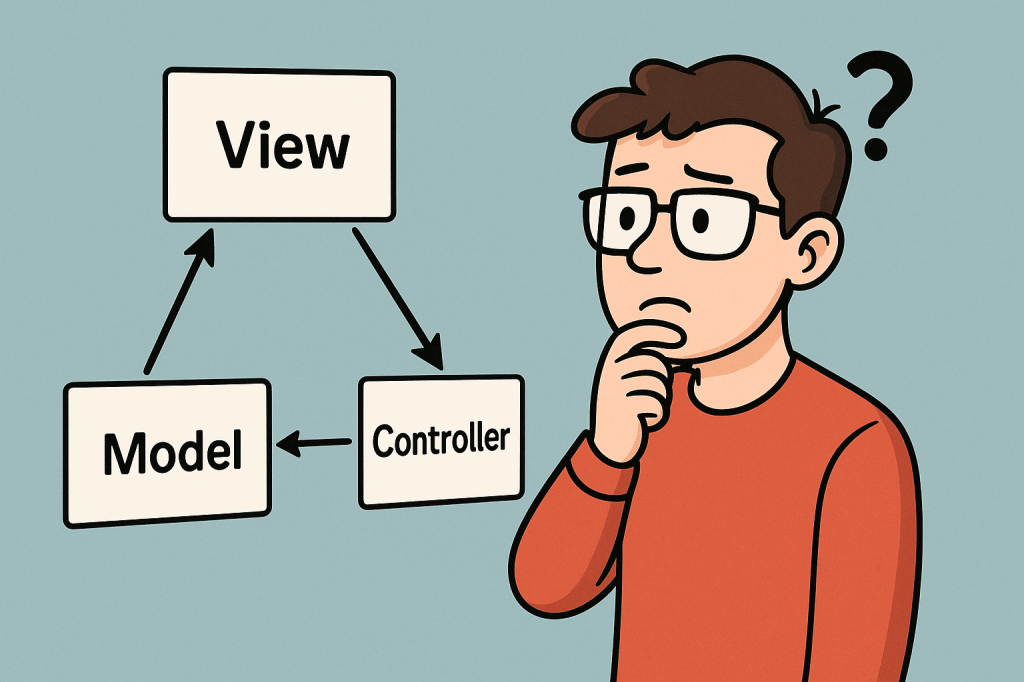
MVC stands for Model–View–Controller, a popular architectural pattern used in software engineering. An MVC framework provides a structured way to separate concerns in an application, making development, testing, and maintenance more manageable. Instead of mixing data, logic, and presentation in one place, MVC enforces a separation that leads to cleaner and more scalable applications.

A Brief History of MVC

The concept of MVC was introduced in the late 1970s by Trygve Reenskaug while working on Smalltalk at Xerox PARC. It was designed as a way to build graphical user interfaces (GUIs) where data and display could be managed independently. Over the years, MVC gained traction in desktop applications and later became one of the dominant architectural patterns for web development frameworks like Ruby on Rails, Django, Angular (early versions), and ASP.NET MVC.

Principles and Components of MVC

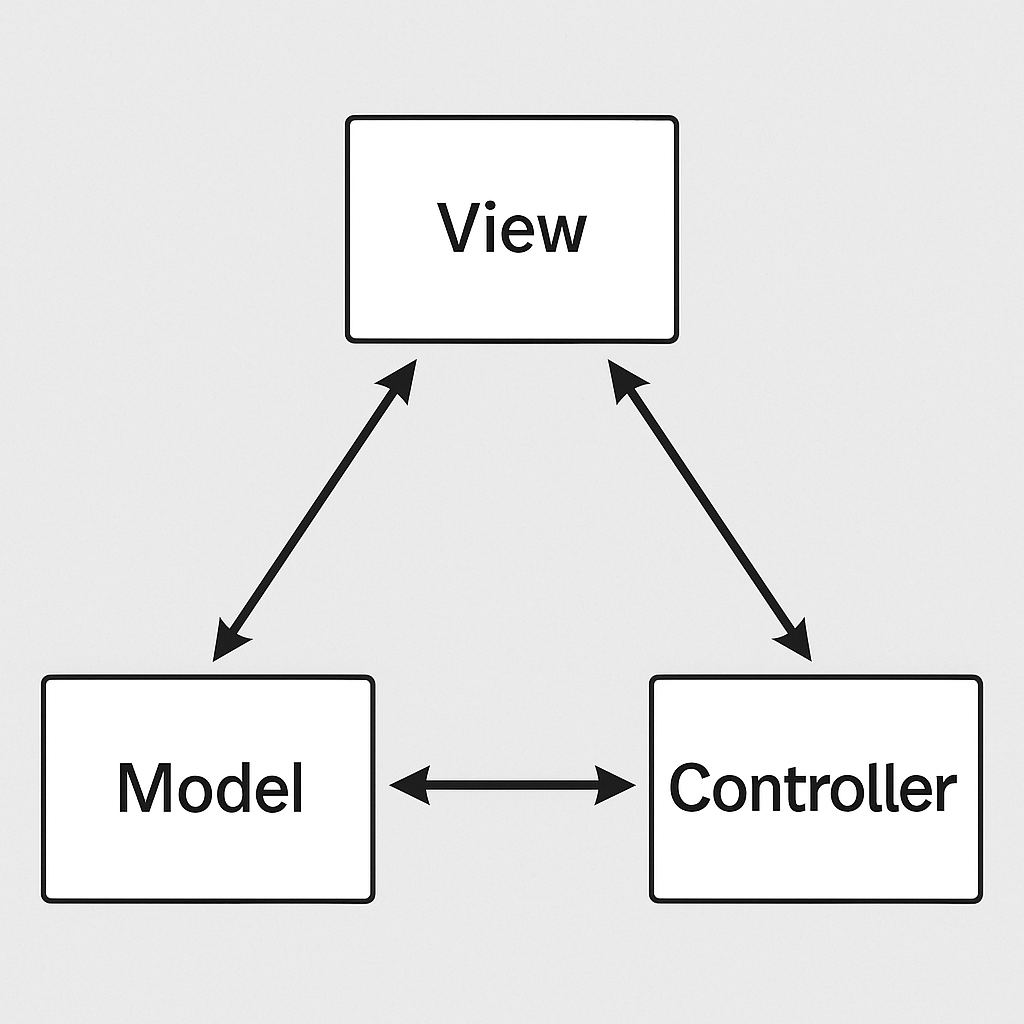
The MVC pattern is based on the principle of separation of concerns, ensuring that each part of the application has a distinct role. It consists of three main components:

1. Model

  • Represents the data and the business logic of the application.
  • It is responsible for retrieving, storing, and updating information (often interacting with a database).
  • Example: In a blog system, the Post model defines the structure of a blog post and manages operations like saving or fetching posts.

2. View

  • Handles the presentation layer.
  • Responsible for displaying the data from the model in a user-friendly way (HTML, JSON, templates, etc.).
  • Example: A web page showing a list of blog posts retrieved by the model.

3. Controller

  • Acts as the middle layer between the Model and View.
  • Receives input from the user, processes it, communicates with the model, and selects the appropriate view for the response.
  • Example: When a user clicks “Create Post,” the controller processes the request, updates the model, and sends the user to a confirmation view.

Advantages of MVC Frameworks

  • Separation of concerns: Each component handles a specific responsibility, reducing code complexity.
  • Maintainability: Easier to update or modify individual parts without affecting the entire system.
  • Testability: Each component can be tested independently, leading to more reliable applications.
  • Reusability: Models, views, or controllers can be reused across different parts of the application.
  • Collaboration: Teams can work on different parts (UI, backend, logic) simultaneously without conflicts.

Benefits for Today’s Software Development

In today’s world of fast-paced, large-scale software development, MVC frameworks provide a foundation for:

  • Scalability: Applications can grow in features and users while remaining stable.
  • Agility: Easier to adopt Agile and DevOps practices, since MVC frameworks often integrate well with CI/CD pipelines.
  • Cross-platform use: MVC works for both web and mobile applications, making it versatile.
  • Community and support: Many popular frameworks (Spring MVC, Laravel, Rails, Django) are built on MVC principles, offering strong ecosystems and libraries.

Why Do People Prefer to Use MVC?

  • Familiarity: MVC is widely taught and used, so developers are comfortable with it.
  • Productivity: Built-in structures and conventions reduce the need to “reinvent the wheel.”
  • Efficiency: Development is faster because teams can work in parallel on models, views, and controllers.
  • Integration: Works well with modern tools, cloud services, and databases.

How to Integrate MVC into Your Software Development Process

  1. Choose a framework: Pick one suited to your programming language (e.g., Spring MVC for Java, Laravel for PHP, Django for Python).
  2. Define models: Identify your application’s data structures and business rules.
  3. Design views: Create templates or interfaces to present data clearly to users.
  4. Implement controllers: Connect user actions to business logic and select views for responses.
  5. Test each layer: Write unit tests for models, functional tests for controllers, and UI tests for views.
  6. Iterate and refine: Continuously improve your architecture as your project grows.

Understanding the Waterfall Model in Software Development

Learning waterfall model

What is the Waterfall Model?

What is the Waterfall Model?

The Waterfall Model is one of the earliest and most traditional approaches to software development. It follows a linear and sequential design process, where each phase must be completed before moving on to the next. Much like water flowing down a series of steps, the process moves forward without going back.

A Brief History of the Waterfall Model

The concept of the Waterfall Model was first introduced in 1970 by Dr. Winston W. Royce in his paper “Managing the Development of Large Software Systems”. While Royce actually presented it as an example of a flawed model (because of its rigidity), the structure was later adapted and formalized. Since then, it became widely used in the 1970s and 1980s, especially for large government and defense projects, where strict documentation and approvals were necessary.

Principles of the Waterfall Model

The Waterfall Model is based on a few guiding principles that define its step-by-step structure:

  1. Sequential Progression
    Development flows in one direction — from requirements to design, implementation, testing, deployment, and maintenance.
  2. Phase Dependency
    Each phase must be fully completed before moving to the next. No overlapping or revisiting of previous phases is expected.
  3. Documentation Driven
    Every stage produces detailed documentation, ensuring clarity and consistency throughout the project lifecycle.
  4. Predictability and Control
    With well-defined phases and deliverables, project timelines and costs can be estimated more accurately.
  5. Customer Sign-off at Each Stage
    Stakeholders approve requirements and designs at early stages, reducing the chances of late surprises.

Why Should We Use the Waterfall Model?

The Waterfall Model provides a clear structure and is easy to understand. It is especially useful for teams that need:

  • A predictable and straightforward process.
  • Detailed documentation and traceability.
  • Strict compliance with external regulations.

Advantages of the Waterfall Model

  • Simple and easy to manage.
  • Well-defined stages with clear milestones.
  • Detailed documentation helps with knowledge transfer.
  • Suitable for projects with stable and well-understood requirements.
  • Easier to measure progress against the plan.

Disadvantages of the Waterfall Model

  • Very rigid and inflexible.
  • Difficult to adapt to changing requirements.
  • Testing comes late in the process, which may delay bug detection.
  • Not ideal for projects with high uncertainty or evolving needs.
  • Can lead to wasted effort if requirements change after early stages.

When Should We Use the Waterfall Model?

The Waterfall Model is best suited for:

  • Projects with clear, fixed requirements that are unlikely to change.
  • Systems requiring strict compliance, such as healthcare, defense, or government projects.
  • Projects where documentation and approvals are critical.
  • Smaller projects where the scope is well understood from the start.

It is less suitable for agile environments or modern software systems that require rapid iterations and frequent feedback.

Applying the Waterfall Model in Software Development

To apply the Waterfall Model in your process:

  1. Gather Requirements – Collect all functional and non-functional requirements from stakeholders.
  2. Design the System – Create detailed system and software designs, including architecture and data models.
  3. Implement the Code – Develop the system according to the approved design.
  4. Test the System – Perform unit, integration, and system testing to verify functionality.
  5. Deploy the Product – Deliver the software to the end users.
  6. Maintain the System – Provide updates, bug fixes, and support over time.

By following these phases strictly in sequence, you can ensure a predictable outcome — though at the cost of flexibility.

Code Refactoring: A Complete Guide for Software Developers

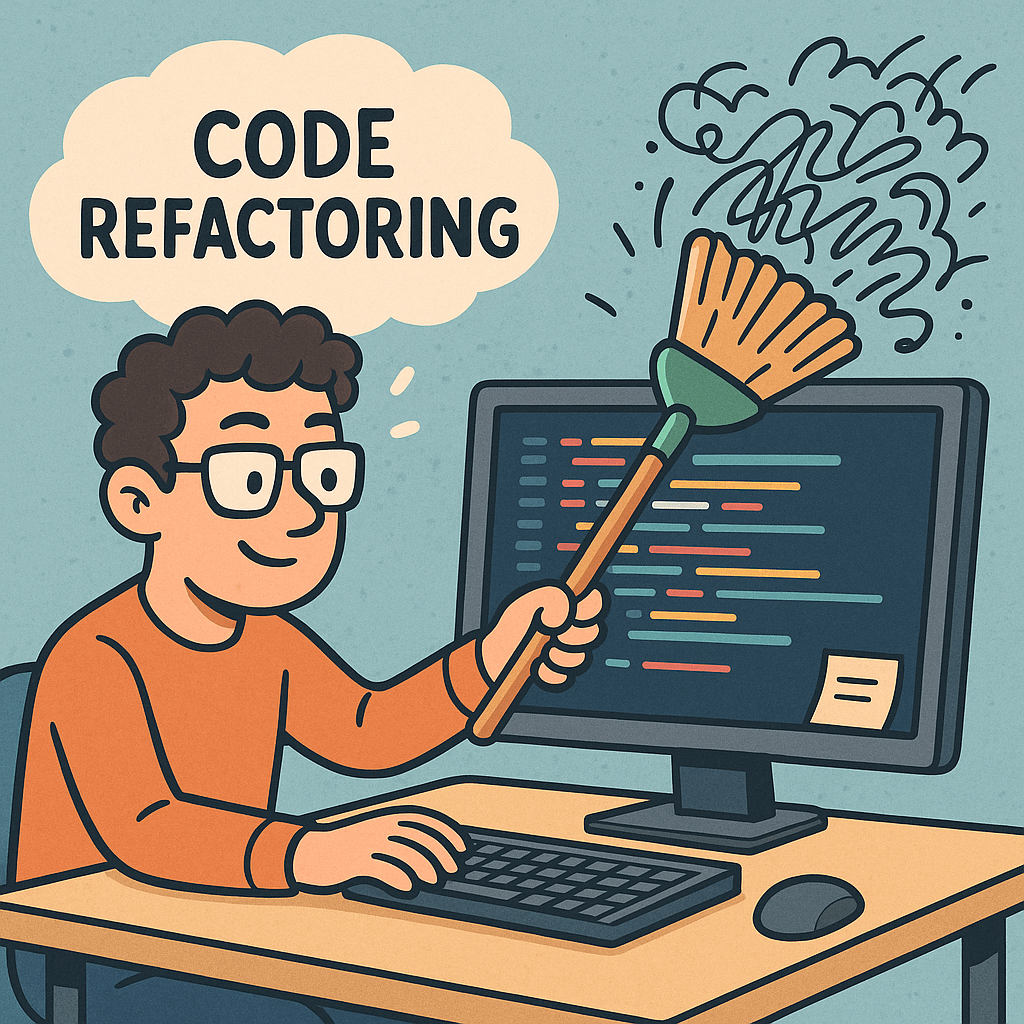
Code refactoring

What is Code Refactoring?

Code refactoring is the process of restructuring existing computer code without changing its external behavior. The main purpose is to improve the internal structure of the code—making it cleaner, easier to read, and more maintainable—without introducing new features or fixing bugs.

In simple terms, think of it as “tidying up” your code to make it better organized and easier to work with.

Why Do We Need Code Refactoring?

Over time, software projects grow and evolve. As new features are added quickly, the codebase may become cluttered, repetitive, or difficult to maintain. Refactoring helps:

  • Reduce technical debt.
  • Improve code readability for current and future developers.
  • Enhance maintainability and reduce the risk of bugs.
  • Support scalability as the project grows.
  • Improve performance in some cases.

Main Concepts of Code Refactoring

When refactoring, developers usually follow some guiding concepts:

  1. Clean Code – Code should be easy to read, simple, and expressive.
  2. DRY (Don’t Repeat Yourself) – Remove code duplication.
  3. KISS (Keep It Simple, Stupid) – Avoid overcomplicated solutions.
  4. Single Responsibility Principle (SRP) – Each class, method, or function should do one thing well.
  5. YAGNI (You Aren’t Gonna Need It) – Avoid adding unnecessary functionality before it’s required.

Best Practices for Code Refactoring

To refactor successfully, follow these best practices:

  • Write tests before refactoring: Ensure that the code’s behavior remains the same after changes.
  • Small steps, frequent commits: Don’t attempt massive refactoring in one go; take incremental steps.
  • Automated tools: Use IDE features like “extract method,” “rename,” or linters to catch issues.
  • Code reviews: Have peers review refactored code for better quality.
  • Refactor regularly: Make it part of your development cycle instead of waiting until the code becomes unmanageable.

How Should We Use Refactoring in Our Projects?

  • Integrate refactoring into Agile sprints while working on new features.
  • Refactor during bug fixing when messy code makes issues hard to track.
  • Apply the “Boy Scout Rule”: Always leave the code cleaner than you found it.
  • Use CI/CD pipelines to run tests automatically after refactoring.

Benefits of Code Refactoring

  • Improved readability → Easier onboarding of new team members.
  • Reduced complexity → Simplified logic and structure.
  • Lower maintenance cost → Fewer bugs and easier updates.
  • Increased reusability → Cleaner components can be reused in other parts of the project.
  • Higher development speed → Developers spend less time understanding messy code.

Issues and Challenges of Code Refactoring

Despite its benefits, refactoring can pose challenges:

  • Risk of introducing bugs if tests are not comprehensive.
  • Time constraints in fast-paced projects may limit refactoring opportunities.
  • Lack of tests in legacy systems makes safe refactoring difficult.
  • Resistance from stakeholders who prefer adding new features over code improvements.

Conclusion

Code refactoring is not just a technical activity—it’s an investment in the long-term health of your software project. By applying it consistently with best practices, you ensure that your codebase remains clean, efficient, and adaptable for future growth.

Remember: Refactoring is not a one-time effort but a continuous process that should become part of your development culture.

Code Katas: A Practical Guide for Your Everyday Engineering Practice

Learning code kata

What are Code Katas?

Code katas are short, repeatable programming exercises designed to improve specific skills through deliberate practice. Borrowed from martial arts, the term “kata” refers to a structured routine you repeat to refine form, speed, and judgment. In software, that means repeatedly solving small problems with intention—focusing on technique (naming, refactoring, testing, decomposition) rather than “just getting it to work.”

A Brief History

  • Origins of the term: Inspired by martial arts training, the “kata” metaphor entered software craftsmanship to emphasize practice and technique over ad-hoc hacking.
  • Popularization: In the early 2000s, the idea spread through the software craftsmanship movement and communities around Agile, TDD, and clean code. Well-known exercises (e.g., Bowling Game, Roman Numerals, Gilded Rose) became common practice drills in meetups, coding dojos, and workshops.
  • Today: Katas are used by individuals, teams, bootcamps, and user groups to build muscle memory in test-driven development (TDD), refactoring, design, and problem decomposition.

Why We Need Code Katas (Benefits)

  • Deliberate practice: Target a narrow skill (e.g., TDD rhythm, naming, edge-case thinking) and improve it fast.
  • Muscle memory for TDD: Red-Green-Refactor becomes automatic under time pressure.
  • Design intuition: Frequent refactoring grows your “smell” for better abstractions and simpler designs.
  • Safer learning: Fail cheaply in a sandbox instead of production.
  • Team alignment: Shared exercises align standards for testing, style, and architecture.
  • Confidence & speed: Repetition reduces hesitation; you ship with fewer regressions.
  • Interview prep: Katas sharpen fundamentals without “trick” problems.

Main Characteristics (and How to Use Them)

  1. Small Scope
    What it is: A compact problem (30–90 minutes).
    How to use: Choose tasks with clear correctness criteria (e.g., string transforms, calculators, parsers).
  2. Repetition & Variation
    What it is: Solve the same kata multiple times, adding constraints.
    How to use: Repeat weekly; vary approach (different data structures, patterns, or languages).
  3. Time-Boxing
    What it is: Short, focused sessions to keep intensity high.
    How to use: 25–45 minute blocks (Pomodoro); stop when time ends and reflect.
  4. TDD Rhythm
    What it is: Red → Green → Refactor loop.
    How to use: Write the smallest failing test, make it pass, then improve the design. Repeat.
  5. Constraints
    What it is: Self-imposed rules to sharpen technique.
    How to use: Examples: “no if statements,” “immutable data only,” “only functional style,” “one assert per test.”
  6. Frequent Refactoring
    What it is: Continual cleanup to reveal better design.
    How to use: After every green step, improve names, extract methods, remove duplication.
  7. Feedback & Reflection
    What it is: Short retrospective at the end.
    How to use: Capture what slowed you down, smells you saw, patterns you used, and what to try next time.
  8. Social Formats (Dojo/Pair/Mob)
    What it is: Practice together.
    How to use:
    • Pair kata: Driver/Navigator switch every 5–7 minutes.
    • Mob kata: One keyboard; rotate driver; everyone else reviews and guides.
    • Dojo: One person solves while others observe; rotate and discuss.

How to Use Code Katas (Step-by-Step)

  1. Pick one skill to train (e.g., “fewer conditionals,” “clean tests,” “naming”).
  2. Choose a kata that fits the skill and your time (30–60 min).
  3. Set a constraint aligned to your skill (e.g., immutability).
  4. Run TDD cycles with very small steps; keep tests crisp.
  5. Refactor relentlessly; remove duplication, clarify intent.
  6. Stop on time; retrospect (what went well, what to try next).
  7. Repeat the same kata next week with a new constraint or language.

Real-World Kata Examples (with What They Teach)

  • String Calculator
    Teaches: TDD rhythm, incremental parsing, edge cases (empty, delimiters, negatives).
  • Roman Numerals
    Teaches: Mapping tables, greedy algorithms, clear tests, refactoring duplication.
  • Bowling Game Scoring
    Teaches: Complex scoring rules, stepwise design, test coverage for tricky cases.
  • Gilded Rose Refactoring
    Teaches: Working with legacy code, characterization tests, safe refactoring.
  • Mars Rover
    Teaches: Command parsing, state modeling, encapsulation, test doubles.
  • FizzBuzz Variants
    Teaches: Simple loops, branching alternatives (lookup tables, rules engines), constraint-driven creativity.
  • Anagrams / Word Ladder
    Teaches: Data structures, performance trade-offs, readability vs speed.

Sample Kata Plan (30 Days)

  • Week 1 — TDD Basics: String Calculator (x2), Roman Numerals (x2)
  • Week 2 — Refactoring: Gilded Rose (x2), FizzBuzz with constraints (no if)
  • Week 3 — Design: Mars Rover (x2), Bowling Game (x2)
  • Week 4 — Variation: Repeat two favorites in a new language or paradigm (OO → FP)

Tip: Track each session in a short log: date, kata, constraint, what improved, next experiment.

Team Formats You Can Try

  • Lunchtime Dojo (45–60 min): One kata, rotate driver every test.
  • Pair Fridays: Everyone pairs; share takeaways at stand-up.
  • Mob Monday: One computer; rotate every 5–7 minutes; prioritize learning over finishing.
  • Guild Nights: Monthly deep-dives (e.g., legacy refactoring katas).

Common Pitfalls (and Fixes)

  • Rushing to “final code”Fix: Celebrate tiny, green, incremental steps.
  • Over-engineering earlyFix: You Aren’t Gonna Need It” (YAGNI). Refactor after tests pass.
  • Giant testsFix: One behavior per test; clear names; one assert pattern.
  • Skipping retrosFix: Reserve 5 minutes to write notes and choose a new constraint.

Simple Kata Template

Goal: e.g., practice small TDD steps and expressive names
Constraint: e.g., no primitives as method params; use value objects
Time-box: e.g., 35 minutes

Plan:

  1. Write the smallest failing test for the next slice of behavior.
  2. Make it pass as simply as possible.
  3. Refactor names/duplication before the next test.
  4. Repeat until time ends; then write a short retrospective.

Retrospective Notes (5 min):

  • What slowed me down?
  • What code smells did I notice?
  • What pattern/principle helped?
  • What constraint will I try next time?

Example: “String Calculator” (TDD Outline)

  1. Returns 0 for ""
  2. Returns number for single input "7"
  3. Sums two numbers "1,2"3
  4. Handles newlines "1\n2,3"6
  5. Custom delimiter "//;\n1;2"3
  6. Rejects negatives with message
  7. Ignores numbers > 1000
  8. Refactor: extract parser, value object for tokens, clean error handling

When (and When Not) to Use Katas

Use katas when:

  • You want to build fluency in testing, refactoring, or design.
  • Onboarding a team to shared coding standards.
  • Preparing for interviews or new language paradigms.

Avoid katas when:

  • You need domain discovery or system design at scale (do spikes instead).
  • You’re under a hard delivery deadline—practice sessions shouldn’t cannibalize critical delivery time.

Getting Started (Quick Checklist)

  • Pick one kata and one skill to train this week.
  • Book two 30–45 minute time-boxes in your calendar.
  • Choose a constraint aligned with your skill.
  • Practice, then write a short retro.
  • Repeat the same kata next week with a variation.

Pair Programming: Working Together for Better Code

Pair programming

What is Pair Programming?

Pair programming is a software development technique where two programmers work together at one workstation. One developer, called the Driver, writes the code, while the other, the Observer or Navigator, reviews each line of code as it is typed. They frequently switch roles, ensuring both remain engaged and focused.

Why Do We Need Pair Programming?

Software development is complex, and mistakes are easy to make when working alone. Pair programming helps reduce errors, improves code quality, and encourages knowledge sharing between team members. It also fosters collaboration, which is essential in agile teams.

A Brief History of Pair Programming

Pair programming became popular in the late 1990s with the rise of Extreme Programming (XP), an agile software development methodology introduced by Kent Beck. XP emphasized practices that increased communication, feedback, and simplicity—pair programming being one of the core practices. Over time, this approach has been adopted in many agile teams worldwide.

Benefits of Pair Programming

  • Higher Code Quality: Continuous code review reduces bugs and improves design.
  • Faster Knowledge Transfer: Developers learn from each other in real time.
  • Improved Team Communication: Encourages collaboration and trust.
  • Problem Solving: Two minds tackling a problem often find better solutions.
  • Reduced Knowledge Silos: Knowledge of the codebase is spread across the team.

Advantages of Pair Programming

  • Fewer bugs and higher quality code.
  • Enhanced learning opportunities for junior developers.
  • Improved team dynamics and collaboration.
  • Helps maintain coding standards consistently.

Disadvantages of Pair Programming

  • Increased Costs: Two developers working on one task may seem less efficient.
  • Personality Conflicts: Not all developers enjoy working closely with others.
  • Fatigue: Pairing requires constant focus, which can be tiring over time.
  • Not Always Necessary: For simple or repetitive tasks, solo programming might be faster.

Should We Use Pair Programming in Our Projects?

The decision depends on the project and team culture. Pair programming works best when:

  • The project is complex and requires careful design.
  • You have new team members who need to learn quickly.
  • Code quality is critical (e.g., healthcare, finance, security applications).
  • Collaboration and team bonding are important goals.

However, it might not be ideal for short, simple tasks or when deadlines are extremely tight. A hybrid approach, where pair programming is used strategically for complex or high-risk parts of a project, often delivers the best results.

Test Driven Development (TDD): A Complete Guide

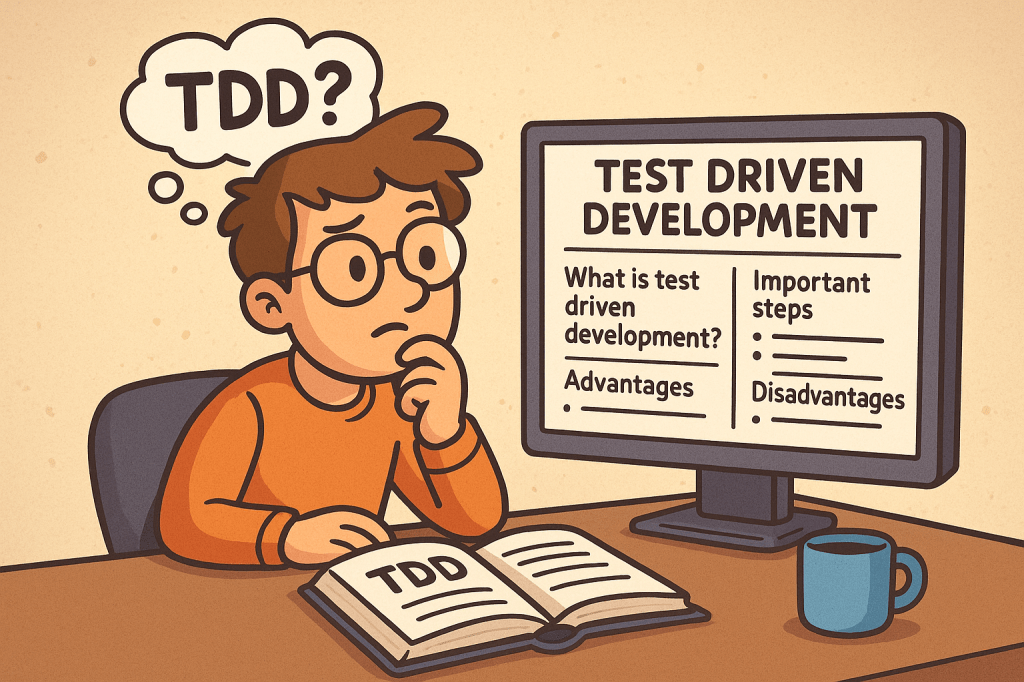
Learning Test Driven Evelopment

What is Test Driven Development?

Test Driven Development (TDD) is a software development practice where tests are written before the actual code. The main idea is simple: first, you write a failing test that defines what the software should do, then you write just enough code to make the test pass, and finally, you improve the code through refactoring.

TDD encourages developers to focus on requirements and expected behavior rather than jumping directly into implementation details.

A Brief History of TDD

TDD is closely tied to Extreme Programming (XP), introduced in the late 1990s by Kent Beck. Beck emphasized automated testing as a way to improve software quality and developer confidence. While unit testing existed earlier, TDD formalized the cycle of writing tests before writing code and popularized it as a disciplined methodology.

How Does TDD Work?

TDD typically follows a simple cycle, often called Red-Green-Refactor:

  1. Red – Write a small test that fails because the functionality does not exist yet.
  2. Green – Write the minimum code required to pass the test.
  3. Refactor – Improve the code structure without changing its behavior, while keeping all tests passing.

This cycle is repeated for each new piece of functionality until the feature is fully developed.

Important Steps in TDD

  • Understand requirements clearly before starting.
  • Write a failing test case for the expected behavior.
  • Implement code to make the test pass.
  • Run all tests to ensure nothing else is broken.
  • Refactor code for clarity, performance, and maintainability.
  • Repeat for each new requirement or functionality.

Advantages of TDD

  • Ensures better code quality and fewer bugs.
  • Encourages modular and clean code design.
  • Provides a safety net for refactoring and adding new features.
  • Reduces debugging time since most errors are caught early.
  • Improves developer confidence and project maintainability.

Disadvantages of TDD

  • Initial learning curve can be steep for teams new to the practice.
  • Writing tests first may feel slower at the beginning.
  • Requires discipline and consistency; skipping steps reduces its effectiveness.
  • Not always practical for UI-heavy applications or experimental projects.

Should We Use TDD in Our Projects?

The decision depends on your project type, deadlines, and team maturity. TDD works best in:

  • Long-term projects that need high maintainability.
  • Systems requiring reliability and accuracy (e.g., finance, healthcare, safety systems).
  • Teams practicing Agile or XP methodologies.

For quick prototypes or proof-of-concepts, TDD might not always be the best choice.

Integrating TDD into the Software Development Cycle

  • Combine TDD with Agile or Scrum for iterative development.
  • Use Continuous Integration (CI) pipelines to automatically run tests on every commit.
  • Pair TDD with code review practices for stronger quality control.
  • Start with unit tests, then expand to integration and system tests.
  • Train your team with small exercises, such as Kata challenges, to build TDD discipline.

Conclusion

Test Driven Development is more than just writing tests; it’s a mindset that prioritizes quality, clarity, and confidence in your code. While it requires discipline and may feel slow at first, TDD pays off in the long run by reducing bugs, improving maintainability, and making your development process more predictable.

If your project values stability, collaboration, and scalability, then TDD is a powerful practice to adopt.

Extreme Programming (XP): A Complete Guide

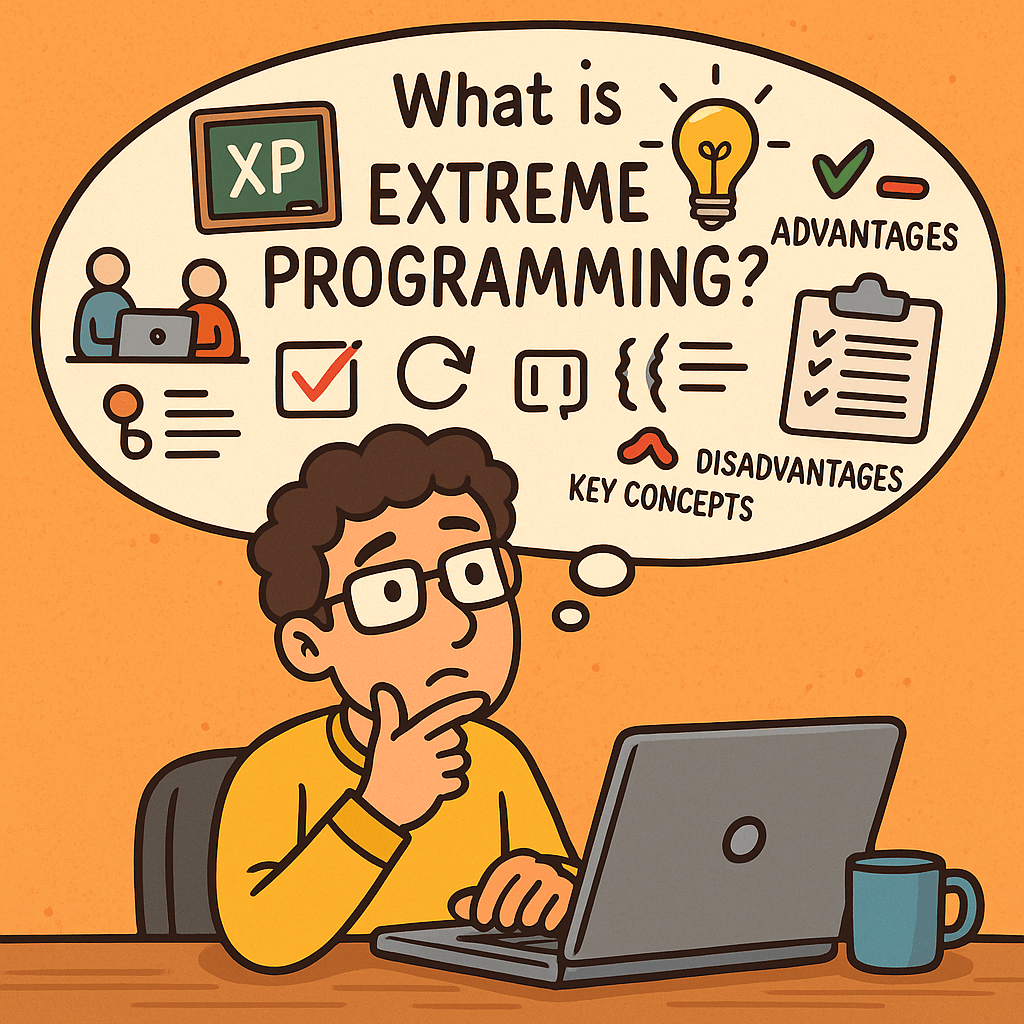
What is Extreme Programming?

Extreme Programming (XP) is an agile software development methodology that emphasizes customer satisfaction, flexibility, and high-quality code. It focuses on short development cycles, frequent releases, constant communication with stakeholders, and continuous improvement. The name “extreme” comes from the idea of taking best practices in software development to an extreme level—such as testing, code reviews, and communication.

A Brief History of Extreme Programming

Extreme Programming was introduced in the late 1990s by Kent Beck while he was working on the Chrysler Comprehensive Compensation System (C3 project). Beck published the book Extreme Programming Explained in 1999, which formalized the methodology.
XP emerged at a time when traditional software development methods (like the Waterfall model) struggled with rapid change, unclear requirements, and long delivery cycles. XP provided an alternative: a flexible, customer-driven approach aligned with the Agile Manifesto (2001).

Key Concepts of Extreme Programming

XP is built around several fundamental concepts:

  • Communication – Constant interaction between developers, customers, and stakeholders.
  • Simplicity – Keep designs and code as simple as possible, avoiding over-engineering.
  • Feedback – Continuous feedback from customers and automated tests.
  • Courage – Developers should not fear changing code, improving design, or discarding work.
  • Respect – Teams value each other’s work and contributions.

Core Practices of Extreme Programming

XP emphasizes a set of engineering practices that make the methodology unique. Below are its key practices with explanations:

1. Pair Programming

Two developers work together at one workstation. One writes code (the driver) while the other reviews in real-time (the observer). This increases code quality and knowledge sharing.

2. Test-Driven Development (TDD)

Developers write automated tests before writing the actual code. This ensures the system works as intended and reduces defects.

3. Continuous Integration

Developers integrate code into the shared repository several times a day. Automated tests run on each integration to detect issues early.

4. Small Releases

Software is released in short cycles (e.g., weekly or bi-weekly), delivering incremental value to customers.

5. Refactoring

Developers continuously improve the structure of code without changing its functionality. This keeps the codebase clean and maintainable.

6. Coding Standards

The whole team follows the same coding guidelines to maintain consistency.

7. Collective Code Ownership

No piece of code belongs to one developer. Everyone can change any part of the code, which increases collaboration and reduces bottlenecks.

8. Simple Design

Developers design only what is necessary for the current requirements, avoiding unnecessary complexity.

9. On-Site Customer

A real customer representative is available to the team daily to provide feedback and clarify requirements.

10. Sustainable Pace (40-hour work week)

Developers should avoid burnout. XP discourages overtime to maintain productivity and quality over the long term.

Advantages of Extreme Programming

  • High customer satisfaction due to continuous involvement.
  • Improved software quality from TDD, pair programming, and continuous integration.
  • Flexibility to adapt to changing requirements.
  • Better teamwork and communication.
  • Frequent releases ensure value is delivered early.

Disadvantages of Extreme Programming

  • Requires strong discipline from developers to follow practices consistently.
  • High customer involvement may be difficult to maintain.
  • Pair programming can feel costly and inefficient if not done correctly.
  • Not suitable for very large teams without adjustments.
  • May seem chaotic to organizations used to rigid structures.

Do We Need Extreme Programming in Software Development?

The answer depends on your team size, project type, and customer needs.

  • XP is highly effective in projects with uncertain requirements, where customer collaboration is possible.
  • It is valuable when quality and speed are equally important, such as in startups or rapidly evolving industries.
  • However, if your team is large, distributed, or your customers cannot commit to daily involvement, XP may not be the best fit.

In conclusion, XP is not a one-size-fits-all solution, but when applied correctly, it can significantly improve both product quality and team morale.

Understanding CI/CD Pipelines: A Complete Guide

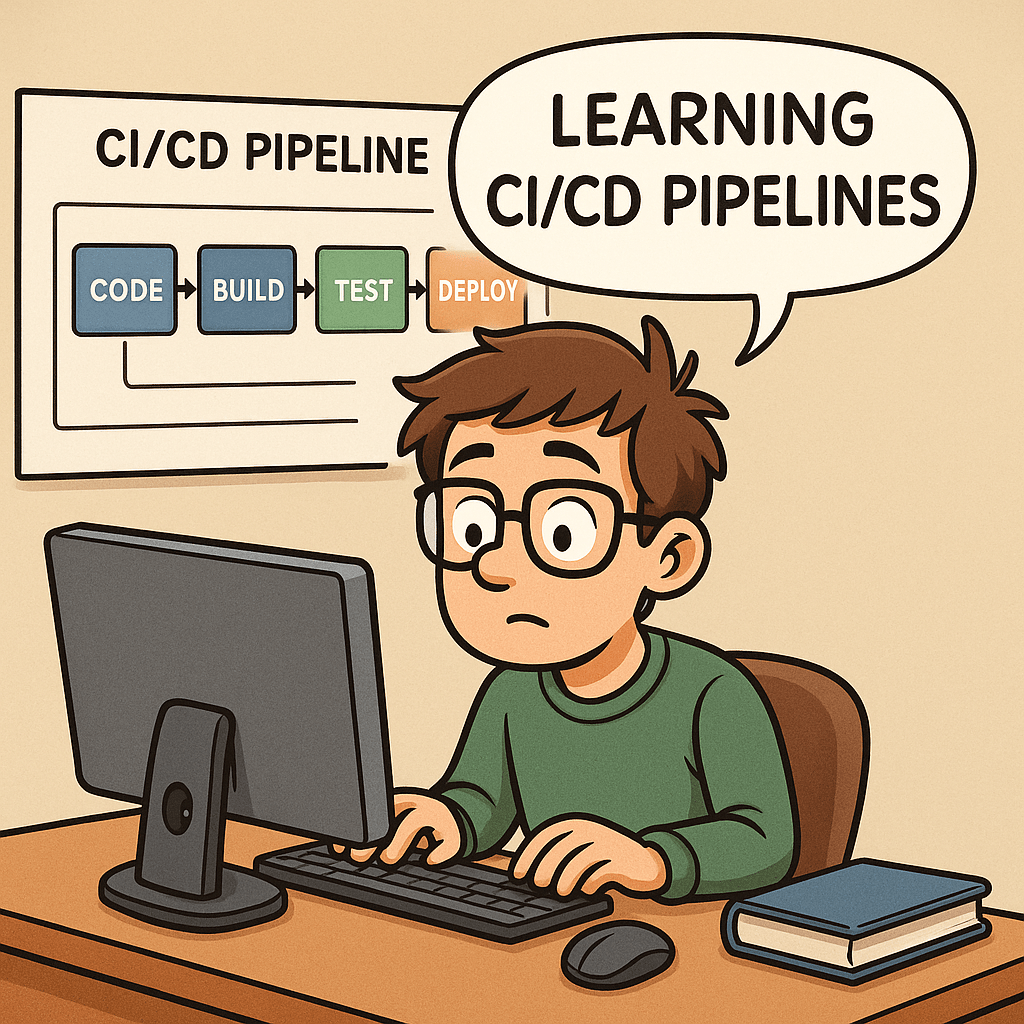
Learning CI/CD pipelines

What Are CI/CD Pipelines?

What is CI/CD pipeline?

CI/CD stands for Continuous Integration and Continuous Delivery (or Deployment).
A CI/CD pipeline is a series of automated steps that help developers build, test, and deploy software more efficiently. Instead of waiting for long release cycles, teams can deliver updates to production quickly and reliably.

In simple terms, it is the backbone of modern DevOps practices, ensuring that code changes move smoothly from a developer’s laptop to production with minimal friction.

A Brief History of CI/CD

The idea of Continuous Integration was first popularized in the early 2000s through Extreme Programming (XP) practices. Developers aimed to merge code frequently and test it automatically to prevent integration issues.
Later, the concept of Continuous Delivery emerged, emphasizing that software should always be in a deployable state. With the rise of cloud computing and DevOps in the 2010s, Continuous Deployment extended this idea further, automating the final release step.

Today, CI/CD has become a standard in software engineering, supported by tools such as Jenkins, GitLab CI, GitHub Actions, CircleCI, and Azure DevOps.

Why Do We Need CI/CD Pipelines?

Without CI/CD, teams often face:

  • Integration problems when merging code late in the process.
  • Manual testing bottlenecks that slow down releases.
  • Risk of production bugs due to inconsistent environments.

CI/CD addresses these challenges by:

  • Automating builds and tests.
  • Providing rapid feedback to developers.
  • Reducing the risks of human error.

Key Benefits of CI/CD

  1. Faster Releases – Automations allow frequent deployments.
  2. Improved Quality – Automated tests catch bugs earlier.
  3. Better Collaboration – Developers merge code often, avoiding “integration hell.”
  4. Increased Confidence – Teams can push changes to production knowing the pipeline validates them.
  5. Scalability – Works well across small teams and large enterprises.

How Can We Use CI/CD in Our Projects?

Implementing CI/CD starts with:

  • Version Control Integration – Use Git repositories (GitHub, GitLab, Bitbucket).
  • CI/CD Tool Setup – Configure Jenkins, GitHub Actions, or other services.
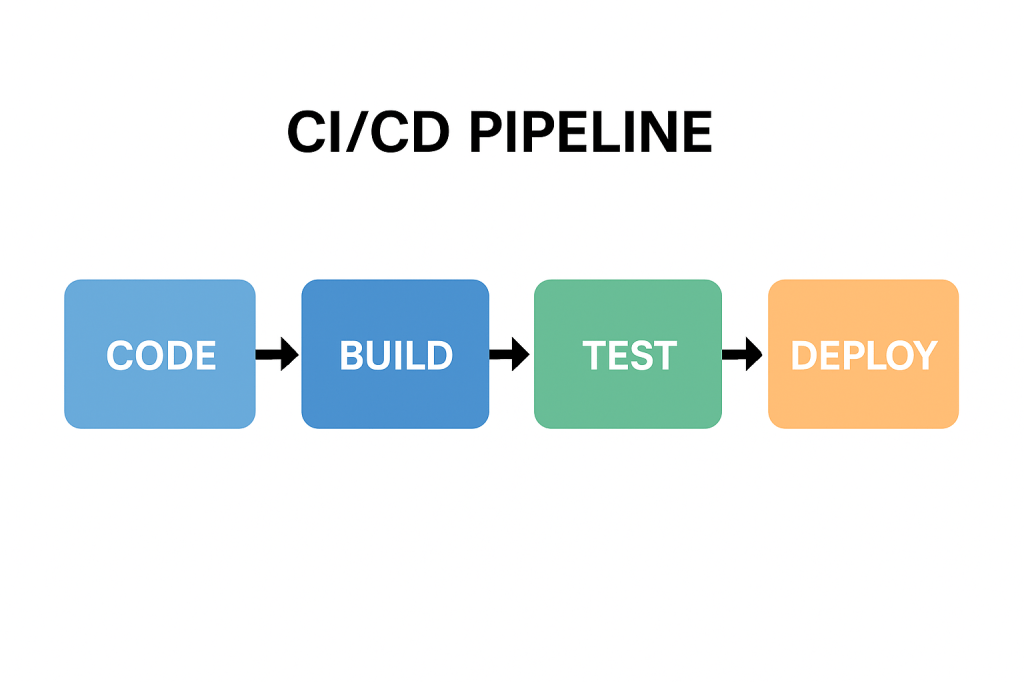
  • Defining Stages – Common pipeline stages include:
    • Build – Compile the code and create artifacts.
    • Test – Run unit, integration, and functional tests.
    • Deploy – Push to staging or production environments.

Managing pipelines requires:

  • Infrastructure as Code (IaC) to keep environments consistent.
  • Monitoring and Logging to track pipeline health.
  • Regular maintenance of dependencies, tools, and scripts.

Can We Test the Pipelines?

Yes—and we should!
Testing pipelines ensures that the automation itself is reliable. Common practices include:

  • Pipeline Linting – Validate the configuration syntax.
  • Dry Runs – Run pipelines in a safe environment before production.
  • Self-Testing Pipelines – Use automated tests to verify the pipeline logic.
  • Chaos Testing – Intentionally break steps to confirm resilience.

Just as we test our applications, testing the pipeline gives confidence that deployments won’t fail when it matters most.

Conclusion

CI/CD pipelines are no longer a “nice to have”—they are essential for modern software development. They speed up delivery, improve code quality, and reduce risks. By implementing and maintaining well-designed pipelines, teams can deliver value to users continuously and confidently.

If you haven’t already, start small—integrate automated builds and tests, then expand toward full deployment automation. Over time, your CI/CD pipeline will become one of the most powerful assets in your software delivery process.

Related Posts

Blog at WordPress.com.

Up ↑