Search

Software Engineer's Notes

Tag

software-development

System Testing: A Complete Guide

What is system testing?

Software development doesn’t end with writing code—it must be tested thoroughly to ensure it works as intended. One of the most comprehensive testing phases is System Testing, where the entire system is evaluated as a whole. This blog will explore what system testing is, its features, how it works, benefits, real-world examples, and how to integrate it into your software development process.

What is System Testing?

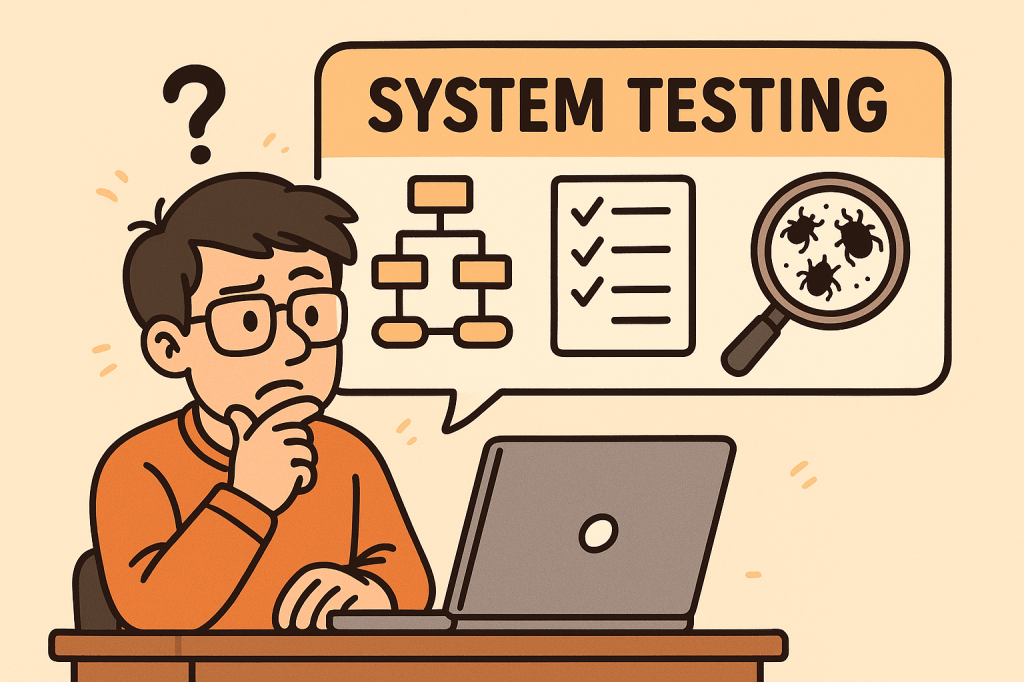
System Testing is a type of software testing where the entire integrated system is tested as a whole. Unlike unit testing (which focuses on individual components) or integration testing (which focuses on interactions between modules), system testing validates that the entire software product meets its requirements.

It is typically the final testing stage before user acceptance testing (UAT) and deployment.

Main Features and Components of System Testing

System testing includes several important features and components:

1. End-to-End Testing

Tests the software from start to finish, simulating real user scenarios.

2. Black-Box Testing Approach

Focuses on the software’s functionality rather than its internal code. Testers don’t need knowledge of the source code.

3. Requirement Validation

Ensures that the product meets all functional and non-functional requirements.

4. Comprehensive Coverage

Covers a wide variety of testing types such as:

  • Functional testing
  • Performance testing
  • Security testing
  • Usability testing
  • Compatibility testing

5. Environment Similarity

Conducted in an environment similar to production to detect environment-related issues.

How Does System Testing Work?

The process of system testing typically follows these steps:

  1. Requirement Review – Analyze functional and non-functional requirements.
  2. Test Planning – Define test strategy, scope, resources, and tools.
  3. Test Case Design – Create detailed test cases simulating user scenarios.
  4. Test Environment Setup – Configure hardware, software, and databases similar to production.
  5. Test Execution – Execute test cases and record results.
  6. Defect Reporting and Tracking – Log issues and track them until resolution.
  7. Regression Testing – Retest the system after fixes to ensure stability.
  8. Final Evaluation – Ensure the system is ready for deployment.

Benefits of System Testing

System testing provides multiple advantages:

  • Validates Full System Behavior – Ensures all modules and integrations work together.
  • Detects Critical Bugs – Finds issues missed during unit or integration testing.
  • Improves Quality – Increases confidence that the system meets requirements.
  • Reduces Risks – Helps prevent failures in production.
  • Ensures Compliance – Confirms the system meets legal, industry, and business standards.

When and How Should We Use System Testing?

When to Use:

  • After integration testing is completed.
  • Before user acceptance testing (UAT) and deployment.

How to Use:

  • Define clear acceptance criteria.
  • Automate repetitive system-level test cases where possible.
  • Simulate real-world usage scenarios to mimic actual customer behavior.

Real-World Use Cases of System Testing

  1. E-commerce Website
    • Verifying user registration, product search, cart, checkout, and payment workflows.
    • Ensuring the system handles high traffic loads during sales events.
  2. Banking Applications
    • Validating transactions, loan applications, and account security.
    • Checking compliance with financial regulations.
  3. Healthcare Systems
    • Testing appointment booking, patient data access, and medical records security.
    • Ensuring HIPAA compliance and patient safety.
  4. Mobile Applications
    • Confirming compatibility across devices, screen sizes, and operating systems.
    • Testing notifications, performance, and offline capabilities.

How to Integrate System Testing into the Software Development Process

  1. Adopt a Shift-Left Approach – Start planning system tests early in the development lifecycle.
  2. Use Continuous Integration (CI/CD) – Automate builds and deployments so system testing can be executed frequently.
  3. Automate Where Possible – Use tools like Selenium, JUnit, or Cypress for functional and regression testing.
  4. Define Clear Test Environments – Keep staging environments as close as possible to production.
  5. Collaborate Across Teams – Ensure developers, testers, and business analysts work together.
  6. Track Metrics – Measure defect density, test coverage, and execution time to improve continuously.

Conclusion

System testing is a critical step in delivering high-quality software. It validates the entire system as a whole, ensuring that all functionalities, integrations, and requirements are working correctly. By integrating system testing into your development process, you can reduce risks, improve reliability, and deliver products that users can trust.


Regression Testing: A Complete Guide for Software Teams

What is Regression Testing?

What is Regression Testing?

Regression testing is a type of software testing that ensures recent code changes, bug fixes, or new features do not negatively impact the existing functionality of an application. In simple terms, it verifies that what worked before still works now, even after updates.

This type of testing is crucial because software evolves continuously, and even small code changes can unintentionally break previously working features.

Main Features and Components of Regression Testing

  1. Test Re-execution
    • Previously executed test cases are run again after changes are made.
  2. Automated Test Suites
    • Automation is often used to save time and effort when repeating test cases.
  3. Selective Testing
    • Not all test cases are rerun; only those that could be affected by recent changes.
  4. Defect Tracking
    • Ensures that previously fixed bugs don’t reappear in later builds.
  5. Coverage Analysis
    • Focuses on areas where changes are most likely to cause side effects.

How Regression Testing Works

  1. Identify Changes
    Developers or QA teams determine which parts of the system were modified (new features, bug fixes, refactoring, etc.).
  2. Select Test Cases
    Relevant test cases from the test repository are chosen. This selection may include:
    • Critical functional tests
    • High-risk module tests
    • Frequently used features
  3. Execute Tests
    Test cases are rerun manually or through automation tools (like Selenium, JUnit, TestNG, Cypress).
  4. Compare Results
    The new test results are compared with the expected results to detect failures.
  5. Report and Fix Issues
    If issues are found, developers fix them, and regression testing is repeated until stability is confirmed.

Benefits of Regression Testing

  • Ensures Software Stability
    Protects against accidental side effects when new code is added.
  • Improves Product Quality
    Guarantees existing features continue working as expected.
  • Boosts Customer Confidence
    Users get consistent and reliable performance.
  • Supports Continuous Development
    Essential for Agile and DevOps environments where changes are frequent.
  • Reduces Risk of Production Failures
    Early detection of reappearing bugs lowers the chance of system outages.

When and How Should We Use Regression Testing?

  • After Bug Fixes
    Ensures the fix does not cause problems in unrelated features.
  • After Feature Enhancements
    New functionalities can sometimes disrupt existing flows.
  • After Code Refactoring or Optimization
    Even performance improvements can alter system behavior.
  • In Continuous Integration (CI) Pipelines
    Automated regression testing should be a standard step in CI/CD workflows.

Real World Use Cases of Regression Testing

  1. E-commerce Websites
    • Adding a new payment gateway may unintentionally break existing checkout flows.
    • Regression tests ensure the cart, discount codes, and order confirmations still work.
  2. Banking Applications
    • A bug fix in the fund transfer module could affect balance calculations or account statements.
    • Regression testing confirms financial transactions remain accurate.
  3. Mobile Applications
    • Adding a new push notification feature might impact login or navigation features.
    • Regression testing validates that old features continue working smoothly.
  4. Healthcare Systems
    • When updating electronic health record (EHR) software, regression tests confirm patient history retrieval still works correctly.

How to Integrate Regression Testing Into Your Software Development Process

  1. Maintain a Test Repository
    Keep all test cases in a structured and reusable format.
  2. Automate Regression Testing
    Use automation tools like Selenium, Cypress, or JUnit to reduce manual effort.
  3. Integrate with CI/CD Pipelines
    Trigger regression tests automatically with each code push.
  4. Prioritize Test Cases
    Focus on critical features first to optimize test execution time.
  5. Schedule Regular Regression Cycles
    Combine full regression tests with partial (smoke/sanity) regression tests for efficiency.
  6. Monitor and Update Test Suites
    As your application evolves, continuously update regression test cases to match new requirements.

Conclusion

Regression testing is not just a safety measure—it’s a vital process that ensures stability, reliability, and confidence in your software. By carefully selecting, automating, and integrating regression tests into your development pipeline, you can minimize risks, reduce costs, and maintain product quality, even in fast-moving Agile and DevOps environments.

Understanding Transport Layer Security (TLS): A Complete Guide

What is Transport Layer Security?

What is TLS?

Transport Layer Security (TLS) is a cryptographic protocol that ensures secure communication between computers over a network. It is the successor to Secure Sockets Layer (SSL) and is widely used to protect data exchanged across the internet, such as when browsing websites, sending emails, or transferring files.

TLS establishes a secure channel by encrypting the data, making sure that attackers cannot eavesdrop or tamper with the information. Today, TLS is a cornerstone of internet security and is fundamental to building trust in digital communications.

How Does TLS Work?

TLS operates in two major phases:

1. Handshake Phase

  • When a client (like a web browser) connects to a server (like a website), they first exchange cryptographic information.
  • The server presents its TLS certificate, which is issued by a trusted Certificate Authority (CA). This allows the client to verify the server’s authenticity.
  • A key exchange mechanism is used (e.g., RSA or Diffie-Hellman) to securely agree on a shared secret key.

2. Data Encryption Phase

  • After the handshake, both client and server use the shared key to encrypt the data.
  • This ensures confidentiality (data cannot be read by outsiders), integrity (data cannot be altered undetected), and authentication (you’re communicating with the right server).

Main Components of TLS

  1. TLS Handshake Protocol
    • Negotiates the encryption algorithms and establishes session keys.
  2. Certificates and Certificate Authorities (CAs)
    • Digital certificates validate the server’s identity.
    • CAs issue and verify these certificates to ensure trust.
  3. Public Key Infrastructure (PKI)
    • Uses asymmetric cryptography (public/private keys) for authentication and key exchange.
  4. Symmetric Encryption
    • Once the handshake is complete, data is encrypted with a shared symmetric key, which is faster and more efficient.
  5. Message Authentication Codes (MACs)
    • Ensure data integrity by verifying that transmitted messages are not altered.

Advantages and Benefits of TLS

  1. Confidentiality – Prevents unauthorized access by encrypting data in transit.
  2. Integrity – Detects and prevents data tampering.
  3. Authentication – Validates server (and sometimes client) identity using certificates.
  4. Trust & Compliance – Required for compliance with standards like PCI DSS, GDPR, and HIPAA.
  5. Performance with Security – Modern TLS versions (like TLS 1.3) are optimized for speed without compromising security.

When and How Should We Use TLS?

  • Websites & Web Applications: Protects HTTP traffic via HTTPS.
  • Email Communication: Secures SMTP, IMAP, and POP3.
  • APIs & Microservices: Ensures secure communication between distributed components.
  • File Transfers: Used in FTPS and SFTP for secure file exchange.
  • VoIP & Messaging: Protects real-time communication channels.

Simply put, TLS should be used anytime sensitive or private data is exchanged over a network.

Real-World Examples

  1. HTTPS Websites: Every secure website (with a padlock icon in browsers) uses TLS.
  2. Online Banking: TLS secures login credentials, financial transactions, and personal data.
  3. E-commerce Platforms: Protects payment information during checkout.
  4. Healthcare Systems: Secures patient data to comply with HIPAA.
  5. Cloud Services: Ensures secure API calls between cloud-based applications.

How to Integrate TLS into the Software Development Process

  1. Use HTTPS by Default
    • Always deploy TLS certificates on your web servers and enforce HTTPS connections.
  2. Automate Certificate Management
    • Use tools like Let’s Encrypt for free and automated certificate renewal.
  3. Secure APIs and Microservices
    • Apply TLS for internal service-to-service communication in microservice architectures.
  4. Enforce Strong TLS Configurations
    • Disable outdated protocols like SSL, TLS 1.0, and TLS 1.1.
    • Use TLS 1.2 or TLS 1.3 for stronger security.
  5. CI/CD Integration
    • Include TLS configuration tests in your pipeline to ensure secure deployments.
  6. Regular Security Audits
    • Continuously scan your applications and servers for weak TLS configurations.

Conclusion

Transport Layer Security (TLS) is not just a security protocol—it’s the backbone of secure digital communication. By encrypting data, authenticating identities, and preserving integrity, TLS builds trust between users and applications.

Whether you are building a website, developing an API, or running enterprise systems, integrating TLS into your software development process is no longer optional—it’s essential.

Smoke Testing in Software Development: A Complete Guide

What is smoke testing?

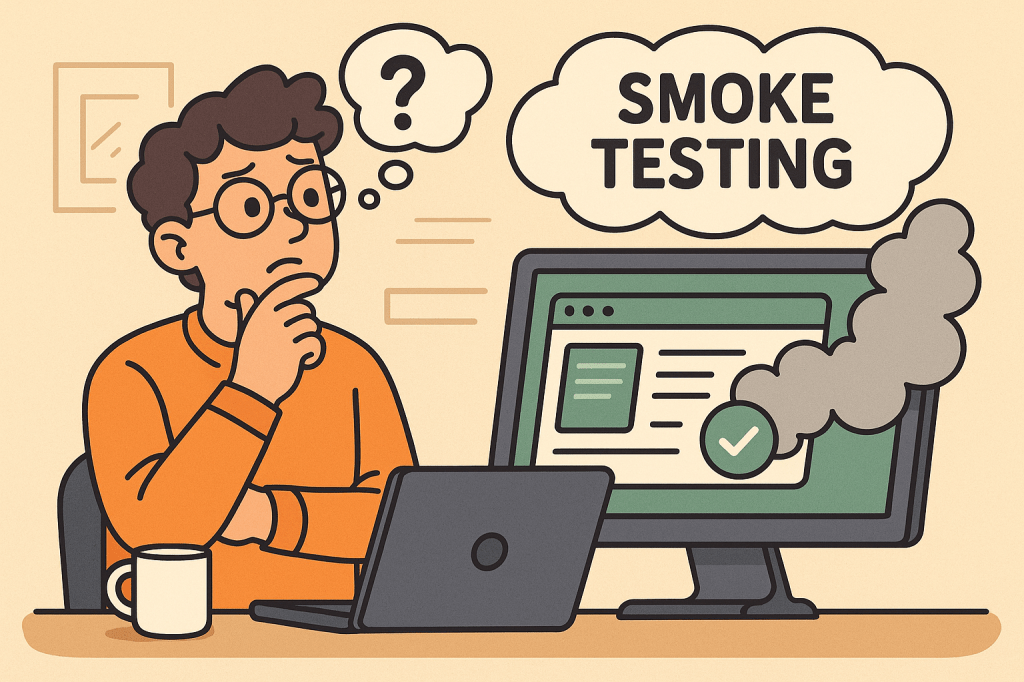
In modern software development, testing is a crucial step to ensure the stability, quality, and reliability of applications. Among different types of testing, Smoke Testing stands out as one of the simplest yet most effective methods to quickly assess whether a build is stable enough for further testing.

This blog explores what smoke testing is, how it works, its features, benefits, real-world use cases, and how you can integrate it into your software development process.

What is Smoke Testing?

Smoke Testing (also called Build Verification Testing) is a type of software testing that ensures the most important functions of an application work correctly after a new build or release.

The term comes from hardware testing, where engineers would power up a device for the first time and check if it “smoked.” In software, the idea is similar — if the application fails during smoke testing, it’s not ready for deeper functional or regression testing.

Main Features and Components of Smoke Testing

  1. Build Verification
    • Performed on new builds to check if the application is stable enough for further testing.
  2. Critical Functionality Check
    • Focuses only on the essential features like login, navigation, data input, and core workflows.
  3. Shallow and Wide Testing
    • Covers all major areas of the application without going into too much detail.
  4. Automation or Manual Execution
    • Can be executed manually for small projects or automated for CI/CD pipelines.
  5. Fast Feedback
    • Provides developers and testers with immediate insights into build quality.

How Does Smoke Testing Work?

The process of smoke testing generally follows these steps:

  1. Receive the Build
    • A new build is deployed from the development team.
  2. Deploy in Test Environment
    • The build is installed in a controlled testing environment.
  3. Execute Smoke Test Cases
    • Testers run predefined test cases focusing on core functionality (e.g., login, saving records, basic navigation).
  4. Evaluate the Results
    • If the smoke test passes, the build is considered stable for further testing.
    • If it fails, the build is rejected, and the issues are reported back to developers.

Benefits of Smoke Testing

  1. Early Detection of Major Defects
    • Prevents wasted effort on unstable builds.
  2. Saves Time and Effort
    • Quickly identifies whether further testing is worthwhile.
  3. Improves Build Stability
    • Ensures only stable builds reach deeper levels of testing.
  4. Supports Continuous Integration
    • Automated smoke tests provide fast feedback in CI/CD pipelines.
  5. Boosts Confidence
    • Developers and testers gain assurance that the software is fundamentally working.

When and How Should We Use Smoke Testing?

  • After Every New Build
    • Run smoke tests to validate basic functionality before regression or system testing.
  • During Continuous Integration/Delivery (CI/CD)
    • Automate smoke tests to ensure each code commit does not break critical functionality.
  • In Agile Environments
    • Use smoke testing at the end of every sprint to ensure incremental builds remain stable.

Real-World Use Cases of Smoke Testing

  1. Web Applications
    • Example: After a new deployment of an e-commerce platform, smoke tests might check if users can log in, add items to a cart, and proceed to checkout.
  2. Mobile Applications
    • Example: For a banking app, smoke tests ensure users can log in, view account balances, and transfer funds before more advanced testing begins.
  3. Enterprise Systems
    • Example: In large ERP systems, smoke tests verify whether dashboards load, reports generate, and user roles function properly.
  4. CI/CD Pipelines
    • Example: Automated smoke tests run after every commit in Jenkins or GitHub Actions, ensuring no critical features are broken.

How to Integrate Smoke Testing Into Your Software Development Process

  1. Define Critical Features
    • Identify the most important features that must always work.
  2. Create Reusable Test Cases
    • Write simple but broad test cases that cover the entire system’s core functionalities.
  3. Automate Whenever Possible
    • Use testing frameworks like Selenium, Cypress, or JUnit to automate smoke tests.
  4. Integrate With CI/CD Tools
    • Configure Jenkins, GitLab CI, or GitHub Actions to trigger smoke tests after every build.
  5. Continuous Monitoring
    • Regularly review and update smoke test cases as the application evolves.

Conclusion

Smoke testing acts as the first line of defense in software testing. It ensures that critical functionalities are intact before investing time and resources into deeper testing activities. Whether you’re working with web apps, mobile apps, or enterprise systems, smoke testing helps maintain build stability and improves overall software quality.

By integrating smoke testing into your CI/CD pipeline, you can speed up development cycles, reduce risks, and deliver stable, reliable software to your users.

Understanding Application Binary Interface (ABI) in Software Development

What is application binary interface?

What is Application Binary Interface (ABI)?

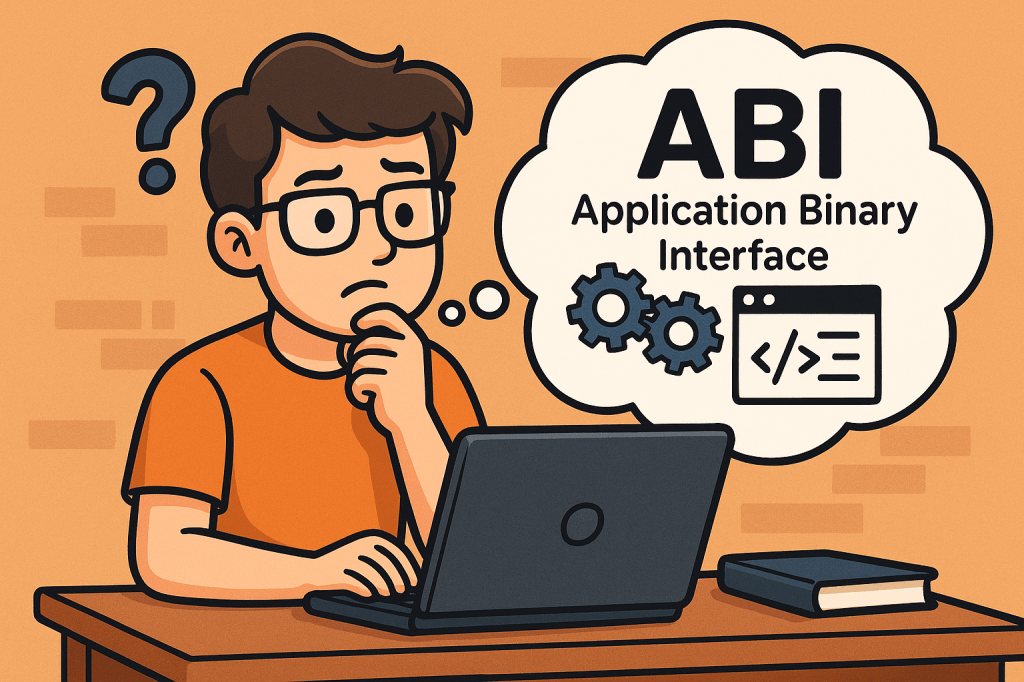
An Application Binary Interface (ABI) defines the low-level, binary-level contract between two pieces of software — typically between a compiled program and the operating system, or between different compiled modules of a program.
While an API (Application Programming Interface) specifies what functions and data structures are available for use, the ABI specifies how those functions and data structures are represented in machine code.

In simpler terms, ABI ensures that independently compiled programs and libraries can work together at the binary level without conflicts.

Main Features and Concepts of ABI

Key aspects of ABI include:

  • Calling Conventions: Defines how functions are called at the machine level, including how parameters are passed (in registers or stack) and how return values are handled.
  • Data Types and Alignment: Ensures consistency in how data structures, integers, floats, and pointers are represented in memory.
  • System Call Interface: Defines how applications interact with the kernel (e.g., Linux system calls).
  • Binary File Format: Specifies how executables, shared libraries, and object files are structured (e.g., ELF on Linux, PE on Windows).
  • Name Mangling Rules: Important in languages like C++ to ensure symbols can be linked correctly across different modules.
  • Exception Handling Mechanism: Defines how runtime errors and exceptions are propagated across compiled units.

How Does ABI Work?

When you compile source code, the compiler translates human-readable instructions into machine instructions. For these instructions to interoperate correctly across libraries and operating systems:

  1. The compiler must follow ABI rules for function calls, data types, and registers.
  2. The linker ensures compatibility by checking binary formats.
  3. The runtime environment (OS and hardware) executes instructions assuming they follow ABI conventions.

If two binaries follow different ABIs, they may be incompatible even if their APIs look identical.

Benefits and Advantages of ABI

  • Cross-Compatibility: Enables different compilers and programming languages to interoperate on the same platform.
  • Stability: Provides long-term support for existing applications without recompilation when the OS or libraries are updated.
  • Portability: Makes it easier to run applications across different hardware architectures that support the same ABI standard.
  • Performance Optimization: Well-designed ABIs leverage efficient calling conventions and memory layouts for faster execution.
  • Ecosystem Support: Many open-source ecosystems (like Linux distributions) rely heavily on ABI stability to support thousands of third-party applications.

Main Challenges of ABI

  • ABI Breakage: Small changes in data structure layout or calling conventions can break compatibility between old and new binaries.
  • Platform-Specific Differences: ABIs differ across operating systems (Linux, Windows, macOS) and hardware (x86, ARM, RISC-V).
  • Compiler Variations: Different compilers may implement language features differently, causing subtle ABI incompatibilities.
  • Maintaining Stability: Once an ABI is published, it becomes difficult to change without breaking existing applications.
  • Security Concerns: Exposing low-level system call interfaces can introduce vulnerabilities if not carefully managed.

How and When Can We Use ABI?

ABIs are critical in several contexts:

  • Operating Systems: Defining how user applications interact with the kernel (e.g., Linux System V ABI).
  • Language Interoperability: Allowing code compiled from different languages (C, Rust, Fortran) to work together.
  • Cross-Platform Development: Supporting software portability across different devices and architectures.
  • Library Distribution: Ensuring precompiled libraries (like OpenSSL, libc) work seamlessly across applications.

Real World Examples of ABI

  • Linux Standard Base (LSB): Defines a common ABI for Linux distributions, allowing software vendors to distribute binaries that run across multiple distros.
  • Windows ABI (Win32 / x64): Ensures applications compiled for Windows can run on different versions without modification.
  • ARM EABI (Embedded ABI): Used in mobile and embedded systems to ensure cross-compatibility of binaries.
  • C++ ABI: The Itanium C++ ABI is widely adopted to standardize exception handling, RTTI, and name mangling across compilers.

Integrating ABI into the Software Development Process

To integrate ABI considerations into development:

  1. Follow Established Standards: Adhere to platform ABIs (e.g., System V on Linux, Microsoft x64 ABI on Windows).
  2. Use Compiler Flags Consistently: Ensure all modules and libraries are built with the same ABI-related settings.
  3. Monitor ABI Stability: When upgrading compilers or libraries, check for ABI changes to prevent runtime failures.
  4. Testing Across Platforms: Perform binary compatibility testing in CI/CD pipelines to catch ABI mismatches early.
  5. Documentation and Versioning: Clearly document the ABI guarantees your software provides, especially if distributing precompiled libraries.

Conclusion

The Application Binary Interface (ABI) is the unseen backbone of software interoperability. It ensures that compiled programs, libraries, and operating systems can work together seamlessly. While maintaining ABI stability can be challenging, respecting ABI standards is essential for long-term compatibility, ecosystem growth, and reliable software development.

Message Brokers in Computer Science — A Practical, Hands-On Guide

What is a message broker?

What Is a Message Broker?

A message broker is middleware that routes, stores, and delivers messages between independent parts of a system (services, apps, devices). Instead of services calling each other directly, they publish messages to the broker, and other services consume them. This creates loose coupling, improves resilience, and enables asynchronous workflows.

At its core, a broker provides:

  • Producers that publish messages.
  • Queues/Topics where messages are held.
  • Consumers that receive messages.
  • Delivery guarantees and routing so the right messages reach the right consumers.

Common brokers: RabbitMQ, Apache Kafka, ActiveMQ/Artemis, NATS, Redis Streams, AWS SQS/SNS, Google Pub/Sub, Azure Service Bus.

A Short History (High-Level Timeline)

  • Mainframe era (1970s–1980s): Early queueing concepts appear in enterprise systems to decouple batch and transactional workloads.
  • Enterprise messaging (1990s): Commercial MQ systems (e.g., IBM MQ, Microsoft MSMQ, TIBCO) popularize durable queues and pub/sub for financial and telecom workloads.
  • Open standards (late 1990s–2000s): Java Message Service (JMS) APIs and AMQP wire protocol encourage vendor neutrality.
  • Distributed streaming (2010s): Kafka and cloud-native services (SQS/SNS, Pub/Sub, Service Bus) emphasize horizontal scalability, event streams, and managed operations.
  • Today: Hybrid models—classic brokers (flexible routing, strong per-message semantics) and log-based streaming (high throughput, replayable events) coexist.

How a Message Broker Works (Under the Hood)

  1. Publish: A producer sends a message with headers and body. Some brokers require a routing key (e.g., “orders.created”).
  2. Route: The broker uses bindings/rules to deliver messages to the right queue(s) or topic partitions.
  3. Persist: Messages are durably stored (disk/replicated) according to retention and durability settings.
  4. Consume: Consumers pull (or receive push-delivered) messages.
  5. Acknowledge & Retry: On success, the consumer acks; on failure, the broker retries with backoff or moves the message to a dead-letter queue (DLQ).
  6. Scale: Consumer groups share work (competing consumers). Partitions (Kafka) or multiple queues (RabbitMQ) enable parallelism and throughput.
  7. Observe & Govern: Metrics (lag, throughput), tracing, and schema/versioning keep systems healthy and evolvable.

Key Features & Characteristics

  • Delivery semantics: at-most-once, at-least-once (most common), sometimes exactly-once (with constraints).
  • Ordering: per-queue or per-partition ordering; global ordering is rare and costly.
  • Durability & retention: in-memory vs disk, replication, time/size-based retention.
  • Routing patterns: direct, topic (wildcards), fan-out/broadcast, headers-based, delayed/priority.
  • Scalability: horizontal scale via partitions/shards, consumer groups.
  • Transactions & idempotency: transactions (broker or app-level), idempotent consumers, deduplication keys.
  • Protocols & APIs: AMQP, MQTT, STOMP, HTTP/REST, gRPC; SDKs for many languages.
  • Security: TLS in transit, server-side encryption, SASL/OAuth/IAM authN/Z, network policies.
  • Observability: consumer lag, DLQ rates, redeliveries, end-to-end tracing.
  • Admin & ops: multi-tenant isolation, quotas, quotas per topic, quotas per consumer, cleanup policies.

Main Benefits

  • Loose coupling: producers and consumers evolve independently.
  • Resilience: retries, DLQs, backpressure protect downstream services.
  • Scalability: natural parallelism via consumer groups/partitions.
  • Smoothing traffic spikes: brokers absorb bursts; consumers process at steady rates.
  • Asynchronous workflows: better UX and throughput (don’t block API calls).
  • Auditability & replay: streaming logs (Kafka-style) enable reprocessing and backfills.
  • Polyglot interop: cross-language, cross-platform integration via shared contracts.

Real-World Use Cases (With Detailed Flows)

  1. Order Processing (e-commerce):
    • Flow: API receives an order → publishes order.created. Payment, inventory, shipping services consume in parallel.
    • Why a broker? Decouples services, enables retries, and supports fan-out to analytics and email notifications.
  2. Event-Driven Microservices:
    • Flow: Services emit domain events (e.g., user.registered). Other services react (e.g., create welcome coupon, sync CRM).
    • Why? Eases cross-team collaboration and reduces synchronous coupling.
  3. Transactional Outbox (reliability bridge):
    • Flow: Service writes business state and an “outbox” row in the same DB transaction → a relay publishes the event to the broker → exactly-once effect at the boundary.
    • Why? Prevents the “saved DB but failed to publish” problem.
  4. IoT Telemetry & Monitoring:
    • Flow: Devices publish telemetry to MQTT/AMQP; backend aggregates, filters, and stores for dashboards & alerts.
    • Why? Handles intermittent connectivity, large fan-in, and variable rates.
  5. Log & Metric Pipelines / Stream Processing:
    • Flow: Applications publish logs/events to a streaming broker; processors compute aggregates and feed real-time dashboards.
    • Why? High throughput, replay for incident analysis, and scalable consumers.
  6. Payment & Fraud Detection:
    • Flow: Payments emit events to fraud detection service; anomalies trigger holds or manual review.
    • Why? Low latency pipelines with backpressure and guaranteed delivery.
  7. Search Indexing / ETL:
    • Flow: Data changes publish “change events” (CDC); consumers update search indexes or data lakes.
    • Why? Near-real-time sync without tight DB coupling.
  8. Notifications & Email/SMS:
    • Flow: App publishes notify.user messages; a notification service renders templates and sends via providers with retry/DLQ.
    • Why? Offloads slow/fragile external calls from critical paths.

Choosing a Broker (Quick Comparison)

BrokerModelStrengthsTypical Fits
RabbitMQQueues + exchanges (AMQP)Flexible routing (topic/direct/fanout), per-message acks, pluginsWork queues, task processing, request/reply, multi-tenant apps
Apache KafkaPartitioned log (topics)Massive throughput, replay, stream processing ecosystemEvent streaming, analytics, CDC, data pipelines
ActiveMQ ArtemisQueues/Topics (AMQP, JMS)Mature JMS support, durable queues, persistenceJava/JMS systems, enterprise integration
NATSLightweight pub/subVery low latency, simple ops, JetStream for persistenceControl planes, lightweight messaging, microservices
Redis StreamsAppend-only streamsSimple ops, consumer groups, good for moderate scaleEvent logs in Redis-centric stacks
AWS SQS/SNSQueue + fan-outFully managed, easy IAM, serverless-readyCloud/serverless integration, decoupled services
GCP Pub/SubTopics/subscriptionsGlobal scale, push/pull, Dataflow tie-insGCP analytics pipelines, microservices
Azure Service BusQueues/TopicsSessions, dead-lettering, rulesAzure microservices, enterprise workflows

Integrating a Message Broker Into Your Software Development Process

1) Design the Events and Contracts

  • Event storming to find domain events (invoice.issued, payment.captured).
  • Define message schema (JSON/Avro/Protobuf) and versioning strategy (backward-compatible changes, default fields).
  • Establish routing conventions (topic names, keys/partitions, headers).
  • Decide on delivery semantics and ordering requirements.

2) Pick the Broker & Topology

  • Match throughput/latency and routing needs to a broker (e.g., Kafka for analytics/replay, RabbitMQ for task queues).
  • Plan partitions/queues, consumer groups, and DLQs.
  • Choose retention: time/size or compaction (Kafka) to support reprocessing.

3) Implement Producers & Consumers

  • Use official clients or proven libs.
  • Add idempotency (keys, dedup cache) and exactly-once effects at the application boundary (often via the outbox pattern).
  • Implement retries with backoff, circuit breakers, and poison-pill handling (DLQ).

4) Security & Compliance

  • Enforce TLS, authN/Z (SASL/OAuth/IAM), least privilege topics/queues.
  • Classify data; avoid PII in payloads unless required; encrypt sensitive fields.

5) Observability & Operations

  • Track consumer lag, throughput, error rates, redeliveries, DLQ depth.
  • Centralize structured logging and traces (correlation IDs).
  • Create runbooks for reprocessing, backfills, and DLQ triage.

6) Testing Strategy

  • Unit tests for message handlers (pure logic).
  • Contract tests to ensure producer/consumer schema compatibility.
  • Integration tests using Testcontainers (spin up Kafka/RabbitMQ in CI).
  • Load tests to validate partitioning, concurrency, and backpressure.

7) Deployment & Infra

  • Provision via IaC (Terraform, Helm).
  • Configure quotas, ACLs, retention, and autoscaling.
  • Use blue/green or canary deploys for consumers to avoid message loss.

8) Governance & Evolution

  • Own each topic/queue (clear team ownership).
  • Document schema evolution rules and deprecation process.
  • Periodically review retention, partitions, and consumer performance.

Minimal Code Samples (Spring Boot, so you can plug in quickly)

Kafka Producer (Spring Boot)

@Service
public class OrderEventProducer {
  private final KafkaTemplate<String, String> kafka;

  public OrderEventProducer(KafkaTemplate<String, String> kafka) {
    this.kafka = kafka;
  }

  public void publishOrderCreated(String orderId, String payloadJson) {
    kafka.send("orders.created", orderId, payloadJson); // use orderId as key for ordering
  }
}

Kafka Consumer

@Component
public class OrderEventConsumer {
  @KafkaListener(topics = "orders.created", groupId = "order-workers")
  public void onMessage(String payloadJson) {
    // TODO: validate schema, handle idempotency via orderId, process safely, log traceId
  }
}

RabbitMQ Consumer (Spring AMQP)

@Component
public class EmailConsumer {
  @RabbitListener(queues = "email.notifications")
  public void handleEmail(String payloadJson) {
    // Render template, call provider with retries; nack to DLQ on poison messages
  }
}

Docker Compose (Local Dev)

services:
  rabbitmq:
    image: rabbitmq:3-management
    ports: ["5672:5672", "15672:15672"]  # UI at :15672
  kafka:
    image: bitnami/kafka:latest
    environment:
      - KAFKA_ENABLE_KRAFT=yes
      - KAFKA_CFG_AUTO_CREATE_TOPICS_ENABLE=true
    ports: ["9092:9092"]

Common Pitfalls (and How to Avoid Them)

  • Treating the broker like a database: keep payloads small, use a real DB for querying and relationships.
  • No schema discipline: enforce contracts; add fields in backward-compatible ways.
  • Ignoring DLQs: monitor and drain with runbooks; fix root causes, don’t just requeue forever.
  • Chatty synchronous RPC over MQ: use proper async patterns; when you must do request-reply, set timeouts and correlation IDs.
  • Hot partitions: choose balanced keys; consider hashing or sharding strategies.

A Quick Integration Checklist

  • Pick broker aligned to throughput/routing needs.
  • Define topic/queue naming, keys, and retention.
  • Establish message schemas + versioning rules.
  • Implement idempotency and the transactional outbox where needed.
  • Add retries, backoff, and DLQ policies.
  • Secure with TLS + auth; restrict ACLs.
  • Instrument lag, errors, DLQ depth, and add tracing.
  • Test with Testcontainers in CI; load test for spikes.
  • Document ownership and runbooks for reprocessing.
  • Review partitions/retention quarterly.

Final Thoughts

Message brokers are a foundational building block for event-driven, resilient, and scalable systems. Start by modeling the events and delivery guarantees you need, then select a broker that fits your routing and throughput profile. With solid schema governance, idempotency, DLQs, and observability, you’ll integrate messaging into your development process confidently—and unlock patterns that are hard to achieve with synchronous APIs alone.

Eventual Consistency in Computer Science

What is eventual consistency?

What is Eventual Consistency?

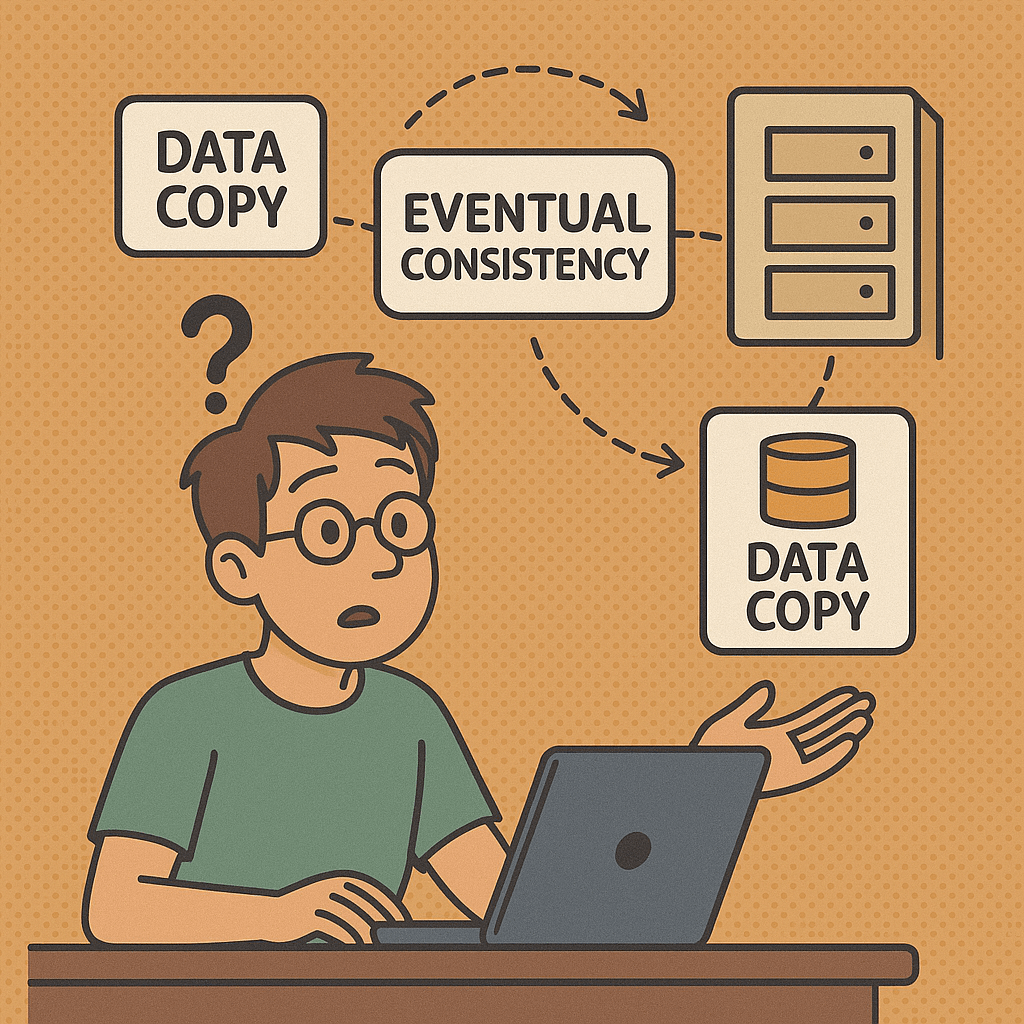
Eventual consistency is a consistency model used in distributed computing systems. It ensures that, given enough time without new updates, all copies of data across different nodes will converge to the same state. Unlike strong consistency, where every read reflects the latest write immediately, eventual consistency allows temporary differences between nodes but guarantees they will synchronize eventually.

This concept is especially important in large-scale, fault-tolerant, and high-availability systems such as cloud databases, messaging systems, and distributed file stores.

How Does Eventual Consistency Work?

In a distributed system, data is often replicated across multiple nodes for performance and reliability. When a client updates data, the change is applied to one or more nodes and then propagated asynchronously to other replicas. During this propagation, some nodes may have stale or outdated data.

Over time, replication protocols and synchronization processes ensure that all nodes receive the update. The system is considered “eventually consistent” once all replicas reflect the latest state.

Example of the Process:

  1. A user updates their profile picture in a social media application.
  2. The update is saved in one replica immediately.
  3. Other replicas may temporarily show the old picture.
  4. After replication completes, all nodes show the updated picture.

This temporary inconsistency is acceptable in many real-world use cases because the system prioritizes availability and responsiveness over immediate synchronization.

Main Features and Characteristics of Eventual Consistency

  • Asynchronous Replication: Updates propagate to replicas in the background, not immediately.
  • High Availability: The system can continue to operate even if some nodes are temporarily unavailable.
  • Partition Tolerance: Works well in environments where network failures may occur, allowing nodes to re-sync later.
  • Temporary Inconsistency: Different nodes may return different results until synchronization is complete.
  • Convergence Guarantee: Eventually, all replicas will contain the same data once updates are propagated.
  • Performance Benefits: Improves response time since operations do not wait for all replicas to update before confirming success.

Real World Examples of Eventual Consistency

  • Amazon DynamoDB: Uses eventual consistency for distributed data storage to ensure high availability across global regions.
  • Cassandra Database: Employs tunable consistency where eventual consistency is one of the options.
  • DNS (Domain Name System): When a DNS record changes, it takes time for all servers worldwide to update. Eventually, all DNS servers converge on the latest record.
  • Social Media Platforms: Likes, comments, or follower counts may temporarily differ between servers but eventually synchronize.
  • Email Systems: When you send an email, it might appear instantly in one client but take time to sync across devices.

When and How Can We Use Eventual Consistency?

Eventual consistency is most useful in systems where:

  • High availability and responsiveness are more important than immediate accuracy.
  • Applications tolerate temporary inconsistencies (e.g., displaying slightly outdated data for a short period).
  • The system must scale across regions and handle millions of concurrent requests.
  • Network partitions and failures are expected, and the system must remain resilient.

Common scenarios include:

  • Large-scale web applications (social networks, e-commerce platforms).
  • Distributed databases across multiple data centers.
  • Caching systems that prioritize speed.

How to Integrate Eventual Consistency into Our Software Development Process

  1. Identify Use Cases: Determine which parts of your system can tolerate temporary inconsistencies. For example, product catalog browsing may use eventual consistency, while payment transactions require strong consistency.
  2. Choose the Right Tools: Use databases and systems that support eventual consistency, such as Cassandra, DynamoDB, or Cosmos DB.
  3. Design with Convergence in Mind: Ensure data models and replication strategies are designed so that all nodes will eventually agree on the final state.
  4. Implement Conflict Resolution: Handle scenarios where concurrent updates occur, using techniques like last-write-wins, version vectors, or custom merge logic.
  5. Monitor and Test: Continuously test your system under network partitions and high loads to ensure it meets your consistency and availability requirements.
  6. Educate Teams: Ensure developers and stakeholders understand the trade-offs between strong consistency and eventual consistency.

Event Driven Architecture: A Complete Guide

What is event driven architecture?

What is Event Driven Architecture?

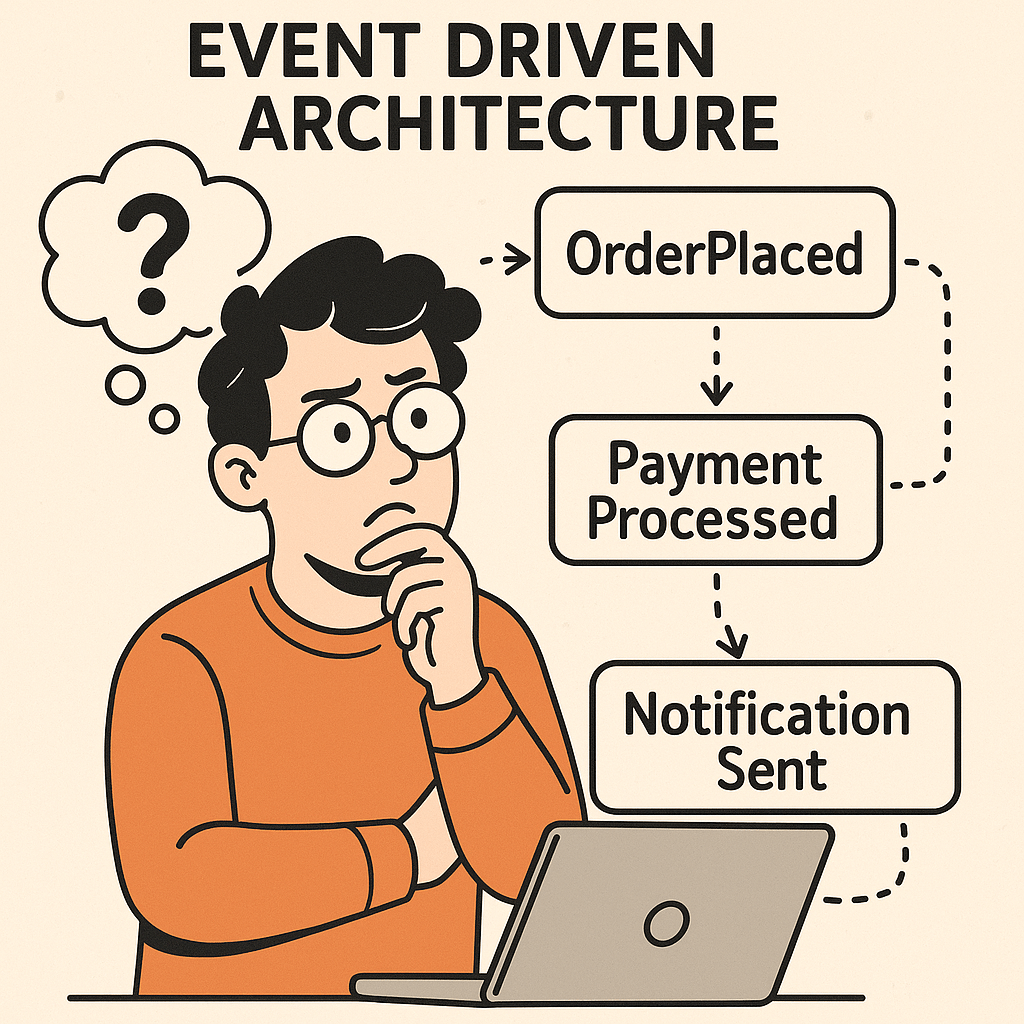
Event Driven Architecture (EDA) is a modern software design pattern where systems communicate through events rather than direct calls. Instead of services requesting and waiting for responses, they react to events as they occur.

An event is simply a significant change in state — for example, a user placing an order, a payment being processed, or a sensor detecting a temperature change. In EDA, these events are captured, published, and consumed by other components in real time.

This approach makes systems more scalable, flexible, and responsive to change compared to traditional request/response architectures.

Main Components of Event Driven Architecture

1. Event Producers

These are the sources that generate events. For example, an e-commerce application might generate an event when a customer places an order.

2. Event Routers (Event Brokers)

Routers manage the flow of events. They receive events from producers and deliver them to consumers. Message brokers like Apache Kafka, RabbitMQ, or AWS EventBridge are commonly used here.

3. Event Consumers

These are services or applications that react to events. For instance, an email service may consume an “OrderPlaced” event to send an order confirmation email.

4. Event Channels

These are communication pathways through which events travel. They ensure producers and consumers remain decoupled.

How Does Event Driven Architecture Work?

  1. Event Occurs – Something happens (e.g., a new user signs up).
  2. Event Published – The producer sends this event to the broker.
  3. Event Routed – The broker forwards the event to interested consumers.
  4. Event Consumed – Services subscribed to this event take action (e.g., send a welcome email, update analytics, trigger a workflow).

This process is asynchronous, meaning producers don’t wait for consumers. Events are processed independently, allowing for more efficient, real-time interactions.

Benefits and Advantages of Event Driven Architecture

Scalability

Each service can scale independently based on the number of events it needs to handle.

Flexibility

You can add new consumers without modifying existing producers, making it easier to extend systems.

Real-time Processing

EDA enables near real-time responses, perfect for financial transactions, IoT, and user notifications.

Loose Coupling

Producers and consumers don’t need to know about each other, reducing dependencies.

Resilience

If one consumer fails, other parts of the system continue working. Events can be replayed or queued until recovery.

Challenges of Event Driven Architecture

Complexity

Designing an event-driven system requires careful planning of event flows and dependencies.

Event Ordering and Idempotency

Events may arrive out of order or be processed multiple times, requiring special handling to avoid duplication.

Monitoring and Debugging

Since interactions are asynchronous and distributed, tracing the flow of events can be harder compared to request/response systems.

Data Consistency

Maintaining strong consistency across distributed services is difficult. Often, EDA relies on eventual consistency, which may not fit all use cases.

Operational Overhead

Operating brokers like Kafka or RabbitMQ adds infrastructure complexity and requires proper monitoring and scaling strategies.

When and How Can We Use Event Driven Architecture?

EDA is most effective when:

  • The system requires real-time responses (e.g., fraud detection).
  • The system must handle high scalability (e.g., millions of user interactions).
  • You need decoupled services that can evolve independently.
  • Multiple consumers need to react differently to the same event.

It may not be ideal for small applications where synchronous request/response is simpler.

Real World Examples of Event Driven Architecture

E-Commerce

  • Event: Customer places an order.
  • Consumers:
    • Payment service processes the payment.
    • Inventory service updates stock.
    • Notification service sends confirmation.
    • Shipping service prepares delivery.

All of these happen asynchronously, improving performance and user experience.

Banking and Finance

  • Event: A suspicious transaction occurs.
  • Consumers:
    • Fraud detection system analyzes it.
    • Notification system alerts the user.
    • Compliance system records it.

This allows banks to react to fraud in real-time.

IoT Applications

  • Event: Smart thermostat detects high temperature.
  • Consumers:
    • Air conditioning system turns on.
    • Notification sent to homeowner.
    • Analytics system logs energy usage.

Social Media

  • Event: A user posts a photo.
  • Consumers:
    • Notification service alerts friends.
    • Analytics system tracks engagement.
    • Recommendation system updates feeds.

Conclusion

Event Driven Architecture provides a powerful way to build scalable, flexible, and real-time systems. While it introduces challenges like debugging and data consistency, its benefits make it an essential pattern for modern applications — from e-commerce to IoT to financial systems.

When designed and implemented carefully, EDA can transform how software responds to change, making systems more resilient and user-friendly.

Domain-Driven Development: A Comprehensive Guide

What is domain driven development?

What is Domain-Driven Development?

Domain-Driven Development (DDD) is a software design approach introduced by Eric Evans in his book Domain-Driven Design: Tackling Complexity in the Heart of Software. At its core, DDD emphasizes focusing on the business domain—the real-world problems and processes that software is meant to solve—rather than just the technology or infrastructure.

Instead of forcing business problems to fit around technical choices, DDD places business experts and developers at the center of the design process, ensuring that the resulting software truly reflects the organization’s needs.

The Main Components of Domain-Driven Development

  1. Domain
    The subject area the software is designed to address. For example, healthcare management, e-commerce, or financial trading.
  2. Ubiquitous Language
    A shared language between developers and domain experts. This ensures that technical terms and business terms align, preventing miscommunication.
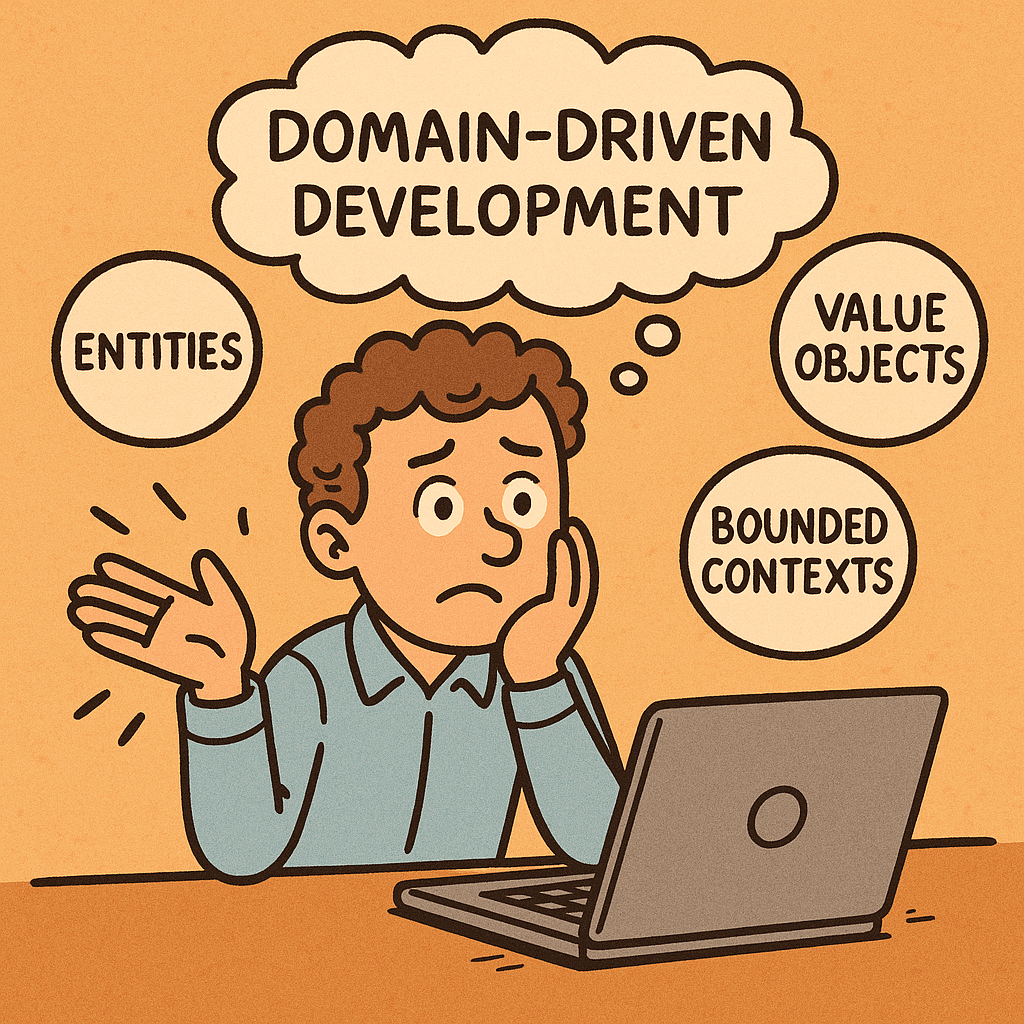
  3. Entities
    Objects that have a distinct identity that runs through time, such as Customer or Order.
  4. Value Objects
    Immutable objects without identity, defined only by their attributes, such as Money or Address.
  5. Aggregates
    Groups of related entities and value objects treated as a single unit, ensuring data consistency.
  6. Repositories
    Mechanisms to retrieve and store aggregates while hiding database complexity.
  7. Services
    Domain-specific operations that don’t naturally belong to an entity or value object.
  8. Bounded Contexts
    Clearly defined boundaries that separate different parts of the domain model, avoiding confusion. For example, “Payments” and “Shipping” may be different bounded contexts in an e-commerce system.

How Does Domain-Driven Development Work?

DDD works by creating a collaborative environment between domain experts and developers. The process generally follows these steps:

  1. Understand the domain deeply by working with domain experts.
  2. Create a ubiquitous language to describe concepts, processes, and rules.
  3. Model the domain using entities, value objects, aggregates, and bounded contexts.
  4. Implement the design with code that reflects the model.
  5. Continuously refine the model as the domain and business requirements evolve.

This approach ensures that the codebase remains closely tied to real-world problems and adapts as the business grows.

Benefits and Advantages of DDD

  • Closer alignment with business needs: Software reflects real processes and terminology.
  • Improved communication: Shared language reduces misunderstandings between developers and stakeholders.
  • Better handling of complexity: Bounded contexts and aggregates break down large systems into manageable pieces.
  • Flexibility and adaptability: Models evolve with business requirements.
  • High-quality, maintainable code: Code mirrors real-world processes, making it easier to understand and extend.

Challenges of Domain-Driven Development

  1. Steep learning curve
    DDD concepts can be difficult for teams unfamiliar with them.
  2. Time investment
    Requires significant upfront collaboration between developers and domain experts.
  3. Overengineering risk
    In simple projects, applying DDD may add unnecessary complexity.
  4. Requires strong domain knowledge
    Without dedicated domain experts, building accurate models becomes very difficult.
  5. Organizational barriers
    Some companies may not have the culture or structure to support continuous collaboration between business and technical teams.

When and How Can We Use DDD?

When to use DDD:

  • Large, complex business domains.
  • Projects with long-term maintenance needs.
  • Systems requiring constant adaptation to changing business rules.
  • Environments where miscommunication between technical and business teams is common.

When not to use DDD:

  • Small, straightforward applications (like a simple CRUD app).
  • Projects with very tight deadlines and no access to domain experts.

How to use DDD:

  1. Start by identifying bounded contexts in your system.
  2. Build domain models with input from both developers and business experts.
  3. Use ubiquitous language across documentation, code, and conversations.
  4. Apply tactical patterns (entities, value objects, repositories, etc.).
  5. Continuously refine the model through iteration.

Real-World Examples of DDD

  1. E-Commerce Platform
    • Domain: Online shopping.
    • Bounded Contexts: Shopping Cart, Payments, Inventory, Shipping.
    • Entities: Customer, Order, Product.
    • Value Objects: Money, Address.
      DDD helps maintain separation so that changes in the “Payments” system don’t affect “Inventory.”
  2. Healthcare System
    • Domain: Patient care management.
    • Bounded Contexts: Patient Records, Scheduling, Billing.
    • Entities: Patient, Appointment, Doctor.
    • Value Objects: Diagnosis, Prescription.
      DDD ensures terminology matches medical experts’ language, reducing errors and improving system usability.
  3. Banking System
    • Domain: Financial transactions.
    • Bounded Contexts: Accounts, Loans, Risk Management.
    • Entities: Account, Transaction, Customer.
    • Value Objects: Money, InterestRate.
      By modeling aggregates like Account, DDD ensures consistency when handling multiple simultaneous transactions.

Conclusion

Domain-Driven Development is a powerful methodology for tackling complex business domains. By aligning technical implementation with business needs, it creates software that is not only functional but also adaptable and maintainable. While it requires effort and strong collaboration, the benefits far outweigh the challenges for large and evolving systems.

Blog at WordPress.com.

Up ↑