Search

Software Engineer's Notes

Tag

Software Development

Code Katas: A Practical Guide for Your Everyday Engineering Practice

Learning code kata

What are Code Katas?

Code katas are short, repeatable programming exercises designed to improve specific skills through deliberate practice. Borrowed from martial arts, the term “kata” refers to a structured routine you repeat to refine form, speed, and judgment. In software, that means repeatedly solving small problems with intention—focusing on technique (naming, refactoring, testing, decomposition) rather than “just getting it to work.”

A Brief History

  • Origins of the term: Inspired by martial arts training, the “kata” metaphor entered software craftsmanship to emphasize practice and technique over ad-hoc hacking.
  • Popularization: In the early 2000s, the idea spread through the software craftsmanship movement and communities around Agile, TDD, and clean code. Well-known exercises (e.g., Bowling Game, Roman Numerals, Gilded Rose) became common practice drills in meetups, coding dojos, and workshops.
  • Today: Katas are used by individuals, teams, bootcamps, and user groups to build muscle memory in test-driven development (TDD), refactoring, design, and problem decomposition.

Why We Need Code Katas (Benefits)

  • Deliberate practice: Target a narrow skill (e.g., TDD rhythm, naming, edge-case thinking) and improve it fast.
  • Muscle memory for TDD: Red-Green-Refactor becomes automatic under time pressure.
  • Design intuition: Frequent refactoring grows your “smell” for better abstractions and simpler designs.
  • Safer learning: Fail cheaply in a sandbox instead of production.
  • Team alignment: Shared exercises align standards for testing, style, and architecture.
  • Confidence & speed: Repetition reduces hesitation; you ship with fewer regressions.
  • Interview prep: Katas sharpen fundamentals without “trick” problems.

Main Characteristics (and How to Use Them)

  1. Small Scope
    What it is: A compact problem (30–90 minutes).
    How to use: Choose tasks with clear correctness criteria (e.g., string transforms, calculators, parsers).
  2. Repetition & Variation
    What it is: Solve the same kata multiple times, adding constraints.
    How to use: Repeat weekly; vary approach (different data structures, patterns, or languages).
  3. Time-Boxing
    What it is: Short, focused sessions to keep intensity high.
    How to use: 25–45 minute blocks (Pomodoro); stop when time ends and reflect.
  4. TDD Rhythm
    What it is: Red → Green → Refactor loop.
    How to use: Write the smallest failing test, make it pass, then improve the design. Repeat.
  5. Constraints
    What it is: Self-imposed rules to sharpen technique.
    How to use: Examples: “no if statements,” “immutable data only,” “only functional style,” “one assert per test.”
  6. Frequent Refactoring
    What it is: Continual cleanup to reveal better design.
    How to use: After every green step, improve names, extract methods, remove duplication.
  7. Feedback & Reflection
    What it is: Short retrospective at the end.
    How to use: Capture what slowed you down, smells you saw, patterns you used, and what to try next time.
  8. Social Formats (Dojo/Pair/Mob)
    What it is: Practice together.
    How to use:
    • Pair kata: Driver/Navigator switch every 5–7 minutes.
    • Mob kata: One keyboard; rotate driver; everyone else reviews and guides.
    • Dojo: One person solves while others observe; rotate and discuss.

How to Use Code Katas (Step-by-Step)

  1. Pick one skill to train (e.g., “fewer conditionals,” “clean tests,” “naming”).
  2. Choose a kata that fits the skill and your time (30–60 min).
  3. Set a constraint aligned to your skill (e.g., immutability).
  4. Run TDD cycles with very small steps; keep tests crisp.
  5. Refactor relentlessly; remove duplication, clarify intent.
  6. Stop on time; retrospect (what went well, what to try next).
  7. Repeat the same kata next week with a new constraint or language.

Real-World Kata Examples (with What They Teach)

  • String Calculator
    Teaches: TDD rhythm, incremental parsing, edge cases (empty, delimiters, negatives).
  • Roman Numerals
    Teaches: Mapping tables, greedy algorithms, clear tests, refactoring duplication.
  • Bowling Game Scoring
    Teaches: Complex scoring rules, stepwise design, test coverage for tricky cases.
  • Gilded Rose Refactoring
    Teaches: Working with legacy code, characterization tests, safe refactoring.
  • Mars Rover
    Teaches: Command parsing, state modeling, encapsulation, test doubles.
  • FizzBuzz Variants
    Teaches: Simple loops, branching alternatives (lookup tables, rules engines), constraint-driven creativity.
  • Anagrams / Word Ladder
    Teaches: Data structures, performance trade-offs, readability vs speed.

Sample Kata Plan (30 Days)

  • Week 1 — TDD Basics: String Calculator (x2), Roman Numerals (x2)
  • Week 2 — Refactoring: Gilded Rose (x2), FizzBuzz with constraints (no if)
  • Week 3 — Design: Mars Rover (x2), Bowling Game (x2)
  • Week 4 — Variation: Repeat two favorites in a new language or paradigm (OO → FP)

Tip: Track each session in a short log: date, kata, constraint, what improved, next experiment.

Team Formats You Can Try

  • Lunchtime Dojo (45–60 min): One kata, rotate driver every test.
  • Pair Fridays: Everyone pairs; share takeaways at stand-up.
  • Mob Monday: One computer; rotate every 5–7 minutes; prioritize learning over finishing.
  • Guild Nights: Monthly deep-dives (e.g., legacy refactoring katas).

Common Pitfalls (and Fixes)

  • Rushing to “final code”Fix: Celebrate tiny, green, incremental steps.
  • Over-engineering earlyFix: You Aren’t Gonna Need It” (YAGNI). Refactor after tests pass.
  • Giant testsFix: One behavior per test; clear names; one assert pattern.
  • Skipping retrosFix: Reserve 5 minutes to write notes and choose a new constraint.

Simple Kata Template

Goal: e.g., practice small TDD steps and expressive names
Constraint: e.g., no primitives as method params; use value objects
Time-box: e.g., 35 minutes

Plan:

  1. Write the smallest failing test for the next slice of behavior.
  2. Make it pass as simply as possible.
  3. Refactor names/duplication before the next test.
  4. Repeat until time ends; then write a short retrospective.

Retrospective Notes (5 min):

  • What slowed me down?
  • What code smells did I notice?
  • What pattern/principle helped?
  • What constraint will I try next time?

Example: “String Calculator” (TDD Outline)

  1. Returns 0 for ""
  2. Returns number for single input "7"
  3. Sums two numbers "1,2"3
  4. Handles newlines "1\n2,3"6
  5. Custom delimiter "//;\n1;2"3
  6. Rejects negatives with message
  7. Ignores numbers > 1000
  8. Refactor: extract parser, value object for tokens, clean error handling

When (and When Not) to Use Katas

Use katas when:

  • You want to build fluency in testing, refactoring, or design.
  • Onboarding a team to shared coding standards.
  • Preparing for interviews or new language paradigms.

Avoid katas when:

  • You need domain discovery or system design at scale (do spikes instead).
  • You’re under a hard delivery deadline—practice sessions shouldn’t cannibalize critical delivery time.

Getting Started (Quick Checklist)

  • Pick one kata and one skill to train this week.
  • Book two 30–45 minute time-boxes in your calendar.
  • Choose a constraint aligned with your skill.
  • Practice, then write a short retro.
  • Repeat the same kata next week with a variation.

Pair Programming: Working Together for Better Code

Pair programming

What is Pair Programming?

Pair programming is a software development technique where two programmers work together at one workstation. One developer, called the Driver, writes the code, while the other, the Observer or Navigator, reviews each line of code as it is typed. They frequently switch roles, ensuring both remain engaged and focused.

Why Do We Need Pair Programming?

Software development is complex, and mistakes are easy to make when working alone. Pair programming helps reduce errors, improves code quality, and encourages knowledge sharing between team members. It also fosters collaboration, which is essential in agile teams.

A Brief History of Pair Programming

Pair programming became popular in the late 1990s with the rise of Extreme Programming (XP), an agile software development methodology introduced by Kent Beck. XP emphasized practices that increased communication, feedback, and simplicity—pair programming being one of the core practices. Over time, this approach has been adopted in many agile teams worldwide.

Benefits of Pair Programming

  • Higher Code Quality: Continuous code review reduces bugs and improves design.
  • Faster Knowledge Transfer: Developers learn from each other in real time.
  • Improved Team Communication: Encourages collaboration and trust.
  • Problem Solving: Two minds tackling a problem often find better solutions.
  • Reduced Knowledge Silos: Knowledge of the codebase is spread across the team.

Advantages of Pair Programming

  • Fewer bugs and higher quality code.
  • Enhanced learning opportunities for junior developers.
  • Improved team dynamics and collaboration.
  • Helps maintain coding standards consistently.

Disadvantages of Pair Programming

  • Increased Costs: Two developers working on one task may seem less efficient.
  • Personality Conflicts: Not all developers enjoy working closely with others.
  • Fatigue: Pairing requires constant focus, which can be tiring over time.
  • Not Always Necessary: For simple or repetitive tasks, solo programming might be faster.

Should We Use Pair Programming in Our Projects?

The decision depends on the project and team culture. Pair programming works best when:

  • The project is complex and requires careful design.
  • You have new team members who need to learn quickly.
  • Code quality is critical (e.g., healthcare, finance, security applications).
  • Collaboration and team bonding are important goals.

However, it might not be ideal for short, simple tasks or when deadlines are extremely tight. A hybrid approach, where pair programming is used strategically for complex or high-risk parts of a project, often delivers the best results.

Test Driven Development (TDD): A Complete Guide

Learning Test Driven Evelopment

What is Test Driven Development?

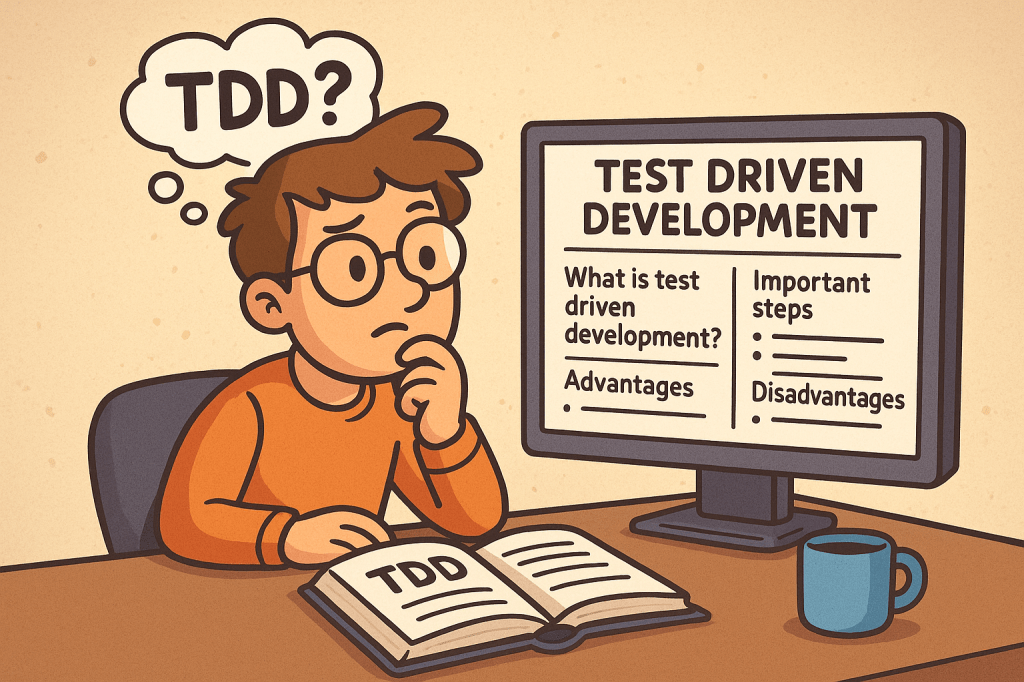
Test Driven Development (TDD) is a software development practice where tests are written before the actual code. The main idea is simple: first, you write a failing test that defines what the software should do, then you write just enough code to make the test pass, and finally, you improve the code through refactoring.

TDD encourages developers to focus on requirements and expected behavior rather than jumping directly into implementation details.

A Brief History of TDD

TDD is closely tied to Extreme Programming (XP), introduced in the late 1990s by Kent Beck. Beck emphasized automated testing as a way to improve software quality and developer confidence. While unit testing existed earlier, TDD formalized the cycle of writing tests before writing code and popularized it as a disciplined methodology.

How Does TDD Work?

TDD typically follows a simple cycle, often called Red-Green-Refactor:

  1. Red – Write a small test that fails because the functionality does not exist yet.
  2. Green – Write the minimum code required to pass the test.
  3. Refactor – Improve the code structure without changing its behavior, while keeping all tests passing.

This cycle is repeated for each new piece of functionality until the feature is fully developed.

Important Steps in TDD

  • Understand requirements clearly before starting.
  • Write a failing test case for the expected behavior.
  • Implement code to make the test pass.
  • Run all tests to ensure nothing else is broken.
  • Refactor code for clarity, performance, and maintainability.
  • Repeat for each new requirement or functionality.

Advantages of TDD

  • Ensures better code quality and fewer bugs.
  • Encourages modular and clean code design.
  • Provides a safety net for refactoring and adding new features.
  • Reduces debugging time since most errors are caught early.
  • Improves developer confidence and project maintainability.

Disadvantages of TDD

  • Initial learning curve can be steep for teams new to the practice.
  • Writing tests first may feel slower at the beginning.
  • Requires discipline and consistency; skipping steps reduces its effectiveness.
  • Not always practical for UI-heavy applications or experimental projects.

Should We Use TDD in Our Projects?

The decision depends on your project type, deadlines, and team maturity. TDD works best in:

  • Long-term projects that need high maintainability.
  • Systems requiring reliability and accuracy (e.g., finance, healthcare, safety systems).
  • Teams practicing Agile or XP methodologies.

For quick prototypes or proof-of-concepts, TDD might not always be the best choice.

Integrating TDD into the Software Development Cycle

  • Combine TDD with Agile or Scrum for iterative development.
  • Use Continuous Integration (CI) pipelines to automatically run tests on every commit.
  • Pair TDD with code review practices for stronger quality control.
  • Start with unit tests, then expand to integration and system tests.
  • Train your team with small exercises, such as Kata challenges, to build TDD discipline.

Conclusion

Test Driven Development is more than just writing tests; it’s a mindset that prioritizes quality, clarity, and confidence in your code. While it requires discipline and may feel slow at first, TDD pays off in the long run by reducing bugs, improving maintainability, and making your development process more predictable.

If your project values stability, collaboration, and scalability, then TDD is a powerful practice to adopt.

Extreme Programming (XP): A Complete Guide

What is Extreme Programming?

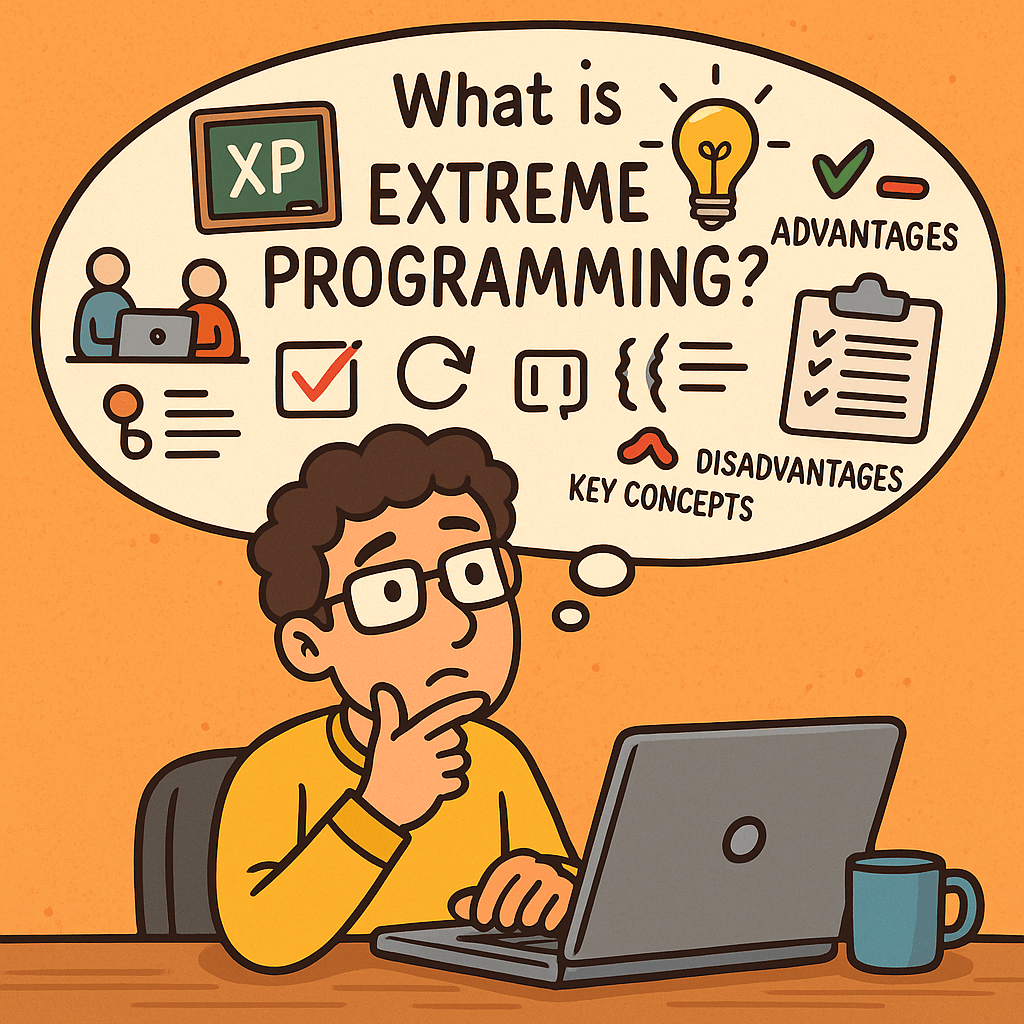
Extreme Programming (XP) is an agile software development methodology that emphasizes customer satisfaction, flexibility, and high-quality code. It focuses on short development cycles, frequent releases, constant communication with stakeholders, and continuous improvement. The name “extreme” comes from the idea of taking best practices in software development to an extreme level—such as testing, code reviews, and communication.

A Brief History of Extreme Programming

Extreme Programming was introduced in the late 1990s by Kent Beck while he was working on the Chrysler Comprehensive Compensation System (C3 project). Beck published the book Extreme Programming Explained in 1999, which formalized the methodology.
XP emerged at a time when traditional software development methods (like the Waterfall model) struggled with rapid change, unclear requirements, and long delivery cycles. XP provided an alternative: a flexible, customer-driven approach aligned with the Agile Manifesto (2001).

Key Concepts of Extreme Programming

XP is built around several fundamental concepts:

  • Communication – Constant interaction between developers, customers, and stakeholders.
  • Simplicity – Keep designs and code as simple as possible, avoiding over-engineering.
  • Feedback – Continuous feedback from customers and automated tests.
  • Courage – Developers should not fear changing code, improving design, or discarding work.
  • Respect – Teams value each other’s work and contributions.

Core Practices of Extreme Programming

XP emphasizes a set of engineering practices that make the methodology unique. Below are its key practices with explanations:

1. Pair Programming

Two developers work together at one workstation. One writes code (the driver) while the other reviews in real-time (the observer). This increases code quality and knowledge sharing.

2. Test-Driven Development (TDD)

Developers write automated tests before writing the actual code. This ensures the system works as intended and reduces defects.

3. Continuous Integration

Developers integrate code into the shared repository several times a day. Automated tests run on each integration to detect issues early.

4. Small Releases

Software is released in short cycles (e.g., weekly or bi-weekly), delivering incremental value to customers.

5. Refactoring

Developers continuously improve the structure of code without changing its functionality. This keeps the codebase clean and maintainable.

6. Coding Standards

The whole team follows the same coding guidelines to maintain consistency.

7. Collective Code Ownership

No piece of code belongs to one developer. Everyone can change any part of the code, which increases collaboration and reduces bottlenecks.

8. Simple Design

Developers design only what is necessary for the current requirements, avoiding unnecessary complexity.

9. On-Site Customer

A real customer representative is available to the team daily to provide feedback and clarify requirements.

10. Sustainable Pace (40-hour work week)

Developers should avoid burnout. XP discourages overtime to maintain productivity and quality over the long term.

Advantages of Extreme Programming

  • High customer satisfaction due to continuous involvement.
  • Improved software quality from TDD, pair programming, and continuous integration.
  • Flexibility to adapt to changing requirements.
  • Better teamwork and communication.
  • Frequent releases ensure value is delivered early.

Disadvantages of Extreme Programming

  • Requires strong discipline from developers to follow practices consistently.
  • High customer involvement may be difficult to maintain.
  • Pair programming can feel costly and inefficient if not done correctly.
  • Not suitable for very large teams without adjustments.
  • May seem chaotic to organizations used to rigid structures.

Do We Need Extreme Programming in Software Development?

The answer depends on your team size, project type, and customer needs.

  • XP is highly effective in projects with uncertain requirements, where customer collaboration is possible.
  • It is valuable when quality and speed are equally important, such as in startups or rapidly evolving industries.
  • However, if your team is large, distributed, or your customers cannot commit to daily involvement, XP may not be the best fit.

In conclusion, XP is not a one-size-fits-all solution, but when applied correctly, it can significantly improve both product quality and team morale.

Understanding CI/CD Pipelines: A Complete Guide

Learning CI/CD pipelines

What Are CI/CD Pipelines?

What is CI/CD pipeline?

CI/CD stands for Continuous Integration and Continuous Delivery (or Deployment).
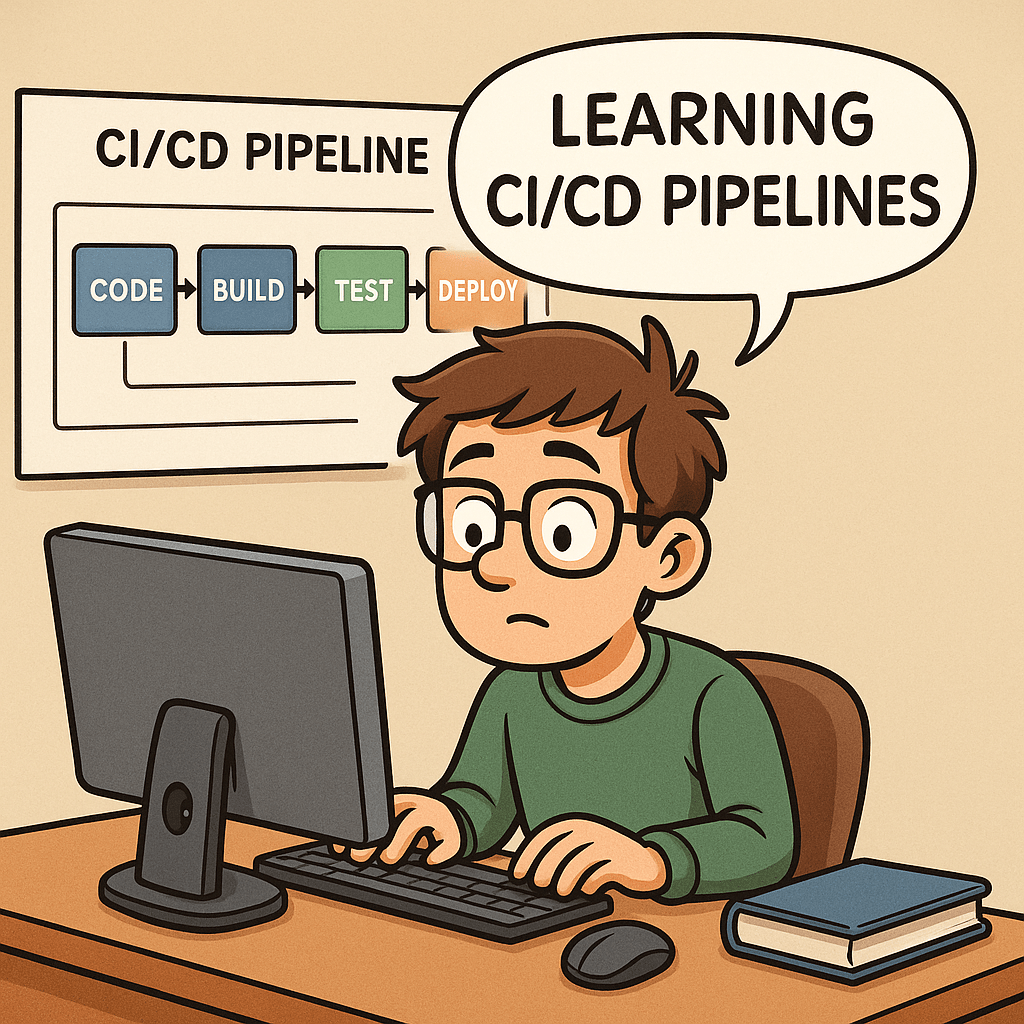
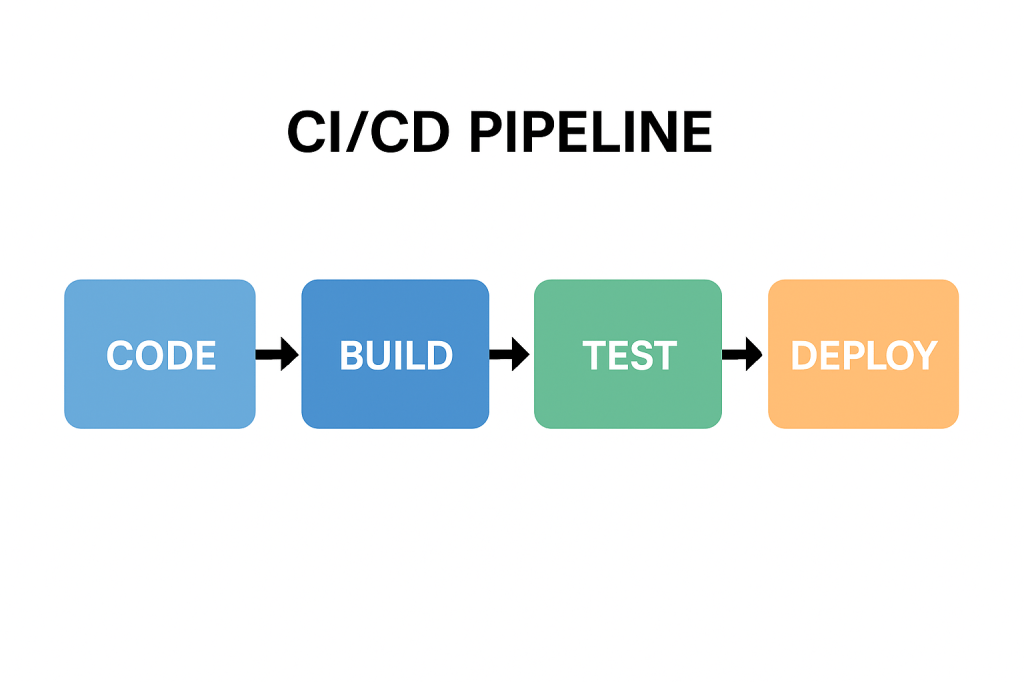
A CI/CD pipeline is a series of automated steps that help developers build, test, and deploy software more efficiently. Instead of waiting for long release cycles, teams can deliver updates to production quickly and reliably.

In simple terms, it is the backbone of modern DevOps practices, ensuring that code changes move smoothly from a developer’s laptop to production with minimal friction.

A Brief History of CI/CD

The idea of Continuous Integration was first popularized in the early 2000s through Extreme Programming (XP) practices. Developers aimed to merge code frequently and test it automatically to prevent integration issues.
Later, the concept of Continuous Delivery emerged, emphasizing that software should always be in a deployable state. With the rise of cloud computing and DevOps in the 2010s, Continuous Deployment extended this idea further, automating the final release step.

Today, CI/CD has become a standard in software engineering, supported by tools such as Jenkins, GitLab CI, GitHub Actions, CircleCI, and Azure DevOps.

Why Do We Need CI/CD Pipelines?

Without CI/CD, teams often face:

  • Integration problems when merging code late in the process.
  • Manual testing bottlenecks that slow down releases.
  • Risk of production bugs due to inconsistent environments.

CI/CD addresses these challenges by:

  • Automating builds and tests.
  • Providing rapid feedback to developers.
  • Reducing the risks of human error.

Key Benefits of CI/CD

  1. Faster Releases – Automations allow frequent deployments.
  2. Improved Quality – Automated tests catch bugs earlier.
  3. Better Collaboration – Developers merge code often, avoiding “integration hell.”
  4. Increased Confidence – Teams can push changes to production knowing the pipeline validates them.
  5. Scalability – Works well across small teams and large enterprises.

How Can We Use CI/CD in Our Projects?

Implementing CI/CD starts with:

  • Version Control Integration – Use Git repositories (GitHub, GitLab, Bitbucket).
  • CI/CD Tool Setup – Configure Jenkins, GitHub Actions, or other services.
  • Defining Stages – Common pipeline stages include:
    • Build – Compile the code and create artifacts.
    • Test – Run unit, integration, and functional tests.
    • Deploy – Push to staging or production environments.

Managing pipelines requires:

  • Infrastructure as Code (IaC) to keep environments consistent.
  • Monitoring and Logging to track pipeline health.
  • Regular maintenance of dependencies, tools, and scripts.

Can We Test the Pipelines?

Yes—and we should!
Testing pipelines ensures that the automation itself is reliable. Common practices include:

  • Pipeline Linting – Validate the configuration syntax.
  • Dry Runs – Run pipelines in a safe environment before production.
  • Self-Testing Pipelines – Use automated tests to verify the pipeline logic.
  • Chaos Testing – Intentionally break steps to confirm resilience.

Just as we test our applications, testing the pipeline gives confidence that deployments won’t fail when it matters most.

Conclusion

CI/CD pipelines are no longer a “nice to have”—they are essential for modern software development. They speed up delivery, improve code quality, and reduce risks. By implementing and maintaining well-designed pipelines, teams can deliver value to users continuously and confidently.

If you haven’t already, start small—integrate automated builds and tests, then expand toward full deployment automation. Over time, your CI/CD pipeline will become one of the most powerful assets in your software delivery process.

Related Posts

Understanding the Testing Pyramid in Software Development

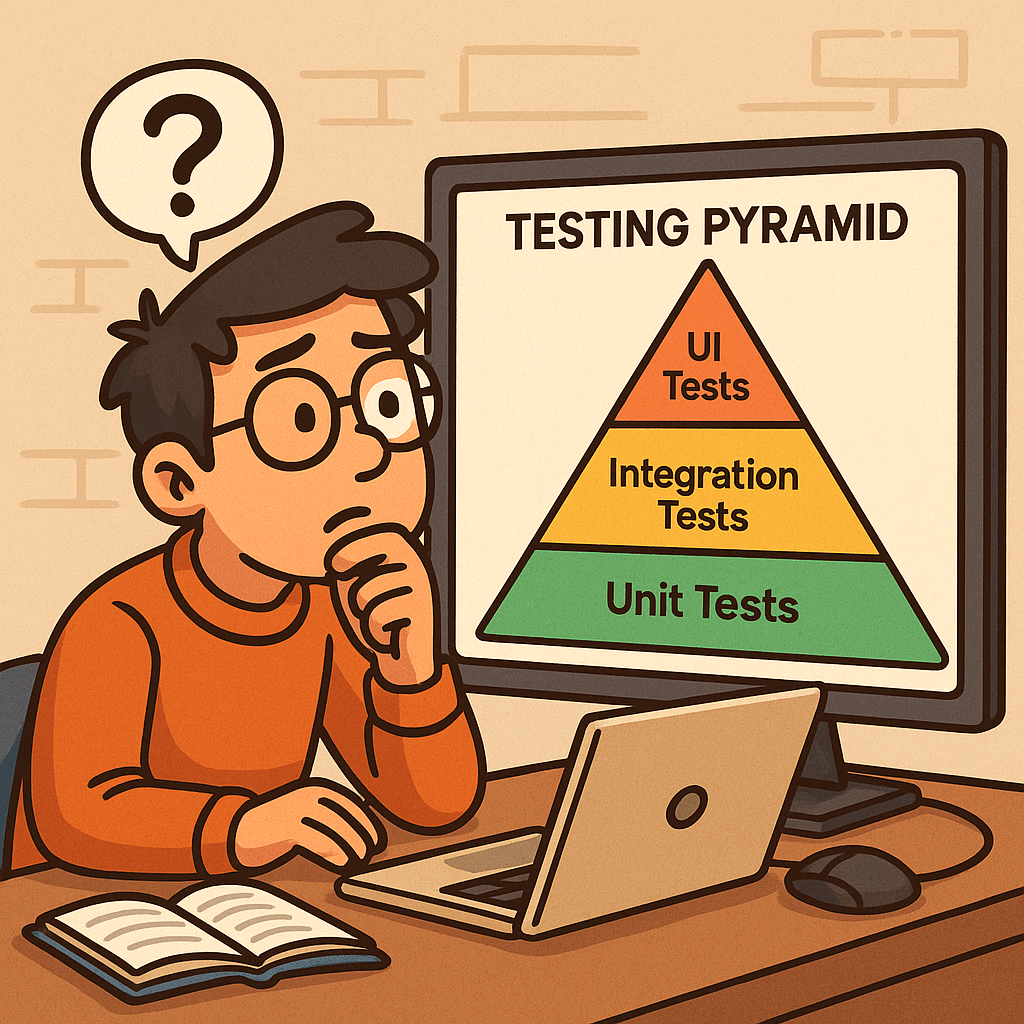
Learning testing pyramid

What is Software Testing and Why is it Important?

Software testing is the process of verifying that an application behaves as expected under different scenarios. It helps identify bugs, ensures that requirements are met, and improves overall software quality.

Without testing, defects can slip into production, leading to downtime, financial loss, and reduced user trust. Testing ensures reliability, maintainability, and customer satisfaction, which are critical for any successful software product.

A Brief History of Software Testing

The roots of software testing go back to the 1950s, when debugging was the main approach for identifying issues. In the 1970s and 1980s, formal testing methods and structured test cases emerged, as software systems grew more complex.

By the 1990s, unit tests, integration tests, and automated testing frameworks became more common, especially with the rise of Agile and Extreme Programming (XP). Today, testing is an integral part of the DevOps pipeline, ensuring continuous delivery of high-quality software.

What is the Testing Pyramid?

What is testing pyramid?

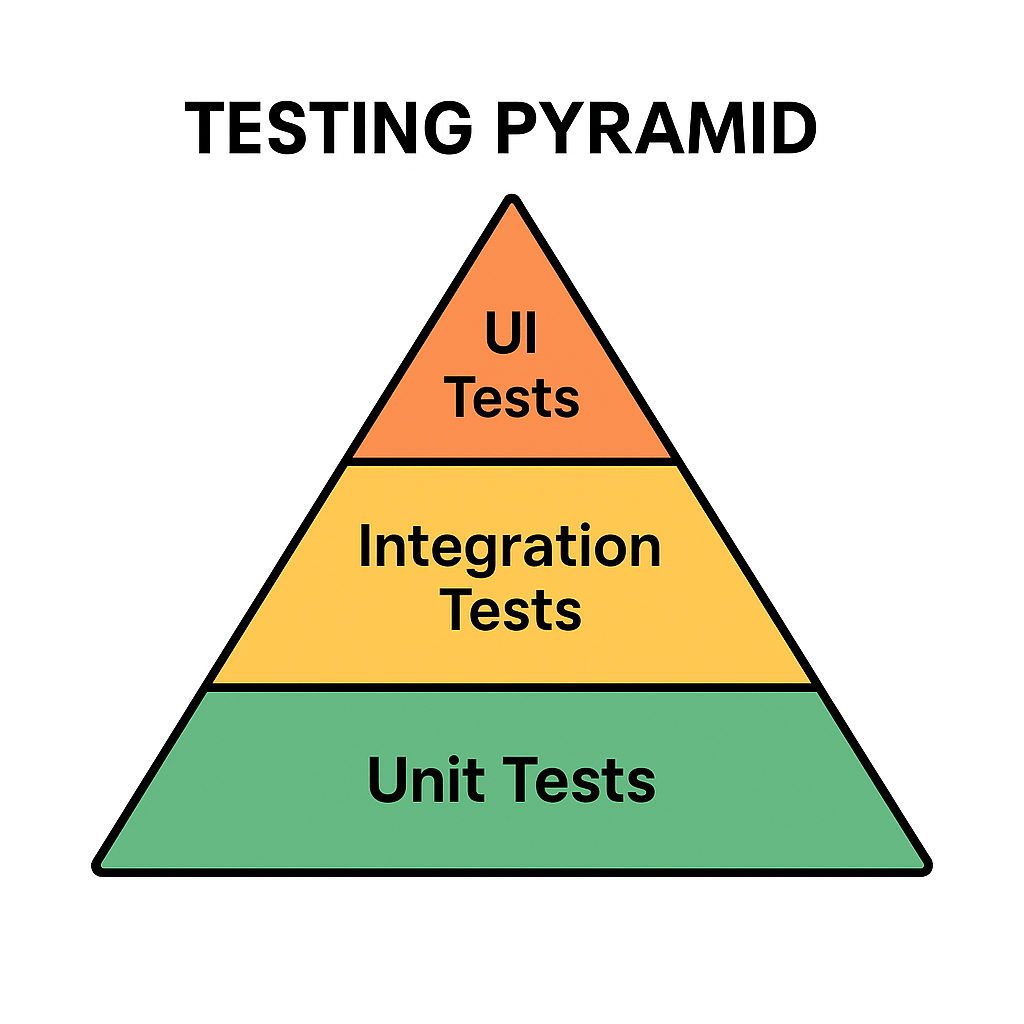
The Testing Pyramid is a concept introduced by Mike Cohn in his book Succeeding with Agile (2009). It illustrates the ideal distribution of automated tests across different levels of the software.

The pyramid has three main layers:

  • Unit Tests (Base): Small, fast tests that check individual components or functions.
  • Integration Tests (Middle): Tests that ensure multiple components work together correctly.
  • UI/End-to-End Tests (Top): High-level tests that simulate real user interactions with the system.

This structure emphasizes having many unit tests, fewer integration tests, and even fewer UI tests.

Why is the Testing Pyramid Important?

Modern applications are complex, and not all tests provide the same value. If teams rely too heavily on UI tests, testing becomes slow, brittle, and costly.

The pyramid encourages:

  • Speed: Unit tests are fast, allowing developers to catch issues early.
  • Reliability: A solid base of tests provides confidence that core logic works correctly.
  • Cost Efficiency: Fixing bugs early at the unit level is cheaper than discovering them at production.
  • Balance: Ensures that test coverage is spread across different levels without overloading any one type.

Benefits of the Testing Pyramid

Faster Feedback: Developers get immediate results from unit tests.
Reduced Costs: Bugs are caught before they cascade into bigger problems.
Better Test Coverage: A layered approach covers both individual components and overall workflows.
Maintainable Test Suite: Avoids having too many slow, brittle UI tests.
Supports Agile and DevOps: Fits seamlessly into CI/CD pipelines for continuous delivery.

Conclusion

The Testing Pyramid is more than just a model—it’s a guideline for building a scalable and maintainable test strategy. By understanding the history of software testing and adopting this layered approach, teams can ensure their applications are reliable, cost-effective, and user-friendly.

Whether you’re building a small project or a large enterprise system, applying the Testing Pyramid principles will strengthen your software delivery process.

Related Posts

Standard Operating Procedure (SOP) for Software Teams: Complete Guide + Template

Writing a SOP document for a software

A Standard Operating Procedure (SOP) is a versioned document that spells out the who, what, when, and how for a recurring task so it can be done consistently, safely, and audibly. Use SOPs for deployments, incident response, code review, releases, access management, and other repeatable work. This guide covers the essentials, gives you a ready-to-use outline, and walks you through creating your first SOP step-by-step.

What is an SOP?

A Standard Operating Procedure is a documented, approved set of instructions for performing a specific, repeatable activity. It removes ambiguity, reduces risk, and makes outcomes predictable—regardless of who is executing the task.

SOP vs Policy vs Process vs Work Instruction

  • Policy: The rule or intent (e.g., “All production changes must be reviewed.”)
  • Process: The flow of activities end-to-end (e.g., Change Management process)
  • SOP: The exact steps for one activity within the process (e.g., “Deploy Service X”)
  • Work Instruction/Runbook: Even more granular, task-level details or one-time playbooks

Why SOPs are important in software

  • Consistency & quality: Fewer “surprises” across releases and environments
  • Speed & scalability: New team members become productive faster
  • Risk reduction: Minimizes production incidents and security gaps
  • Auditability & compliance: Clear approvals, logs, and evidence trails
  • Knowledge continuity: Reduces “tribal knowledge” and single-points-of-failure

When should you create an SOP?

Create an SOP when any of these are true:

  • The task is repeated (deployments, hotfixes, on-call handoff, access requests)
  • Errors are costly (prod releases, database migrations, PII handling)
  • You need cross-team alignment (Dev, Ops, Security, QA, Support)
  • You face regulatory requirements (e.g., SOC 2/ISO 27001 evidence)
  • You’re onboarding new engineers or scaling the team
  • You just had an incident or near-miss—capture the fixed procedure

Common software SOP use-cases

  • Deployments & releases (blue/green, canary, rollback)
  • Incident response (SEV classification, roles, timelines, comms)
  • Code review & merge (branch strategy, checks, approvals)
  • Access management (least-privilege, approvals, periodic re-certs)
  • Security operations (vulnerability triage, secret rotation)
  • Data migrations & backups (restore tests, RTO/RPO validation)
  • Change management (CAB approvals, risk scoring)

Anatomy of an effective SOP (main sections)

  1. Title & ID (e.g., SOP-REL-001), Version, Dates, Owner, Approvers
  2. Purpose – Why this SOP exists
  3. Scope – Systems/teams/sites included and excluded
  4. Definitions & References – Glossary; links to policies/tools
  5. Roles & Responsibilities – RACI or simple role list
  6. Prerequisites – Access, permissions, tools, config, training
  7. Inputs & Outputs – What’s needed; what artifacts are produced
  8. Procedure (Step-by-Step) – Numbered, unambiguous steps with expected results
  9. Decision Points & Exceptions – If/then branches; when to stop/escalate
  10. Quality & Controls – Checks, gates, metrics, screenshots, evidence to capture
  11. Rollback/Recovery – How to revert safely; verification after rollback
  12. Verification & Acceptance – How success is confirmed; sign-off criteria
  13. Safety & Security Considerations – Data handling, secrets, least-privilege
  14. Communication Plan – Who to notify, channels, templates
  15. Records & Artifacts – Where logs, tickets, screenshots are stored
  16. Change History – Version table, what changed, by whom, when

A simple SOP outline you can follow

  • Title, ID, Version, Dates, Owner, Approvers
  • Purpose
  • Scope
  • Definitions & References
  • Roles & Responsibilities
  • Prerequisites
  • Procedure (numbered steps)
  • Rollback/Recovery
  • Verification & Acceptance
  • Communication Plan
  • Records & Artifacts
  • Change History

Tip: Start minimal. Add sections like Risk, KPIs, or Compliance mapping only if your team needs them.

Step-by-step: How to create a software SOP

  1. Pick a high-value, repeatable task
    Choose something painful or high-risk (e.g., production deployment).
  2. Interview doers & reviewers
    Shadow an engineer doing the task; note tools, commands, checks, and common pitfalls.
  3. Draft the outline
    Use the template below. Fill Purpose, Scope, Roles, and Prereqs first.
  4. Write the procedure as numbered steps
    Each step = one action + expected outcome. Add screenshots/CLI snippets if useful.
  5. Add guardrails
    Document pre-checks, approvals, gates (tests pass, vulnerability thresholds, etc.).
  6. Define rollback/recovery
    Make rollback scripted where possible; state verification after rollback.
  7. Clarify acceptance & evidence
    What proves success? Where are artifacts stored (ticket, pipeline, log path)?
  8. Peer review with all stakeholders
    Dev, QA, Ops/SRE, Security, Product—ensure clarity and feasibility.
  9. Pilot it live (with supervision)
    Run the SOP on a non-critical execution or during a planned release; fix gaps.
  10. Version, approve, publish
    Assign an ID, set review cadence (e.g., quarterly), store in a central, searchable place.
  11. Train & socialize
    Run a short walkthrough, record a quick demo, link from runbooks and onboarding docs.
  12. Measure & improve
    Track defects, time to complete, handoff success; update the SOP when reality changes.

Sample SOP template (Markdown)

# [SOP Title] — [SOP-ID]
**Version:** [1.0]  
**Effective Date:** [YYYY-MM-DD]  
**Owner:** [Role/Name]  
**Approvers:** [Roles/Names]  
**Review Cycle:** [Quarterly/Semi-Annual]

## 1. Purpose
[One paragraph explaining why this SOP exists and its outcome.]

## 2. Scope
**In scope:** [Systems/services/environments]  
**Out of scope:** [Anything explicitly excluded]

## 3. Definitions & References
- [Term] — [Definition]  
- References: [Links to policy, architecture, runbooks, dashboards]

## 4. Roles & Responsibilities
- Requester — [What they do]  
- Executor — [What they do]  
- Reviewer/Approver — [What they do]  
- On-call — [What they do]

## 5. Prerequisites
- Access/permissions: [Groups, accounts]  
- Tools: [CLI versions, VPN, secrets]  
- Pre-checks: [Tests green, health checks, capacity]

## 6. Inputs & Outputs
**Inputs:** [Ticket ID, branch/tag, config file]  
**Outputs:** [Release notes, change record, logs path, artifacts]

## 7. Procedure
1. [Step 1 action]. **Expected:** [Result/verification]. Evidence: [Screenshot/log/ticket comment].
2. [Step 2 action]. **Expected:** [Result/verification].
3. ...
N. [Final validation]. **Expected:** [SLIs/SLOs steady, no errors for 30 min].

## 8. Decision Points & Exceptions
- If [condition], then [action] and notify [channel/person].  
- If [threshold breached], execute rollback (Section 9).

## 9. Rollback / Recovery
1. [Rollback action or script].  
2. Validate: [Health checks, dashboards].  
3. Record: [Ticket comment, incident log].

## 10. Verification & Acceptance
- Success criteria: [Concrete metrics/checks]  
- Sign-off by: [Role/Name] within [time window]

## 11. Communication Plan
- Before: [Notify channel/template]  
- During: [Status cadence, who posts]  
- After: [Summary, recipients]

## 12. Records & Artifacts
- Ticket: [Link]  
- Pipeline run: [Link]  
- Logs: [Path/URL]  
- Evidence folder: [Link]

## 13. Safety & Security
- Data handling: [PII/PHI rules]  
- Secrets: [How managed, never in logs]  
- Access least-privilege: [Groups required]

## 14. Change History
| Version | Date       | Author     | Changes                          |
|---------|------------|------------|----------------------------------|
| 1.0     | YYYY-MM-DD | [Name]     | Initial SOP                      |

Example snippet: “Production Deployment SOP” (condensed)

  • Purpose: Safely deploy Service X to production with canary + automated rollback
  • Prereqs: CI green, security scan ≤ severity threshold, change record approved
  • Procedure (excerpt):
    1. Tag release in Git: vX.Y.Z. Expected: Pipeline starts (Link).
    2. Canary 10% traffic for 15 min. Expected: Error rate ≤ 0.2%; latency p95 ≤ baseline +10%.
    3. If metrics healthy, ramp to 50%, then 100%.
    4. Post-release verification: dashboards steady 30 min; run smoke tests.
  • Rollback: helm rollback service-x --to-revision=N; verify health; notify #prod-alerts.
  • Records: Attach pipeline run, screenshots, and smoke test results to the change ticket.

Practical tips for adoption

  • Write for 2 a.m. you: Clear, terse, step-by-step, with expected results and screenshots.
  • Make it discoverable: One URL per SOP; consistent naming; searchable IDs.
  • Automate where possible: Convert steps to scripts and CI/CD jobs; the SOP becomes the control layer.
  • Keep it living: Time-box reviews (e.g., quarterly) and update after every incident or major change.

Common mistakes to avoid

  • Vague steps with no expected outcomes
  • Missing rollback and verification criteria
  • No evidence trail for audits
  • Storing SOPs in scattered, private locations
  • Letting SOPs go stale (no review cadence)

Frequently asked questions

How long should an SOP be?
As short as possible while still safe. Use links for deep details.

Who owns an SOP?
A named role or person (e.g., Release Manager). Ownership ≠ sole executor.

Do we need SOPs if everything is automated?
Yes—SOPs define when to run automation, evidence to capture, and how to recover.

Final checklist (before you publish)

  • Purpose, Scope, Roles clear
  • Numbered steps with expected results
  • Rollback and verification defined
  • Evidence locations linked
  • Owner, Approvers, Version set
  • Review cadence scheduled

Blog at WordPress.com.

Up ↑