Search

Software Engineer's Notes

Tag

Software Development

Unit Testing: The What, Why, and How (with Practical Examples)

What is unit test?

What is a Unit Test?

A unit test verifies the smallest testable part of your software—usually a single function, method, or class—in isolation. Its goal is to prove that, for a given input, the unit produces the expected output and handles edge cases correctly.

Key characteristics

  • Small & fast: millisecond execution, in-memory.
  • Isolated: no real network, disk, or database calls.
  • Repeatable & deterministic: same input → same result.
  • Self-documenting: communicates intended behavior.

A Brief History (How We Got Here)

  • 1960s–1980s: Early testing practices emerged with procedural languages, but were largely ad-hoc and manual.
  • 1990s: Object-oriented programming popularized more modular designs. Kent Beck introduced SUnit for Smalltalk; the “xUnit” family was born.
  • Late 1990s–2000s: JUnit (Java) and NUnit (.NET) pushed unit testing mainstream. Test-Driven Development (TDD) formalized “Red → Green → Refactor.”
  • 2010s–today: Rich ecosystems (pytest, Jest, JUnit 5, RSpec, Go’s testing pkg). CI/CD and DevOps turned unit tests into a daily, automated safety net.

How Unit Tests Work (The Mechanics)

Arrange → Act → Assert (AAA)

  1. Arrange: set up inputs, collaborators (often fakes/mocks).
  2. Act: call the method under test.
  3. Assert: verify outputs, state changes, or interactions.

Test Doubles (isolate the unit)

  • Dummy: unused placeholders to satisfy signatures.
  • Stub: returns fixed data (no behavior verification).
  • Fake: lightweight implementation (e.g., in-memory repo).
  • Mock: verifies interactions (e.g., method X called once).
  • Spy: records calls for later assertions.

Good Test Qualities (FIRST)

  • Fast, Isolated, Repeatable, Self-Validating, Timely.

Naming & Structure

  • Name: methodName_condition_expectedResult
  • One assertion concept per test (clarity > cleverness).
  • Avoid coupling to implementation details (test behavior).

When Should We Write Unit Tests?

  • New code: ideally before or while coding (TDD).
  • Bug fixes: add a unit test that reproduces the bug first.
  • Refactors: guard existing behavior before changing code.
  • Critical modules: domain logic, calculations, validation.

What not to unit test

  • Auto-generated code, trivial getters/setters, framework wiring (unless it encodes business logic).

Advantages (Why Unit Test?)

  • Confidence & speed: safer refactors, fewer regressions.
  • Executable documentation: shows intended behavior.
  • Design feedback: forces smaller, decoupled units.
  • Lower cost of defects: catch issues early and cheaply.
  • Developer velocity: faster iteration with guardrails.

Practical Examples

Java (JUnit 5 + Mockito)

// src/test/java/com/example/PriceServiceTest.java
import org.junit.jupiter.api.Test;
import static org.junit.jupiter.api.Assertions.*;
import static org.mockito.Mockito.*;

class PriceServiceTest {
    @Test
    void applyDiscount_whenVIP_shouldReduceBy10Percent() {
        DiscountPolicy policy = mock(DiscountPolicy.class);
        when(policy.discountFor("VIP")).thenReturn(0.10);

        PriceService service = new PriceService(policy);
        double result = service.applyDiscount(200.0, "VIP");

        assertEquals(180.0, result, 0.0001);
        verify(policy, times(1)).discountFor("VIP");
    }
}

// Production code (for context)
class PriceService {
    private final DiscountPolicy policy;
    PriceService(DiscountPolicy policy) { this.policy = policy; }
    double applyDiscount(double price, String tier) {
        return price * (1 - policy.discountFor(tier));
    }
}
interface DiscountPolicy { double discountFor(String tier); }

Python (pytest)

# app/discount.py
def apply_discount(price: float, tier: str, policy) -> float:
    return price * (1 - policy.discount_for(tier))

# tests/test_discount.py
class FakePolicy:
    def discount_for(self, tier):
        return {"VIP": 0.10, "STD": 0.0}.get(tier, 0.0)

def test_apply_discount_vip():
    from app.discount import apply_discount
    result = apply_discount(200.0, "VIP", FakePolicy())
    assert result == 180.0

In-Memory Fakes Beat Slow Dependencies

// In-memory repository for fast unit tests
class InMemoryUserRepo implements UserRepo {
    private final Map<String, User> store = new HashMap<>();
    public void save(User u){ store.put(u.id(), u); }
    public Optional<User> find(String id){ return Optional.ofNullable(store.get(id)); }
}

Integrating Unit Tests into Your Current Process

1) Organize Your Project

/src
  /main
    /java (or /python, /ts, etc.)
  /test
    /java ...

  • Mirror package/module structure under /test.
  • Name tests after the unit: PriceServiceTest, test_discount.py, etc.

2) Make Tests First-Class in CI

GitHub Actions (Java example)

name: build-and-test
on: [push, pull_request]
jobs:
  test:
    runs-on: ubuntu-latest
    steps:
      - uses: actions/checkout@v4
      - uses: actions/setup-java@v4
        with: { distribution: temurin, java-version: '21' }
      - run: ./gradlew test --no-daemon

GitHub Actions (Python example)

name: pytest
on: [push, pull_request]
jobs:
  test:
    runs-on: ubuntu-latest
    steps:
      - uses: actions/checkout@v4
      - uses: actions/setup-python@v5
        with: { python-version: '3.12' }
      - run: pip install -r requirements.txt
      - run: pytest -q

3) Define “Done” with Tests

  • Pull requests must include unit tests for new/changed logic.
  • Code review checklist: readability, edge cases, negative paths.
  • Coverage gate (sensible threshold; don’t chase 100%).
    Example (Gradle + JaCoCo):
jacocoTestCoverageVerification {
    violationRules {
        rule { limit { counter = 'INSTRUCTION'; minimum = 0.75 } }
    }
}
test.finalizedBy jacocoTestReport, jacocoTestCoverageVerification

4) Keep Tests Fast and Reliable

  • Avoid real I/O; prefer fakes/mocks.
  • Keep each test < 100ms; whole suite in seconds.
  • Eliminate flakiness (random time, real threads, sleeps).

5) Use the Test Pyramid Wisely

  • Unit (broad base): thousands, fast, isolated.
  • Integration (middle): fewer, verify boundaries.
  • UI/E2E (tip): very few, critical user flows only.

A Simple TDD Loop You Can Adopt Tomorrow

  1. Red: write a failing unit test that expresses the requirement.
  2. Green: implement the minimum to pass.
  3. Refactor: clean design safely, keeping tests green.
  4. Repeat; keep commits small and frequent.

Common Pitfalls (and Fixes)

  • Mock-heavy tests that break on refactor → mock only at boundaries; prefer fakes for domain logic.
  • Testing private methods → test through public behavior; refactor if testing is too hard.
  • Slow suites → remove I/O, shrink fixtures, parallelize.
  • Over-asserting → one behavioral concern per test.

Rollout Plan (4 Weeks)

  • Week 1: Set up test frameworks, sample tests, CI pipeline, coverage reporting.
  • Week 2: Add tests for critical modules & recent bug fixes. Create a PR template requiring tests.
  • Week 3: Refactor hot spots guided by tests. Introduce an in-memory fake layer.
  • Week 4: Add coverage gates, stabilize the suite, document conventions in CONTRIBUTING.md.

Team Conventions

  • Folder structure mirrors production code.
  • Names: ClassNameTest or test_function_behavior.
  • AAA layout, one behavior per test.
  • No network/disk/DB in unit tests.
  • PRs must include tests for changed logic.

Final Thoughts

Unit tests pay dividends by accelerating safe change. Start small, keep them fast and focused, and wire them into your daily workflow (pre-commit, CI, PR reviews). Over time, they become living documentation and your best shield against regressions.

What Is CAPTCHA? Understanding the Gatekeeper of the Web

What Is CAPTCHA? Understanding the Gatekeeper of the Web

CAPTCHA — an acronym for Completely Automated Public Turing test to tell Computers and Humans Apart — is one of the most widely used security mechanisms on the internet. It acts as a digital gatekeeper, ensuring that users interacting with a website are real humans and not automated bots. From login forms to comment sections and online registrations, CAPTCHA helps maintain the integrity of digital interactions.

The History of CAPTCHA

The concept of CAPTCHA was first introduced in the early 2000s by a team of researchers at Carnegie Mellon University, including Luis von Ahn, Manuel Blum, Nicholas Hopper, and John Langford.

Their goal was to create a test that computers couldn’t solve easily but humans could — a reverse Turing test. The original CAPTCHAs involved distorted text images that required human interpretation.

Over time, as optical character recognition (OCR) technology improved, CAPTCHAs had to evolve to stay effective. This led to the creation of new types, including:

  • Image-based CAPTCHAs: Users select images matching a prompt (e.g., “Select all images with traffic lights”).
  • Audio CAPTCHAs: Useful for visually impaired users, playing distorted audio that needs transcription.
  • reCAPTCHA (2007): Acquired by Google in 2009, this variant helped digitize books and later evolved into reCAPTCHA v2 (“I’m not a robot” checkbox) and v3, which uses risk analysis based on user behavior.

Today, CAPTCHAs have become an essential part of web security and user verification worldwide.

How Does CAPTCHA Work?

At its core, CAPTCHA works by presenting a task that is easy for humans but difficult for bots. The system leverages differences in human cognitive perception versus machine algorithms.

The Basic Flow:

  1. Challenge Generation:
    The server generates a random challenge (e.g., distorted text, pattern, image selection).
  2. User Interaction:
    The user attempts to solve it (e.g., typing the shown text, identifying images).
  3. Verification:
    The response is validated against the correct answer stored on the server or verified using a third-party CAPTCHA API.
  4. Access Granted/Denied:
    If correct, the user continues the process; otherwise, the system requests another attempt.

Modern CAPTCHAs like reCAPTCHA v3 use behavioral analysis — tracking user movements, mouse patterns, and browsing behavior — to determine whether the entity is human without explicit interaction.

Why Do We Need CAPTCHA?

CAPTCHAs serve as a first line of defense against malicious automation and spam. Common scenarios include:

  • Preventing spam comments on blogs or forums.
  • Protecting registration and login forms from brute-force attacks.
  • Securing online polls and surveys from manipulation.
  • Protecting e-commerce checkouts from fraudulent bots.
  • Ensuring fair access to services like ticket booking or limited-edition product launches.

Without CAPTCHA, automated scripts could easily overload or exploit web systems, leading to security breaches, data misuse, and infrastructure abuse.

Challenges and Limitations of CAPTCHA

While effective, CAPTCHAs also introduce several challenges:

  • Accessibility Issues:
    Visually impaired users or users with cognitive disabilities may struggle with complex CAPTCHAs.
  • User Frustration:
    Repeated or hard-to-read CAPTCHAs can hurt user experience and increase bounce rates.
  • AI Improvements:
    Modern AI models, especially those using machine vision, can now solve traditional CAPTCHAs with >95% accuracy, forcing constant innovation.
  • Privacy Concerns:
    Some versions (like reCAPTCHA) rely on user behavior tracking, raising privacy debates.

Developers must balance security, accessibility, and usability when implementing CAPTCHA systems.

Real-World Examples

Here are some examples of CAPTCHA usage in real applications:

  • Google reCAPTCHA – Used across millions of websites to protect forms and authentication flows.
  • Cloudflare Turnstile – A privacy-focused alternative that verifies users without tracking.
  • hCaptcha – Offers website owners a reward model while verifying human interactions.
  • Ticketmaster – Uses CAPTCHA during high-demand sales to prevent bots from hoarding tickets.
  • Facebook and Twitter – Employ CAPTCHAs to block spam accounts and fake registrations.

Integrating CAPTCHA into Modern Software Development

Integrating CAPTCHA into your development workflow can be straightforward, especially with third-party APIs and libraries.

Step-by-Step Integration Example (Google reCAPTCHA v2):

  1. Register your site at Google reCAPTCHA Admin Console.
  2. Get the site key and secret key.
  3. Add the CAPTCHA widget in your frontend form:
<pre class="wp-block-syntaxhighlighter-code"><form action="verify.php" method="post">
  <div class="g-recaptcha" data-sitekey="YOUR_SITE_KEY"></div>
  <input type="submit" value="Submit">
</form>
<a href="https://www.google.com/recaptcha/api.js">https://www.google.com/recaptcha/api.js</a>
</pre>
  1. Verify the response in your backend (e.g., PHP, Python, Java):
import requests

response = requests.post(
    "https://www.google.com/recaptcha/api/siteverify",
    data={"secret": "YOUR_SECRET_KEY", "response": user_response}
)
result = response.json()
if result["success"]:
    print("Human verified!")
else:
    print("Bot detected!")

  1. Handle verification results appropriately in your application logic.

Integration Tips:

  • Combine CAPTCHA with rate limiting and IP reputation analysis for stronger security.
  • For accessibility, always provide audio or alternate options.
  • Use asynchronous validation to improve UX.
  • Avoid placing CAPTCHA on every form unnecessarily — use it strategically.

Conclusion

CAPTCHA remains a cornerstone of online security — balancing usability and protection. As automation and AI evolve, so must CAPTCHA systems. The shift from simple text challenges to behavior-based and privacy-preserving verification illustrates this evolution.

For developers, integrating CAPTCHA thoughtfully into the software development process can significantly reduce automated abuse while maintaining a smooth user experience.

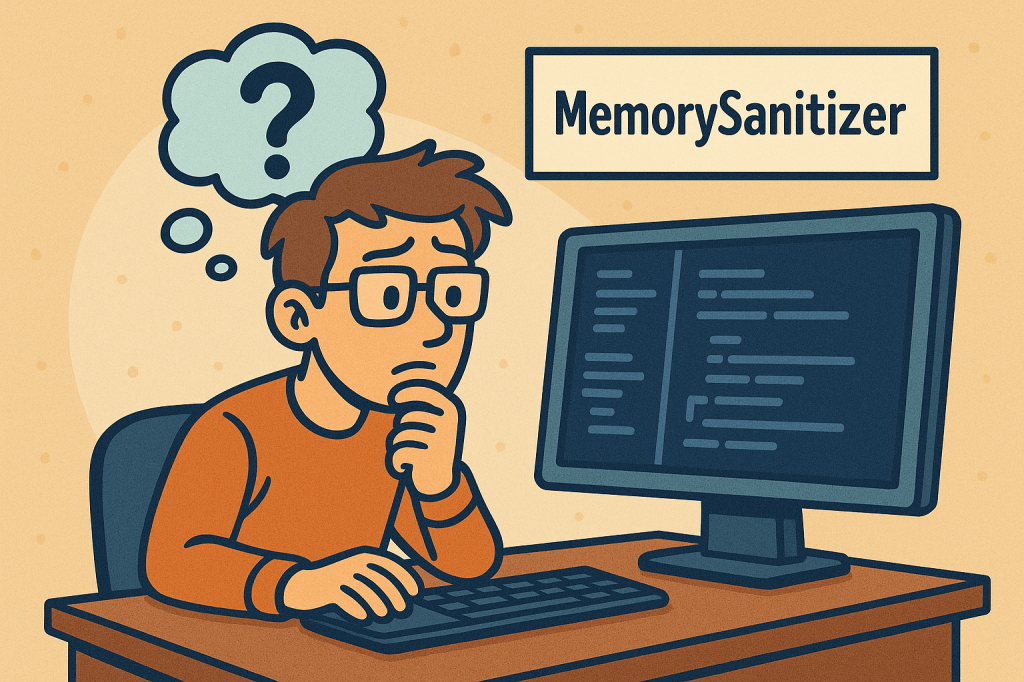
MemorySanitizer (MSan): A Practical Guide for Finding Uninitialized Memory Reads

What is MemorySanitizer ?

What is MemorySanitizer?

MemorySanitizer (MSan) is a runtime instrumentation tool that flags reads of uninitialized memory in C/C++ (and languages that compile down to native code via Clang/LLVM). Unlike AddressSanitizer (ASan), which focuses on heap/stack/global buffer overflows and use-after-free, MSan’s sole mission is to detect when your program uses a value that was never initialized (e.g., a stack variable you forgot to set, padding bytes in a struct, or memory returned by malloc that you used before writing to it).

Common bug patterns MSan catches:

  • Reading a stack variable before assignment.
  • Using struct/class fields that are conditionally initialized.
  • Consuming library outputs that contain undefined bytes.
  • Leaking uninitialized padding across ABI boundaries.
  • Copying uninitialized memory and later branching on it.

How does MemorySanitizer work?

At a high level:

  1. Compiler instrumentation
    When you compile with -fsanitize=memory, Clang inserts checks and metadata propagation into your binary. Every program byte that could hold a runtime value gets an associated “shadow” state describing whether that value is initialized (defined) or not (poisoned).
  2. Shadow memory & poisoning
    • Shadow memory is a parallel memory space that tracks definedness of each byte in your program’s memory.
    • When you allocate memory (stack/heap), MSan poisons it (marks as uninitialized).
    • When you assign to memory, MSan unpoisons the relevant bytes.
    • When you read memory, MSan checks the shadow. If any bit is poisoned, it reports an uninitialized read.
  3. Taint/propagation
    Uninitialized data is treated like a taint: if you compute z = x + y and either x or y is poisoned, then z becomes poisoned. If poisoned data controls a branch or system call parameter, MSan reports it.
  4. Intercepted library calls
    Many libc/libc++ functions are intercepted so MSan can maintain correct shadow semantics—for example, telling MSan that memset to a constant unpoisons bytes, or that read() fills a buffer with defined data (or not, depending on return value). Using un-instrumented libraries breaks these guarantees (see “Issues & Pitfalls”).
  5. Origin tracking (optional but recommended)
    With -fsanitize-memory-track-origins=2, MSan stores an origin stack trace for poisoned values. When a bug triggers, you’ll see both:
    • Where the uninitialized read happens, and
    • Where the data first became poisoned (e.g., the stack frame where a variable was allocated but never initialized).
      This dramatically reduces time-to-fix.

Key Components (in detail)

  1. Compiler flags
    • Core: -fsanitize=memory
    • Origins: -fsanitize-memory-track-origins=2 (levels: 0/1/2; higher = richer origin info, more overhead)
    • Typical extras: -fno-omit-frame-pointer -g -O1 (or your preferred -O level; keep debuginfo for good stacks)
  2. Runtime library & interceptors
    MSan ships a runtime that:
    • Manages shadow/origin memory.
    • Intercepts popular libc/libc++ functions, syscalls, threading primitives, etc., to keep shadow state accurate.
  3. Shadow & Origin Memory
    • Shadow: tracks definedness per byte.
    • Origin: associates poisoned bytes with a traceable “birthplace” (function/file/line), invaluable for root cause.
  4. Reports & Stack Traces
    When MSan detects an uninitialized read, it prints:
    • The site of the read (file:line stack).
    • The origin (if enabled).
    • Register/memory dump highlighting poisoned bytes.
  5. Suppressions & Options
    • You can use suppressions for known noisy functions or third-party libs you cannot rebuild.
    • Runtime tuning via env vars (e.g., MSAN_OPTIONS) to adjust reporting, intercept behaviors, etc.

Issues, Limitations, and Gotchas

  • You must rebuild (almost) everything with MSan.
    If any library is not compiled with -fsanitize=memory (and proper flags), its interactions may produce false positives or miss bugs. This is the #1 hurdle.
    • In practice, you rebuild your app, its internal libraries, and as many third-party libs as feasible.
    • For system libs where rebuild is impractical, rely on interceptors and suppressions, but expect gaps.
  • Platform support is narrower than ASan.
    MSan primarily targets Linux and specific architectures. It’s less ubiquitous than ASan or UBSan. (Check your Clang/LLVM version’s docs for exact support.)
  • Runtime overhead.
    Expect ~2–3× CPU overhead and increased memory consumption, more with origin tracking. MSan is intended for CI/test builds—not production.
  • Focus scope: uninitialized reads only.
    MSan won’t detect buffer overflows, UAF, data races, UB patterns, etc. Combine with ASan/TSan/UBSan in separate jobs.
  • Struct padding & ABI wrinkles.
    Padding bytes frequently remain uninitialized and can “escape” via I/O, hashing, or serialization. MSan will flag these—sometimes noisy, but often uncovering real defects (e.g., nondeterministic hashes).

How and When Should We Use MSan?

Use MSan when:

  • You have flaky tests or heisenbugs suggestive of uninitialized data.
  • You want strong guarantees that values used in logic/branches/syscalls were actually initialized.
  • You’re developing security-sensitive or determinism-critical code (crypto, serialization, compilers, DB engines).
  • You’re modernizing a legacy codebase known to rely on “it happens to work”.

Workflow advice:

  • Run MSan in dedicated CI jobs on debug or rel-with-debinfo builds.
  • Combine with high-coverage tests, fuzzers, and scenario suites.
  • Keep origin tracking enabled in at least one job.
  • Incrementally port third-party deps or apply suppressions as you go.

FAQ

Q: Can I run MSan in production?
A: Not recommended. The overhead is significant and the goal is pre-production bug finding.

Q: What if I can’t rebuild a system library?
A: Try a source build, fall back to MSan interceptors and suppressions, or write wrappers that fully initialize buffers before/after calls.

Q: How does MSan compare to Valgrind/Memcheck?
A: MSan is compiler-based and much faster, but requires recompilation. Memcheck is binary-level (no recompile) but slower; using both in different pipelines is often valuable.

Conclusion

MemorySanitizer is laser-focused on a class of bugs that can be subtle, security-relevant, and notoriously hard to reproduce. With a dedicated CI job, origin tracking, and disciplined rebuilds of dependencies, MSan will pay for itself quickly—turning “it sometimes fails” into a concrete stack trace and a one-line fix.

Unit of Randomization in A/B Testing: A Practical Guide

What is unit of randomization?

What is a “Unit of Randomization”?

The unit of randomization is the entity you randomly assign to variants (A or B). It’s the “thing” that receives the treatment: a user, a session, a device, a household, a store, a geographic region, etc.

Choosing this unit determines:

  • Who gets which experience
  • How independence assumptions hold (or break)
  • How you compute statistics and sample size
  • How actionable and unbiased your results are

How It Works (at a high level)

  1. Define exposure: decide what entity must see a consistent experience (e.g., “Logged-in user must always see the same variant across visits.”).
  2. Create an ID: select an identifier for that unit (e.g., user_id, device_id, household_id, store_id).
  3. Hash & assign: use a stable hashing function to map each ID into variant A or B with desired split (e.g., 50/50).
  4. Persist: ensure the unit sticks to its assigned variant on every exposure (stable bucketing).
  5. Analyze accordingly: aggregate metrics at or above the unit level; use the right variance model (especially for clusters).

Common Units of Randomization (with pros/cons and when to use)

1) User-Level (Account ID or Login ID)

  • What it is: Each unique user/account is assigned to a variant.
  • Use when: Logged-in products; experiences should persist across devices and sessions.
  • Pros: Clean independence between users; avoids cross-device contamination for logged-in flows.
  • Cons: Requires reliable, unique IDs; guest traffic may be excluded or need fallback logic.

2) Device-Level (Device ID / Mobile Advertiser ID)

  • What it is: Each physical device is assigned.
  • Use when: Native apps; no login, but device ID is stable.
  • Pros: Better than cookies for persistence; good for app experiments.
  • Cons: Same human on multiple devices may see different variants; may bias human-level metrics.

3) Cookie-Level (Browser Cookie)

  • What it is: Each browser cookie gets a variant.
  • Use when: Anonymous web traffic without login.
  • Pros: Simple to implement.
  • Cons: Cookies expire/clear; users have multiple browsers/devices → contamination and assignment churn.

4) Session-Level

  • What it is: Each session is randomized; the same user may see different variants across sessions.
  • Use when: You intentionally want short-lived treatment (e.g., page layout in a one-off landing funnel).
  • Pros: Fast ramp, lots of independent observations.
  • Cons: Violates persistence; learning/carryover effects make interpretation tricky for longer journeys.

5) Pageview/Request-Level

  • What it is: Every pageview or API request is randomized.
  • Use when: Low-stakes UI tweaks with negligible carryover; ads/creative rotation tests.
  • Pros: Maximum volume quickly.
  • Cons: Massive contamination; not suitable when the experience should be consistent within a visit.

6) Household-Level

  • What it is: All members/devices of a household share the same assignment (derived from address or shared account).
  • Use when: TV/streaming, grocery delivery, multi-user homes.
  • Pros: Limits within-home interference; aligns with purchase behavior.
  • Cons: Hard to define reliably; potential privacy constraints.

7) Network/Team/Organization-Level

  • What it is: Randomize at a group/organization level (e.g., company admin sets a feature; all employees see it).
  • Use when: B2B products; settings that affect the whole group.
  • Pros: Avoids spillovers inside an org.
  • Cons: Fewer units → lower statistical power; requires cluster-aware analysis.

8) Geographic/Store/Region-Level (Cluster Randomization)

  • What it is: Entire locations are assigned (cities, stores, countries, data centers).
  • Use when: Pricing, inventory, logistics, or features tied to physical/geo constraints.
  • Pros: Realistic operational measurement, cleaner separation across regions.
  • Cons: Correlated outcomes within a cluster; requires cluster-robust analysis and typically larger sample sizes.

Why the Unit of Randomization Matters

1) Validity (Independence & Interference)

Statistical tests assume independent observations. If people in the control are affected by those in treatment (interference), estimates are biased. Picking a unit that contains spillovers (e.g., randomize at org or store level) preserves validity.

2) Power & Sample Size (Design Effect)

Clustered units (households, stores, orgs) share similarities—captured by intra-class correlation (ICC), often denoted ρ\rhoρ. This inflates variance via the design effect:

DE = 1 + ( m 1 ) ρ

Where m is the average cluster size. Your effective sample size becomes:

neff = n DE

Larger clusters or higher ρ → bigger DE → less power for the same raw n.

3) Consistency of Experience

Units like user-level + stable bucketing ensure a user’s experience doesn’t flip between variants, avoiding dilution and confusion.

4) Interpretability & Actionability

If you sell at the store level, store-level randomization makes metrics easier to translate into operational decisions. If you optimize user engagement, user-level makes more sense.

How to Choose the Right Unit (Decision Checklist)

  • Where do spillovers happen?
    Pick the smallest unit that contains meaningful interference (user ↔ household ↔ org ↔ region).
  • What is the primary decision maker?
    If rollouts happen per account/org/region, align the unit with that boundary.
  • Can you persist assignment?
    Use stable identifiers and hashing (e.g., SHA-256 on user_id + experiment_name) to keep assignments sticky.
  • How will you analyze it?
    • User/cookie/device: standard two-sample tests aggregated per unit.
    • Cluster (org/store/geo): use cluster-robust standard errors or mixed-effects models; adjust for design effect in planning.
  • Is the ID reliable & unique?
    Prefer user_id over cookie when possible. If only cookies exist, add fallbacks and measure churn.

Practical Implementation Tips

  • Stable Bucketing: Hash the chosen unit ID to a uniform number in [0,1); map ranges to variants (e.g., <0.5 → A, ≥0.5 → B). Store assignment server-side for reliability.
  • Cross-Device Consistency: If the same human might use multiple devices, prefer user-level (requires login) or implement a linking strategy (e.g., email capture) before randomization.
  • Exposure Control: Ensure treatment is only applied after assignment; log exposures to avoid partial-treatment bias.
  • Metric Aggregation: Aggregate outcomes per randomized unit first (e.g., user-level conversion), then compare arms. Avoid pageview-level analysis when randomizing at user level.
  • Bot & Duplicate Filtering: Scrub bots and detect duplicate IDs (e.g., shared cookies) to reduce contamination.
  • Pre-Experiment Checks: Verify balance on key covariates (traffic source, device, geography) across variants for the chosen unit.

Examples

  • Pricing test in retail chain → randomize at store level; compute sales per store; analyze with cluster-robust errors; account for region seasonality.
  • New signup flow on a web app → randomize at user level (or cookie if anonymous); ensure users see the same variant across sessions.
  • Homepage hero image rotation for paid ads landing page → potentially session or pageview level; keep awareness of contamination if users return.

Common Pitfalls (and how to avoid them)

  • Using too granular a unit (pageview) for features with memory/carryover → inconsistent experiences and biased results.
    Fix: move to session or user level.
  • Ignoring clustering when randomizing stores/teams → inflated false positives.
    Fix: use cluster-aware analysis and plan for design effect.
  • Cookie churn breaks persistence → variant switching mid-experiment.
    Fix: server-side assignment with long-lived identifiers; encourage login.
  • Interference across units (social/network effects) → contamination.
    Fix: enlarge the unit (household/org/region) or use geo-experiments with guard zones.

Minimum Detectable Effect (MDE) in A/B Testing

What is minimum detectable effect?

In the world of A/B testing, precision and statistical rigor are essential to ensure that our experiments deliver meaningful and actionable results. One of the most critical parameters in designing an effective experiment is the Minimum Detectable Effect (MDE). Understanding what MDE is, how it works, and why it matters can make the difference between a successful data-driven decision and a misleading one.

What is Minimum Detectable Effect?

The Minimum Detectable Effect (MDE) represents the smallest difference between a control group and a variant that an experiment can reliably detect as statistically significant.

In simpler terms, it’s the smallest change in your key metric (such as conversion rate, click-through rate, or average order value) that your test can identify with confidence — given your chosen sample size, significance level, and statistical power.

If the real effect is smaller than the MDE, the test is unlikely to detect it, even if it truly exists.

How Does It Work?

To understand how MDE works, let’s start by looking at the components that influence it. MDE is mathematically connected to sample size, statistical power, significance level (α), and data variability (σ).

The basic idea is this:

A smaller MDE means you can detect tiny differences between variants, but it requires a larger sample size. Conversely, a larger MDE means you can detect only big differences, but you’ll need fewer samples.

Formally, the relationship can be expressed as follows:

MDE = z(1α/2) + z(power) n × σ

Where:

  • MDE = Minimum Detectable Effect
  • z(1−α/2) = critical z-score for the chosen confidence level
  • z(power) = z-score corresponding to desired statistical power
  • σ = standard deviation (data variability)
  • n = sample size per group

Main Components of MDE

Let’s break down the main components that influence MDE:

1. Significance Level (α)

The significance level represents the probability of rejecting the null hypothesis when it is actually true (a Type I error).
A common value is α = 0.05, which corresponds to a 95% confidence level.
Lowering α (for more stringent tests) increases the z-score, making the MDE larger unless you also increase your sample size.

2. Statistical Power (1−β)

Power is the probability of correctly rejecting the null hypothesis when there truly is an effect (avoiding a Type II error).
Commonly, power is set to 0.8 (80%) or 0.9 (90%).
Higher power makes your test more sensitive — but also demands more participants for the same MDE.

3. Variability (σ)

The standard deviation (σ) of your data reflects how much individual observations vary from the mean.
High variability makes it harder to detect differences, thus increasing the required MDE or the sample size.

For example, conversion rates with wide daily fluctuations will require a larger sample to confidently detect a small change.

4. Sample Size (n)

The sample size per group is one of the most controllable factors in experiment design.
Larger samples provide more statistical precision and allow for smaller detectable effects (lower MDE).
However, larger samples also mean longer test durations and higher operational costs.

Example Calculation

Let’s assume we are running an A/B test on a website with the following parameters:

  • Baseline conversion rate = 5%
  • Desired power = 80%
  • Significance level (α) = 0.05
  • Standard deviation (σ) = 0.02
  • Sample size (per group) = 10,000

Plugging these values into the MDE equation:

MDE = 1.96+0.84 10000 × 0.02 MDE = 2.8 100 × 0.02 = 0.00056 = 0.056%

This means our test can detect at least a 0.056% improvement in conversion rate with the given parameters.

Why is MDE Important?

MDE is fundamental to experimental design because it connects business expectations with statistical feasibility.

  • It ensures your experiment is neither underpowered nor wasteful.
  • It helps you balance test sensitivity and resource allocation.
  • It prevents false assumptions about the test’s ability to detect meaningful effects.
  • It informs stakeholders about what level of improvement is measurable and realistic.

In practice, if your expected effect size is smaller than the calculated MDE, you may need to increase your sample size or extend the test duration to achieve reliable results.

Integrating MDE into Your A/B Testing Process

When planning A/B tests, always define the MDE upfront — alongside your confidence level, power, and test duration.
Most modern experimentation platforms allow you to input these parameters and will automatically calculate the required sample size.

A good practice is to:

  1. Estimate your baseline metric and expected improvement.
  2. Compute the MDE using the formulas above.
  3. Adjust your test duration or audience accordingly.
  4. Validate assumptions post-test to ensure the MDE was realistic.

Conclusion

The Minimum Detectable Effect (MDE) is the cornerstone of statistically sound A/B testing.
By understanding and applying MDE correctly, you can design experiments that are both efficient and credible — ensuring that the insights you draw truly reflect meaningful improvements in your product or business.

A/B Testing: A Practical Guide for Software Teams

What is A/B Testing?

What Is A/B Testing?

A/B testing (a.k.a. split testing or controlled online experiments) is a method of comparing two or more variants of a product change—such as copy, layout, flow, pricing, or algorithm—by randomly assigning users to variants and measuring which one performs better against a predefined metric (e.g., conversion, retention, time-to-task).

At its heart: random assignment + consistent tracking + statistical inference.

A Brief History (Why A/B Testing Took Over)

  • Early 1900s — Controlled experiments: Agricultural and medical fields formalized randomized trials and statistical inference.
  • Mid-20th century — Statistical tooling: Hypothesis testing, p-values, confidence intervals, power analysis, and experimental design matured in academia and industry R&D.
  • 1990s–2000s — The web goes measurable: Log files, cookies, and analytics made user behavior observable at scale.
  • 2000s–2010s — Experimentation platforms: Companies productized experimentation (feature flags, automated randomization, online metrics pipelines).
  • Today — “Experimentation culture”: Product, growth, design, and engineering teams treat experiments as routine, from copy tweaks to search/recommendation algorithms.

Core Components & Features

1) Hypothesis & Success Metrics

  • Hypothesis: A clear, falsifiable statement (e.g., “Showing social proof will increase sign-ups by 5%”).
  • Primary metric: One north-star KPI (e.g., conversion rate, revenue/user, task completion).
  • Guardrail metrics: Health checks to prevent harm (e.g., latency, churn, error rates).

2) Randomization & Assignment

  • Unit of randomization: User, session, account, device, or geo—pick the unit that minimizes interference.
  • Stable bucketing: Deterministic hashing (e.g., userID → bucket) ensures users stay in the same variant.
  • Traffic allocation: 50/50 is common; you can ramp gradually (1% → 5% → 20% → 50% → 100%).

3) Instrumentation & Data Quality

  • Event tracking: Consistent event names, schemas, and timestamps.
  • Exposure logging: Record which variant each user saw.
  • Sample Ratio Mismatch (SRM) checks: Detect broken randomization or filtering errors.

4) Statistical Engine

  • Frequentist or Bayesian: Both are valid; choose one approach and document your decision rules.
  • Power & duration: Estimate sample size before launch to avoid underpowered tests.
  • Multiple testing controls: Correct when running many metrics or variants.

5) Feature Flagging & Rollouts

  • Kill switch: Instantly turn off a harmful variant.
  • Targeting: Scope by country, device, cohort, or feature entitlement.
  • Gradual rollouts: Reduce risk and observe leading indicators.

How A/B Testing Works (Step-by-Step)

  1. Frame the problem
    • Define the user problem and the behavioral outcome you want to change.
    • Write a precise hypothesis and pick one primary metric (and guardrails).
  2. Design the experiment
    • Choose the unit of randomization and traffic split.
    • Compute minimum detectable effect (MDE) and sample size/power.
    • Decide the test window (consider seasonality, weekends vs weekdays).
  3. Prepare instrumentation
    • Add/verify events and parameters.
    • Add exposure logging (user → variant).
    • Set up dashboards for primary and guardrail metrics.
  4. Implement variants
    • A (control): Current experience.
    • B (treatment): Single, intentionally scoped change. Avoid bundling many changes.
  5. Ramp safely
    • Start with a small percentage to validate no obvious regressions (guardrails: latency, errors, crash rate).
    • Increase to planned split once stable.
  6. Run until stopping criteria
    • Precommit rules: fixed sample size or statistical thresholds (e.g., 95% confidence / high posterior).
    • Don’t peek and stop early unless you’ve planned sequential monitoring.
  7. Analyze & interpret
    • Check SRM, data freshness, assignment integrity.
    • Evaluate effect size, uncertainty (CIs or posteriors), and guardrails.
    • Consider heterogeneity (e.g., new vs returning users), but beware p-hacking.
  8. Decide & roll out
    • Ship B if it improves the primary metric without harming guardrails.
    • Rollback or iterate if neutral/negative or inconclusive.
    • Document learnings and add to a searchable “experiment logbook.”

Benefits

  • Customer-centric outcomes: Real user behavior, not opinions.
  • Reduced risk: Gradual exposure with kill switches prevents widespread harm.
  • Compounding learning: Your experiment log becomes a strategic asset.
  • Cross-functional alignment: Designers, PMs, and engineers align around clear metrics.
  • Efficient investment: Double down on changes that actually move the needle.

Challenges & Pitfalls (and How to Avoid Them)

  • Underpowered tests: Too little traffic or too short duration → inconclusive results.
    • Fix: Do power analysis; increase traffic or MDE; run longer.
  • Sample Ratio Mismatch (SRM): Unequal assignment when you expected 50/50.
    • Fix: Automate SRM checks; verify hashing, filters, bot traffic, and eligibility gating.
  • Peeking & p-hacking: Repeated looks inflate false positives.
    • Fix: Predefine stopping rules; use sequential methods if you must monitor continuously.
  • Metric mis-specification: Optimizing vanity metrics can hurt long-term value.
    • Fix: Choose metrics tied to business value; set guardrails.
  • Interference & contamination: Users see both variants (multi-device) or influence each other (network effects).
    • Fix: Pick the right unit; consider cluster-randomized tests.
  • Seasonality & novelty effects: Short-term lifts can fade.
    • Fix: Run long enough; validate with holdouts/longitudinal analysis.
  • Multiple comparisons: Many metrics/variants inflate Type I error.
    • Fix: Pre-register metrics; correct (e.g., Holm-Bonferroni) or use hierarchical/Bayesian models.

When Should You Use A/B Testing?

Use it when:

  • You can randomize exposure and measure outcomes reliably.
  • The expected effect is detectable with your traffic and time constraints.
  • The change is reversible and safe to ramp behind a flag.
  • You need causal evidence (vs. observational analytics).

Avoid or rethink when:

  • The feature is safety-critical or legally constrained (no risky variants).
  • Traffic is too low for a meaningful test—consider switchback tests, quasi-experiments, or qualitative research.
  • The change is broad and coupled (e.g., entire redesign) — consider staged launches plus targeted experiments inside the redesign.

Integrating A/B Testing Into Your Software Development Process

1) Add Experimentation to Your SDLC

  • Backlog (Idea → Hypothesis):
    • Each experiment ticket includes hypothesis, primary metric, MDE, power estimate, and rollout plan.
  • Design & Tech Spec:
    • Define variants, event schema, exposure logging, and guardrails.
    • Document assignment unit and eligibility filters.
  • Implementation:
    • Wrap changes in feature flags with a kill switch.
    • Add analytics events; verify in dev/staging with synthetic users.
  • Code Review:
    • Check flag usage, deterministic bucketing, and event coverage.
    • Ensure no variant leaks (CSS/JS not loaded across variants unintentionally).
  • Release & Ramp:
    • Start at 1–5% to validate stability; then ramp to target split.
    • Monitor guardrails in real time; alert on SRM or error spikes.
  • Analysis & Decision:
    • Use precommitted rules; share dashboards; write a brief “experiment memo.”
    • Update your Experiment Logbook (title, hypothesis, dates, cohorts, results, learnings, links to PRs/dashboards).
  • Operationalize Learnings:
    • Roll proven improvements to 100%.
    • Create Design & Content Playbooks from repeatable wins (e.g., messaging patterns that consistently outperform).

2) Minimal Tech Stack (Tool-Agnostic)

  • Feature flags & targeting: Server-side or client-side SDK with deterministic hashing.
  • Assignment & exposure service: Central place to decide variant and log the exposure event.
  • Analytics pipeline: Event ingestion → cleaning → sessionization/cohorting → metrics store.
  • Experiment service: Defines experiments, splits traffic, enforces eligibility, and exposes results.
  • Dashboards & alerting: Real-time guardrails + end-of-test summaries.
  • Data quality jobs: Automated SRM checks, missing event detection, and schema validation.

3) Governance & Culture

  • Pre-registration: Write hypotheses and metrics before launch.
  • Ethics & privacy: Respect consent, data minimization, and regional regulations.
  • Education: Train PM/Design/Eng on power, peeking, SRM, and metric selection.
  • Review board (optional): Larger orgs can use a small reviewer group to sanity-check experimental design.

Practical Examples

  • Signup flow: Test shorter forms vs. progressive disclosure; primary metric: completed signups; guardrails: support tickets, refund rate.
  • Onboarding: Compare tutorial variants; metric: 7-day activation (first “aha” event).
  • Pricing & packaging: Test plan names or anchor prices in a sandboxed flow; guardrails: churn, support contacts, NPS.
  • Search/ranking: Algorithmic tweaks; use interleaving or bucket testing with holdout cohorts; guardrails: latency, relevance complaints.

FAQ

Q: Frequentist or Bayesian?
A: Either works if you predefine decision rules and educate stakeholders. Bayesian posteriors are intuitive; frequentist tests are widely standard.

Q: How long should I run a test?
A: Until you reach the planned sample size or stopping boundary, covering at least one full user-behavior cycle (e.g., weekend + weekday).

Q: What if my traffic is low?
A: Increase MDE, test higher-impact changes, aggregate across geos, or use sequential tests. Complement with qualitative research.

Quick Checklist

  • Hypothesis, primary metric, guardrails, MDE, power
  • Unit of randomization and eligibility
  • Feature flag + kill switch
  • Exposure logging and event schema
  • SRM monitoring and guardrail alerts
  • Precommitted stopping rules
  • Analysis report + decision + logbook entry

End-to-End Testing in Software Development

What is End to End testing?

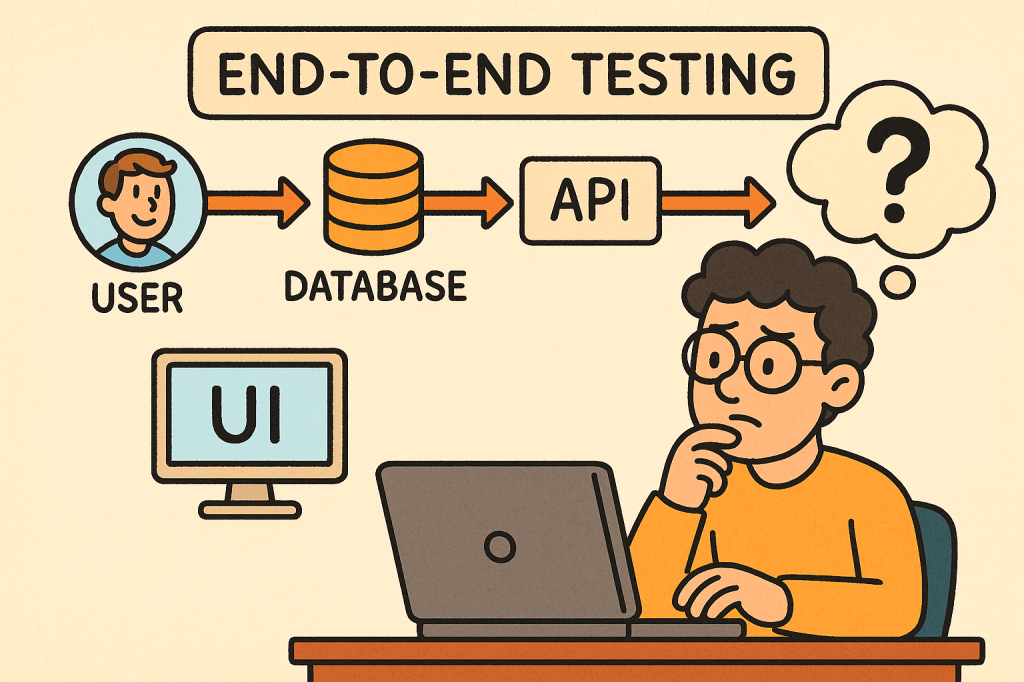
In today’s fast-paced software world, ensuring your application works seamlessly from start to finish is critical. That’s where End-to-End (E2E) testing comes into play. It validates the entire flow of an application — from the user interface down to the database and back — making sure every component interacts correctly and the overall system meets user expectations.

What is End-to-End Testing?

End-to-End testing is a type of software testing that evaluates an application’s workflow from start to finish, simulating real-world user scenarios. The goal is to verify that the entire system — including external dependencies like databases, APIs, and third-party services — functions correctly together.

Instead of testing a single module or service in isolation, E2E testing ensures that the complete system behaves as expected when all integrated parts are combined.

For example, in an e-commerce system:

  • A user logs in,
  • Searches for a product,
  • Adds it to the cart,
  • Checks out using a payment gateway,
  • And receives a confirmation email.

E2E testing verifies that this entire sequence works flawlessly.

How Does End-to-End Testing Work?

End-to-End testing typically follows these steps:

  1. Identify User Scenarios
    Define the critical user journeys — the sequences of actions users perform in real life.
  2. Set Up the Test Environment
    Prepare a controlled environment that includes all necessary systems, APIs, and databases.
  3. Define Input Data and Expected Results
    Determine what inputs will be used and what the expected output or behavior should be.
  4. Execute the Test
    Simulate the actual user actions step by step using automated or manual scripts.
  5. Validate Outcomes
    Compare the actual behavior against expected results to confirm whether the test passes or fails.
  6. Report and Fix Issues
    Log any discrepancies and collaborate with the development team to address defects.

Main Components of End-to-End Testing

Let’s break down the key components that make up an effective E2E testing process:

1. Test Scenarios

These represent real-world user workflows. Each scenario tests a complete path through the system, ensuring functional correctness across modules.

2. Test Data

Reliable, representative test data is crucial. It mimics real user inputs and system states to produce accurate testing results.

3. Test Environment

A controlled setup that replicates the production environment — including databases, APIs, servers, and third-party systems — to validate integration behavior.

4. Automation Framework

Automation tools such as Cypress, Selenium, Playwright, or TestCafe are often used to run tests efficiently and repeatedly.

5. Assertions and Validation

Assertions verify that the actual output matches the expected result. These validations ensure each step in the workflow behaves correctly.

6. Reporting and Monitoring

After execution, results are compiled into reports for developers and QA engineers to analyze, helping identify defects quickly.

Benefits of End-to-End Testing

1. Ensures System Reliability

By testing complete workflows, E2E tests ensure that the entire application — not just individual components — works as intended.

2. Detects Integration Issues Early

Since E2E testing validates interactions between modules, it can catch integration bugs that unit or component tests might miss.

3. Improves User Experience

It simulates how real users interact with the system, guaranteeing that the most common paths are always functional.

4. Increases Confidence Before Release

With E2E testing, teams gain confidence that new code changes won’t break existing workflows.

5. Reduces Production Failures

Because it validates real-life scenarios, E2E testing minimizes the risk of major failures after deployment.

Challenges of End-to-End Testing

While E2E testing offers significant value, it also comes with some challenges:

  1. High Maintenance Cost
    Automated E2E tests can become fragile as UI or workflows change frequently.
  2. Slow Execution Time
    Full workflow tests take longer to run than unit or integration tests.
  3. Complex Setup
    Simulating a full production environment — with multiple services, APIs, and databases — can be complex and resource-intensive.
  4. Flaky Tests
    Tests may fail intermittently due to timing issues, network delays, or dependency unavailability.
  5. Difficult Debugging
    When something fails, tracing the root cause can be challenging since multiple systems are involved.

When and How to Use End-to-End Testing

E2E testing is best used when:

  • Critical user workflows need validation.
  • Cross-module integrations exist.
  • Major releases are scheduled.
  • You want confidence in production stability.

Typically, it’s conducted after unit and integration tests have passed.
In Agile or CI/CD environments, E2E tests are often automated and run before deployment to ensure regressions are caught early.

Integrating End-to-End Testing into Your Software Development Process

Here’s how you can effectively integrate E2E testing:

  1. Define Key User Journeys Early
    Collaborate with QA, developers, and business stakeholders to identify essential workflows.
  2. Automate with Modern Tools
    Use frameworks like Cypress, Selenium, or Playwright to automate repetitive E2E scenarios.
  3. Incorporate into CI/CD Pipeline
    Run E2E tests automatically as part of your build and deployment process.
  4. Use Staging Environments
    Always test in an environment that mirrors production as closely as possible.
  5. Monitor and Maintain Tests
    Regularly update test scripts as the UI, APIs, and workflows evolve.
  6. Combine with Other Testing Levels
    Balance E2E testing with unit, integration, and acceptance testing to maintain a healthy test pyramid.

Conclusion

End-to-End testing plays a vital role in ensuring the overall quality and reliability of modern software applications.
By validating real user workflows, it gives teams confidence that everything — from UI to backend — functions smoothly.

While it can be resource-heavy, integrating automated E2E testing within a CI/CD pipeline helps teams catch critical issues early and deliver stable, high-quality releases.

Single-Page Applications (SPA): A Practical Guide for Modern Web Teams

What is Single Page Application?

What is a Single-Page Application?

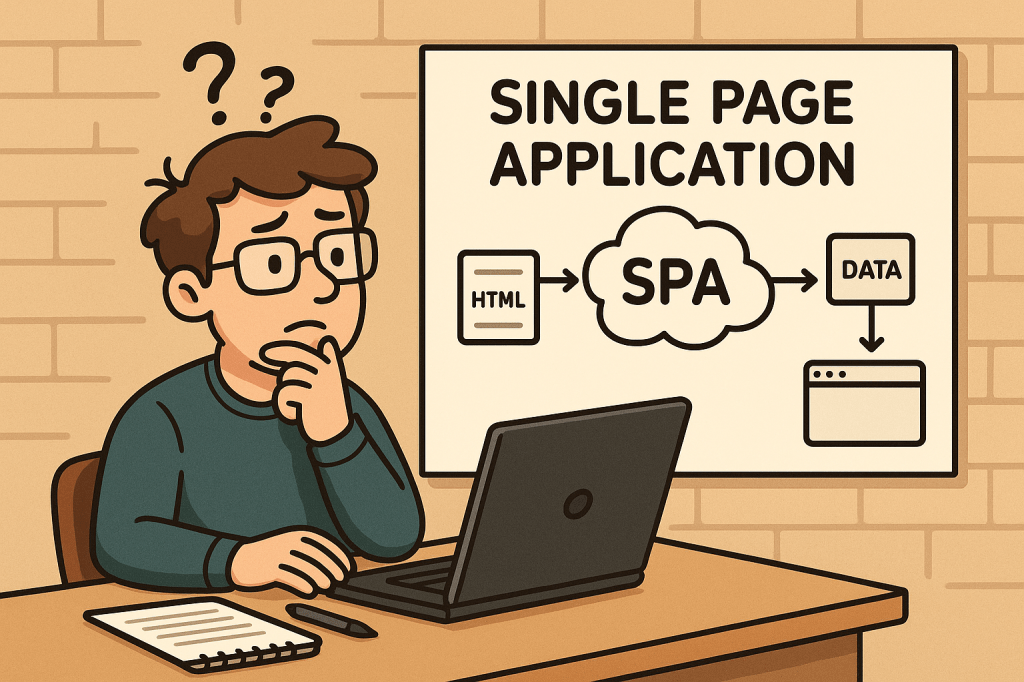
A Single-Page Application (SPA) is a web app that loads a single HTML document once and then updates the UI dynamically via JavaScript as the user navigates. Instead of requesting full HTML pages for every click, the browser fetches data (usually JSON) and the client-side application handles routing, state, and rendering.

A Brief History

  • Pre-2005: Early “dynamic HTML” and XMLHttpRequest experiments laid the groundwork for asynchronous page updates.
  • 2005 — AJAX named: The term AJAX popularized a new model: fetch data asynchronously and update parts of the page without full reloads.
  • 2010–2014 — Framework era:
    • Backbone.js and Knockout introduced MV* patterns.
    • AngularJS (2010) mainstreamed templating + two-way binding.
    • Ember (2011) formalized conventions for ambitious web apps.
    • React (2013) brought a component + virtual DOM model.
    • Vue (2014) emphasized approachability + reactivity.
  • 2017+ — SSR/SSG & hydration: Frameworks like Next.js, Nuxt, SvelteKit and Remix bridged SPA ergonomics with server-side rendering (SSR), static site generation (SSG), islands, and progressive hydration—mitigating SEO/perf issues while preserving SPA feel.
  • Today: “SPA” is often blended with SSR/SSG/ISR strategies to balance interactivity, performance, and SEO.

How Does an SPA Work?

  1. Initial Load:
    • Browser downloads a minimal HTML shell, JS bundle(s), and CSS.
  2. Client-Side Routing:
    • Clicking links updates the URL via the History API and swaps views without full reloads.
  3. Data Fetching:
    • The app requests JSON from APIs (REST/GraphQL), then renders UI from that data.
  4. State Management:
    • Local (component) state + global stores (Redux/Pinia/Zustand/MobX) track UI and data.
  5. Rendering & Hydration:
    • Pure client-side render or combine with SSR/SSG and hydrate on the client.
  6. Optimizations:
    • Code-splitting, lazy loading, prefetching, caching, service workers for offline.

Minimal Example (client fetch):

<!-- In your SPA index.html or embedded WP page -->
<div id="app"></div>
<script>
async function main() {
  const res = await fetch('/wp-json/wp/v2/posts?per_page=3');
  const posts = await res.json();
  document.getElementById('app').innerHTML =
    posts.map(p => `<article><h2>${p.title.rendered}</h2>${p.excerpt.rendered}</article>`).join('');
}
main();
</script>

Benefits

  • App-like UX: Snappy transitions; users stay “in flow.”
  • Reduced Server HTML: Fetch data once, render multiple views client-side.
  • Reusable Components: Encapsulated UI blocks accelerate development and consistency.
  • Offline & Caching: Service workers enable offline hints and instant back/forward.
  • API-First: Clear separation between data (API) and presentation (SPA) supports multi-channel delivery.

Challenges (and Practical Mitigations)

ChallengeWhy it HappensHow to Mitigate
Initial Load TimeLarge JS bundlesCode-split; lazy load routes; tree-shake; compress; adopt SSR/SSG for critical paths
SEO/IndexingContent rendered client-sideSSR/SSG or pre-render; HTML snapshots for bots; structured data; sitemap
Accessibility (a11y)Custom controls & focus can break semanticsUse semantic HTML; ARIA thoughtfully; manage focus on route changes; test with screen readers
Analytics & RoutingNo full page loadsManually fire page-view events on route changes; validate with SPA-aware analytics
State ComplexityCross-component syncKeep stores small; use query libraries (React Query/Apollo) and normalized caches
SecurityXSS, CSRF, token handlingEscape output, CSP, HttpOnly cookies or token best practices, WP nonces for REST
Memory LeaksLong-lived sessionsUnsubscribe/cleanup effects; audit with browser devtools

When Should You Use an SPA?

Great fit:

  • Dashboards, admin panels, CRMs, BI tools
  • Editors/builders (documents, diagrams, media)
  • Complex forms and interactive configurators
  • Applications needing offline or near-native responsiveness

Think twice (or go hybrid/SSR-first):

  • Content-heavy, SEO-critical publishing sites (blogs, news, docs)
  • Ultra-light marketing pages where first paint and crawlability are king

Real-World Examples (What They Teach Us)

  • Gmail / Outlook Web: Rich, multi-pane interactions; caching and optimistic UI matter.
  • Trello / Asana: Board interactions and real-time updates; state normalization and websocket events are key.
  • Notion: Document editor + offline sync; CRDTs or conflict-resistant syncing patterns are useful.
  • Figma (Web): Heavy client rendering with collaborative presence; performance budgets and worker threads become essential.
  • Google Maps: Incremental tile/data loading and seamless panning; chunked fetch + virtualization techniques.

Integrating SPAs Into a WordPress-Based Development Process

You have two proven paths. Choose based on your team’s needs and hosting constraints.

Option A — Hybrid: Embed an SPA in WordPress

Keep WordPress as the site, theme, and routing host; mount an SPA in a page/template and use the WP REST API for content.

Ideal when: You want to keep classic WP features/plugins, menus, login, and SEO routing — but need SPA-level interactivity on specific pages (e.g., /app, /dashboard).

Steps:

  1. Create a container page in WP (e.g., /app) with a <div id="spa-root"></div>.
  2. Enqueue your SPA bundle (built with React/Vue/Angular) from your theme or a small plugin:
// functions.php (theme) or a custom plugin
add_action('wp_enqueue_scripts', function() {
  wp_enqueue_script(
    'my-spa',
    get_stylesheet_directory_uri() . '/dist/app.bundle.js',
    array(), // add 'react','react-dom' if externalized
    '1.0.0',
    true
  );

  // Pass WP REST endpoint + nonce to the SPA
  wp_localize_script('my-spa', 'WP_ENV', array(
    'restUrl' => esc_url_raw( rest_url() ),
    'nonce'   => wp_create_nonce('wp_rest')
  ));
});

  1. Call the WP REST API from your SPA with nonce headers for authenticated routes:
async function wpGet(path) {
  const res = await fetch(`${WP_ENV.restUrl}${path}`, {
    headers: { 'X-WP-Nonce': WP_ENV.nonce }
  });
  if (!res.ok) throw new Error(await res.text());
  return res.json();
}

  1. Handle client-side routing inside the mounted div (e.g., React Router).
  2. SEO strategy: Use the classic WP page for meta + structured data; for deeply interactive sub-routes, consider pre-render/SSR for critical content or provide crawlable summaries.

Pros: Minimal infrastructure change; keeps WP admin/editor; fastest path to value.
Cons: You’ll still ship a client bundle; deep SPA routes won’t be first-class WP pages unless mirrored.

Option B — Headless WordPress + SPA Frontend

Run WordPress strictly as a content platform. Your frontend is a separate project (React/Next.js, Vue/Nuxt, SvelteKit, Angular Universal) consuming WP content via REST or WPGraphQL.

Ideal when: You need full control of performance, SSR/SSG/ISR, routing, edge rendering, and modern DX — while keeping WP’s editorial flow.

Steps:

  1. Prepare WordPress headlessly:
    • Enable Permalinks and ensure WP REST API is available (/wp-json/).
    • (Optional) Install WPGraphQL for a typed schema and powerful queries.
  2. Choose a frontend framework with SSR/SSG (e.g., Next.js).
  3. Fetch content at build/runtime and render pages server-side for SEO.

Next.js example (REST):

// pages/index.tsx
export async function getStaticProps() {
  const res = await fetch('https://your-wp-site.com/wp-json/wp/v2/posts?per_page=5');
  const posts = await res.json();
  return { props: { posts }, revalidate: 60 }; // ISR
}

export default function Home({ posts }) {
  return (
    <main>
      {posts.map(p => (
        <article key={p.id}>
          <h2 dangerouslySetInnerHTML={{__html: p.title.rendered}} />
          <div dangerouslySetInnerHTML={{__html: p.excerpt.rendered}} />
        </article>
      ))}
    </main>
  );
}

Next.js example (WPGraphQL):

// lib/wp.ts
export async function wpQuery(query: string, variables?: Record<string, any>) {
  const res = await fetch('https://your-wp-site.com/graphql', {
    method: 'POST',
    headers: {'Content-Type': 'application/json'},
    body: JSON.stringify({ query, variables })
  });
  const { data, errors } = await res.json();
  if (errors) throw new Error(JSON.stringify(errors));
  return data;
}

Pros: Best performance + SEO via SSR/SSG; tech freedom; edge rendering; clean separation.
Cons: Two repos to operate; preview/webhooks complexity; plugin/theme ecosystem may need headless-aware alternatives.

Development Process: From Idea to Production

1) Architecture & Standards

  • Decide Hybrid vs Headless early.
  • Define API contracts (OpenAPI/GraphQL schema).
  • Pick routing + data strategy (React Query/Apollo; SWR; fetch).
  • Set performance budgets (e.g., ≤ 200 KB initial JS, LCP < 2.5 s).

2) Security & Compliance

  • Enforce CSP, sanitize HTML output, store secrets safely.
  • Use WP nonces for REST writes; prefer HttpOnly cookies over localStorage for sensitive tokens.
  • Validate inputs server-side; rate-limit critical endpoints.

3) Accessibility (a11y)

  • Semantic HTML; keyboard paths; focus management on route change; color contrast.
  • Test with screen readers; add linting (eslint-plugin-jsx-a11y).

4) Testing

  • Unit: Jest/Vitest.
  • Integration: React Testing Library, Vue Test Utils.
  • E2E: Playwright/Cypress (SPA-aware route changes).
  • Contract tests: Ensure backend/frontend schema alignment.

5) CI/CD & Observability

  • Build + lint + test pipelines.
  • Preview deployments for content editors.
  • Monitor web vitals, route-change errors, and API latency (Sentry, OpenTelemetry).
  • Log client errors with route context.

6) SEO & Analytics for SPAs

  • For Hybrid: offload SEO to WP pages; expose JSON-LD/OG tags server-rendered.
  • For Headless: generate meta server-side; produce sitemap/robots; handle canonical URLs.
  • Fire analytics events on route change manually.

7) Performance Tuning

  • Split routes; lazy-load below-the-fold components.
  • Use image CDNs; serve modern formats (WebP/AVIF).
  • Cache API responses; use HTTP/2/3; prefetch likely next routes.

Example: Embedding a React SPA into a WordPress Page (Hybrid)

  1. Build your SPA to dist/ with a mount ID, e.g., <div id="spa-root"></div>.
  2. Create a WP page called “App” and insert <div id="spa-root"></div> via a Custom HTML block (or include it in a template).
  3. Enqueue the bundle (see PHP snippet above).
  4. Use WP REST for content/auth.
  5. Add a fallback message for no-JS users and bots.

Common Pitfalls & Quick Fixes

  • Back button doesn’t behave: Ensure router integrates with History API; restore scroll positions.
  • Flash of unstyled content: Inline critical CSS or SSR critical path.
  • “Works on dev, slow on prod”: Measure bundle size, enable gzip/brotli, serve from CDN, audit images.
  • Robots not seeing content: Add SSR/SSG or pre-render; verify with “Fetch as Google”-style tools.
  • CORS errors hitting WP REST: Configure Access-Control-Allow-Origin safely or proxy via same origin.

Checklist

  • Choose Hybrid or Headless
  • Define API schema/contracts
  • Set performance budgets + a11y rules
  • Implement routing + data layer
  • Add analytics on route change
  • SEO meta (server-rendered) + sitemap
  • Security: CSP, nonces, cookies, sanitization
  • CI/CD: build, test, preview, deploy
  • Monitoring: errors, web vitals, API latency

Final Thoughts

SPAs shine for interactive, app-like experiences, but you’ll get the best results when you pair them with the right rendering strategy (SSR/SSG/ISR) and a thoughtful DevEx around performance, accessibility, and SEO. With WordPress, you can go hybrid for speed and familiarity or headless for maximal control and scalability.

Integration Testing: A Practical Guide for Real-World Software Systems

What is integration testing?

Integration testing verifies that multiple parts of your system work correctly together—modules, services, databases, queues, third-party APIs, configuration, and infrastructure glue. Where unit tests validate small pieces in isolation, integration tests catch issues at the seams: misconfigured ports, serialization mismatches, transaction boundaries, auth headers, timeouts, and more.

What Is an Integration Test?

An integration test exercises a feature path across two or more components:

  • A web controller + service + database
  • Two microservices communicating over HTTP/REST or messaging
  • Your code + a real (or realistic) external system such as PostgreSQL, Redis, Kafka, S3, Stripe, or a mock double that replicates its behavior

It aims to answer: “Given realistic runtime conditions, do the collaborating parts interoperate as intended?”

How Integration Tests Work (Step-by-Step)

  1. Assemble the slice
    Decide which components to include (e.g., API layer + persistence) and what to substitute (e.g., real DB in a container vs. an in-memory alternative).
  2. Provision dependencies
    Spin up databases, message brokers, or third-party doubles. Popular approaches:
    • Ephemeral containers (e.g., Testcontainers for DBs/Brokers/Object stores)
    • Local emulators (e.g., LocalStack for AWS)
    • HTTP stubs (e.g., WireMock, MockServer) to simulate third-party APIs
  3. Seed test data & configuration
    Apply migrations, insert fixtures, set secrets/env vars, and configure network endpoints.
  4. Execute realistic scenarios
    Drive the system via its public interface (HTTP calls, messages on a topic/queue, method entry points that span layers).
  5. Assert outcomes
    Verify HTTP status/body, DB state changes, published messages, idempotency, retries, metrics/log signatures, and side effects.
  6. Teardown & isolate
    Clean up containers, reset stubs, and ensure tests are independent and order-agnostic.

Key Components of Integration Testing

  • System under test (SUT) boundary: Define exactly which modules/services are “in” vs. “out.”
  • Realistic dependencies: Databases, caches, queues, object stores, identity providers.
  • Test doubles where necessary:
    • Stubs for fixed responses (e.g., pricing API)
    • Mocks for interaction verification (e.g., “was /charge called with X?”)
  • Environment management: Containers, docker-compose, or cloud emulators; test-only configs.
  • Data management: Migrations + fixtures; factories/builders for readable setup.
  • Observability hooks: Logs, metrics, tracing assertions (useful for debugging flaky flows).
  • Repeatable orchestration: Scripts/Gradle/Maven/npm to run locally and in CI the same way.

Benefits

  • Catches integration bugs early: Contract mismatches, auth failures, connection strings, TLS issues.
  • Confidence in deploys: Reduced incidents due to configuration drift.
  • Documentation by example: Tests serve as living examples of real flows.
  • Fewer flaky end-to-end tests: Solid integration coverage means you need fewer slow, brittle E2E UI tests.

When (and How) to Use Integration Tests

Use integration tests when:

  • A unit test can’t surface real defects (e.g., SQL migrations, ORM behavior, transaction semantics).
  • Two or more services/modules must agree on contracts (schemas, headers, error codes).
  • You rely on infra features (indexes, isolation levels, topic partitions, S3 consistency).

How to apply effectively:

  • Target critical paths first: sign-up, login, payments, ordering, data ingestion.
  • Prefer ephemeral, production-like dependencies: containers over mocks for DBs/brokers.
  • Keep scope tight: Test one coherent flow per test; avoid sprawling “kitchen-sink” cases.
  • Make it fast enough: Parallelize tests, reuse containers per test class/suite.
  • Run in CI for each PR: Same commands locally and in the pipeline to avoid “works on my machine.”

Integration vs. Unit vs. End-to-End (Quick Table)

AspectUnit TestIntegration TestEnd-to-End (E2E)
ScopeSingle class/functionMultiple components/servicesFull system incl. UI
DependenciesAll mockedRealistic (DB, broker) or stubsAll real
SpeedMillisecondsSecondsSeconds–Minutes
FlakinessLowMedium (manageable)Higher
PurposeLogic correctnessInteroperation correctnessUser journey correctness

Tooling & Patterns (Common Stacks)

  • Containers & Infra: Testcontainers, docker-compose, LocalStack, Kind (K8s)
  • HTTP Stubs: WireMock, MockServer
  • Contract Testing: Pact (consumer-driven contracts)
  • DB Migrations/Fixtures: Flyway, Liquibase; SQL scripts; FactoryBoy/FactoryBot-style data builders
  • CI: GitHub Actions, GitLab CI, Jenkins with service containers

Real-World Examples (Detailed)

1) Service + Database (Java / Spring Boot + PostgreSQL)

Goal: Verify repository mappings, transactions, and API behavior.

// build.gradle (snippet)
testImplementation("org.testcontainers:junit-jupiter:1.20.1")
testImplementation("org.testcontainers:postgresql:1.20.1")
testImplementation("org.springframework.boot:spring-boot-starter-test")

// Example JUnit 5 test
@AutoConfigureMockMvc
@SpringBootTest
@Testcontainers
class ItemApiIT {

  @Container
  static PostgreSQLContainer<?> pg = new PostgreSQLContainer<>("postgres:16");

  @DynamicPropertySource
  static void dbProps(DynamicPropertyRegistry r) {
    r.add("spring.datasource.url", pg::getJdbcUrl);
    r.add("spring.datasource.username", pg::getUsername);
    r.add("spring.datasource.password", pg::getPassword);
  }

  @Autowired MockMvc mvc;
  @Autowired ItemRepository repo;

  @Test
  void createAndFetchItem() throws Exception {
    mvc.perform(post("/items")
        .contentType(MediaType.APPLICATION_JSON)
        .content("{\"group\":\"tools\",\"name\":\"wrench\",\"count\":5,\"cost\":12.5}"))
      .andExpect(status().isCreated());

    mvc.perform(get("/items?group=tools"))
      .andExpect(status().isOk())
      .andExpect(jsonPath("$[0].name").value("wrench"));

    assertEquals(1, repo.count());
  }
}

What this proves: Spring wiring, JSON (de)serialization, transactionality, schema/mappings, and HTTP contract all work together against a real Postgres.

2) Outbound HTTP to a Third-Party API (WireMock)

@WireMockTest(httpPort = 8089)
class PaymentClientIT {

  @Test
  void chargesCustomer() {
    // Stub Stripe-like API
    stubFor(post(urlEqualTo("/v1/charges"))
      .withRequestBody(containing("\"amount\": 2000"))
      .willReturn(aResponse().withStatus(200).withBody("{\"id\":\"ch_123\",\"status\":\"succeeded\"}")));

    PaymentClient client = new PaymentClient("http://localhost:8089", "test_key");
    ChargeResult result = client.charge("cust_1", 2000);

    assertEquals("succeeded", result.status());
    verify(postRequestedFor(urlEqualTo("/v1/charges")));
  }
}

What this proves: Your serialization, auth headers, timeouts/retries, and error handling match the third-party contract.

3) Messaging Flow (Kafka)

  • Start a Kafka container; publish a test message to the input topic.
  • Assert your consumer processes it and publishes to the output topic or persists to the DB.
  • Validate at-least-once handling and idempotency by sending duplicates.

Signals covered: Consumer group config, serialization (Avro/JSON/Protobuf), offsets, partitions, dead-letter behavior.

4) Python / Django API + Postgres (pytest + Testcontainers)

# pyproject.toml deps: pytest, pytest-django, testcontainers[postgresql], requests
def test_create_and_get_item(live_server, postgres_container):
    # Set DATABASE_URL from container, run migrations, then:
    r = requests.post(f"{live_server.url}/items", json={"group":"tools","name":"wrench","count":5,"cost":12.5})
    assert r.status_code == 201
    r2 = requests.get(f"{live_server.url}/items?group=tools")
    assert r2.status_code == 200 and r2.json()[0]["name"] == "wrench"

Design Tips & Best Practices

  • Define the “slice” explicitly (avoid accidental E2E tests).
  • One scenario per test; keep them readable and deterministic.
  • Prefer real infra where cheap (real DB > in-memory); use stubs for costly/unreliable externals.
  • Make tests parallel-safe: unique schema names, randomized ports, isolated fixtures.
  • Stabilize flakiness: time controls (freeze time), retry assertions for eventually consistent flows, awaitility patterns.
  • Contracts first: validate schemas and error shapes; consider consumer-driven contracts to prevent breaking changes.
  • Observability: assert on logs/metrics/traces for non-functional guarantees (retries, circuit-breakers).

Common Pitfalls (and Fixes)

  • Slow suites → Parallelize, reuse containers per class, trim scope, share fixtures.
  • Brittle external dependencies → Stub third-party APIs; only run “full-real” tests in nightly builds.
  • Data leakage across tests → Wrap in transactions or reset DB/containers between tests.
  • Environment drift → Pin container versions, manage migrations in tests, keep CI parity.

Minimal “Getting Started” Checklist

  • Choose your test runner (JUnit/pytest/jest) and container strategy (Testcontainers/compose).
  • Add migrations + seed data.
  • Wrap external APIs with clients that are easy to stub.
  • Write 3–5 critical path tests (create/read/update; publish/consume; happy + failure paths).
  • Wire into CI; make it part of the pull-request checks.

Conclusion

Integration tests give you real confidence that your system’s moving parts truly work together. Start with critical flows, run against realistic dependencies, keep scenarios focused, and automate them in CI. You’ll ship faster with fewer surprises—and your end-to-end suite can stay lean and purposeful.

Blog at WordPress.com.

Up ↑