Search

Software Engineer's Notes

Tag

software-development

Understanding Model Context Protocol (MCP) and the Role of MCP Servers

What is Model Context Protocol?

The rapid evolution of AI tools—especially large language models (LLMs)—has brought a new challenge: how do we give AI controlled, secure, real-time access to tools, data, and applications?
This is exactly where the Model Context Protocol (MCP) comes into play.

In this blog post, we’ll explore what MCP is, what an MCP Server is, its history, how it works, why it matters, and how you can integrate it into your existing software development process.
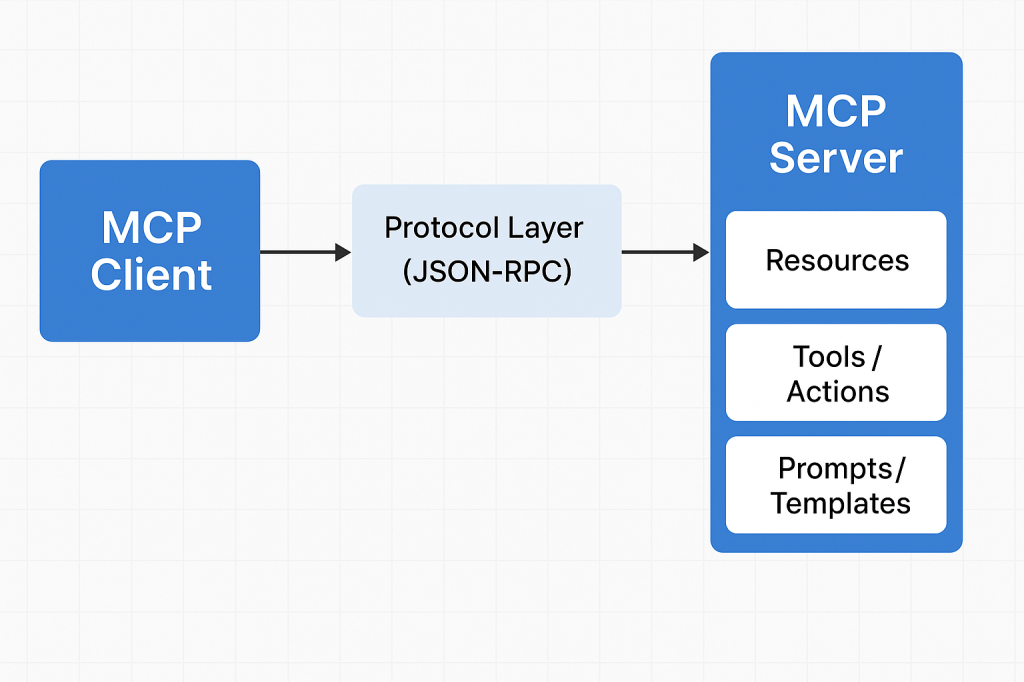
MCP architecture

What Is Model Context Protocol?

Model Context Protocol (MCP) is an open standard designed to allow large language models to interact safely and meaningfully with external tools, data sources, and software systems.

Traditionally, LLMs worked with static prompts and limited context. MCP changes that by allowing models to:

  • Request information
  • Execute predefined operations
  • Access external data
  • Write files
  • Retrieve structured context
  • Extend their abilities through secure, modular “servers”

In short, MCP provides a unified interface between AI models and real software environments.

What Is a Model Context Protocol Server?

An MCP server is a standalone component that exposes capabilities, resources, and operations to an AI model through MCP.

Think of an MCP server as a plugin container, or a bridge between your application and the AI.

An MCP Server can provide:

  • File system access
  • Database queries
  • API calls
  • Internal business logic
  • Real-time system data
  • Custom actions (deploy, run tests, generate code, etc.)

MCP Servers work with any MCP-compatible LLM client (such as ChatGPT with MCP support), and they are configured with strict permissions for safety.

History of Model Context Protocol

Early Challenges with LLM Tooling

Before MCP, LLM tools were fragmented:

  • Every vendor used different APIs
  • Extensions were tightly coupled to the model platform
  • There was no standard for secure tool execution
  • Maintaining custom integrations was expensive

As developers started using LLMs for automation, code generation, and data workflows, the need for a secure, standardized protocol became clear.

Birth of MCP (2023–2024)

MCP originated from OpenAI’s efforts to unify:

  • Function calling
  • Extended tool access
  • Notebook-like interaction
  • File system operations
  • Secure context and sandboxing

The idea was to create a vendor-neutral protocol, similar to how REST standardized web communication.

Open Adoption and Community Growth (2024–2025)

By 2025, MCP gained widespread support:

  • OpenAI integrated MCP into ChatGPT clients
  • Developers started creating custom MCP servers
  • Tooling ecosystems expanded (e.g., filesystem servers, database servers, API servers)
  • Companies adopted MCP to give AI controlled internal access

MCP became a foundational building block for AI-driven software engineering workflows.

How Does MCP Work?

MCP works through a client–server architecture with clearly defined contracts.

1. The MCP Client

This is usually an AI model environment such as:

  • ChatGPT
  • VS Code AI extensions
  • IDE plugins
  • Custom LLM applications

The client knows how to communicate using MCP.

2. The MCP Server

Your MCP server exposes:

  • Resources → things the AI can reference
  • Tools / Actions → things the AI can do
  • Prompts / Templates → predefined workflows

Each server has permissions and runs in isolation for safety.

3. The Protocol Layer

Communication uses JSON-RPC over a standard channel (typically stdio or WebSocket).

The client asks:

“What tools do you expose?”

The server responds with:

“Here are resources, actions, and context you can use.”

Then the AI can call these tools securely.

4. Execution

When the AI executes an action (e.g., database query), the server performs the task on behalf of the model and returns structured results.

Why Do We Need MCP?

– Standardization

No more custom plugin APIs for each model. MCP is universal.

– Security

Strict capability control → AI only accesses what you explicitly expose.

– Extensibility

You can build your own MCP servers to extend AI.

– Real-time Interaction

Models can work with live:

  • data
  • files
  • APIs
  • business systems

– Sandbox Isolation

Servers run independently, protecting your core environment.

– Developer Efficiency

You can quickly create new AI-powered automations.

Benefits of Using MCP Servers

  • Reusable infrastructure — write once, use with any MCP-supported LLM.
  • Modularity — split responsibilities into multiple servers.
  • Portability — works across tools, IDEs, editor plugins, and AI platforms.
  • Lower maintenance — maintain one integration instead of many.
  • Improved automation — AI can interact with real systems (CI/CD, databases, cloud services).
  • Better developer workflows — AI gains accurate, contextual knowledge of your project.

How to Integrate MCP Into Your Software Development Process

1. Identify AI-Ready Tasks

Good examples:

  • Code refactoring
  • Automated documentation
  • Database querying
  • CI/CD deployment helpers
  • Environment setup scripts
  • File generation
  • API validation

2. Build a Custom MCP Server

Using frameworks like:

  • Node.js MCP Server Kits
  • Python MCP Server Kits
  • Custom implementations with JSON-RPC

Define what tools you want the model to access.

3. Expose Resources Safely

Examples:

  • Read-only project files
  • Specific database tables
  • Internal API endpoints
  • Configuration values

Always choose minimum required permissions.

4. Connect Your MCP Server to the Client

In ChatGPT or your LLM client:

  • Add local MCP servers
  • Add network MCP servers
  • Configure environment variables
  • Set up permissions

5. Use AI in Your Development Workflow

AI can now:

  • Generate code with correct system context
  • Run transformations
  • Trigger tasks
  • Help debug with real system data
  • Automate repetitive developer chores

6. Monitor and Validate

Use logging, audit trails, and usage controls to ensure safety.

Conclusion

Model Context Protocol (MCP) is becoming a cornerstone of modern AI-integrated software development. MCP Servers give LLMs controlled access to powerful tools, bridging the gap between natural language intelligence and real-world software systems.

By adopting MCP in your development process, you can unlock:

  • Higher productivity
  • Better automation
  • Safer AI integrations
  • Faster development cycles

Unit Testing: The What, Why, and How (with Practical Examples)

What is unit test?

What is a Unit Test?

A unit test verifies the smallest testable part of your software—usually a single function, method, or class—in isolation. Its goal is to prove that, for a given input, the unit produces the expected output and handles edge cases correctly.

Key characteristics

  • Small & fast: millisecond execution, in-memory.
  • Isolated: no real network, disk, or database calls.
  • Repeatable & deterministic: same input → same result.
  • Self-documenting: communicates intended behavior.

A Brief History (How We Got Here)

  • 1960s–1980s: Early testing practices emerged with procedural languages, but were largely ad-hoc and manual.
  • 1990s: Object-oriented programming popularized more modular designs. Kent Beck introduced SUnit for Smalltalk; the “xUnit” family was born.
  • Late 1990s–2000s: JUnit (Java) and NUnit (.NET) pushed unit testing mainstream. Test-Driven Development (TDD) formalized “Red → Green → Refactor.”
  • 2010s–today: Rich ecosystems (pytest, Jest, JUnit 5, RSpec, Go’s testing pkg). CI/CD and DevOps turned unit tests into a daily, automated safety net.

How Unit Tests Work (The Mechanics)

Arrange → Act → Assert (AAA)

  1. Arrange: set up inputs, collaborators (often fakes/mocks).
  2. Act: call the method under test.
  3. Assert: verify outputs, state changes, or interactions.

Test Doubles (isolate the unit)

  • Dummy: unused placeholders to satisfy signatures.
  • Stub: returns fixed data (no behavior verification).
  • Fake: lightweight implementation (e.g., in-memory repo).
  • Mock: verifies interactions (e.g., method X called once).
  • Spy: records calls for later assertions.

Good Test Qualities (FIRST)

  • Fast, Isolated, Repeatable, Self-Validating, Timely.

Naming & Structure

  • Name: methodName_condition_expectedResult
  • One assertion concept per test (clarity > cleverness).
  • Avoid coupling to implementation details (test behavior).

When Should We Write Unit Tests?

  • New code: ideally before or while coding (TDD).
  • Bug fixes: add a unit test that reproduces the bug first.
  • Refactors: guard existing behavior before changing code.
  • Critical modules: domain logic, calculations, validation.

What not to unit test

  • Auto-generated code, trivial getters/setters, framework wiring (unless it encodes business logic).

Advantages (Why Unit Test?)

  • Confidence & speed: safer refactors, fewer regressions.
  • Executable documentation: shows intended behavior.
  • Design feedback: forces smaller, decoupled units.
  • Lower cost of defects: catch issues early and cheaply.
  • Developer velocity: faster iteration with guardrails.

Practical Examples

Java (JUnit 5 + Mockito)

// src/test/java/com/example/PriceServiceTest.java
import org.junit.jupiter.api.Test;
import static org.junit.jupiter.api.Assertions.*;
import static org.mockito.Mockito.*;

class PriceServiceTest {
    @Test
    void applyDiscount_whenVIP_shouldReduceBy10Percent() {
        DiscountPolicy policy = mock(DiscountPolicy.class);
        when(policy.discountFor("VIP")).thenReturn(0.10);

        PriceService service = new PriceService(policy);
        double result = service.applyDiscount(200.0, "VIP");

        assertEquals(180.0, result, 0.0001);
        verify(policy, times(1)).discountFor("VIP");
    }
}

// Production code (for context)
class PriceService {
    private final DiscountPolicy policy;
    PriceService(DiscountPolicy policy) { this.policy = policy; }
    double applyDiscount(double price, String tier) {
        return price * (1 - policy.discountFor(tier));
    }
}
interface DiscountPolicy { double discountFor(String tier); }

Python (pytest)

# app/discount.py
def apply_discount(price: float, tier: str, policy) -> float:
    return price * (1 - policy.discount_for(tier))

# tests/test_discount.py
class FakePolicy:
    def discount_for(self, tier):
        return {"VIP": 0.10, "STD": 0.0}.get(tier, 0.0)

def test_apply_discount_vip():
    from app.discount import apply_discount
    result = apply_discount(200.0, "VIP", FakePolicy())
    assert result == 180.0

In-Memory Fakes Beat Slow Dependencies

// In-memory repository for fast unit tests
class InMemoryUserRepo implements UserRepo {
    private final Map<String, User> store = new HashMap<>();
    public void save(User u){ store.put(u.id(), u); }
    public Optional<User> find(String id){ return Optional.ofNullable(store.get(id)); }
}

Integrating Unit Tests into Your Current Process

1) Organize Your Project

/src
  /main
    /java (or /python, /ts, etc.)
  /test
    /java ...

  • Mirror package/module structure under /test.
  • Name tests after the unit: PriceServiceTest, test_discount.py, etc.

2) Make Tests First-Class in CI

GitHub Actions (Java example)

name: build-and-test
on: [push, pull_request]
jobs:
  test:
    runs-on: ubuntu-latest
    steps:
      - uses: actions/checkout@v4
      - uses: actions/setup-java@v4
        with: { distribution: temurin, java-version: '21' }
      - run: ./gradlew test --no-daemon

GitHub Actions (Python example)

name: pytest
on: [push, pull_request]
jobs:
  test:
    runs-on: ubuntu-latest
    steps:
      - uses: actions/checkout@v4
      - uses: actions/setup-python@v5
        with: { python-version: '3.12' }
      - run: pip install -r requirements.txt
      - run: pytest -q

3) Define “Done” with Tests

  • Pull requests must include unit tests for new/changed logic.
  • Code review checklist: readability, edge cases, negative paths.
  • Coverage gate (sensible threshold; don’t chase 100%).
    Example (Gradle + JaCoCo):
jacocoTestCoverageVerification {
    violationRules {
        rule { limit { counter = 'INSTRUCTION'; minimum = 0.75 } }
    }
}
test.finalizedBy jacocoTestReport, jacocoTestCoverageVerification

4) Keep Tests Fast and Reliable

  • Avoid real I/O; prefer fakes/mocks.
  • Keep each test < 100ms; whole suite in seconds.
  • Eliminate flakiness (random time, real threads, sleeps).

5) Use the Test Pyramid Wisely

  • Unit (broad base): thousands, fast, isolated.
  • Integration (middle): fewer, verify boundaries.
  • UI/E2E (tip): very few, critical user flows only.

A Simple TDD Loop You Can Adopt Tomorrow

  1. Red: write a failing unit test that expresses the requirement.
  2. Green: implement the minimum to pass.
  3. Refactor: clean design safely, keeping tests green.
  4. Repeat; keep commits small and frequent.

Common Pitfalls (and Fixes)

  • Mock-heavy tests that break on refactor → mock only at boundaries; prefer fakes for domain logic.
  • Testing private methods → test through public behavior; refactor if testing is too hard.
  • Slow suites → remove I/O, shrink fixtures, parallelize.
  • Over-asserting → one behavioral concern per test.

Rollout Plan (4 Weeks)

  • Week 1: Set up test frameworks, sample tests, CI pipeline, coverage reporting.
  • Week 2: Add tests for critical modules & recent bug fixes. Create a PR template requiring tests.
  • Week 3: Refactor hot spots guided by tests. Introduce an in-memory fake layer.
  • Week 4: Add coverage gates, stabilize the suite, document conventions in CONTRIBUTING.md.

Team Conventions

  • Folder structure mirrors production code.
  • Names: ClassNameTest or test_function_behavior.
  • AAA layout, one behavior per test.
  • No network/disk/DB in unit tests.
  • PRs must include tests for changed logic.

Final Thoughts

Unit tests pay dividends by accelerating safe change. Start small, keep them fast and focused, and wire them into your daily workflow (pre-commit, CI, PR reviews). Over time, they become living documentation and your best shield against regressions.

What Is CAPTCHA? Understanding the Gatekeeper of the Web

What Is CAPTCHA? Understanding the Gatekeeper of the Web

CAPTCHA — an acronym for Completely Automated Public Turing test to tell Computers and Humans Apart — is one of the most widely used security mechanisms on the internet. It acts as a digital gatekeeper, ensuring that users interacting with a website are real humans and not automated bots. From login forms to comment sections and online registrations, CAPTCHA helps maintain the integrity of digital interactions.

The History of CAPTCHA

The concept of CAPTCHA was first introduced in the early 2000s by a team of researchers at Carnegie Mellon University, including Luis von Ahn, Manuel Blum, Nicholas Hopper, and John Langford.

Their goal was to create a test that computers couldn’t solve easily but humans could — a reverse Turing test. The original CAPTCHAs involved distorted text images that required human interpretation.

Over time, as optical character recognition (OCR) technology improved, CAPTCHAs had to evolve to stay effective. This led to the creation of new types, including:

  • Image-based CAPTCHAs: Users select images matching a prompt (e.g., “Select all images with traffic lights”).
  • Audio CAPTCHAs: Useful for visually impaired users, playing distorted audio that needs transcription.
  • reCAPTCHA (2007): Acquired by Google in 2009, this variant helped digitize books and later evolved into reCAPTCHA v2 (“I’m not a robot” checkbox) and v3, which uses risk analysis based on user behavior.

Today, CAPTCHAs have become an essential part of web security and user verification worldwide.

How Does CAPTCHA Work?

At its core, CAPTCHA works by presenting a task that is easy for humans but difficult for bots. The system leverages differences in human cognitive perception versus machine algorithms.

The Basic Flow:

  1. Challenge Generation:
    The server generates a random challenge (e.g., distorted text, pattern, image selection).
  2. User Interaction:
    The user attempts to solve it (e.g., typing the shown text, identifying images).
  3. Verification:
    The response is validated against the correct answer stored on the server or verified using a third-party CAPTCHA API.
  4. Access Granted/Denied:
    If correct, the user continues the process; otherwise, the system requests another attempt.

Modern CAPTCHAs like reCAPTCHA v3 use behavioral analysis — tracking user movements, mouse patterns, and browsing behavior — to determine whether the entity is human without explicit interaction.

Why Do We Need CAPTCHA?

CAPTCHAs serve as a first line of defense against malicious automation and spam. Common scenarios include:

  • Preventing spam comments on blogs or forums.
  • Protecting registration and login forms from brute-force attacks.
  • Securing online polls and surveys from manipulation.
  • Protecting e-commerce checkouts from fraudulent bots.
  • Ensuring fair access to services like ticket booking or limited-edition product launches.

Without CAPTCHA, automated scripts could easily overload or exploit web systems, leading to security breaches, data misuse, and infrastructure abuse.

Challenges and Limitations of CAPTCHA

While effective, CAPTCHAs also introduce several challenges:

  • Accessibility Issues:
    Visually impaired users or users with cognitive disabilities may struggle with complex CAPTCHAs.
  • User Frustration:
    Repeated or hard-to-read CAPTCHAs can hurt user experience and increase bounce rates.
  • AI Improvements:
    Modern AI models, especially those using machine vision, can now solve traditional CAPTCHAs with >95% accuracy, forcing constant innovation.
  • Privacy Concerns:
    Some versions (like reCAPTCHA) rely on user behavior tracking, raising privacy debates.

Developers must balance security, accessibility, and usability when implementing CAPTCHA systems.

Real-World Examples

Here are some examples of CAPTCHA usage in real applications:

  • Google reCAPTCHA – Used across millions of websites to protect forms and authentication flows.
  • Cloudflare Turnstile – A privacy-focused alternative that verifies users without tracking.
  • hCaptcha – Offers website owners a reward model while verifying human interactions.
  • Ticketmaster – Uses CAPTCHA during high-demand sales to prevent bots from hoarding tickets.
  • Facebook and Twitter – Employ CAPTCHAs to block spam accounts and fake registrations.

Integrating CAPTCHA into Modern Software Development

Integrating CAPTCHA into your development workflow can be straightforward, especially with third-party APIs and libraries.

Step-by-Step Integration Example (Google reCAPTCHA v2):

  1. Register your site at Google reCAPTCHA Admin Console.
  2. Get the site key and secret key.
  3. Add the CAPTCHA widget in your frontend form:
<pre class="wp-block-syntaxhighlighter-code"><form action="verify.php" method="post">
  <div class="g-recaptcha" data-sitekey="YOUR_SITE_KEY"></div>
  <input type="submit" value="Submit">
</form>
<a href="https://www.google.com/recaptcha/api.js">https://www.google.com/recaptcha/api.js</a>
</pre>
  1. Verify the response in your backend (e.g., PHP, Python, Java):
import requests

response = requests.post(
    "https://www.google.com/recaptcha/api/siteverify",
    data={"secret": "YOUR_SECRET_KEY", "response": user_response}
)
result = response.json()
if result["success"]:
    print("Human verified!")
else:
    print("Bot detected!")

  1. Handle verification results appropriately in your application logic.

Integration Tips:

  • Combine CAPTCHA with rate limiting and IP reputation analysis for stronger security.
  • For accessibility, always provide audio or alternate options.
  • Use asynchronous validation to improve UX.
  • Avoid placing CAPTCHA on every form unnecessarily — use it strategically.

Conclusion

CAPTCHA remains a cornerstone of online security — balancing usability and protection. As automation and AI evolve, so must CAPTCHA systems. The shift from simple text challenges to behavior-based and privacy-preserving verification illustrates this evolution.

For developers, integrating CAPTCHA thoughtfully into the software development process can significantly reduce automated abuse while maintaining a smooth user experience.

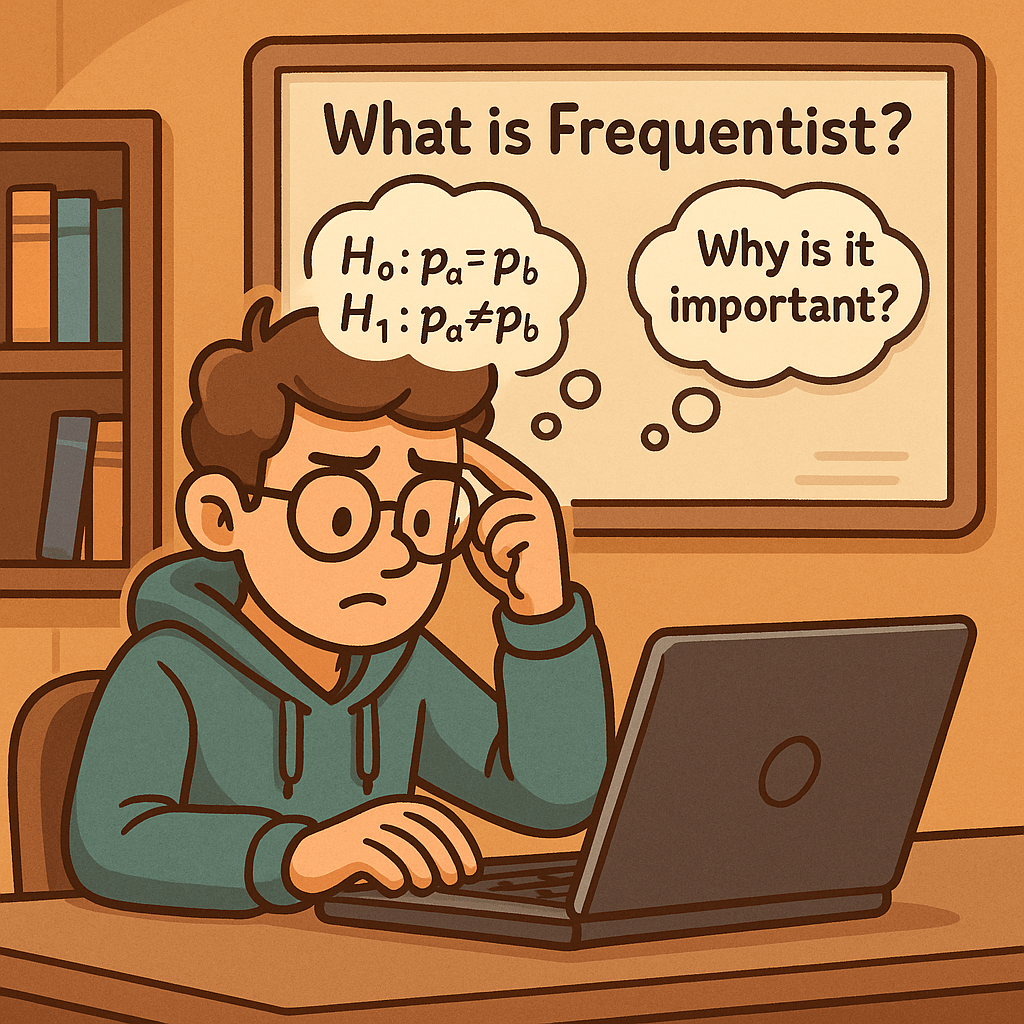
Frequentist Inference in A/B Testing: A Practical Guide

What is Frequentist ?

What is “Frequentist” in A/B Testing?

Frequentist inference interprets probability as the long-run frequency of events. In the context of A/B tests, it asks: If I repeatedly ran this experiment under the null hypothesis, how often would I observe a result at least this extreme just by chance?
Key objects in the frequentist toolkit are null/alternative hypotheses, test statistics, p-values, confidence intervals, Type I/II errors, and power.

Core Concepts (Fast Definitions)

  • Null hypothesis (H₀): No difference between variants (e.g., pA=pB​).
  • Alternative hypothesis (H₁): There is a difference (two-sided) or a specified direction (one-sided).
  • Test statistic: A standardized measure (e.g., a z-score) used to compare observed effects to what chance would produce.
  • p-value: Probability, assuming H₀ is true, of observing data at least as extreme as what you saw.
  • Significance level (α): Threshold for rejecting H₀ (often 0.05).
  • Confidence interval (CI): A range of plausible values for the effect size that would capture the true effect in X% of repeated samples.
  • Power (1−β): Probability your test detects a true effect of a specified size (i.e., avoids a Type II error).

How Frequentist A/B Testing Works (Step-by-Step)

1) Define the effect and hypotheses

For a proportion metric like conversion rate (CR):

  • pA​ = baseline CR (variant A/control)
  • pB​ = treatment CR (variant B/experiment)

Null hypothesis:

H0:pA=pB

Two-sided alternative:

H1:pApB

2) Choose α, power, and (optionally) the Minimum Detectable Effect (MDE)

  • Common choices: α = 0.05, power = 0.8 or 0.9.
  • MDE is the smallest lift you care to detect (planning parameter for sample size).

3) Collect data according to a pre-registered plan

Let nA,nB​ be samples; xA,xB​ conversions; pA=xA/nA, pB=xB/nB.

4) Compute the test statistic (two-proportion z-test)

Pooled proportion under H₀:

p=xA+xBnA+nB

Standard error (SE) under H₀:

SE=p(1p)×(1nA+1nB)

z-statistic:

z=(pBpA)SE

5) Convert z to a p-value

For a two-sided test:

p−value=2×(1Φ(z))

where Φ is the standard normal CDF.

6) Decision rule

  • If p-value ≤ α ⇒ Reject H₀ (evidence of a difference).
  • If p-value > α ⇒ Fail to reject H₀ (data are consistent with no detectable difference).

7) Report the effect size with a confidence interval

Approximate 95% CI for the difference (pB−pA):

(pBpA)±1.96×pA(1pA)nA+pB(1pB)nB

Tip: Also report relative lift (pB/pA−1) and absolute difference (pB−pA).

A Concrete Example (Conversions)

Suppose:

  • nA=10,000,  xA=900⇒pA=0.09
  • nB=10,000,  xB=960⇒pB=0.096

Compute pooled p​, SE, z, p-value, CI using the formulas above. If the two-sided p-value ≤ 0.05 and the CI excludes 0, you can conclude a statistically significant lift of ~0.6 percentage points (≈6.7% relative).

Why Frequentist Testing Is Important

  1. Clear, widely-understood decisions
    Frequentist tests provide a familiar yes/no decision rule (reject/fail to reject H₀) that is easy to operationalize in product pipelines.
  2. Error control at scale
    By fixing α, you control the long-run rate of false positives (Type I errors), crucial when many teams run many tests.
TypeIerrorrate=α
  1. Confidence intervals communicate uncertainty
    CIs provide a range of plausible effects, helping stakeholders gauge practical significance (not just p-values).
  2. Power planning avoids underpowered tests
    You can plan sample sizes to hit desired power for your MDE, reducing wasted time and inconclusive results.

Approximate two-sample proportion power-based sample size per variant:

n(z1−α/2×2p(1p)+z power×p(1p)+(p+Δ)(1pΔ))Δ2

where p is baseline CR and Δ is your MDE in absolute terms.

Practical Guidance & Best Practices

  • Pre-register your hypothesis, metrics, α, stopping rule, and analysis plan.
  • Avoid peeking (optional stopping inflates false positives). If you need flexibility, use group-sequential or alpha-spending methods.
  • Adjust for multiple comparisons when testing many variants/metrics (e.g., Bonferroni, Holm, or control FDR).
  • Check metric distributional assumptions. For very small counts, prefer exact or mid-p tests; for large samples, z-tests are fine.
  • Report both statistical and practical significance. A tiny but “significant” lift may not be worth the engineering cost.
  • Monitor variance early. High variance metrics (e.g., revenue/user) may require non-parametric tests or transformations.

Frequentist vs. Bayesian

  • Frequentist p-values tell you how unusual your data are if H₀ were true.
  • Bayesian methods provide a posterior distribution for the effect (e.g., probability the lift > 0).
    Both are valid; frequentist tests remain popular for their simplicity, well-established error control, and broad tooling support.

Common Pitfalls & How to Avoid Them

  • Misinterpreting p-values: A p-value is not the probability H₀ is true.
  • Multiple peeks without correction: Inflates Type I errors—use planned looks or sequential methods.
  • Underpowered tests: Leads to inconclusive results—plan with MDE and power.
  • Metric shift & novelty effects: Run long enough to capture stabilized user behavior.
  • Winner’s curse: Significant early winners may regress—replicate or run holdout validation.

Reporting Template

  • Hypothesis: H0:pA=pB, H1​: two-sided
  • Design: α=0.05, power=0.8, MDE=…
  • Data: nA,xA,pA; nB,xB,pB
  • Analysis: two-proportion z-test (pooled), 95% CI
  • Result: p-value = …, z = …, 95% CI = […, …], effect = absolute … / relative …
  • Decision: reject/fail to reject H₀
  • Notes: peeking policy, multiple-test adjustments, assumptions check

Final Takeaway

Frequentist A/B testing gives you a disciplined framework to decide whether a product change truly moves your metric or if the observed lift could be random noise. With clear error control, simple decision rules, and mature tooling, it remains a workhorse for experimentation at scale.

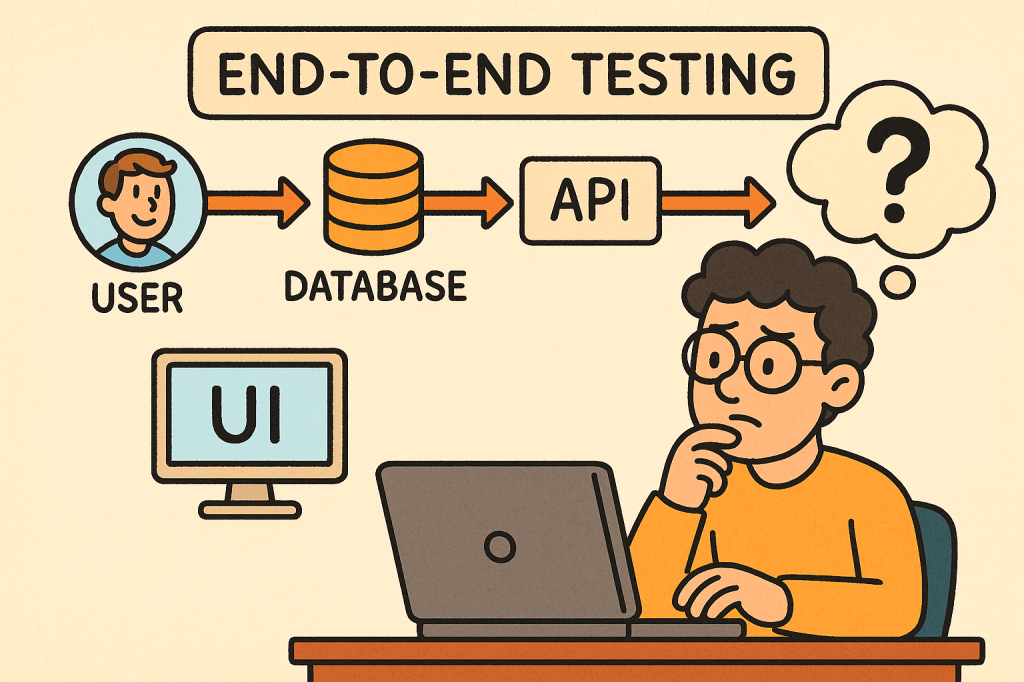
End-to-End Testing in Software Development

What is End to End testing?

In today’s fast-paced software world, ensuring your application works seamlessly from start to finish is critical. That’s where End-to-End (E2E) testing comes into play. It validates the entire flow of an application — from the user interface down to the database and back — making sure every component interacts correctly and the overall system meets user expectations.

What is End-to-End Testing?

End-to-End testing is a type of software testing that evaluates an application’s workflow from start to finish, simulating real-world user scenarios. The goal is to verify that the entire system — including external dependencies like databases, APIs, and third-party services — functions correctly together.

Instead of testing a single module or service in isolation, E2E testing ensures that the complete system behaves as expected when all integrated parts are combined.

For example, in an e-commerce system:

  • A user logs in,
  • Searches for a product,
  • Adds it to the cart,
  • Checks out using a payment gateway,
  • And receives a confirmation email.

E2E testing verifies that this entire sequence works flawlessly.

How Does End-to-End Testing Work?

End-to-End testing typically follows these steps:

  1. Identify User Scenarios
    Define the critical user journeys — the sequences of actions users perform in real life.
  2. Set Up the Test Environment
    Prepare a controlled environment that includes all necessary systems, APIs, and databases.
  3. Define Input Data and Expected Results
    Determine what inputs will be used and what the expected output or behavior should be.
  4. Execute the Test
    Simulate the actual user actions step by step using automated or manual scripts.
  5. Validate Outcomes
    Compare the actual behavior against expected results to confirm whether the test passes or fails.
  6. Report and Fix Issues
    Log any discrepancies and collaborate with the development team to address defects.

Main Components of End-to-End Testing

Let’s break down the key components that make up an effective E2E testing process:

1. Test Scenarios

These represent real-world user workflows. Each scenario tests a complete path through the system, ensuring functional correctness across modules.

2. Test Data

Reliable, representative test data is crucial. It mimics real user inputs and system states to produce accurate testing results.

3. Test Environment

A controlled setup that replicates the production environment — including databases, APIs, servers, and third-party systems — to validate integration behavior.

4. Automation Framework

Automation tools such as Cypress, Selenium, Playwright, or TestCafe are often used to run tests efficiently and repeatedly.

5. Assertions and Validation

Assertions verify that the actual output matches the expected result. These validations ensure each step in the workflow behaves correctly.

6. Reporting and Monitoring

After execution, results are compiled into reports for developers and QA engineers to analyze, helping identify defects quickly.

Benefits of End-to-End Testing

1. Ensures System Reliability

By testing complete workflows, E2E tests ensure that the entire application — not just individual components — works as intended.

2. Detects Integration Issues Early

Since E2E testing validates interactions between modules, it can catch integration bugs that unit or component tests might miss.

3. Improves User Experience

It simulates how real users interact with the system, guaranteeing that the most common paths are always functional.

4. Increases Confidence Before Release

With E2E testing, teams gain confidence that new code changes won’t break existing workflows.

5. Reduces Production Failures

Because it validates real-life scenarios, E2E testing minimizes the risk of major failures after deployment.

Challenges of End-to-End Testing

While E2E testing offers significant value, it also comes with some challenges:

  1. High Maintenance Cost
    Automated E2E tests can become fragile as UI or workflows change frequently.
  2. Slow Execution Time
    Full workflow tests take longer to run than unit or integration tests.
  3. Complex Setup
    Simulating a full production environment — with multiple services, APIs, and databases — can be complex and resource-intensive.
  4. Flaky Tests
    Tests may fail intermittently due to timing issues, network delays, or dependency unavailability.
  5. Difficult Debugging
    When something fails, tracing the root cause can be challenging since multiple systems are involved.

When and How to Use End-to-End Testing

E2E testing is best used when:

  • Critical user workflows need validation.
  • Cross-module integrations exist.
  • Major releases are scheduled.
  • You want confidence in production stability.

Typically, it’s conducted after unit and integration tests have passed.
In Agile or CI/CD environments, E2E tests are often automated and run before deployment to ensure regressions are caught early.

Integrating End-to-End Testing into Your Software Development Process

Here’s how you can effectively integrate E2E testing:

  1. Define Key User Journeys Early
    Collaborate with QA, developers, and business stakeholders to identify essential workflows.
  2. Automate with Modern Tools
    Use frameworks like Cypress, Selenium, or Playwright to automate repetitive E2E scenarios.
  3. Incorporate into CI/CD Pipeline
    Run E2E tests automatically as part of your build and deployment process.
  4. Use Staging Environments
    Always test in an environment that mirrors production as closely as possible.
  5. Monitor and Maintain Tests
    Regularly update test scripts as the UI, APIs, and workflows evolve.
  6. Combine with Other Testing Levels
    Balance E2E testing with unit, integration, and acceptance testing to maintain a healthy test pyramid.

Conclusion

End-to-End testing plays a vital role in ensuring the overall quality and reliability of modern software applications.
By validating real user workflows, it gives teams confidence that everything — from UI to backend — functions smoothly.

While it can be resource-heavy, integrating automated E2E testing within a CI/CD pipeline helps teams catch critical issues early and deliver stable, high-quality releases.

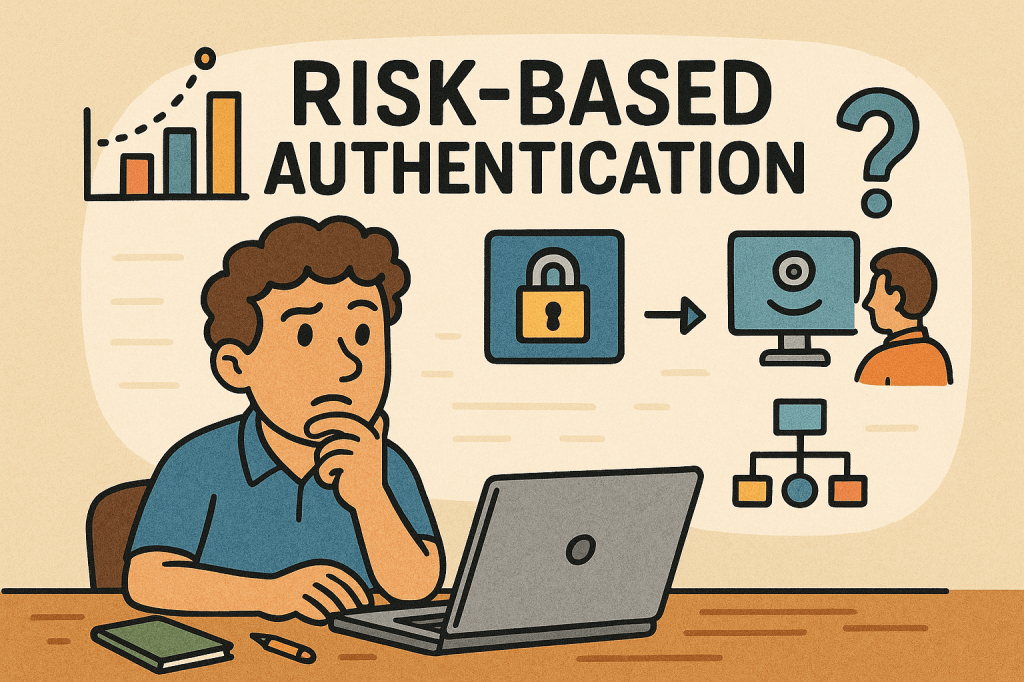
Risk-Based Authentication: A Smarter Way to Secure Users

What is risk based authentication?

What is Risk-Based Authentication?

Risk-Based Authentication (RBA) is an adaptive security approach that evaluates the risk level of a login attempt and adjusts the authentication requirements accordingly. Instead of always requiring the same credentials (like a password and OTP), RBA looks at context—such as device, location, IP address, and user behavior—and decides whether to grant, challenge, or block access.

This method helps balance security and user experience, ensuring that legitimate users face fewer obstacles while suspicious attempts get stricter checks.

A Brief History of Risk-Based Authentication

The concept of Risk-Based Authentication emerged in the early 2000s as online fraud and phishing attacks grew, especially in banking and financial services. Traditional two-factor authentication (2FA) was widely adopted, but it became clear that requiring extra steps for every login created friction for users.

Banks and e-commerce companies began exploring context-aware security, leveraging early fraud detection models. By the mid-2000s, vendors like RSA and large financial institutions were deploying adaptive authentication tools.

Over the years, with advancements in machine learning, behavioral analytics, and big data, RBA evolved into a more precise and seamless mechanism. Today, it’s a cornerstone of Zero Trust architectures and widely used in industries like finance, healthcare, and enterprise IT.

How Does Risk-Based Authentication Work?

RBA works by assigning a risk score to each login attempt, based on contextual signals. Depending on the score, the system decides the next step:

  1. Data Collection – Gather information such as:
    • Device type and fingerprint
    • IP address and geolocation
    • Time of access
    • User’s typical behavior (keystroke patterns, navigation habits)
  2. Risk Scoring – Use rules or machine learning to calculate the probability that the login is fraudulent.
  3. Decision Making – Based on thresholds:
    • Low Risk → Allow login with minimal friction.
    • Medium Risk → Ask for additional verification (OTP, security questions, push notification).
    • High Risk → Block the login or require strong multi-factor authentication.

Main Components of Risk-Based Authentication

  • Risk Engine – The core system that analyzes contextual data and assigns risk scores.
  • Data Sources – Inputs such as IP reputation, device fingerprints, geolocation, and behavioral biometrics.
  • Policy Rules – Configurable logic that defines how the system should respond to different risk levels.
  • Adaptive Authentication Methods – Secondary checks like OTPs, SMS codes, biometrics, or security keys triggered only when needed.
  • Integration Layer – APIs or SDKs that integrate RBA into applications, identity providers, or single sign-on systems.

Benefits of Risk-Based Authentication

  1. Improved Security
    • Detects abnormal behavior like unusual login locations or impossible travel scenarios.
    • Makes it harder for attackers to compromise accounts even with stolen credentials.
  2. Better User Experience
    • Reduces unnecessary friction for trusted users.
    • Only challenges users when risk is detected.
  3. Scalability
    • Works dynamically across millions of logins without overwhelming help desks.
  4. Compliance Support
    • Meets security standards (e.g., PSD2, HIPAA, PCI-DSS) by demonstrating adaptive risk mitigation.

Weaknesses of Risk-Based Authentication

While powerful, RBA isn’t flawless:

  • False Positives – Legitimate users may be flagged and challenged if they travel often or use different devices.
  • Bypass with Sophisticated Attacks – Advanced attackers may mimic device fingerprints or use botnets to appear “low risk.”
  • Complex Implementation – Requires integration with multiple data sources, tuning of risk models, and ongoing maintenance.
  • Privacy Concerns – Collecting and analyzing user behavior (like keystrokes or device details) may raise regulatory and ethical issues.

When and How to Use Risk-Based Authentication

RBA is best suited for environments where security risk is high but user convenience is critical, such as:

  • Online banking and financial services
  • E-commerce platforms
  • Enterprise single sign-on solutions
  • Healthcare portals and government services
  • SaaS platforms with global user bases

It’s especially effective when you want to strengthen authentication without forcing MFA on every single login.

Integrating RBA Into Your Software Development Process

To adopt RBA in your applications:

  1. Assess Security Requirements – Identify which applications and users require adaptive authentication.
  2. Choose an RBA Provider – Options include identity providers (Okta, Ping Identity, Azure AD, Keycloak with extensions) or building custom engines.
  3. Integrate via APIs/SDKs – Many RBA providers offer APIs that hook into your login and identity management system.
  4. Define Risk Policies – Set thresholds for low, medium, and high risk.
  5. Test and Tune Continuously – Use A/B testing and monitoring to reduce false positives and improve accuracy.
  6. Ensure Compliance – Review data collection methods to meet GDPR, CCPA, and other privacy laws.

Conclusion

Risk-Based Authentication provides the perfect balance between strong security and seamless usability. By adapting authentication requirements based on real-time context, it reduces friction for genuine users while blocking suspicious activity.

When thoughtfully integrated into software development processes, RBA can help organizations move towards a Zero Trust security model, protect sensitive data, and create a safer digital ecosystem.

Ephemeral Nature in Computer Science

What is Ephemeral nature?

In computer science, not everything is built to last forever. Some concepts, processes, and resources are intentionally ephemeral—temporary by design, existing only for as long as they are needed. Understanding the ephemeral nature in computing is crucial in today’s world of cloud computing, distributed systems, and modern software engineering practices.

What Is Ephemeral Nature?

The word ephemeral comes from the Greek term ephemeros, meaning “lasting only a day.” In computing, ephemeral nature refers to temporary resources, data, or processes that exist only for a short period of time before disappearing.

Unlike persistent storage, permanent identifiers, or long-running services, ephemeral entities are created dynamically and destroyed once their purpose is fulfilled. This design pattern helps optimize resource usage, increase security, and improve scalability.

Key Features of Ephemeral Nature

Ephemeral components in computer science share several common characteristics:

  • Short-lived existence – Created on demand and destroyed after use.
  • Statelessness – They typically avoid storing long-term data locally, relying instead on persistent storage systems.
  • Dynamic allocation – Resources are provisioned as needed, often automatically.
  • Lightweight – Ephemeral systems focus on speed and efficiency rather than durability.
  • Disposable – If destroyed, they can be recreated without data loss or interruption.

Examples of Ephemeral Concepts

Ephemeral nature shows up across many areas of computing. Here are some key examples:

1. Ephemeral Ports

Operating systems assign ephemeral ports dynamically for outbound connections. These ports are temporary and only exist during the lifetime of the connection. Once closed, the port number is freed for reuse.

2. Ephemeral Containers

In containerized environments (like Docker or Kubernetes), ephemeral containers are temporary instances used for debugging, testing, or handling short-lived workloads. They can be spun up and torn down quickly without long-term impact.

3. Ephemeral Storage

Many cloud providers (AWS, Azure, GCP) offer ephemeral storage volumes attached to virtual machines. These disks are temporary and wiped when the instance is stopped or terminated.

4. Ephemeral Keys and Certificates

In cryptography, ephemeral keys (like in Diffie-Hellman Ephemeral, DHE) are generated for each session, ensuring forward secrecy. They exist only during the connection and are discarded afterward.

Real-World Examples

  • Cloud Virtual Machines: AWS EC2 instances often come with ephemeral storage. If you stop or terminate the instance, the storage is deleted automatically.
  • Kubernetes Pods: Pods are designed to be ephemeral—if one crashes, Kubernetes spins up a replacement automatically.
  • TLS Handshakes: Ephemeral session keys are used to secure encrypted communications over HTTPS, preventing attackers from decrypting past conversations even if they obtain long-term keys.
  • CI/CD Pipelines: Build agents are often ephemeral; they spin up for a job, run the build, then terminate to save costs.

Why and How Should We Use Ephemeral Nature?

Why Use It?

  • Scalability: Short-lived resources allow systems to adapt to demand.
  • Efficiency: Prevents waste by using resources only when necessary.
  • Security: Temporary keys and sessions reduce the attack surface.
  • Reliability: Systems like Kubernetes rely on ephemeral workloads for resilience and fault tolerance.

How To Use It?

  • Design stateless applications – Store critical data in persistent databases or distributed storage, not in ephemeral containers.
  • Leverage cloud services – Use ephemeral VMs, containers, and storage to reduce infrastructure costs.
  • Implement security best practices – Use ephemeral credentials (like short-lived API tokens) instead of long-lived secrets.
  • Automate recreation – Ensure your system can automatically spin up replacements when ephemeral resources are destroyed.

Conclusion

The ephemeral nature in computer science is not a weakness but a strength—it enables efficiency, scalability, and security in modern systems. From cloud computing to encryption, ephemeral resources are everywhere, shaping how we build and run software today.

By embracing ephemeral concepts in your architecture, you can design systems that are more resilient, cost-effective, and secure, perfectly aligned with today’s fast-changing digital world.

ISO/IEC/IEEE 42010: Understanding the Standard for Architecture Descriptions

What is ISO/IEC/IEEE 42010?

What is ISO/IEC/IEEE 42010?

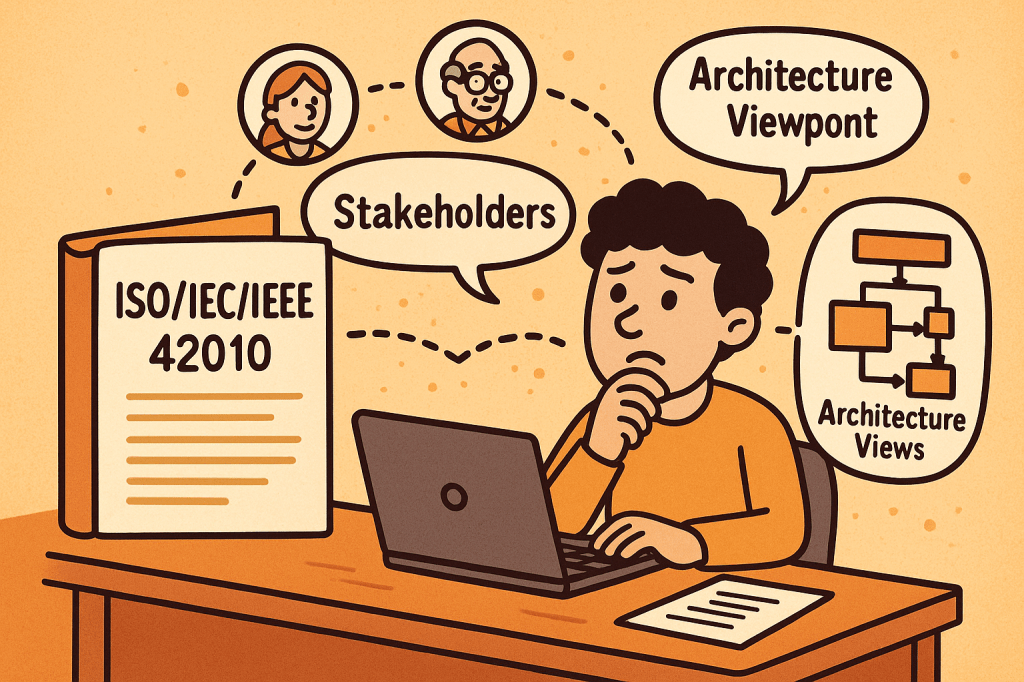
ISO/IEC/IEEE 42010 is an international standard that provides guidance for describing system and software architectures. It ensures that architecture descriptions are consistent, comprehensive, and understandable to all stakeholders.

The standard defines a framework and terminology that helps architects document, communicate, and evaluate software and systems architectures in a standardized and structured way.

At its core, ISO/IEC/IEEE 42010 answers the question: How do we describe architectures so they are meaningful, useful, and comparable?

A Brief History of ISO/IEC/IEEE 42010

The standard evolved to address the increasing complexity of systems and the lack of uniformity in architectural documentation:

  • 1996 – The original version was published as IEEE Std 1471-2000, known as “Recommended Practice for Architectural Description of Software-Intensive Systems.”
  • 2007 – Adopted by ISO and IEC as ISO/IEC 42010:2007, giving it wider international recognition.
  • 2011 – Revised and expanded as ISO/IEC/IEEE 42010:2011, incorporating both system and software architectures, aligning with global best practices, and harmonizing with IEEE.
  • Today – It remains the foundational standard for architecture description, often referenced in model-driven development, enterprise architecture, and systems engineering.

Key Components and Features of ISO/IEC/IEEE 42010

The standard defines several core concepts to ensure architecture descriptions are useful and structured:

1. Stakeholders

  • Individuals, teams, or organizations who have an interest in the system (e.g., developers, users, maintainers, regulators).
  • The standard emphasizes identifying stakeholders and their concerns.

2. Concerns

  • Issues that stakeholders care about, such as performance, security, usability, reliability, scalability, and compliance.
  • Architecture descriptions must explicitly address these concerns.

3. Architecture Views

  • Representations of the system from the perspective of particular concerns.
  • For example:
    • A deployment view shows how software maps to hardware.
    • A security view highlights authentication, authorization, and data protection.

4. Viewpoints

  • Specifications that define how to construct and interpret views.
  • Example: A UML diagram might serve as a viewpoint to express design details.

5. Architecture Description (AD)

  • The complete set of views, viewpoints, and supporting information documenting the architecture of a system.

6. Correspondences and Rationale

  • Explains how different views relate to each other.
  • Provides reasoning for architectural choices, improving traceability.

Why Do We Need ISO/IEC/IEEE 42010?

Architectural documentation often suffers from being inconsistent, incomplete, or too tailored to one stakeholder group. This is where ISO/IEC/IEEE 42010 adds value:

  • Improves communication
    Provides a shared vocabulary and structure for architects, developers, managers, and stakeholders.
  • Ensures completeness
    Encourages documenting all stakeholder concerns, not just technical details.
  • Supports evaluation
    Helps teams assess whether the architecture meets quality attributes like performance, maintainability, and security.
  • Enables consistency
    Standardizes how architectures are described, making them easier to compare, reuse, and evolve.
  • Facilitates governance
    Useful in regulatory or compliance-heavy industries (healthcare, aerospace, finance) where documentation must meet international standards.

What ISO/IEC/IEEE 42010 Does Not Cover

While it provides a strong framework for describing architectures, it does not define or prescribe:

  • Specific architectural methods or processes
    It does not tell you how to design an architecture (e.g., Agile, TOGAF, RUP). Instead, it tells you how to describe the architecture once you’ve designed it.
  • Specific notations or tools
    The standard does not mandate UML, ArchiMate, or SysML. Any notation can be used, as long as it aligns with stakeholder concerns.
  • System or software architecture itself
    It is not a design method, but rather a documentation and description framework.
  • Quality guarantees
    It ensures concerns are addressed and documented but does not guarantee that the system will meet those concerns in practice.

Final Thoughts

ISO/IEC/IEEE 42010 is a cornerstone standard in systems and software engineering. It brings clarity, structure, and rigor to how we document architectures. While it doesn’t dictate how to build systems, it ensures that when systems are built, their architectures are well-communicated, stakeholder-driven, and consistent.

For software teams, enterprise architects, and systems engineers, adopting ISO/IEC/IEEE 42010 can significantly improve communication, reduce misunderstandings, and strengthen architectural governance.

Acceptance Testing: A Complete Guide

What is acceptance testing?

What is Acceptance Testing?

Acceptance Testing is a type of software testing conducted to determine whether a system meets business requirements and is ready for deployment. It is the final phase of testing before software is released to production. The primary goal is to validate that the product works as expected for the end users and stakeholders.

Unlike unit or integration testing, which focus on technical correctness, acceptance testing focuses on business functionality and usability.

Main Features and Components of Acceptance Testing

  1. Business Requirement Focus
    • Ensures the product aligns with user needs and business goals.
    • Based on functional and non-functional requirements.
  2. Stakeholder Involvement
    • End users, product owners, or business analysts validate the results.
  3. Predefined Test Cases and Scenarios
    • Tests are derived directly from user stories or requirement documents.
  4. Pass/Fail Criteria
    • Each test has a clear outcome: if all criteria are met, the system is accepted.
  5. Types of Acceptance Testing
    • User Acceptance Testing (UAT): Performed by end users.
    • Operational Acceptance Testing (OAT): Focuses on operational readiness (backup, recovery, performance).
    • Contract Acceptance Testing (CAT): Ensures software meets contractual obligations.
    • Regulation Acceptance Testing (RAT): Ensures compliance with industry standards and regulations.

How Does Acceptance Testing Work?

  1. Requirement Analysis
    • Gather business requirements, user stories, and acceptance criteria.
  2. Test Planning
    • Define objectives, entry/exit criteria, resources, timelines, and tools.
  3. Test Case Design
    • Create test cases that reflect real-world business processes.
  4. Environment Setup
    • Prepare a production-like environment for realistic testing.
  5. Execution
    • Stakeholders or end users execute tests to validate features.
  6. Defect Reporting and Retesting
    • Any issues are reported, fixed, and retested.
  7. Sign-off
    • Once all acceptance criteria are met, the software is approved for release.

Benefits of Acceptance Testing

  • Ensures Business Alignment: Confirms that the software meets real user needs.
  • Improves Quality: Reduces the chance of defects slipping into production.
  • Boosts User Satisfaction: End users are directly involved in validation.
  • Reduces Costs: Catching issues before release is cheaper than fixing post-production bugs.
  • Regulatory Compliance: Ensures systems meet industry or legal standards.

When and How Should We Use Acceptance Testing?

  • When to Use:
    • At the end of the development cycle, after system and integration testing.
    • Before product release or delivery to the customer.
  • How to Use:
    • Involve end users early in test planning.
    • Define clear acceptance criteria at the requirement-gathering stage.
    • Automate repetitive acceptance tests for efficiency (e.g., using Cucumber, FitNesse).

Real-World Use Cases of Acceptance Testing

  1. E-commerce Platforms
    • Testing if users can successfully search, add products to cart, checkout, and receive order confirmations.
  2. Banking Systems
    • Verifying that fund transfers, account balance checks, and statement generations meet regulatory and business expectations.
  3. Healthcare Software
    • Ensuring that patient data is stored securely and workflows comply with HIPAA regulations.
  4. Government Systems
    • Confirming that online tax filing applications meet both citizen needs and legal compliance.

How to Integrate Acceptance Testing into the Software Development Process

  1. Agile & Scrum Integration
    • Define acceptance criteria in each user story.
    • Automate acceptance tests as part of the CI/CD pipeline.
  2. Shift-Left Approach
    • Involve stakeholders early in requirement definition and acceptance test design.
  3. Tool Support
    • Use tools like Cucumber, Behave, Selenium, FitNesse for automation.
    • Integrate with Jenkins, GitLab CI/CD, or Azure DevOps for continuous validation.
  4. Feedback Loops
    • Provide immediate feedback to developers and business owners when acceptance criteria fail.

Conclusion

Acceptance Testing is the bridge between technical correctness and business value. By validating the system against business requirements, organizations ensure higher quality, regulatory compliance, and user satisfaction. When properly integrated into the development process, acceptance testing reduces risks, improves product reliability, and builds stakeholder confidence.

Blog at WordPress.com.

Up ↑