Search

Software Engineer's Notes

Tag

programming

MemorySanitizer (MSan): A Practical Guide for Finding Uninitialized Memory Reads

What is MemorySanitizer ?

What is MemorySanitizer?

MemorySanitizer (MSan) is a runtime instrumentation tool that flags reads of uninitialized memory in C/C++ (and languages that compile down to native code via Clang/LLVM). Unlike AddressSanitizer (ASan), which focuses on heap/stack/global buffer overflows and use-after-free, MSan’s sole mission is to detect when your program uses a value that was never initialized (e.g., a stack variable you forgot to set, padding bytes in a struct, or memory returned by malloc that you used before writing to it).

Common bug patterns MSan catches:

  • Reading a stack variable before assignment.
  • Using struct/class fields that are conditionally initialized.
  • Consuming library outputs that contain undefined bytes.
  • Leaking uninitialized padding across ABI boundaries.
  • Copying uninitialized memory and later branching on it.

How does MemorySanitizer work?

At a high level:

  1. Compiler instrumentation
    When you compile with -fsanitize=memory, Clang inserts checks and metadata propagation into your binary. Every program byte that could hold a runtime value gets an associated “shadow” state describing whether that value is initialized (defined) or not (poisoned).
  2. Shadow memory & poisoning
    • Shadow memory is a parallel memory space that tracks definedness of each byte in your program’s memory.
    • When you allocate memory (stack/heap), MSan poisons it (marks as uninitialized).
    • When you assign to memory, MSan unpoisons the relevant bytes.
    • When you read memory, MSan checks the shadow. If any bit is poisoned, it reports an uninitialized read.
  3. Taint/propagation
    Uninitialized data is treated like a taint: if you compute z = x + y and either x or y is poisoned, then z becomes poisoned. If poisoned data controls a branch or system call parameter, MSan reports it.
  4. Intercepted library calls
    Many libc/libc++ functions are intercepted so MSan can maintain correct shadow semantics—for example, telling MSan that memset to a constant unpoisons bytes, or that read() fills a buffer with defined data (or not, depending on return value). Using un-instrumented libraries breaks these guarantees (see “Issues & Pitfalls”).
  5. Origin tracking (optional but recommended)
    With -fsanitize-memory-track-origins=2, MSan stores an origin stack trace for poisoned values. When a bug triggers, you’ll see both:
    • Where the uninitialized read happens, and
    • Where the data first became poisoned (e.g., the stack frame where a variable was allocated but never initialized).
      This dramatically reduces time-to-fix.

Key Components (in detail)

  1. Compiler flags
    • Core: -fsanitize=memory
    • Origins: -fsanitize-memory-track-origins=2 (levels: 0/1/2; higher = richer origin info, more overhead)
    • Typical extras: -fno-omit-frame-pointer -g -O1 (or your preferred -O level; keep debuginfo for good stacks)
  2. Runtime library & interceptors
    MSan ships a runtime that:
    • Manages shadow/origin memory.
    • Intercepts popular libc/libc++ functions, syscalls, threading primitives, etc., to keep shadow state accurate.
  3. Shadow & Origin Memory
    • Shadow: tracks definedness per byte.
    • Origin: associates poisoned bytes with a traceable “birthplace” (function/file/line), invaluable for root cause.
  4. Reports & Stack Traces
    When MSan detects an uninitialized read, it prints:
    • The site of the read (file:line stack).
    • The origin (if enabled).
    • Register/memory dump highlighting poisoned bytes.
  5. Suppressions & Options
    • You can use suppressions for known noisy functions or third-party libs you cannot rebuild.
    • Runtime tuning via env vars (e.g., MSAN_OPTIONS) to adjust reporting, intercept behaviors, etc.

Issues, Limitations, and Gotchas

  • You must rebuild (almost) everything with MSan.
    If any library is not compiled with -fsanitize=memory (and proper flags), its interactions may produce false positives or miss bugs. This is the #1 hurdle.
    • In practice, you rebuild your app, its internal libraries, and as many third-party libs as feasible.
    • For system libs where rebuild is impractical, rely on interceptors and suppressions, but expect gaps.
  • Platform support is narrower than ASan.
    MSan primarily targets Linux and specific architectures. It’s less ubiquitous than ASan or UBSan. (Check your Clang/LLVM version’s docs for exact support.)
  • Runtime overhead.
    Expect ~2–3× CPU overhead and increased memory consumption, more with origin tracking. MSan is intended for CI/test builds—not production.
  • Focus scope: uninitialized reads only.
    MSan won’t detect buffer overflows, UAF, data races, UB patterns, etc. Combine with ASan/TSan/UBSan in separate jobs.
  • Struct padding & ABI wrinkles.
    Padding bytes frequently remain uninitialized and can “escape” via I/O, hashing, or serialization. MSan will flag these—sometimes noisy, but often uncovering real defects (e.g., nondeterministic hashes).

How and When Should We Use MSan?

Use MSan when:

  • You have flaky tests or heisenbugs suggestive of uninitialized data.
  • You want strong guarantees that values used in logic/branches/syscalls were actually initialized.
  • You’re developing security-sensitive or determinism-critical code (crypto, serialization, compilers, DB engines).
  • You’re modernizing a legacy codebase known to rely on “it happens to work”.

Workflow advice:

  • Run MSan in dedicated CI jobs on debug or rel-with-debinfo builds.
  • Combine with high-coverage tests, fuzzers, and scenario suites.
  • Keep origin tracking enabled in at least one job.
  • Incrementally port third-party deps or apply suppressions as you go.

FAQ

Q: Can I run MSan in production?
A: Not recommended. The overhead is significant and the goal is pre-production bug finding.

Q: What if I can’t rebuild a system library?
A: Try a source build, fall back to MSan interceptors and suppressions, or write wrappers that fully initialize buffers before/after calls.

Q: How does MSan compare to Valgrind/Memcheck?
A: MSan is compiler-based and much faster, but requires recompilation. Memcheck is binary-level (no recompile) but slower; using both in different pipelines is often valuable.

Conclusion

MemorySanitizer is laser-focused on a class of bugs that can be subtle, security-relevant, and notoriously hard to reproduce. With a dedicated CI job, origin tracking, and disciplined rebuilds of dependencies, MSan will pay for itself quickly—turning “it sometimes fails” into a concrete stack trace and a one-line fix.

Stable Bucketing in A/B Testing

What is Stable Bucketing?

What Is Stable Bucketing?

Stable bucketing is a repeatable, deterministic way to assign units (users, sessions, accounts, devices, etc.) to experiment variants so that the same unit always lands in the same bucket whenever the assignment is recomputed. It’s typically implemented with a hash function over a unit identifier and an experiment “seed” (or namespace), then mapped to a bucket index.

Key idea: assignment never changes for a given (unit_id, experiment_seed) unless you deliberately change the seed or unit of bucketing. This consistency is crucial for clean experiment analysis and operational simplicity.

Why We Need It (At a Glance)

  • Consistency: Users don’t flip between A and B when they return later.
  • Reproducibility: You can recompute assignments offline for debugging and analysis.
  • Scalability: Works statelessly across services and languages.
  • Safety: Lets you ramp traffic up or down without re-randomizing previously assigned users.
  • Analytics integrity: Reduces bias and cross-contamination when users see multiple experiments.

How Stable Bucketing Works (Step-by-Step)

1) Choose Your Unit of Bucketing

Pick the identity that best matches the causal surface of your treatment:

  • User ID (most common): stable across sessions/devices (if you have login).
  • Device ID: when login is rare; beware of cross-device spillover.
  • Session ID / Request ID: only for per-request or per-session treatments.

Rule of thumb: bucket at the level where the treatment is applied and outcomes are measured.

2) Build a Deterministic Hash

Compute a hash over a canonical string like:

canonical_key = experiment_namespace + ":" + unit_id
hash = H(canonical_key)  // e.g., 64-bit MurmurHash3, xxHash, SipHash

Desiderata: fast, language-portable implementations, low bias, and uniform output over a large integer space (e.g., 2^64).

3) Normalize to [0, 1)

Convert the integer hash to a unit interval. With a 64-bit unsigned hash h∈{0,…,264−1}:

u = h / 2^64   // floating-point in [0,1)

4) Map to Buckets

If you have K total buckets (e.g., 1000) and want to allocate N of them to the experiment (others remain “control” or “not in experiment”), you can map:

bucket = u × K

Then assign variant ranges. For a 50/50 split with two variants A and B over the same experiment allocation, for example:

  • A gets buckets [0,K/2−1]
  • B gets buckets [K/2,K−1]

You can also reserve a global “control” by giving it a fixed bucket range that is outside any experiment’s allocation.

5) Control Allocation (Traffic Percentage)

If the intended inclusion probability is p (e.g., 10%), assign the first p⋅K buckets to the experiment:

N = p × K

Include a unit if bucket < N. Split inside N across variants according to desired proportions.

Minimal Pseudocode (Language-Agnostic)

function assign_variant(unit_id, namespace, variants):
    // variants = [{name: "A", weight: 0.5}, {name: "B", weight: 0.5}]
    key = namespace + ":" + canonicalize(unit_id)
    h = Hash64(key)                       // e.g., MurmurHash3 64-bit
    u = h / 2^64                          // float in [0,1)
    // cumulative weights to pick variant
    cum = 0.0
    for v in variants:
        cum += v.weight
        if u < cum:
            return v.name
    return variants[-1].name              // fallback for rounding

Deterministic: same (unit_id, namespace) → same u → same variant every time.

Statistical Properties (Why It Works)

Assuming the hash behaves like a uniform random function over [0,1), the inclusion indicator li​ for each unit i with target probability p is:

(A) = E[n_A] = pn Var[n_A] = np(1p)

With stable bucketing, units included at ramp-up remain included as you increase p (monotone ramps), which avoids re-randomization noise.

Benefits & Why It’s Important (In Detail)

1) User Experience Consistency

  • A returning user continues to see the same treatment, preventing confusion and contamination.
  • Supports long-running or incremental rollouts (10% → 25% → 50% → 100%) without users flipping between variants.

2) Clean Causal Inference

  • Avoids cross-over effects that can bias estimates when users switch variants mid-experiment.
  • Ensures SUTVA-like stability at the chosen unit (no unit’s potential outcomes change due to assignment instability).

3) Operational Simplicity & Scale

  • Stateless assignment (derive on the fly from (unit_id, namespace)).
  • Works across microservices and languages as long as the hash function and namespace are shared.

4) Reproducibility & Debugging

  • Offline recomputation lets you verify assignments, investigate suspected sample ratio mismatches (SRM), and audit exposure logs.

5) Safe Traffic Management

  • Ramps: increasing p simply widens the bucket interval—no reshuffling of already exposed users.
  • Kill-switches: setting p=0 instantly halts new exposures while keeping analysis intact.

6) Multi-Experiment Harmony

  • Use namespaces or layered bucketing to keep unrelated experiments independent while permitting intended interactions when needed.

Practical Design Choices & Pitfalls

Hash Function

  • Prefer fast, well-tested non-cryptographic hashes (MurmurHash3, xxHash).
  • If adversarial manipulation is a risk (e.g., public IDs), consider SipHash or SHA-based hashing.

Namespace (Seed) Discipline

  • The experiment_namespace must be unique per experiment/phase. Changing it intentionally re-randomizes.
  • For follow-up experiments requiring independence, use a new namespace. For continued exposure, reuse the old one.

Bucket Count & Mapping

  • Use a large K (e.g., 10,000) to get fine-grained control over traffic percentages and reduce allocation rounding issues.

Unit of Bucketing Mismatch

  • If treatment acts at the user level but you bucket by device, a single user on two devices can see different variants (spillover). Align unit with treatment.

Identity Resolution

  • Cross-device/user-merges can change effective unit IDs. Decide whether to lock assignment post-merge or recompute at login—document the policy and its analytical implications.

SRM Monitoring

  • Even with stable bucketing, instrumentation bugs, filters, and eligibility rules can create SRM. Continuously monitor observed splits versus expected ppp.

Privacy & Compliance

  • Hash only pseudonymous identifiers and avoid embedding raw PII in logs. Salt/namespace prevents reuse of the same hash across experiments.

Example: Two-Variant 50/50 with 20% Traffic

Setup

  • K=10,000 buckets
  • Experiment gets p=0.2 ⇒ N=2,000 buckets
  • Within experiment, A and B each get 50% of the N buckets (1,000 each)

Mapping

  • Include user if 0 ≤ bucket < 2000
  • If included:
    • A: 0 ≤ bucket < 1000
    • B: 1000 ≤ bucket < 2000
  • Else: not in experiment (falls through to global control)

Ramp from 20% → 40%

  • Extend inclusion to 0 ≤ bucket < 4000
  • Previously included users stay included; new users are added without reshuffling earlier assignments.

Math Summary (Allocation & Variant Pick)

Inclusion Decision

include = [ u×K < N ]

Variant Selection by Cumulative Weights

Let variants have weights w1,…wm​ with ∑wj=1 . Pick the smallest j such that:

u < k=1 wk

Implementation Tips (Prod-Ready)

  • Canonicalization: Lowercase IDs, trim whitespace, and normalize encodings before hashing.
  • Language parity tests: Create cross-language golden tests (input → expected bucket) for your SDKs.
  • Versioning: Version your bucketing algorithm; log algo_version, namespace, and unit_id_type.
  • Exposure logs: Record (unit_id, namespace, variant, timestamp) for auditability.
  • Dry-run: Add an endpoint or feature flag to validate expected split on synthetic data before rollout.

Takeaways

Stable bucketing is the backbone of reliable A/B testing infrastructure. By hashing a stable unit ID within a disciplined namespace, you get deterministic, scalable, and analyzable assignments. This prevents cross-over effects, simplifies rollouts, and preserves statistical validity—exactly what you need for trustworthy product decisions.

A/B Testing: A Practical Guide for Software Teams

What is A/B Testing?

What Is A/B Testing?

A/B testing (a.k.a. split testing or controlled online experiments) is a method of comparing two or more variants of a product change—such as copy, layout, flow, pricing, or algorithm—by randomly assigning users to variants and measuring which one performs better against a predefined metric (e.g., conversion, retention, time-to-task).

At its heart: random assignment + consistent tracking + statistical inference.

A Brief History (Why A/B Testing Took Over)

  • Early 1900s — Controlled experiments: Agricultural and medical fields formalized randomized trials and statistical inference.
  • Mid-20th century — Statistical tooling: Hypothesis testing, p-values, confidence intervals, power analysis, and experimental design matured in academia and industry R&D.
  • 1990s–2000s — The web goes measurable: Log files, cookies, and analytics made user behavior observable at scale.
  • 2000s–2010s — Experimentation platforms: Companies productized experimentation (feature flags, automated randomization, online metrics pipelines).
  • Today — “Experimentation culture”: Product, growth, design, and engineering teams treat experiments as routine, from copy tweaks to search/recommendation algorithms.

Core Components & Features

1) Hypothesis & Success Metrics

  • Hypothesis: A clear, falsifiable statement (e.g., “Showing social proof will increase sign-ups by 5%”).
  • Primary metric: One north-star KPI (e.g., conversion rate, revenue/user, task completion).
  • Guardrail metrics: Health checks to prevent harm (e.g., latency, churn, error rates).

2) Randomization & Assignment

  • Unit of randomization: User, session, account, device, or geo—pick the unit that minimizes interference.
  • Stable bucketing: Deterministic hashing (e.g., userID → bucket) ensures users stay in the same variant.
  • Traffic allocation: 50/50 is common; you can ramp gradually (1% → 5% → 20% → 50% → 100%).

3) Instrumentation & Data Quality

  • Event tracking: Consistent event names, schemas, and timestamps.
  • Exposure logging: Record which variant each user saw.
  • Sample Ratio Mismatch (SRM) checks: Detect broken randomization or filtering errors.

4) Statistical Engine

  • Frequentist or Bayesian: Both are valid; choose one approach and document your decision rules.
  • Power & duration: Estimate sample size before launch to avoid underpowered tests.
  • Multiple testing controls: Correct when running many metrics or variants.

5) Feature Flagging & Rollouts

  • Kill switch: Instantly turn off a harmful variant.
  • Targeting: Scope by country, device, cohort, or feature entitlement.
  • Gradual rollouts: Reduce risk and observe leading indicators.

How A/B Testing Works (Step-by-Step)

  1. Frame the problem
    • Define the user problem and the behavioral outcome you want to change.
    • Write a precise hypothesis and pick one primary metric (and guardrails).
  2. Design the experiment
    • Choose the unit of randomization and traffic split.
    • Compute minimum detectable effect (MDE) and sample size/power.
    • Decide the test window (consider seasonality, weekends vs weekdays).
  3. Prepare instrumentation
    • Add/verify events and parameters.
    • Add exposure logging (user → variant).
    • Set up dashboards for primary and guardrail metrics.
  4. Implement variants
    • A (control): Current experience.
    • B (treatment): Single, intentionally scoped change. Avoid bundling many changes.
  5. Ramp safely
    • Start with a small percentage to validate no obvious regressions (guardrails: latency, errors, crash rate).
    • Increase to planned split once stable.
  6. Run until stopping criteria
    • Precommit rules: fixed sample size or statistical thresholds (e.g., 95% confidence / high posterior).
    • Don’t peek and stop early unless you’ve planned sequential monitoring.
  7. Analyze & interpret
    • Check SRM, data freshness, assignment integrity.
    • Evaluate effect size, uncertainty (CIs or posteriors), and guardrails.
    • Consider heterogeneity (e.g., new vs returning users), but beware p-hacking.
  8. Decide & roll out
    • Ship B if it improves the primary metric without harming guardrails.
    • Rollback or iterate if neutral/negative or inconclusive.
    • Document learnings and add to a searchable “experiment logbook.”

Benefits

  • Customer-centric outcomes: Real user behavior, not opinions.
  • Reduced risk: Gradual exposure with kill switches prevents widespread harm.
  • Compounding learning: Your experiment log becomes a strategic asset.
  • Cross-functional alignment: Designers, PMs, and engineers align around clear metrics.
  • Efficient investment: Double down on changes that actually move the needle.

Challenges & Pitfalls (and How to Avoid Them)

  • Underpowered tests: Too little traffic or too short duration → inconclusive results.
    • Fix: Do power analysis; increase traffic or MDE; run longer.
  • Sample Ratio Mismatch (SRM): Unequal assignment when you expected 50/50.
    • Fix: Automate SRM checks; verify hashing, filters, bot traffic, and eligibility gating.
  • Peeking & p-hacking: Repeated looks inflate false positives.
    • Fix: Predefine stopping rules; use sequential methods if you must monitor continuously.
  • Metric mis-specification: Optimizing vanity metrics can hurt long-term value.
    • Fix: Choose metrics tied to business value; set guardrails.
  • Interference & contamination: Users see both variants (multi-device) or influence each other (network effects).
    • Fix: Pick the right unit; consider cluster-randomized tests.
  • Seasonality & novelty effects: Short-term lifts can fade.
    • Fix: Run long enough; validate with holdouts/longitudinal analysis.
  • Multiple comparisons: Many metrics/variants inflate Type I error.
    • Fix: Pre-register metrics; correct (e.g., Holm-Bonferroni) or use hierarchical/Bayesian models.

When Should You Use A/B Testing?

Use it when:

  • You can randomize exposure and measure outcomes reliably.
  • The expected effect is detectable with your traffic and time constraints.
  • The change is reversible and safe to ramp behind a flag.
  • You need causal evidence (vs. observational analytics).

Avoid or rethink when:

  • The feature is safety-critical or legally constrained (no risky variants).
  • Traffic is too low for a meaningful test—consider switchback tests, quasi-experiments, or qualitative research.
  • The change is broad and coupled (e.g., entire redesign) — consider staged launches plus targeted experiments inside the redesign.

Integrating A/B Testing Into Your Software Development Process

1) Add Experimentation to Your SDLC

  • Backlog (Idea → Hypothesis):
    • Each experiment ticket includes hypothesis, primary metric, MDE, power estimate, and rollout plan.
  • Design & Tech Spec:
    • Define variants, event schema, exposure logging, and guardrails.
    • Document assignment unit and eligibility filters.
  • Implementation:
    • Wrap changes in feature flags with a kill switch.
    • Add analytics events; verify in dev/staging with synthetic users.
  • Code Review:
    • Check flag usage, deterministic bucketing, and event coverage.
    • Ensure no variant leaks (CSS/JS not loaded across variants unintentionally).
  • Release & Ramp:
    • Start at 1–5% to validate stability; then ramp to target split.
    • Monitor guardrails in real time; alert on SRM or error spikes.
  • Analysis & Decision:
    • Use precommitted rules; share dashboards; write a brief “experiment memo.”
    • Update your Experiment Logbook (title, hypothesis, dates, cohorts, results, learnings, links to PRs/dashboards).
  • Operationalize Learnings:
    • Roll proven improvements to 100%.
    • Create Design & Content Playbooks from repeatable wins (e.g., messaging patterns that consistently outperform).

2) Minimal Tech Stack (Tool-Agnostic)

  • Feature flags & targeting: Server-side or client-side SDK with deterministic hashing.
  • Assignment & exposure service: Central place to decide variant and log the exposure event.
  • Analytics pipeline: Event ingestion → cleaning → sessionization/cohorting → metrics store.
  • Experiment service: Defines experiments, splits traffic, enforces eligibility, and exposes results.
  • Dashboards & alerting: Real-time guardrails + end-of-test summaries.
  • Data quality jobs: Automated SRM checks, missing event detection, and schema validation.

3) Governance & Culture

  • Pre-registration: Write hypotheses and metrics before launch.
  • Ethics & privacy: Respect consent, data minimization, and regional regulations.
  • Education: Train PM/Design/Eng on power, peeking, SRM, and metric selection.
  • Review board (optional): Larger orgs can use a small reviewer group to sanity-check experimental design.

Practical Examples

  • Signup flow: Test shorter forms vs. progressive disclosure; primary metric: completed signups; guardrails: support tickets, refund rate.
  • Onboarding: Compare tutorial variants; metric: 7-day activation (first “aha” event).
  • Pricing & packaging: Test plan names or anchor prices in a sandboxed flow; guardrails: churn, support contacts, NPS.
  • Search/ranking: Algorithmic tweaks; use interleaving or bucket testing with holdout cohorts; guardrails: latency, relevance complaints.

FAQ

Q: Frequentist or Bayesian?
A: Either works if you predefine decision rules and educate stakeholders. Bayesian posteriors are intuitive; frequentist tests are widely standard.

Q: How long should I run a test?
A: Until you reach the planned sample size or stopping boundary, covering at least one full user-behavior cycle (e.g., weekend + weekday).

Q: What if my traffic is low?
A: Increase MDE, test higher-impact changes, aggregate across geos, or use sequential tests. Complement with qualitative research.

Quick Checklist

  • Hypothesis, primary metric, guardrails, MDE, power
  • Unit of randomization and eligibility
  • Feature flag + kill switch
  • Exposure logging and event schema
  • SRM monitoring and guardrail alerts
  • Precommitted stopping rules
  • Analysis report + decision + logbook entry

Single-Page Applications (SPA): A Practical Guide for Modern Web Teams

What is Single Page Application?

What is a Single-Page Application?

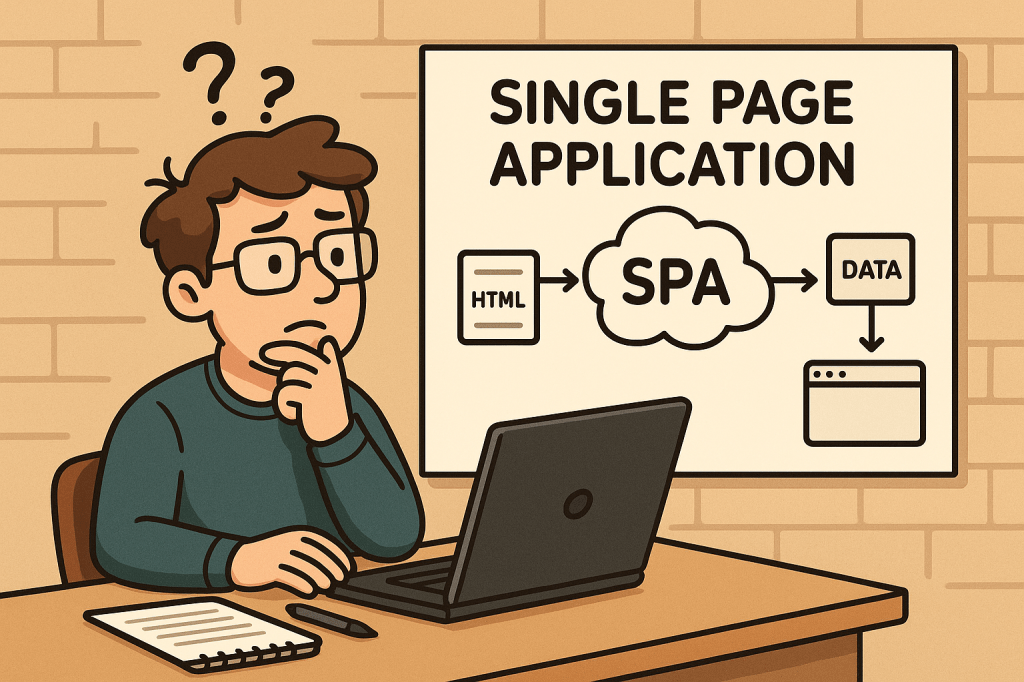
A Single-Page Application (SPA) is a web app that loads a single HTML document once and then updates the UI dynamically via JavaScript as the user navigates. Instead of requesting full HTML pages for every click, the browser fetches data (usually JSON) and the client-side application handles routing, state, and rendering.

A Brief History

  • Pre-2005: Early “dynamic HTML” and XMLHttpRequest experiments laid the groundwork for asynchronous page updates.
  • 2005 — AJAX named: The term AJAX popularized a new model: fetch data asynchronously and update parts of the page without full reloads.
  • 2010–2014 — Framework era:
    • Backbone.js and Knockout introduced MV* patterns.
    • AngularJS (2010) mainstreamed templating + two-way binding.
    • Ember (2011) formalized conventions for ambitious web apps.
    • React (2013) brought a component + virtual DOM model.
    • Vue (2014) emphasized approachability + reactivity.
  • 2017+ — SSR/SSG & hydration: Frameworks like Next.js, Nuxt, SvelteKit and Remix bridged SPA ergonomics with server-side rendering (SSR), static site generation (SSG), islands, and progressive hydration—mitigating SEO/perf issues while preserving SPA feel.
  • Today: “SPA” is often blended with SSR/SSG/ISR strategies to balance interactivity, performance, and SEO.

How Does an SPA Work?

  1. Initial Load:
    • Browser downloads a minimal HTML shell, JS bundle(s), and CSS.
  2. Client-Side Routing:
    • Clicking links updates the URL via the History API and swaps views without full reloads.
  3. Data Fetching:
    • The app requests JSON from APIs (REST/GraphQL), then renders UI from that data.
  4. State Management:
    • Local (component) state + global stores (Redux/Pinia/Zustand/MobX) track UI and data.
  5. Rendering & Hydration:
    • Pure client-side render or combine with SSR/SSG and hydrate on the client.
  6. Optimizations:
    • Code-splitting, lazy loading, prefetching, caching, service workers for offline.

Minimal Example (client fetch):

<!-- In your SPA index.html or embedded WP page -->
<div id="app"></div>
<script>
async function main() {
  const res = await fetch('/wp-json/wp/v2/posts?per_page=3');
  const posts = await res.json();
  document.getElementById('app').innerHTML =
    posts.map(p => `<article><h2>${p.title.rendered}</h2>${p.excerpt.rendered}</article>`).join('');
}
main();
</script>

Benefits

  • App-like UX: Snappy transitions; users stay “in flow.”
  • Reduced Server HTML: Fetch data once, render multiple views client-side.
  • Reusable Components: Encapsulated UI blocks accelerate development and consistency.
  • Offline & Caching: Service workers enable offline hints and instant back/forward.
  • API-First: Clear separation between data (API) and presentation (SPA) supports multi-channel delivery.

Challenges (and Practical Mitigations)

ChallengeWhy it HappensHow to Mitigate
Initial Load TimeLarge JS bundlesCode-split; lazy load routes; tree-shake; compress; adopt SSR/SSG for critical paths
SEO/IndexingContent rendered client-sideSSR/SSG or pre-render; HTML snapshots for bots; structured data; sitemap
Accessibility (a11y)Custom controls & focus can break semanticsUse semantic HTML; ARIA thoughtfully; manage focus on route changes; test with screen readers
Analytics & RoutingNo full page loadsManually fire page-view events on route changes; validate with SPA-aware analytics
State ComplexityCross-component syncKeep stores small; use query libraries (React Query/Apollo) and normalized caches
SecurityXSS, CSRF, token handlingEscape output, CSP, HttpOnly cookies or token best practices, WP nonces for REST
Memory LeaksLong-lived sessionsUnsubscribe/cleanup effects; audit with browser devtools

When Should You Use an SPA?

Great fit:

  • Dashboards, admin panels, CRMs, BI tools
  • Editors/builders (documents, diagrams, media)
  • Complex forms and interactive configurators
  • Applications needing offline or near-native responsiveness

Think twice (or go hybrid/SSR-first):

  • Content-heavy, SEO-critical publishing sites (blogs, news, docs)
  • Ultra-light marketing pages where first paint and crawlability are king

Real-World Examples (What They Teach Us)

  • Gmail / Outlook Web: Rich, multi-pane interactions; caching and optimistic UI matter.
  • Trello / Asana: Board interactions and real-time updates; state normalization and websocket events are key.
  • Notion: Document editor + offline sync; CRDTs or conflict-resistant syncing patterns are useful.
  • Figma (Web): Heavy client rendering with collaborative presence; performance budgets and worker threads become essential.
  • Google Maps: Incremental tile/data loading and seamless panning; chunked fetch + virtualization techniques.

Integrating SPAs Into a WordPress-Based Development Process

You have two proven paths. Choose based on your team’s needs and hosting constraints.

Option A — Hybrid: Embed an SPA in WordPress

Keep WordPress as the site, theme, and routing host; mount an SPA in a page/template and use the WP REST API for content.

Ideal when: You want to keep classic WP features/plugins, menus, login, and SEO routing — but need SPA-level interactivity on specific pages (e.g., /app, /dashboard).

Steps:

  1. Create a container page in WP (e.g., /app) with a <div id="spa-root"></div>.
  2. Enqueue your SPA bundle (built with React/Vue/Angular) from your theme or a small plugin:
// functions.php (theme) or a custom plugin
add_action('wp_enqueue_scripts', function() {
  wp_enqueue_script(
    'my-spa',
    get_stylesheet_directory_uri() . '/dist/app.bundle.js',
    array(), // add 'react','react-dom' if externalized
    '1.0.0',
    true
  );

  // Pass WP REST endpoint + nonce to the SPA
  wp_localize_script('my-spa', 'WP_ENV', array(
    'restUrl' => esc_url_raw( rest_url() ),
    'nonce'   => wp_create_nonce('wp_rest')
  ));
});

  1. Call the WP REST API from your SPA with nonce headers for authenticated routes:
async function wpGet(path) {
  const res = await fetch(`${WP_ENV.restUrl}${path}`, {
    headers: { 'X-WP-Nonce': WP_ENV.nonce }
  });
  if (!res.ok) throw new Error(await res.text());
  return res.json();
}

  1. Handle client-side routing inside the mounted div (e.g., React Router).
  2. SEO strategy: Use the classic WP page for meta + structured data; for deeply interactive sub-routes, consider pre-render/SSR for critical content or provide crawlable summaries.

Pros: Minimal infrastructure change; keeps WP admin/editor; fastest path to value.
Cons: You’ll still ship a client bundle; deep SPA routes won’t be first-class WP pages unless mirrored.

Option B — Headless WordPress + SPA Frontend

Run WordPress strictly as a content platform. Your frontend is a separate project (React/Next.js, Vue/Nuxt, SvelteKit, Angular Universal) consuming WP content via REST or WPGraphQL.

Ideal when: You need full control of performance, SSR/SSG/ISR, routing, edge rendering, and modern DX — while keeping WP’s editorial flow.

Steps:

  1. Prepare WordPress headlessly:
    • Enable Permalinks and ensure WP REST API is available (/wp-json/).
    • (Optional) Install WPGraphQL for a typed schema and powerful queries.
  2. Choose a frontend framework with SSR/SSG (e.g., Next.js).
  3. Fetch content at build/runtime and render pages server-side for SEO.

Next.js example (REST):

// pages/index.tsx
export async function getStaticProps() {
  const res = await fetch('https://your-wp-site.com/wp-json/wp/v2/posts?per_page=5');
  const posts = await res.json();
  return { props: { posts }, revalidate: 60 }; // ISR
}

export default function Home({ posts }) {
  return (
    <main>
      {posts.map(p => (
        <article key={p.id}>
          <h2 dangerouslySetInnerHTML={{__html: p.title.rendered}} />
          <div dangerouslySetInnerHTML={{__html: p.excerpt.rendered}} />
        </article>
      ))}
    </main>
  );
}

Next.js example (WPGraphQL):

// lib/wp.ts
export async function wpQuery(query: string, variables?: Record<string, any>) {
  const res = await fetch('https://your-wp-site.com/graphql', {
    method: 'POST',
    headers: {'Content-Type': 'application/json'},
    body: JSON.stringify({ query, variables })
  });
  const { data, errors } = await res.json();
  if (errors) throw new Error(JSON.stringify(errors));
  return data;
}

Pros: Best performance + SEO via SSR/SSG; tech freedom; edge rendering; clean separation.
Cons: Two repos to operate; preview/webhooks complexity; plugin/theme ecosystem may need headless-aware alternatives.

Development Process: From Idea to Production

1) Architecture & Standards

  • Decide Hybrid vs Headless early.
  • Define API contracts (OpenAPI/GraphQL schema).
  • Pick routing + data strategy (React Query/Apollo; SWR; fetch).
  • Set performance budgets (e.g., ≤ 200 KB initial JS, LCP < 2.5 s).

2) Security & Compliance

  • Enforce CSP, sanitize HTML output, store secrets safely.
  • Use WP nonces for REST writes; prefer HttpOnly cookies over localStorage for sensitive tokens.
  • Validate inputs server-side; rate-limit critical endpoints.

3) Accessibility (a11y)

  • Semantic HTML; keyboard paths; focus management on route change; color contrast.
  • Test with screen readers; add linting (eslint-plugin-jsx-a11y).

4) Testing

  • Unit: Jest/Vitest.
  • Integration: React Testing Library, Vue Test Utils.
  • E2E: Playwright/Cypress (SPA-aware route changes).
  • Contract tests: Ensure backend/frontend schema alignment.

5) CI/CD & Observability

  • Build + lint + test pipelines.
  • Preview deployments for content editors.
  • Monitor web vitals, route-change errors, and API latency (Sentry, OpenTelemetry).
  • Log client errors with route context.

6) SEO & Analytics for SPAs

  • For Hybrid: offload SEO to WP pages; expose JSON-LD/OG tags server-rendered.
  • For Headless: generate meta server-side; produce sitemap/robots; handle canonical URLs.
  • Fire analytics events on route change manually.

7) Performance Tuning

  • Split routes; lazy-load below-the-fold components.
  • Use image CDNs; serve modern formats (WebP/AVIF).
  • Cache API responses; use HTTP/2/3; prefetch likely next routes.

Example: Embedding a React SPA into a WordPress Page (Hybrid)

  1. Build your SPA to dist/ with a mount ID, e.g., <div id="spa-root"></div>.
  2. Create a WP page called “App” and insert <div id="spa-root"></div> via a Custom HTML block (or include it in a template).
  3. Enqueue the bundle (see PHP snippet above).
  4. Use WP REST for content/auth.
  5. Add a fallback message for no-JS users and bots.

Common Pitfalls & Quick Fixes

  • Back button doesn’t behave: Ensure router integrates with History API; restore scroll positions.
  • Flash of unstyled content: Inline critical CSS or SSR critical path.
  • “Works on dev, slow on prod”: Measure bundle size, enable gzip/brotli, serve from CDN, audit images.
  • Robots not seeing content: Add SSR/SSG or pre-render; verify with “Fetch as Google”-style tools.
  • CORS errors hitting WP REST: Configure Access-Control-Allow-Origin safely or proxy via same origin.

Checklist

  • Choose Hybrid or Headless
  • Define API schema/contracts
  • Set performance budgets + a11y rules
  • Implement routing + data layer
  • Add analytics on route change
  • SEO meta (server-rendered) + sitemap
  • Security: CSP, nonces, cookies, sanitization
  • CI/CD: build, test, preview, deploy
  • Monitoring: errors, web vitals, API latency

Final Thoughts

SPAs shine for interactive, app-like experiences, but you’ll get the best results when you pair them with the right rendering strategy (SSR/SSG/ISR) and a thoughtful DevEx around performance, accessibility, and SEO. With WordPress, you can go hybrid for speed and familiarity or headless for maximal control and scalability.

AddressSanitizer (ASan): A Practical Guide for Safer C/C++

What is AddressSanitizer?

What is AddressSanitizer?

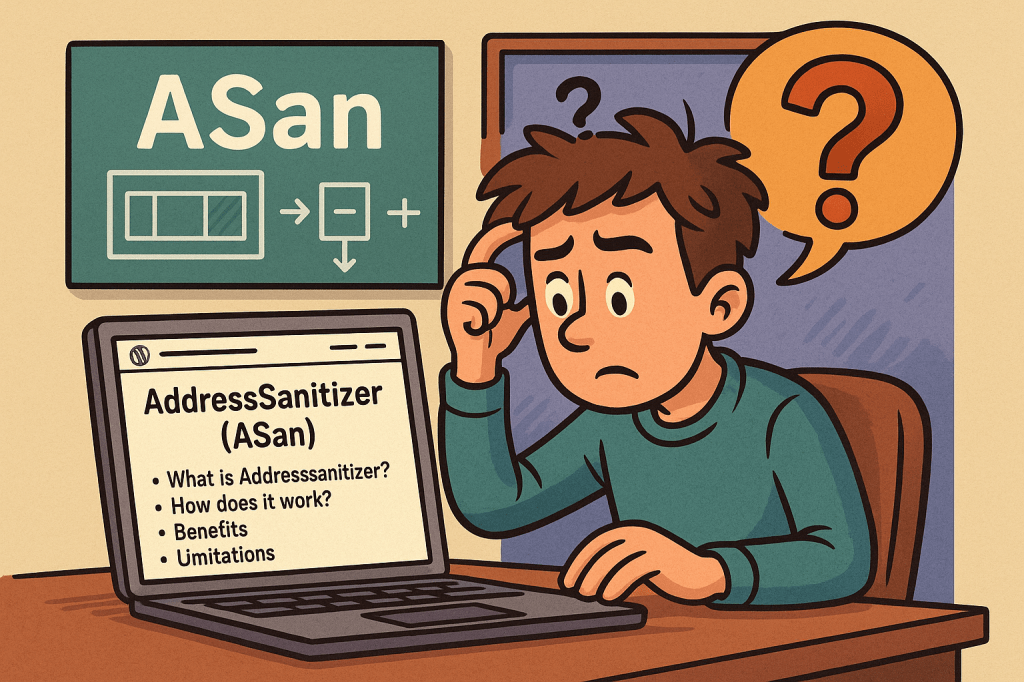
AddressSanitizer (ASan) is a fast memory error detector built into modern compilers (Clang/LLVM and GCC). When you compile your C/C++ (and many C-compatible) programs with ASan, the compiler injects checks that catch hard-to-debug memory bugs at runtime, then prints a readable, symbolized stack trace to help you fix them.

Finds (most common):

  • Heap/stack/global buffer overflows & underflows
  • Use-after-free and use-after-scope (return)
  • Double-free and invalid free
  • Memory leaks (via LeakSanitizer integration)

How does ASan work (deep dive)

ASan adds lightweight instrumentation to your binary and links a runtime that monitors memory accesses:

  1. Shadow Memory:
    ASan maintains a “shadow” map where every 8 bytes of application memory correspond to 1 byte in shadow memory. A non-zero shadow byte marks memory as poisoned (invalid); a zero marks it valid. Every load/store checks the shadow first.
  2. Redzones (Poisoned Guards):
    Around each allocated object (heap, stack, globals), ASan places redzones—small poisoned regions. If code overreads or overwrites into a redzone, ASan trips immediately with an error report.
  3. Quarantine for Frees:
    Freed heap blocks aren’t immediately reused—they go into a quarantine and stay poisoned for a while. Accessing them becomes a use-after-free that ASan can catch reliably.
  4. Stack & Global Instrumentation:
    The compiler lays out extra redzones around stack and global objects, poisoning/unpoisoning as scopes begin and end. This helps detect use-after-scope and overflows on local arrays.
  5. Intercepted Library Calls:
    Common libc/allocator functions (e.g., malloc, memcpy) are intercepted so ASan can keep metadata accurate and report clearer diagnostics.
  6. Detailed Reports & Symbolization:
    On error, ASan prints the access type/size, the exact location, the allocation site, and a symbolized backtrace (when built with debug info), plus hints (“allocated here”, “freed here”).

Benefits

  • High signal, low friction: You recompile with a flag; no code changes needed in most cases.
  • Fast enough for day-to-day testing: Typically 1.5–2× CPU overhead—often fine for local runs and CI.
  • Readable diagnostics: Clear error type, file/line, and allocation/free stacks dramatically reduce debug time.
  • Great with fuzzing & tests: Pair with libFuzzer/AFL/pytest-cpp/etc. to turn latent memory issues into immediate, actionable crashes.

Limitations & Caveats

  • Overheads: Extra CPU and memory (often 2–3× RAM). Not ideal for tight-resource or latency-critical production paths.
  • Rebuild required: You must compile and link with ASan. Prebuilt third-party libs without ASan may dilute coverage or require special handling.
  • Not all bugs:
    • Uninitialized reads → use MemorySanitizer (MSan)
    • Data races → use ThreadSanitizer (TSan)
    • Undefined behavior (e.g., integer overflow UB, misaligned access) → UBSan
  • Allocator/custom low-level code: Exotic allocators or inline assembly may need tweaks or suppressions.
  • Coverage nuances: Intra-object overflows or certain pointer arithmetic patterns may escape detection.

When should you use it?

  • During development & CI for C/C++ services, libraries, and tooling.
  • Before releases to smoke-test with integration and end-to-end suites.
  • While fuzzing/parsing untrusted data, e.g., file formats, network protocols.
  • On crash-heavy modules (parsers, codecs, crypto glue, JNI/FFI boundaries) where memory safety is paramount.

How to enable AddressSanitizer

Quick start (Clang or GCC)

# Build
clang++ -fsanitize=address -fno-omit-frame-pointer -g -O1 -o app_san main.cpp
# or
g++      -fsanitize=address -fno-omit-frame-pointer -g -O1 -o app_san main.cpp

# Run with helpful defaults
ASAN_OPTIONS=halt_on_error=1:strict_string_checks=1:detect_leaks=1 ./app_san

Flags explained

  • -fsanitize=address — enable ASan
  • -fno-omit-frame-pointer -g — better stack traces
  • -O1 (or -O0) — keeps instrumentation simple and easier to map to lines
  • ASAN_OPTIONS — runtime tuning (leak detection, halting on first error, etc.)

CMake

# CMakeLists.txt
option(ENABLE_ASAN "Build with AddressSanitizer" ON)

if (ENABLE_ASAN AND CMAKE_CXX_COMPILER_ID MATCHES "Clang|GNU")
  add_compile_options(-fsanitize=address -fno-omit-frame-pointer -g -O1)
  add_link_options(-fsanitize=address)
endif()

Make

CXXFLAGS += -fsanitize=address -fno-omit-frame-pointer -g -O1
LDFLAGS  += -fsanitize=address

Real-World Use Cases (and how ASan helps)

  1. Image Parser Heap Overflow
    • Scenario: A PNG decoder reads width/height from the file, under-validates them, and writes past a heap buffer.
    • With ASan: First failing test triggers an out-of-bounds write report with call stacks for both the write and the allocation site. You fix the bounds check and add regression tests.
  2. Use-After-Free in a Web Server
    • Scenario: Request object freed on one path but referenced later by a logger.
    • With ASan: The access to the freed pointer immediately faults with a use-after-free report. Quarantine ensures it crashes deterministically instead of “works on my machine.”
  3. Stack Buffer Overflow in Protocol Handler
    • Scenario: A stack array sized on assumptions gets overrun by a longer header.
    • With ASan: Redzones around stack objects catch it as soon as the bad write occurs, pointing to the exact function and line.
  4. Memory Leaks in CLI Tool
    • Scenario: Early returns skip frees.
    • With ASan + LeakSanitizer: Run tests; at exit, you get a leak summary with allocation stacks. You patch the code and verify the leak disappears.
  5. Fuzzing Third-Party Libraries
    • Scenario: You integrate libFuzzer to stress a JSON library.
    • With ASan: Any corruptor input hitting memory issues produces actionable reports, turning “mysterious crashes” into clear bugs.

Integrating ASan into Your Software Development Process

1) Add a dedicated “sanitizer” build

  • Create a separate build target/profile (e.g., Debug-ASAN).
  • Compile everything you can with -fsanitize=address (apps, libs, tests).
  • Keep symbols: -g -fno-omit-frame-pointer.

2) Run unit/integration tests under ASan

  • In CI, add a job that builds with ASan and runs your full test suite.
  • Fail the pipeline on any ASan report (halt_on_error=1).

3) Use helpful ASAN_OPTIONS (per target or globally)

Common choices:

ASAN_OPTIONS=\
detect_leaks=1:\
halt_on_error=1:\
strict_string_checks=1:\
alloc_dealloc_mismatch=1:\
detect_stack_use_after_return=1

(You can also keep a project-level .asanrc/env file for consistency.)

4) Symbolization & developer ergonomics

  • Ensure llvm-symbolizer is installed (or available in your toolchain).
  • Keep -g in your ASan builds; store dSYMs/PDBs where applicable.
  • Teach the team to read ASan reports—share a short “How to read ASan output” page.

5) Handle third-party and system libraries

  • Prefer source builds of dependencies with ASan enabled.
  • If you must link against non-ASan binaries, test critical boundaries thoroughly and consider suppressions for known benign issues.

6) Combine with other sanitizers (where applicable)

  • UBSan (undefined behavior), TSan (data races), MSan (uninitialized reads).
  • Run them in separate builds; mixing TSan with others is generally not recommended.

7) Pre-release and nightly sweeps

  • Run heavier test suites (fuzzers, long-running integration tests) nightly under ASan.
  • Gate releases on “no sanitizer regressions.”

8) Production strategy

  • Typically don’t run ASan in production (overhead + noisy reports).
  • If necessary, use shadow deploys or limited canaries with low traffic and aggressive alerting.

Developer Tips & Troubleshooting

  • Crashing in malloc/new interceptors? Ensure you link the sanitizer runtime last or use the compiler driver (don’t manually juggle libs).
  • False positives from assembly or custom allocators? Add minimal suppressions and comments; also review for real bugs—ASan is usually right.
  • Random hangs/timeouts under fuzzing? Start with smaller corpora and lower timeouts; increase gradually.
  • Build system gotchas: Ensure both compile and link steps include -fsanitize=address.

FAQ

Q: Can I use ASan with C only?
Yes. It works great for C and C++ (and many C-compatible FFI layers).

Q: Does ASan slow everything too much?
For local and CI testing, the trade-off is almost always worth it. Typical overhead: ~1.5–2× CPU, ~2–3× RAM.

Q: Do I need to change my code?
Usually no. Compile/link with the flags and run. You might tweak build scripts or add suppressions for a few low-level spots.

A minimal “Starter Checklist”

  • Add an ASan build target to your project (CMake/Make/Bazel).
  • Ensure -g and -fno-omit-frame-pointer are on.
  • Add a CI job that runs tests with ASAN_OPTIONS=halt_on_error=1:detect_leaks=1.
  • Document how to read ASan reports and where symbol files live.
  • Pair ASan with fuzzing on parsers/protocols.
  • Gate releases on sanitizer-clean status.

Polyglot Interop in Computer Science

What is polyglot interop?

What is Polyglot Interop?

Polyglot interop (polyglot interoperability) refers to the ability of different programming languages to work together within the same system or application. Instead of being confined to a single language, developers can combine multiple languages, libraries, and runtimes to achieve the best possible outcome.

For example, a project might use Python for machine learning, Java for enterprise backends, and JavaScript for frontend interfaces, while still allowing these components to communicate seamlessly.

Main Features and Concepts

  • Cross-language communication: Functions and objects written in one language can be invoked by another.
  • Shared runtimes: Some platforms (like GraalVM or .NET CLR) allow different languages to run in the same virtual machine.
  • Foreign Function Interface (FFI): Mechanisms that allow calling functions written in another language (e.g., C libraries from Python).
  • Data marshaling: Conversion of data types between languages so they remain compatible.
  • Bridging frameworks: Tools and middleware that act as translators between languages.

How Does Polyglot Interop Work?

Polyglot interop works through a combination of runtime environments, libraries, and APIs:

  1. Common runtimes: Platforms like GraalVM support multiple languages (Java, JavaScript, Python, R, Ruby, etc.) under one runtime, enabling them to call each other’s functions.
  2. Bindings and wrappers: Developers create wrappers that expose foreign code to the target language. For example, using SWIG to wrap C++ code for use in Python.
  3. Remote procedure calls (RPCs): One language can call functions in another language over a protocol like gRPC or Thrift.
  4. Intermediary formats: JSON, Protocol Buffers, or XML are often used as neutral data formats to allow different languages to communicate.

Benefits and Advantages

  • Language flexibility: Use the right tool for the right job.
  • Reuse of existing libraries: Avoid rewriting complex libraries by directly using them in another language.
  • Performance optimization: Performance-critical parts can be written in a faster language (like C or Rust), while high-level logic stays in Python or JavaScript.
  • Improved productivity: Teams can use the languages they are most comfortable with, without limiting the entire project.
  • Future-proofing: Systems can evolve without being locked to one language ecosystem.

Main Challenges

  • Complexity: Managing multiple languages increases complexity in development and deployment.
  • Debugging difficulties: Tracing issues across language boundaries can be hard.
  • Performance overhead: Data conversion and bridging may introduce latency.
  • Security concerns: Exposing functions across language runtimes can create vulnerabilities if not handled properly.
  • Maintenance burden: More languages mean more dependencies, tooling, and long-term upkeep.

How and When Can We Use Polyglot Interop?

Polyglot interop is most useful when:

  • You need to leverage specialized libraries in another language.
  • You want to combine strengths of multiple ecosystems (e.g., AI in Python, backend in Java).
  • You are modernizing legacy systems and need to integrate new languages without rewriting everything.
  • You are building platforms or services intended for multiple language communities.

It should be avoided if a single language can efficiently solve the problem, as polyglot interop adds overhead.

Real-World Examples

  1. Jupyter Notebooks: Allow polyglot programming by mixing Python, R, Julia, and even SQL in one environment.
  2. GraalVM: A polyglot virtual machine where JavaScript can directly call Java or Python code.
  3. TensorFlow: Provides APIs in Python, C++, Java, and JavaScript for different use cases.
  4. .NET platform: Enables multiple languages (C#, F#, VB.NET) to interoperate on the same runtime.
  5. WebAssembly (Wasm): Enables running code compiled from different languages (Rust, C, Go) in the browser alongside JavaScript.

How to Integrate Polyglot Interop into Software Development

  • Identify language strengths: Choose languages based on their ecosystem advantages.
  • Adopt polyglot-friendly platforms: Use runtimes like GraalVM, .NET, or WebAssembly for smoother interop.
  • Use common data formats: Standardize on formats like JSON or Protobuf to ease communication.
  • Set up tooling and CI/CD: Ensure your build, test, and deployment pipelines support multiple languages.
  • Educate the team: Train developers on interop concepts to avoid misuse and ensure long-term maintainability.

Aspect-Oriented Programming (AOP) in Software Development

What is aspect oriented programming?

Software systems grow complex over time, often combining business logic, infrastructure, and cross-cutting concerns. To manage this complexity, developers rely on design paradigms. One such paradigm that emerged to simplify and modularize software is Aspect-Oriented Programming (AOP).

What is Aspect-Oriented Programming?

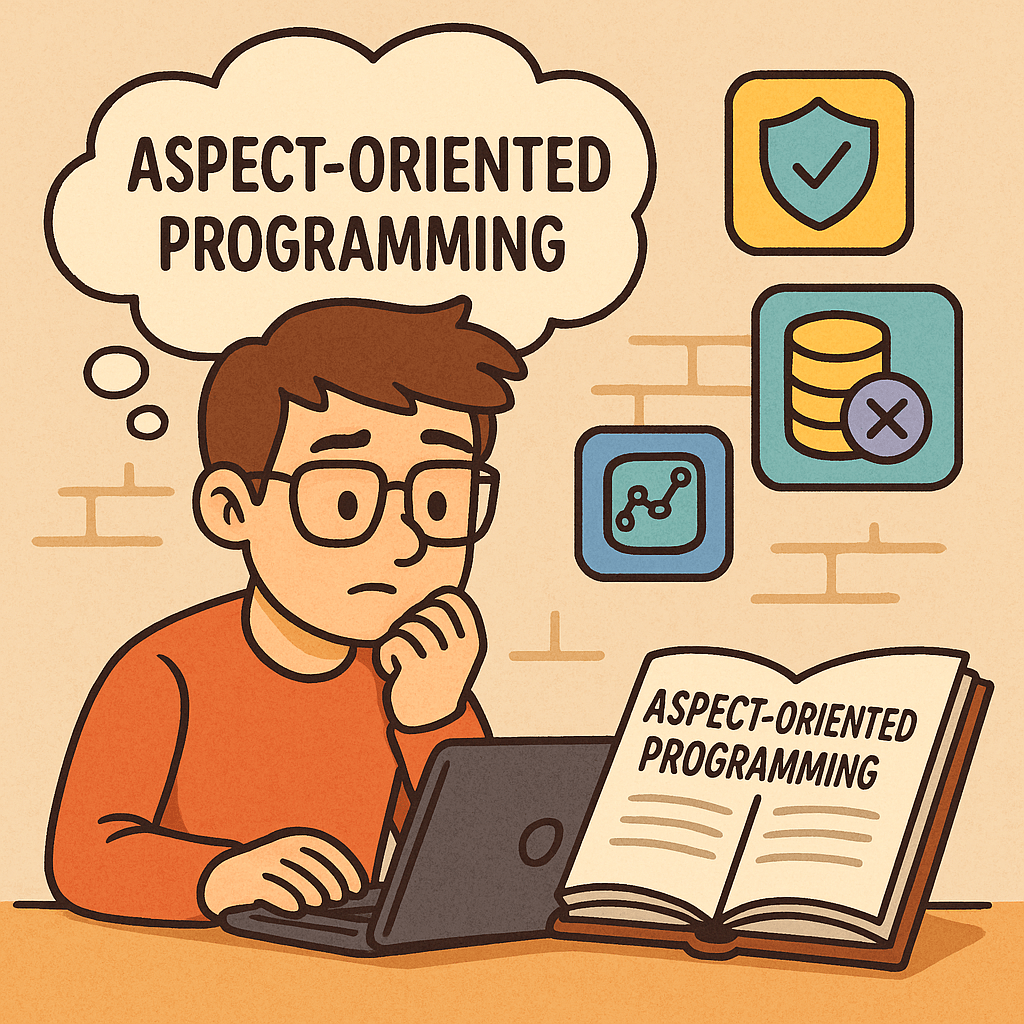
Aspect-Oriented Programming (AOP) is a programming paradigm that focuses on separating cross-cutting concerns from the main business logic of a program.
In traditional programming approaches, such as Object-Oriented Programming (OOP), concerns like logging, security, transaction management, or error handling often end up scattered across multiple classes and methods. AOP provides a structured way to isolate these concerns into reusable modules called aspects, improving code clarity, maintainability, and modularity.

History of Aspect-Oriented Programming

The concept of AOP was first introduced in the mid-1990s at Xerox Palo Alto Research Center (PARC) by Gregor Kiczales and his team.
They noticed that even with the widespread adoption of OOP, developers struggled with the “tangling” and “scattering” of cross-cutting concerns in enterprise systems. OOP did a good job encapsulating data and behavior, but it wasn’t effective for concerns that affected multiple modules at once.

To solve this, Kiczales and colleagues developed AspectJ, an extension to the Java programming language, which became the first practical implementation of AOP. AspectJ made it possible to write aspects separately and weave them into the main application code at compile time or runtime.

Over the years, AOP spread across multiple programming languages, frameworks, and ecosystems, especially in enterprise software development.

Main Concerns Addressed by AOP

AOP primarily targets cross-cutting concerns, which are functionalities that span across multiple modules. Common examples include:

  • Logging – capturing method calls and system events.
  • Security – applying authentication and authorization consistently.
  • Transaction Management – ensuring database operations are atomic and consistent.
  • Performance Monitoring – tracking execution time of functions.
  • Error Handling – managing exceptions in a centralized way.
  • Caching – applying caching policies without duplicating code.

Main Components of AOP

Aspect-Oriented Programming is built around a few core concepts:

  • Aspect – A module that encapsulates a cross-cutting concern.
  • Join Point – A point in the program execution (like a method call or object creation) where additional behavior can be inserted.
  • Pointcut – A set of join points where an aspect should be applied.
  • Advice – The action taken by an aspect at a join point (before, after, or around execution).
  • Weaving – The process of linking aspects with the main code. This can occur at compile time, load time, or runtime.

How AOP Works

Here’s a simplified workflow of how AOP functions:

  1. The developer defines aspects (e.g., logging or security).
  2. Within the aspect, pointcuts specify where in the application the aspect should apply.
  3. Advices define what code runs at those pointcuts.
  4. During weaving, the AOP framework inserts the aspect’s logic into the appropriate spots in the main application.

This allows the business logic to remain clean and focused, while cross-cutting concerns are modularized.

Benefits of Aspect-Oriented Programming

  • Improved Modularity – separates business logic from cross-cutting concerns.
  • Better Maintainability – changes to logging, security, or monitoring can be made in one place.
  • Reusability – aspects can be reused across multiple projects.
  • Cleaner Code – reduces code duplication and improves readability.
  • Scalability – simplifies large applications by isolating infrastructure logic.

When and How to Use AOP

AOP is particularly useful in enterprise systems where cross-cutting concerns are numerous and repetitive. Some common scenarios:

  • Web applications – for security, session management, and performance monitoring.
  • Financial systems – for enforcing consistent auditing and transaction management.
  • Microservices – for centralized logging and tracing across distributed services.
  • API Development – for applying rate-limiting, authentication, and exception handling consistently.

To use AOP effectively, it’s often integrated with frameworks. For example:

  • In Java, Spring AOP and AspectJ are popular choices.
  • In .NET, libraries like PostSharp provide AOP capabilities.
  • In Python and JavaScript, decorators and proxies mimic many AOP features.

Real-World Examples

  1. Logging with Spring AOP (Java)
    Instead of writing logging code inside every service method, a logging aspect captures method calls automatically, reducing duplication.
  2. Security in Web Applications
    A security aspect checks user authentication before allowing access to sensitive methods, ensuring consistency across the system.
  3. Transaction Management in Banking Systems
    A transaction aspect ensures that if one operation in a multi-step process fails, all others roll back, maintaining data integrity.
  4. Performance Monitoring
    An aspect measures execution time for functions and logs slow responses, helping developers optimize performance.

Conclusion

Aspect-Oriented Programming is not meant to replace OOP but to complement it by addressing concerns that cut across multiple parts of an application. By cleanly separating cross-cutting concerns, AOP helps developers write cleaner, more modular, and more maintainable code.

In modern enterprise development, frameworks like Spring AOP make it straightforward to integrate AOP into existing projects, making it a powerful tool for building scalable and maintainable software systems.

Inversion of Control in Software Development

Inversion of Control

What is Inversion of Control?

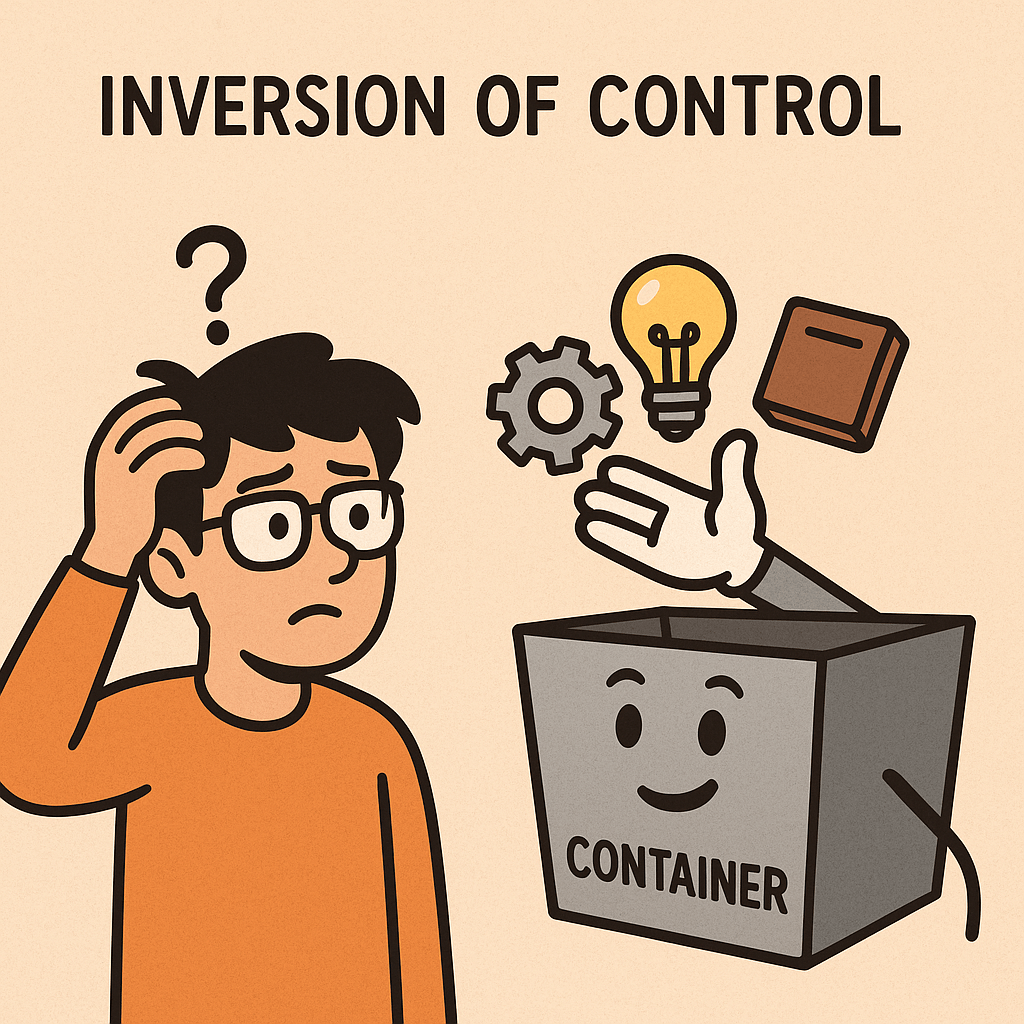
Inversion of Control (IoC) is a design principle in software engineering that shifts the responsibility of controlling the flow of a program from the developer’s custom code to a framework or external entity. Instead of your code explicitly creating objects and managing their lifecycles, IoC delegates these responsibilities to a container or framework.

This approach promotes flexibility, reusability, and decoupling of components. IoC is the foundation of many modern frameworks, such as Spring in Java, .NET Core Dependency Injection, and Angular in JavaScript.

A Brief History of Inversion of Control

The concept of IoC emerged in the late 1980s and early 1990s as object-oriented programming matured. Early implementations were seen in frameworks like Smalltalk MVC and later Java Enterprise frameworks.
The term “Inversion of Control” was formally popularized by Michael Mattsson in the late 1990s. Martin Fowler further explained and advocated IoC as a key principle for achieving loose coupling in his widely influential articles and books.

By the 2000s, IoC became mainstream with frameworks such as Spring Framework (2003) introducing dependency injection containers as practical implementations of IoC.

Components of Inversion of Control

Inversion of Control can be implemented in different ways, but the following components are usually involved:

1. IoC Container

A framework or container responsible for managing object creation and lifecycle. Example: Spring IoC Container.

2. Dependencies

The objects or services that a class requires to function.

3. Configuration Metadata

Instructions provided to the IoC container on how to wire dependencies. This can be done using XML, annotations, or code.

4. Dependency Injection (DI)

A specific and most common technique to achieve IoC, where dependencies are provided rather than created inside the class.

5. Event and Callback Mechanisms

Another IoC technique where the flow of execution is controlled by an external framework calling back into the developer’s code when needed.

Benefits of Inversion of Control

1. Loose Coupling

IoC ensures that components are less dependent on each other, making code easier to maintain and extend.

2. Improved Testability

With dependencies injected, mocking and testing become straightforward.

3. Reusability

Since classes do not create their own dependencies, they can be reused in different contexts.

4. Flexibility

Configurations can be changed without altering the core logic of the program.

5. Scalability

IoC helps in scaling applications by simplifying dependency management in large systems.

Why and When Do We Need Inversion of Control?

  • When building complex systems with multiple modules requiring interaction.
  • When you need flexibility in changing dependencies without modifying code.
  • When testing is critical, since IoC makes mocking dependencies easy.
  • When aiming for maintainability, as IoC reduces the risk of tight coupling.

IoC is especially useful in enterprise applications, microservices, and modular architectures.

How to Integrate IoC into Our Software Development Process

  1. Choose a Framework or Container
    • For Java: Spring Framework or Jakarta CDI
    • For .NET: Built-in DI Container
    • For JavaScript: Angular or NestJS
  2. Identify Dependencies
    Review your code and highlight where objects are created and tightly coupled.
  3. Refactor Using DI
    Use constructor injection, setter injection, or field injection to provide dependencies instead of creating them inside classes.
  4. Configure Metadata
    Define wiring via annotations, configuration files, or code-based approaches.
  5. Adopt IoC Practices Gradually
    Start with small modules and expand IoC adoption across your system.
  6. Test and Validate
    Use unit tests with mocked dependencies to confirm that IoC is working as intended.

Conclusion

Inversion of Control is a powerful principle that helps developers build flexible, testable, and maintainable applications. By shifting control to frameworks and containers, software becomes more modular and adaptable to change. Integrating IoC into your development process is not only a best practice—it’s a necessity for modern, scalable systems.

Understanding Loose Coupling in Software Development

What is Loose Coupling?

What is Loose Coupling?

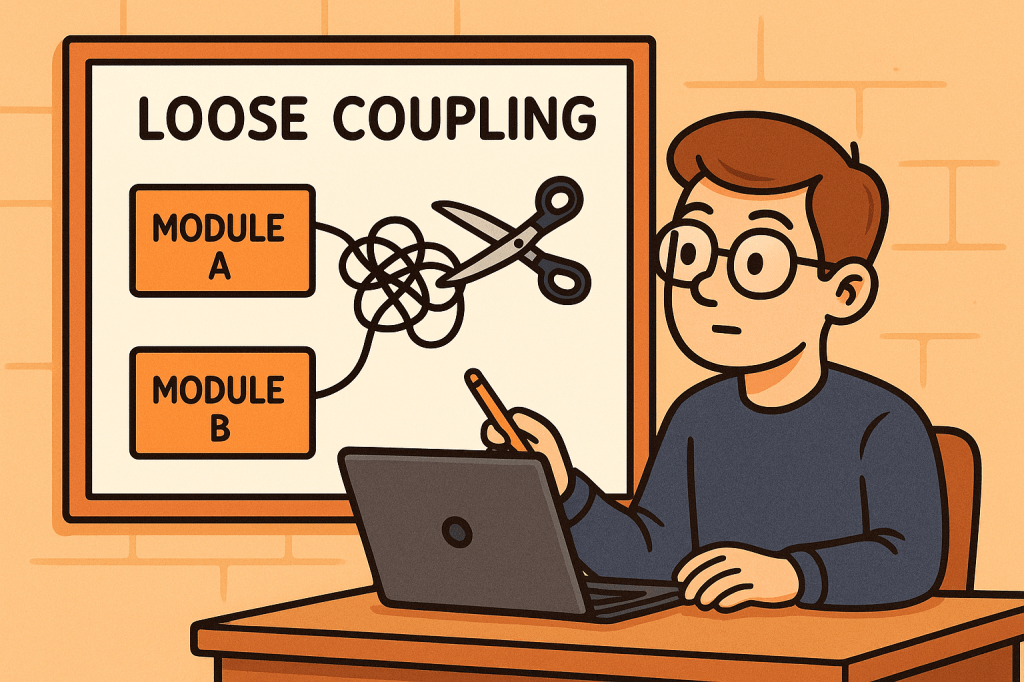
Loose coupling is a design principle in software engineering where different components, modules, or services in a system are designed to have minimal dependencies on one another. This means that each component can function independently, with limited knowledge of the internal details of other components.

The opposite of loose coupling is tight coupling, where components are heavily dependent on each other’s internal implementation, making the system rigid and difficult to modify.

How Does Loose Coupling Work?

Loose coupling works by reducing the amount of direct knowledge and reliance that one module has about another. Instead of modules directly calling each other’s methods or accessing internal data structures, they interact through well-defined interfaces, abstractions, or contracts.

For example:

  • Instead of a class instantiating another class directly, it may depend on an interface or abstract class.
  • Instead of a service calling another service directly, it may use APIs, message queues, or dependency injection.
  • Instead of hardcoding configurations, the system may use external configuration files or environment variables.

Benefits of Loose Coupling

Loose coupling provides several advantages to software systems:

  1. Flexibility – You can easily replace or update one component without breaking others.
  2. Reusability – Independent components can be reused in other projects or contexts.
  3. Maintainability – Code is easier to read, modify, and test because components are isolated.
  4. Scalability – Loosely coupled systems are easier to scale since you can distribute or upgrade components independently.
  5. Testability – With fewer dependencies, you can test components in isolation using mocks or stubs.
  6. Resilience – Failures in one module are less likely to cause cascading failures in the entire system.

How to Achieve Loose Coupling

Here are some strategies to achieve loose coupling in software systems:

  1. Use Interfaces and Abstractions
    Depend on interfaces rather than concrete implementations. This allows you to switch implementations without changing the dependent code.
  2. Apply Dependency Injection
    Instead of creating dependencies inside a class, inject them from the outside. This removes hardcoded connections.
  3. Follow Design Patterns
    Patterns such as Strategy, Observer, Factory, and Adapter promote loose coupling by separating concerns and reducing direct dependencies.
  4. Use Message Brokers or APIs
    Instead of direct calls between services, use message queues (like Kafka or RabbitMQ) or REST/GraphQL APIs to communicate.
  5. Externalize Configurations
    Keep system configurations outside the codebase to avoid hard dependencies.
  6. Modularize Your Codebase
    Break your system into small, independent modules that interact through clear contracts.

When and Why Should We Use Loose Coupling?

Loose coupling should be applied whenever you are building systems that need to be flexible, maintainable, and scalable.

  • When building microservices – Each service should be independent and loosely coupled with others through APIs or messaging.
  • When building large enterprise applications – Loose coupling helps reduce complexity and makes maintenance easier.
  • When working in agile environments – Teams can work on separate components independently, with minimal conflicts.
  • When integrating third-party systems – Using abstractions helps replace or upgrade external services without changing the whole codebase.

Without loose coupling, systems quickly become brittle. A small change in one part could cause a chain reaction of errors throughout the system.

Real World Examples

  1. Payment Systems
    In an e-commerce platform, the checkout system should not depend on the details of a specific payment gateway. Instead, it should depend on a payment interface. This allows swapping PayPal, Stripe, or any other provider without major code changes.
  2. Logging Frameworks
    Instead of directly using System.out.println in Java, applications use logging libraries like SLF4J. The application depends on the SLF4J interface, while the actual implementation (Logback, Log4j, etc.) can be switched easily.
  3. Microservices Architecture
    In Netflix’s architecture, microservices communicate using APIs and messaging systems. Each microservice can be developed, deployed, and scaled independently.
  4. Database Access
    Using ORM tools like Hibernate allows developers to work with an abstract data model. If the underlying database changes from MySQL to PostgreSQL, minimal code changes are needed.

How Can We Use Loose Coupling in Our Software Development Process?

To integrate loose coupling into your process:

  1. Start with Good Architecture – Apply principles like SOLID, Clean Architecture, or Hexagonal Architecture.
  2. Emphasize Abstraction – Always code to an interface, not an implementation.
  3. Adopt Dependency Injection Frameworks – Use frameworks like Spring (Java), Angular (TypeScript), or .NET Core’s built-in DI.
  4. Write Modular Code – Divide your system into independent modules with clear boundaries.
  5. Encourage Team Autonomy – Different teams can own different modules if the system is loosely coupled.
  6. Review for Tight Coupling – During code reviews, check for hard dependencies and suggest abstractions.

By adopting loose coupling in your development process, you create systems that are future-proof, resilient, and easier to maintain, ensuring long-term success.

Blog at WordPress.com.

Up ↑