Search

Software Engineer's Notes

Tag

cyber-security

Multi-Factor Authentication (MFA): A Complete Guide

What is Multi-Factor Authentication?

In today’s digital world, security is more important than ever. Passwords alone are no longer enough to protect sensitive data, systems, and personal accounts. That’s where Multi-Factor Authentication (MFA) comes in. MFA adds an extra layer of security by requiring multiple forms of verification before granting access. In this post, we’ll explore what MFA is, its history, how it works, its main components, benefits, and practical ways to integrate it into modern software development processes.

What is Multi-Factor Authentication (MFA)?

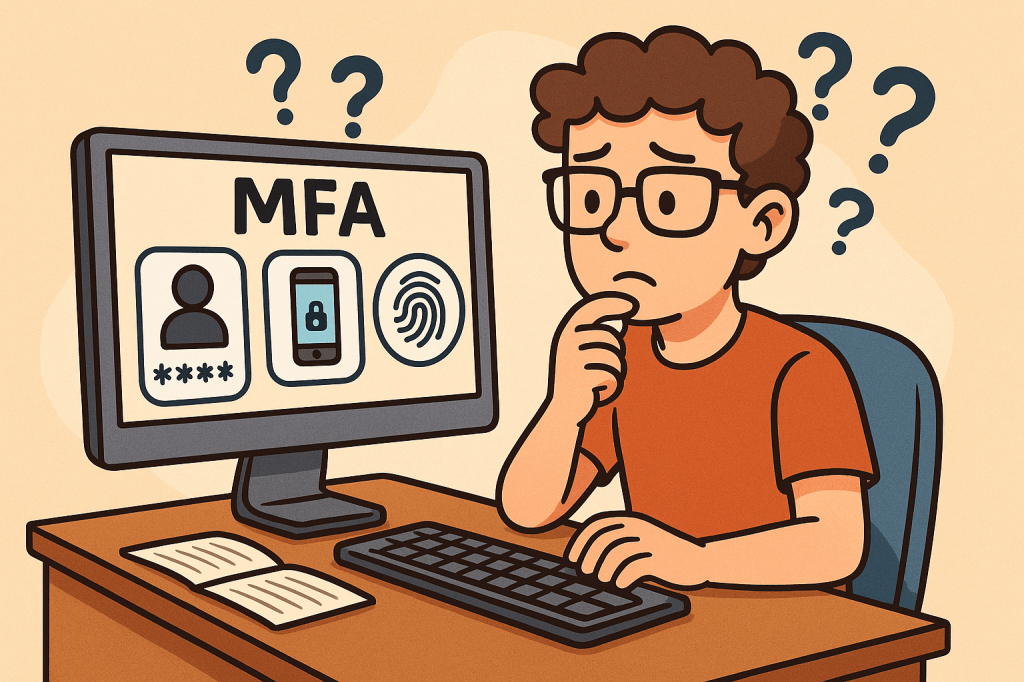
Multi-Factor Authentication (MFA) is a security mechanism that requires users to provide two or more independent factors of authentication to verify their identity. Instead of relying solely on a username and password, MFA combines different categories of authentication to strengthen access security.

These factors usually fall into one of three categories:

  1. Something you know – passwords, PINs, or answers to security questions.
  2. Something you have – a physical device like a smartphone, hardware token, or smart card.
  3. Something you are – biometric identifiers such as fingerprints, facial recognition, or voice patterns.

A Brief History of MFA

  • 1960s – Passwords Introduced: Early computing systems introduced password-based authentication, but soon it became clear that passwords alone could be stolen or guessed.
  • 1980s – Two-Factor Authentication (2FA): The first wide adoption of hardware tokens emerged in the financial sector. RSA Security introduced tokens generating one-time passwords (OTPs).
  • 1990s – Wider Adoption: Enterprises began integrating smart cards and OTP devices for employees working with sensitive systems.
  • 2000s – Rise of Online Services: With e-commerce and online banking growing, MFA started becoming mainstream, using SMS-based OTPs and email confirmations.
  • 2010s – Cloud and Mobile Era: MFA gained momentum with apps like Google Authenticator, Authy, and push-based authentication, as cloud services required stronger protection.
  • Today – Ubiquity of MFA: MFA is now a standard security practice across industries, with regulations like GDPR, HIPAA, and PCI-DSS recommending or requiring it.

How Does MFA Work?

The MFA process follows these steps:

  1. Initial Login Attempt: A user enters their username and password.
  2. Secondary Challenge: After validating the password, the system prompts for a second factor (e.g., an OTP code, push notification approval, or biometric scan).
  3. Verification of Factors: The system verifies the additional factor(s).
  4. Access Granted or Denied: If all required factors are correct, the user gains access. Otherwise, access is denied.

MFA systems typically rely on:

  • Time-based One-Time Passwords (TOTP): Generated codes that expire quickly.
  • Push Notifications: Mobile apps sending approval requests.
  • Biometric Authentication: Fingerprint or facial recognition scans.
  • Hardware Tokens: Devices that produce unique, secure codes.

Main Components of MFA

  1. Authentication Factors: Knowledge, possession, and inherence (biometric).
  2. MFA Provider/Service: Software or platform managing authentication (e.g., Okta, Microsoft Authenticator, Google Identity Platform).
  3. User Device: Smartphone, smart card, or hardware token.
  4. Integration Layer: APIs and SDKs to connect MFA into existing applications.
  5. Policy Engine: Rules that determine when MFA is enforced (e.g., high-risk logins, remote access, or all logins).

Benefits of MFA

  • Enhanced Security: Strong protection against password theft, phishing, and brute-force attacks.
  • Regulatory Compliance: Meets security requirements in industries like finance, healthcare, and government.
  • Reduced Fraud: Prevents unauthorized access to financial accounts and sensitive systems.
  • Flexibility: Multiple methods available (tokens, biometrics, SMS, apps).
  • User Trust: Increases user confidence in the system’s security.

When and How Should We Use MFA?

MFA should be used whenever sensitive data or systems are accessed. Common scenarios include:

  • Online banking and financial transactions.
  • Corporate systems with confidential business data.
  • Cloud-based services (AWS, Azure, Google Cloud).
  • Email accounts and communication platforms.
  • Healthcare and government portals with personal data.

Organizations can enforce MFA selectively based on risk-based authentication—for example, requiring MFA only when users log in from new devices, unfamiliar locations, or during high-risk transactions.

Integrating MFA Into Software Development

To integrate MFA into modern software systems:

  1. Choose an MFA Provider: Options include Auth0, Okta, AWS Cognito, Azure AD, Google Identity.
  2. Use APIs & SDKs: Most MFA providers offer ready-to-use APIs, libraries, and plugins for web and mobile applications.
  3. Adopt Standards: Implement open standards like OAuth 2.0, OpenID Connect, and SAML with MFA extensions.
  4. Implement Risk-Based MFA: Use adaptive MFA policies (e.g., require MFA for admin access or when logging in from suspicious IPs).
  5. Ensure Usability: Provide multiple authentication options to avoid locking users out.
  6. Continuous Integration: Add MFA validation in CI/CD pipelines for admin and developer accounts accessing critical infrastructure.

Conclusion

Multi-Factor Authentication is no longer optional—it’s a necessity for secure digital systems. With its long history of evolution from simple passwords to advanced biometrics, MFA provides a robust defense against modern cyber threats. By integrating MFA into software development, organizations can safeguard users, comply with regulations, and build trust in their platforms.

What is a Man-in-the-Middle (MITM) Attack?

What is a man in the middle attack?

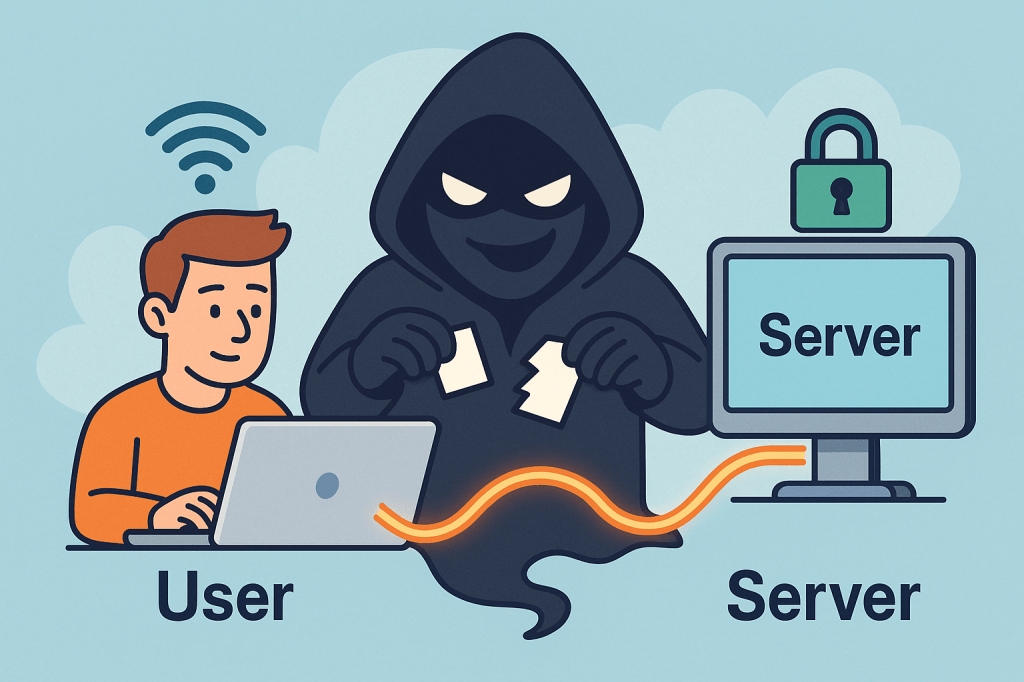
A Man-in-the-Middle (MITM) attack is when a third party secretly intercepts, reads, and possibly alters the communication between two parties who believe they are talking directly to each other. Think of it as someone quietly sitting between two people on a phone call, listening, possibly changing words, and passing the altered conversation on.

How MITM attacks work ?

A MITM attack has two essential parts: interception and optionally manipulation.

1) Interception (how the attacker gets between you and the other party)

The attacker places themselves on the network path so traffic sent from A → B goes through the attacker first. Common interception vectors (conceptual descriptions only):

  • Rogue Wi-Fi / Evil twin: attacker sets up a fake Wi-Fi hotspot with a convincing SSID (e.g., “CoffeeShop_WiFi”). Users connect and all traffic goes through the attacker’s machine.
  • ARP spoofing / ARP poisoning (local networks): attacker sends fake ARP messages on a LAN so traffic for the router or for another host is directed to the attacker’s NIC.
  • DNS spoofing / DNS cache poisoning: attacker poisons DNS responses so a domain name resolves to an IP address the attacker controls.
  • Compromised routers, proxies, or ISPs: if a router or upstream provider is compromised or misconfigured, traffic can be intercepted at that point.
  • BGP hijacking (on the internet backbone): attacker manipulates routing announcements to direct traffic over infrastructure they control.
  • Compromised certificate authorities or weak TLS setups: attacker abuses trust in certificates to intercept “secure” connections.

Important: the above are conceptual descriptions to help you understand how interception happens. I’m not providing exploit steps or tools to carry them out.

2) Manipulation (what the attacker can do with intercepted traffic)

Once traffic passes through the attacker, they can:

  • Eavesdrop — read plaintext communication (passwords, messages, session cookies).
  • Harvest credentials — capture login forms and credentials.
  • Modify data in transit — change web pages, inject malicious scripts, alter transactions.
  • Session hijack — steal session cookies or tokens to impersonate a user.
  • Downgrade connections — force a downgrade from HTTPS to HTTP or strip TLS (SSL stripping) if possible.
  • Impersonate endpoints — present fake certificates or proxy TLS connections to hide themselves.

Typical real-world scenarios / examples

  • You connect to “FreeAirportWiFi” and a fake hotspot captures your login to a webmail service.
  • On a corporate LAN, an attacker uses ARP spoofing to capture internal web traffic and collect session cookies.
  • DNS entries for a banking site are poisoned so users are sent to a look-alike site where credentials are harvested.
  • A corporate TLS-intercepting proxy (legitimate in some orgs) inspects HTTPS traffic — if misconfigured or if certificates are not validated correctly, this can be abused.

What’s the issue and how can MITM affect us?

MITM attacks threaten confidentiality, integrity, and authenticity:

  • Confidentiality breach: private messages, PII, payment details, health records can be exposed.
  • Credential theft & account takeover: stolen passwords or tokens lead to fraud, identity theft, or account compromises.
  • Financial loss / fraud: attackers can alter payment instructions (e.g., change bank account numbers).
  • Supply-chain or software tampering: updates or downloads could be altered.
  • Reputation and legal risk: businesses can lose user trust and face compliance issues if customer data is intercepted.

Small, everyday examples (end-user impact): stolen email logins, unauthorized purchases, unauthorized access to corporate systems. For organizations: data breach notifications, regulatory fines, and remediation costs.

How to prevent Man-in-the-Middle attacks — practical, defensible steps

Below are layered, defense-in-depth controls: user practices, network configuration, application design, and monitoring.

A. User & device best practices

  • Avoid public/untrusted Wi-Fi: treat public Wi-Fi as untrusted. If you must use it, use a reputable VPN.
  • Prefer mobile/cellular networks when doing sensitive transactions if a trusted Wi-Fi is not available.
  • Check HTTPS / certificate details for sensitive sites: browsers show padlock and certificate information (issuer, valid dates). If warnings appear, do not proceed.
  • Use Multi-Factor Authentication (MFA): even if credentials are stolen, MFA adds a barrier.
  • Keep devices patched: OS, browser, and app updates close known vulnerabilities attackers exploit.
  • Use reputable endpoint security (antivirus/EDR) that can detect suspicious network drivers or proxying.

B. Network & infrastructure controls

  • Use WPA2/WPA3 and strong Wi-Fi passwords; disable open Wi-Fi for business networks unless behind secure gateways.
  • Harden DNS: use DNSSEC where possible and validate DNS responses; consider DNS over HTTPS (DoH) or DNS over TLS (DoT) for clients.
  • Deploy network segmentation and limit broadcast domains (reduces ARP spoofing exposure).
  • Use secure routing practices and monitor BGP for suspicious route changes (for large networks / ISPs).
  • Disable unnecessary proxying and block rogue DHCP servers on internal networks.

C. TLS / application-level protections

  • Enforce HTTPS everywhere: redirect HTTP → HTTPS and ensure all resources load over HTTPS to avoid mixed-content issues.
  • Use HSTS (HTTP Strict Transport Security) with preload when appropriate — forces browsers to only use HTTPS for your domain.
  • Enable OCSP stapling and certificate transparency: reduces chances of accepting revoked/forged certs.
  • Prefer modern TLS versions and ciphers; disable older, vulnerable protocols (SSLv3, TLS 1.0/1.1).
  • Certificate pinning (in mobile apps or critical clients) — binds an app to a known certificate or public key to prevent forged certificates (use cautiously; requires careful update procedures).
  • Mutual TLS (mTLS) for machine-to-machine or internal high-security services — both sides verify certificates.
  • Use strong authentication and short-lived tokens for APIs; avoid relying solely on long-lived session cookies without binding.

D. Organizational policies & monitoring

  • Use enterprise VPNs for remote workers, with two-factor auth and endpoint posture checks.
  • Implement Intrusion Detection / Prevention (IDS/IPS) and network monitoring to spot ARP anomalies, rogue DHCP servers, unusual TLS/HTTPS flows, or unexpected proxying.
  • Log and review TLS handshakes, certs presented, and network flows — automated alerts for anomalous certificate issuers or frequent certificate changes.
  • Train users to recognize fake Wi-Fi, phishing, and certificate warnings.
  • Limit administrative privileges — reduce what an attacker can access with stolen credentials.
  • Adopt secure SDLC practices: ensure apps validate TLS, implement safe error handling, and do not suppress certificate validation during testing.

E. App developer guidance (to make MITM harder)

  • Never disable certificate validation in client code for production.
  • Implement certificate pinning where appropriate, with a safe update path (e.g., pin several keys or allow a backup).
  • Use OAuth / OpenID best practices (use PKCE for public clients).
  • Use secure cookie flags (Secure, HttpOnly, SameSite) and short session lifetimes.
  • Prefer token revocation and rotation; make stolen tokens short-lived.

Detecting a possible MITM (signs to watch for)

  • Browser security warnings about invalid certificates, untrusted issuers, or certificate name mismatches.
  • Frequent or unexpected TLS/HTTPS certificate changes for the same site.
  • Unusually slow connections or pages that change content unexpectedly.
  • Login failures that occur only on a certain network (e.g., at a coffee shop).
  • Unexpected prompts to install root certificates (red flag — don’t install unless from your trusted IT).
  • Repeated authentication prompts where you’d normally remain logged in.

If you suspect a MITM:

  1. Immediately disconnect from the network (turn off Wi-Fi/cable).
  2. Reconnect using a trusted network (e.g., mobile tethering) or VPN.
  3. Change critical passwords from a trusted network.
  4. Scan your device for malware.
  5. Notify your org’s security team and preserve logs if possible.

Quick checklist you can use / share

  • Use HTTPS everywhere (HSTS, OCSP stapling)
  • Enforce MFA across accounts
  • Don’t use public Wi-Fi for sensitive tasks; if you must, use VPN
  • Keep software and certificates up to date
  • Enable secure cookie flags and short sessions
  • Monitor network for ARP/DNS anomalies and certificate anomalies
  • Train users on Wi-Fi safety & certificate warnings

Short FAQ

Q: Is HTTPS enough to prevent MITM?
A: HTTPS/TLS dramatically reduces MITM risk if implemented and validated correctly. However, misconfigured TLS, compromised CAs, or users ignoring browser warnings can still enable MITM. Combine TLS with HSTS, OCSP stapling, and client-side checks for stronger protection.

Q: Can a corporate proxy cause MITM?
A: Some corporate proxies intentionally intercept TLS for inspection (they present their own certs to client devices that have a corporate root installed). That’s legitimate in many organizations but must be clearly controlled, configured, and audited. Misconfiguration or abuse could be risky.

Q: Should I use certificate pinning in my web app?
A: Pinning helps but requires careful operational planning to avoid locking out users when certs change. For mobile apps and sensitive connections, pinning to a set of public keys (not single cert) and having a backup plan is common.

Understanding the Common Vulnerabilities and Exposures (CVE) System

When working in cybersecurity or software development, you may often hear about “CVE numbers” associated with vulnerabilities. But what exactly is the CVE system, and why is it so important? Let’s break it down.

What is the CVE System and Database?

CVE (Common Vulnerabilities and Exposures) is an international system that provides a standardized method of identifying and referencing publicly known cybersecurity vulnerabilities.
Each vulnerability is assigned a unique CVE Identifier (CVE-ID) such as CVE-2020-11988.

The official CVE database stores and catalogs these vulnerabilities, making them accessible for IT professionals, vendors, and security researchers worldwide. It ensures that everyone talks about the same issue in the same way.

Read more: Understanding the Common Vulnerabilities and Exposures (CVE) System

Who Maintains the CVE System?

The CVE system is maintained by MITRE Corporation, a non-profit organization funded by the U.S. government.
Additionally, the CVE Program is overseen by the U.S. Department of Homeland Security (DHS) Cybersecurity and Infrastructure Security Agency (CISA).

MITRE works with a network of CVE Numbering Authorities (CNAs) — organizations authorized to assign CVE IDs, such as major tech companies (Microsoft, Oracle, Google) and security research firms.

Benefits of the CVE System

  • Standardization: Provides a universal reference for vulnerabilities.
  • Transparency: Public access allows anyone to verify details.
  • Collaboration: Security vendors, researchers, and organizations can align their efforts.
  • Integration: Many tools (scanners, patch managers, vulnerability databases like NVD) rely on CVE IDs.
  • Prioritization: Helps organizations track and assess vulnerabilities consistently.

When and How Should We Use It?

You should use the CVE system whenever:

  • Assessing Security Risks – Check if your software or systems are affected by known CVEs.
  • Patch Management – Identify what vulnerabilities a patch addresses.
  • Vulnerability Scanning – Automated tools often map findings to CVE IDs.
  • Security Reporting – Reference CVE IDs when documenting incidents or compliance reports.

CVE Data Fields

Each CVE entry contains several fields to provide context and clarity. Common fields include:

  • CVE ID: Unique identifier (e.g., CVE-2021-34527).
  • Description: Summary of the vulnerability.
  • References: Links to advisories, vendor notes, and technical details.
  • Date Published/Modified: Timeline of updates.
  • Affected Products: List of impacted software, versions, or vendors.
  • Severity Information: Sometimes includes metrics like CVSS (Common Vulnerability Scoring System) scores.

Reporting New Vulnerabilities

If you discover a new security vulnerability, here’s how the reporting process typically works:

  1. Report to Vendor – Contact the software vendor or organization directly.
  2. CNA Assignment – If the vendor is a CNA, they can assign a CVE ID.
  3. Third-Party CNAs – If the vendor is not a CNA, you can submit the vulnerability to another authorized CNA or directly to MITRE.
  4. Validation and Publishing – The CNA/MITRE verifies the vulnerability, assigns a CVE ID, and publishes it in the database.

This process ensures consistency and that all stakeholders can quickly take action.

Final Thoughts

The CVE system is the backbone of vulnerability tracking in cybersecurity. By using CVEs, security professionals, vendors, and organizations can ensure they are talking about the same issues, prioritize fixes, and strengthen defenses.

Staying aware of CVEs — and contributing when new vulnerabilities are found — is essential for building a safer digital world.

Blog at WordPress.com.

Up ↑