Search

Software Engineer's Notes

Tag

architecture

ISO/IEC/IEEE 42010: Understanding the Standard for Architecture Descriptions

What is ISO/IEC/IEEE 42010?

What is ISO/IEC/IEEE 42010?

ISO/IEC/IEEE 42010 is an international standard that provides guidance for describing system and software architectures. It ensures that architecture descriptions are consistent, comprehensive, and understandable to all stakeholders.

The standard defines a framework and terminology that helps architects document, communicate, and evaluate software and systems architectures in a standardized and structured way.

At its core, ISO/IEC/IEEE 42010 answers the question: How do we describe architectures so they are meaningful, useful, and comparable?

A Brief History of ISO/IEC/IEEE 42010

The standard evolved to address the increasing complexity of systems and the lack of uniformity in architectural documentation:

  • 1996 – The original version was published as IEEE Std 1471-2000, known as “Recommended Practice for Architectural Description of Software-Intensive Systems.”
  • 2007 – Adopted by ISO and IEC as ISO/IEC 42010:2007, giving it wider international recognition.
  • 2011 – Revised and expanded as ISO/IEC/IEEE 42010:2011, incorporating both system and software architectures, aligning with global best practices, and harmonizing with IEEE.
  • Today – It remains the foundational standard for architecture description, often referenced in model-driven development, enterprise architecture, and systems engineering.

Key Components and Features of ISO/IEC/IEEE 42010

The standard defines several core concepts to ensure architecture descriptions are useful and structured:

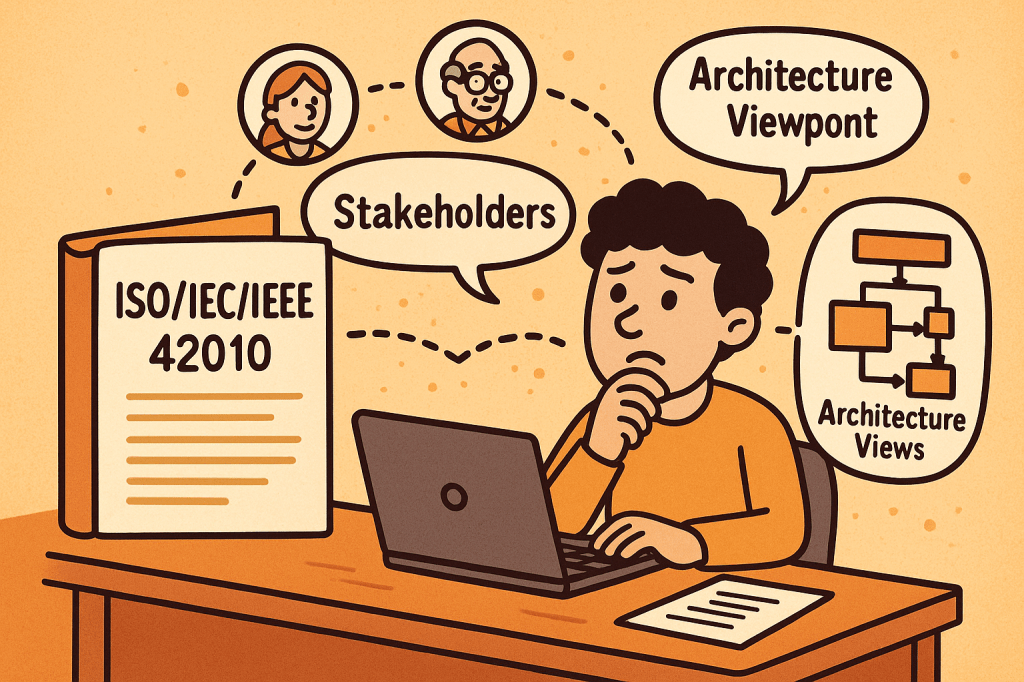
1. Stakeholders

  • Individuals, teams, or organizations who have an interest in the system (e.g., developers, users, maintainers, regulators).
  • The standard emphasizes identifying stakeholders and their concerns.

2. Concerns

  • Issues that stakeholders care about, such as performance, security, usability, reliability, scalability, and compliance.
  • Architecture descriptions must explicitly address these concerns.

3. Architecture Views

  • Representations of the system from the perspective of particular concerns.
  • For example:
    • A deployment view shows how software maps to hardware.
    • A security view highlights authentication, authorization, and data protection.

4. Viewpoints

  • Specifications that define how to construct and interpret views.
  • Example: A UML diagram might serve as a viewpoint to express design details.

5. Architecture Description (AD)

  • The complete set of views, viewpoints, and supporting information documenting the architecture of a system.

6. Correspondences and Rationale

  • Explains how different views relate to each other.
  • Provides reasoning for architectural choices, improving traceability.

Why Do We Need ISO/IEC/IEEE 42010?

Architectural documentation often suffers from being inconsistent, incomplete, or too tailored to one stakeholder group. This is where ISO/IEC/IEEE 42010 adds value:

  • Improves communication
    Provides a shared vocabulary and structure for architects, developers, managers, and stakeholders.
  • Ensures completeness
    Encourages documenting all stakeholder concerns, not just technical details.
  • Supports evaluation
    Helps teams assess whether the architecture meets quality attributes like performance, maintainability, and security.
  • Enables consistency
    Standardizes how architectures are described, making them easier to compare, reuse, and evolve.
  • Facilitates governance
    Useful in regulatory or compliance-heavy industries (healthcare, aerospace, finance) where documentation must meet international standards.

What ISO/IEC/IEEE 42010 Does Not Cover

While it provides a strong framework for describing architectures, it does not define or prescribe:

  • Specific architectural methods or processes
    It does not tell you how to design an architecture (e.g., Agile, TOGAF, RUP). Instead, it tells you how to describe the architecture once you’ve designed it.
  • Specific notations or tools
    The standard does not mandate UML, ArchiMate, or SysML. Any notation can be used, as long as it aligns with stakeholder concerns.
  • System or software architecture itself
    It is not a design method, but rather a documentation and description framework.
  • Quality guarantees
    It ensures concerns are addressed and documented but does not guarantee that the system will meet those concerns in practice.

Final Thoughts

ISO/IEC/IEEE 42010 is a cornerstone standard in systems and software engineering. It brings clarity, structure, and rigor to how we document architectures. While it doesn’t dictate how to build systems, it ensures that when systems are built, their architectures are well-communicated, stakeholder-driven, and consistent.

For software teams, enterprise architects, and systems engineers, adopting ISO/IEC/IEEE 42010 can significantly improve communication, reduce misunderstandings, and strengthen architectural governance.

Understanding Application Binary Interface (ABI) in Software Development

What is application binary interface?

What is Application Binary Interface (ABI)?

An Application Binary Interface (ABI) defines the low-level, binary-level contract between two pieces of software — typically between a compiled program and the operating system, or between different compiled modules of a program.
While an API (Application Programming Interface) specifies what functions and data structures are available for use, the ABI specifies how those functions and data structures are represented in machine code.

In simpler terms, ABI ensures that independently compiled programs and libraries can work together at the binary level without conflicts.

Main Features and Concepts of ABI

Key aspects of ABI include:

  • Calling Conventions: Defines how functions are called at the machine level, including how parameters are passed (in registers or stack) and how return values are handled.
  • Data Types and Alignment: Ensures consistency in how data structures, integers, floats, and pointers are represented in memory.
  • System Call Interface: Defines how applications interact with the kernel (e.g., Linux system calls).
  • Binary File Format: Specifies how executables, shared libraries, and object files are structured (e.g., ELF on Linux, PE on Windows).
  • Name Mangling Rules: Important in languages like C++ to ensure symbols can be linked correctly across different modules.
  • Exception Handling Mechanism: Defines how runtime errors and exceptions are propagated across compiled units.

How Does ABI Work?

When you compile source code, the compiler translates human-readable instructions into machine instructions. For these instructions to interoperate correctly across libraries and operating systems:

  1. The compiler must follow ABI rules for function calls, data types, and registers.
  2. The linker ensures compatibility by checking binary formats.
  3. The runtime environment (OS and hardware) executes instructions assuming they follow ABI conventions.

If two binaries follow different ABIs, they may be incompatible even if their APIs look identical.

Benefits and Advantages of ABI

  • Cross-Compatibility: Enables different compilers and programming languages to interoperate on the same platform.
  • Stability: Provides long-term support for existing applications without recompilation when the OS or libraries are updated.
  • Portability: Makes it easier to run applications across different hardware architectures that support the same ABI standard.
  • Performance Optimization: Well-designed ABIs leverage efficient calling conventions and memory layouts for faster execution.
  • Ecosystem Support: Many open-source ecosystems (like Linux distributions) rely heavily on ABI stability to support thousands of third-party applications.

Main Challenges of ABI

  • ABI Breakage: Small changes in data structure layout or calling conventions can break compatibility between old and new binaries.
  • Platform-Specific Differences: ABIs differ across operating systems (Linux, Windows, macOS) and hardware (x86, ARM, RISC-V).
  • Compiler Variations: Different compilers may implement language features differently, causing subtle ABI incompatibilities.
  • Maintaining Stability: Once an ABI is published, it becomes difficult to change without breaking existing applications.
  • Security Concerns: Exposing low-level system call interfaces can introduce vulnerabilities if not carefully managed.

How and When Can We Use ABI?

ABIs are critical in several contexts:

  • Operating Systems: Defining how user applications interact with the kernel (e.g., Linux System V ABI).
  • Language Interoperability: Allowing code compiled from different languages (C, Rust, Fortran) to work together.
  • Cross-Platform Development: Supporting software portability across different devices and architectures.
  • Library Distribution: Ensuring precompiled libraries (like OpenSSL, libc) work seamlessly across applications.

Real World Examples of ABI

  • Linux Standard Base (LSB): Defines a common ABI for Linux distributions, allowing software vendors to distribute binaries that run across multiple distros.
  • Windows ABI (Win32 / x64): Ensures applications compiled for Windows can run on different versions without modification.
  • ARM EABI (Embedded ABI): Used in mobile and embedded systems to ensure cross-compatibility of binaries.
  • C++ ABI: The Itanium C++ ABI is widely adopted to standardize exception handling, RTTI, and name mangling across compilers.

Integrating ABI into the Software Development Process

To integrate ABI considerations into development:

  1. Follow Established Standards: Adhere to platform ABIs (e.g., System V on Linux, Microsoft x64 ABI on Windows).
  2. Use Compiler Flags Consistently: Ensure all modules and libraries are built with the same ABI-related settings.
  3. Monitor ABI Stability: When upgrading compilers or libraries, check for ABI changes to prevent runtime failures.
  4. Testing Across Platforms: Perform binary compatibility testing in CI/CD pipelines to catch ABI mismatches early.
  5. Documentation and Versioning: Clearly document the ABI guarantees your software provides, especially if distributing precompiled libraries.

Conclusion

The Application Binary Interface (ABI) is the unseen backbone of software interoperability. It ensures that compiled programs, libraries, and operating systems can work together seamlessly. While maintaining ABI stability can be challenging, respecting ABI standards is essential for long-term compatibility, ecosystem growth, and reliable software development.

Message Brokers in Computer Science — A Practical, Hands-On Guide

What is a message broker?

What Is a Message Broker?

A message broker is middleware that routes, stores, and delivers messages between independent parts of a system (services, apps, devices). Instead of services calling each other directly, they publish messages to the broker, and other services consume them. This creates loose coupling, improves resilience, and enables asynchronous workflows.

At its core, a broker provides:

  • Producers that publish messages.
  • Queues/Topics where messages are held.
  • Consumers that receive messages.
  • Delivery guarantees and routing so the right messages reach the right consumers.

Common brokers: RabbitMQ, Apache Kafka, ActiveMQ/Artemis, NATS, Redis Streams, AWS SQS/SNS, Google Pub/Sub, Azure Service Bus.

A Short History (High-Level Timeline)

  • Mainframe era (1970s–1980s): Early queueing concepts appear in enterprise systems to decouple batch and transactional workloads.
  • Enterprise messaging (1990s): Commercial MQ systems (e.g., IBM MQ, Microsoft MSMQ, TIBCO) popularize durable queues and pub/sub for financial and telecom workloads.
  • Open standards (late 1990s–2000s): Java Message Service (JMS) APIs and AMQP wire protocol encourage vendor neutrality.
  • Distributed streaming (2010s): Kafka and cloud-native services (SQS/SNS, Pub/Sub, Service Bus) emphasize horizontal scalability, event streams, and managed operations.
  • Today: Hybrid models—classic brokers (flexible routing, strong per-message semantics) and log-based streaming (high throughput, replayable events) coexist.

How a Message Broker Works (Under the Hood)

  1. Publish: A producer sends a message with headers and body. Some brokers require a routing key (e.g., “orders.created”).
  2. Route: The broker uses bindings/rules to deliver messages to the right queue(s) or topic partitions.
  3. Persist: Messages are durably stored (disk/replicated) according to retention and durability settings.
  4. Consume: Consumers pull (or receive push-delivered) messages.
  5. Acknowledge & Retry: On success, the consumer acks; on failure, the broker retries with backoff or moves the message to a dead-letter queue (DLQ).
  6. Scale: Consumer groups share work (competing consumers). Partitions (Kafka) or multiple queues (RabbitMQ) enable parallelism and throughput.
  7. Observe & Govern: Metrics (lag, throughput), tracing, and schema/versioning keep systems healthy and evolvable.

Key Features & Characteristics

  • Delivery semantics: at-most-once, at-least-once (most common), sometimes exactly-once (with constraints).
  • Ordering: per-queue or per-partition ordering; global ordering is rare and costly.
  • Durability & retention: in-memory vs disk, replication, time/size-based retention.
  • Routing patterns: direct, topic (wildcards), fan-out/broadcast, headers-based, delayed/priority.
  • Scalability: horizontal scale via partitions/shards, consumer groups.
  • Transactions & idempotency: transactions (broker or app-level), idempotent consumers, deduplication keys.
  • Protocols & APIs: AMQP, MQTT, STOMP, HTTP/REST, gRPC; SDKs for many languages.
  • Security: TLS in transit, server-side encryption, SASL/OAuth/IAM authN/Z, network policies.
  • Observability: consumer lag, DLQ rates, redeliveries, end-to-end tracing.
  • Admin & ops: multi-tenant isolation, quotas, quotas per topic, quotas per consumer, cleanup policies.

Main Benefits

  • Loose coupling: producers and consumers evolve independently.
  • Resilience: retries, DLQs, backpressure protect downstream services.
  • Scalability: natural parallelism via consumer groups/partitions.
  • Smoothing traffic spikes: brokers absorb bursts; consumers process at steady rates.
  • Asynchronous workflows: better UX and throughput (don’t block API calls).
  • Auditability & replay: streaming logs (Kafka-style) enable reprocessing and backfills.
  • Polyglot interop: cross-language, cross-platform integration via shared contracts.

Real-World Use Cases (With Detailed Flows)

  1. Order Processing (e-commerce):
    • Flow: API receives an order → publishes order.created. Payment, inventory, shipping services consume in parallel.
    • Why a broker? Decouples services, enables retries, and supports fan-out to analytics and email notifications.
  2. Event-Driven Microservices:
    • Flow: Services emit domain events (e.g., user.registered). Other services react (e.g., create welcome coupon, sync CRM).
    • Why? Eases cross-team collaboration and reduces synchronous coupling.
  3. Transactional Outbox (reliability bridge):
    • Flow: Service writes business state and an “outbox” row in the same DB transaction → a relay publishes the event to the broker → exactly-once effect at the boundary.
    • Why? Prevents the “saved DB but failed to publish” problem.
  4. IoT Telemetry & Monitoring:
    • Flow: Devices publish telemetry to MQTT/AMQP; backend aggregates, filters, and stores for dashboards & alerts.
    • Why? Handles intermittent connectivity, large fan-in, and variable rates.
  5. Log & Metric Pipelines / Stream Processing:
    • Flow: Applications publish logs/events to a streaming broker; processors compute aggregates and feed real-time dashboards.
    • Why? High throughput, replay for incident analysis, and scalable consumers.
  6. Payment & Fraud Detection:
    • Flow: Payments emit events to fraud detection service; anomalies trigger holds or manual review.
    • Why? Low latency pipelines with backpressure and guaranteed delivery.
  7. Search Indexing / ETL:
    • Flow: Data changes publish “change events” (CDC); consumers update search indexes or data lakes.
    • Why? Near-real-time sync without tight DB coupling.
  8. Notifications & Email/SMS:
    • Flow: App publishes notify.user messages; a notification service renders templates and sends via providers with retry/DLQ.
    • Why? Offloads slow/fragile external calls from critical paths.

Choosing a Broker (Quick Comparison)

BrokerModelStrengthsTypical Fits
RabbitMQQueues + exchanges (AMQP)Flexible routing (topic/direct/fanout), per-message acks, pluginsWork queues, task processing, request/reply, multi-tenant apps
Apache KafkaPartitioned log (topics)Massive throughput, replay, stream processing ecosystemEvent streaming, analytics, CDC, data pipelines
ActiveMQ ArtemisQueues/Topics (AMQP, JMS)Mature JMS support, durable queues, persistenceJava/JMS systems, enterprise integration
NATSLightweight pub/subVery low latency, simple ops, JetStream for persistenceControl planes, lightweight messaging, microservices
Redis StreamsAppend-only streamsSimple ops, consumer groups, good for moderate scaleEvent logs in Redis-centric stacks
AWS SQS/SNSQueue + fan-outFully managed, easy IAM, serverless-readyCloud/serverless integration, decoupled services
GCP Pub/SubTopics/subscriptionsGlobal scale, push/pull, Dataflow tie-insGCP analytics pipelines, microservices
Azure Service BusQueues/TopicsSessions, dead-lettering, rulesAzure microservices, enterprise workflows

Integrating a Message Broker Into Your Software Development Process

1) Design the Events and Contracts

  • Event storming to find domain events (invoice.issued, payment.captured).
  • Define message schema (JSON/Avro/Protobuf) and versioning strategy (backward-compatible changes, default fields).
  • Establish routing conventions (topic names, keys/partitions, headers).
  • Decide on delivery semantics and ordering requirements.

2) Pick the Broker & Topology

  • Match throughput/latency and routing needs to a broker (e.g., Kafka for analytics/replay, RabbitMQ for task queues).
  • Plan partitions/queues, consumer groups, and DLQs.
  • Choose retention: time/size or compaction (Kafka) to support reprocessing.

3) Implement Producers & Consumers

  • Use official clients or proven libs.
  • Add idempotency (keys, dedup cache) and exactly-once effects at the application boundary (often via the outbox pattern).
  • Implement retries with backoff, circuit breakers, and poison-pill handling (DLQ).

4) Security & Compliance

  • Enforce TLS, authN/Z (SASL/OAuth/IAM), least privilege topics/queues.
  • Classify data; avoid PII in payloads unless required; encrypt sensitive fields.

5) Observability & Operations

  • Track consumer lag, throughput, error rates, redeliveries, DLQ depth.
  • Centralize structured logging and traces (correlation IDs).
  • Create runbooks for reprocessing, backfills, and DLQ triage.

6) Testing Strategy

  • Unit tests for message handlers (pure logic).
  • Contract tests to ensure producer/consumer schema compatibility.
  • Integration tests using Testcontainers (spin up Kafka/RabbitMQ in CI).
  • Load tests to validate partitioning, concurrency, and backpressure.

7) Deployment & Infra

  • Provision via IaC (Terraform, Helm).
  • Configure quotas, ACLs, retention, and autoscaling.
  • Use blue/green or canary deploys for consumers to avoid message loss.

8) Governance & Evolution

  • Own each topic/queue (clear team ownership).
  • Document schema evolution rules and deprecation process.
  • Periodically review retention, partitions, and consumer performance.

Minimal Code Samples (Spring Boot, so you can plug in quickly)

Kafka Producer (Spring Boot)

@Service
public class OrderEventProducer {
  private final KafkaTemplate<String, String> kafka;

  public OrderEventProducer(KafkaTemplate<String, String> kafka) {
    this.kafka = kafka;
  }

  public void publishOrderCreated(String orderId, String payloadJson) {
    kafka.send("orders.created", orderId, payloadJson); // use orderId as key for ordering
  }
}

Kafka Consumer

@Component
public class OrderEventConsumer {
  @KafkaListener(topics = "orders.created", groupId = "order-workers")
  public void onMessage(String payloadJson) {
    // TODO: validate schema, handle idempotency via orderId, process safely, log traceId
  }
}

RabbitMQ Consumer (Spring AMQP)

@Component
public class EmailConsumer {
  @RabbitListener(queues = "email.notifications")
  public void handleEmail(String payloadJson) {
    // Render template, call provider with retries; nack to DLQ on poison messages
  }
}

Docker Compose (Local Dev)

services:
  rabbitmq:
    image: rabbitmq:3-management
    ports: ["5672:5672", "15672:15672"]  # UI at :15672
  kafka:
    image: bitnami/kafka:latest
    environment:
      - KAFKA_ENABLE_KRAFT=yes
      - KAFKA_CFG_AUTO_CREATE_TOPICS_ENABLE=true
    ports: ["9092:9092"]

Common Pitfalls (and How to Avoid Them)

  • Treating the broker like a database: keep payloads small, use a real DB for querying and relationships.
  • No schema discipline: enforce contracts; add fields in backward-compatible ways.
  • Ignoring DLQs: monitor and drain with runbooks; fix root causes, don’t just requeue forever.
  • Chatty synchronous RPC over MQ: use proper async patterns; when you must do request-reply, set timeouts and correlation IDs.
  • Hot partitions: choose balanced keys; consider hashing or sharding strategies.

A Quick Integration Checklist

  • Pick broker aligned to throughput/routing needs.
  • Define topic/queue naming, keys, and retention.
  • Establish message schemas + versioning rules.
  • Implement idempotency and the transactional outbox where needed.
  • Add retries, backoff, and DLQ policies.
  • Secure with TLS + auth; restrict ACLs.
  • Instrument lag, errors, DLQ depth, and add tracing.
  • Test with Testcontainers in CI; load test for spikes.
  • Document ownership and runbooks for reprocessing.
  • Review partitions/retention quarterly.

Final Thoughts

Message brokers are a foundational building block for event-driven, resilient, and scalable systems. Start by modeling the events and delivery guarantees you need, then select a broker that fits your routing and throughput profile. With solid schema governance, idempotency, DLQs, and observability, you’ll integrate messaging into your development process confidently—and unlock patterns that are hard to achieve with synchronous APIs alone.

Event Driven Architecture: A Complete Guide

What is event driven architecture?

What is Event Driven Architecture?

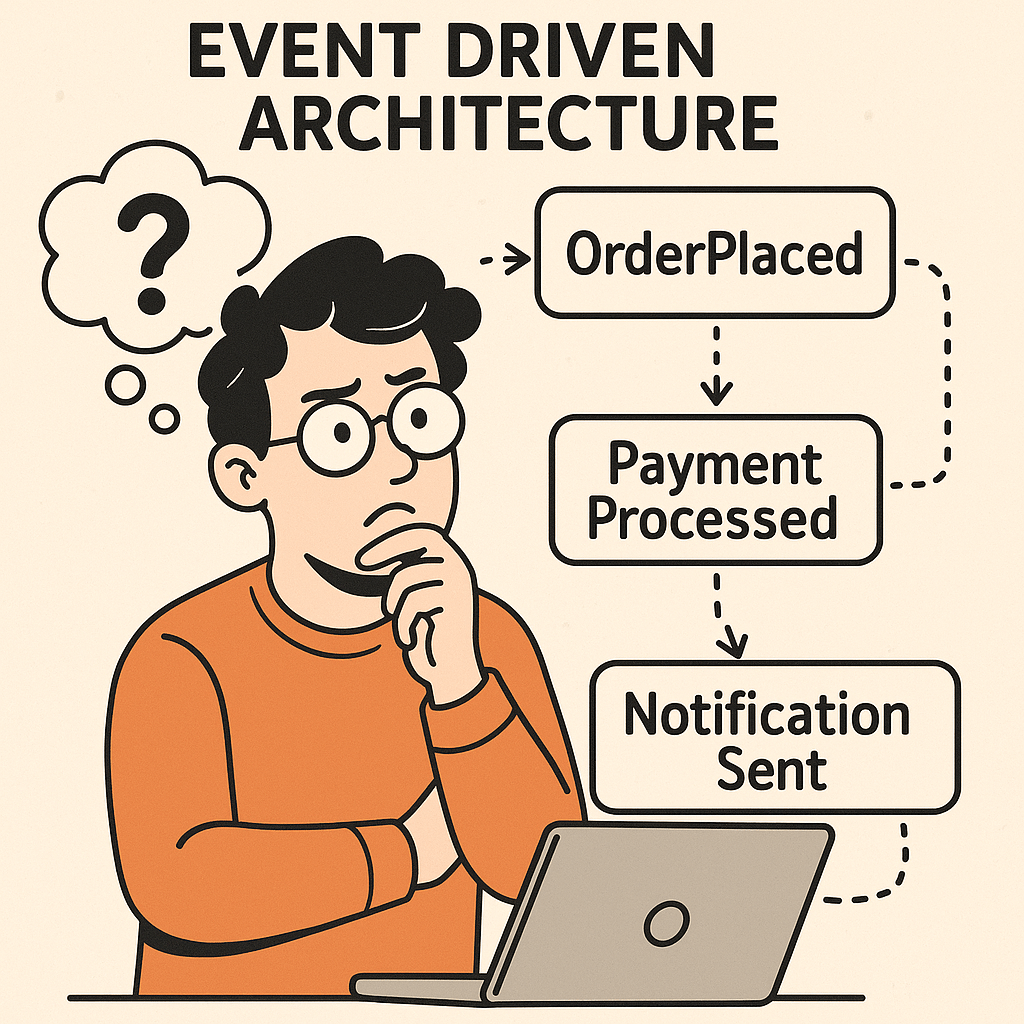
Event Driven Architecture (EDA) is a modern software design pattern where systems communicate through events rather than direct calls. Instead of services requesting and waiting for responses, they react to events as they occur.

An event is simply a significant change in state — for example, a user placing an order, a payment being processed, or a sensor detecting a temperature change. In EDA, these events are captured, published, and consumed by other components in real time.

This approach makes systems more scalable, flexible, and responsive to change compared to traditional request/response architectures.

Main Components of Event Driven Architecture

1. Event Producers

These are the sources that generate events. For example, an e-commerce application might generate an event when a customer places an order.

2. Event Routers (Event Brokers)

Routers manage the flow of events. They receive events from producers and deliver them to consumers. Message brokers like Apache Kafka, RabbitMQ, or AWS EventBridge are commonly used here.

3. Event Consumers

These are services or applications that react to events. For instance, an email service may consume an “OrderPlaced” event to send an order confirmation email.

4. Event Channels

These are communication pathways through which events travel. They ensure producers and consumers remain decoupled.

How Does Event Driven Architecture Work?

  1. Event Occurs – Something happens (e.g., a new user signs up).
  2. Event Published – The producer sends this event to the broker.
  3. Event Routed – The broker forwards the event to interested consumers.
  4. Event Consumed – Services subscribed to this event take action (e.g., send a welcome email, update analytics, trigger a workflow).

This process is asynchronous, meaning producers don’t wait for consumers. Events are processed independently, allowing for more efficient, real-time interactions.

Benefits and Advantages of Event Driven Architecture

Scalability

Each service can scale independently based on the number of events it needs to handle.

Flexibility

You can add new consumers without modifying existing producers, making it easier to extend systems.

Real-time Processing

EDA enables near real-time responses, perfect for financial transactions, IoT, and user notifications.

Loose Coupling

Producers and consumers don’t need to know about each other, reducing dependencies.

Resilience

If one consumer fails, other parts of the system continue working. Events can be replayed or queued until recovery.

Challenges of Event Driven Architecture

Complexity

Designing an event-driven system requires careful planning of event flows and dependencies.

Event Ordering and Idempotency

Events may arrive out of order or be processed multiple times, requiring special handling to avoid duplication.

Monitoring and Debugging

Since interactions are asynchronous and distributed, tracing the flow of events can be harder compared to request/response systems.

Data Consistency

Maintaining strong consistency across distributed services is difficult. Often, EDA relies on eventual consistency, which may not fit all use cases.

Operational Overhead

Operating brokers like Kafka or RabbitMQ adds infrastructure complexity and requires proper monitoring and scaling strategies.

When and How Can We Use Event Driven Architecture?

EDA is most effective when:

  • The system requires real-time responses (e.g., fraud detection).
  • The system must handle high scalability (e.g., millions of user interactions).
  • You need decoupled services that can evolve independently.
  • Multiple consumers need to react differently to the same event.

It may not be ideal for small applications where synchronous request/response is simpler.

Real World Examples of Event Driven Architecture

E-Commerce

  • Event: Customer places an order.
  • Consumers:
    • Payment service processes the payment.
    • Inventory service updates stock.
    • Notification service sends confirmation.
    • Shipping service prepares delivery.

All of these happen asynchronously, improving performance and user experience.

Banking and Finance

  • Event: A suspicious transaction occurs.
  • Consumers:
    • Fraud detection system analyzes it.
    • Notification system alerts the user.
    • Compliance system records it.

This allows banks to react to fraud in real-time.

IoT Applications

  • Event: Smart thermostat detects high temperature.
  • Consumers:
    • Air conditioning system turns on.
    • Notification sent to homeowner.
    • Analytics system logs energy usage.

Social Media

  • Event: A user posts a photo.
  • Consumers:
    • Notification service alerts friends.
    • Analytics system tracks engagement.
    • Recommendation system updates feeds.

Conclusion

Event Driven Architecture provides a powerful way to build scalable, flexible, and real-time systems. While it introduces challenges like debugging and data consistency, its benefits make it an essential pattern for modern applications — from e-commerce to IoT to financial systems.

When designed and implemented carefully, EDA can transform how software responds to change, making systems more resilient and user-friendly.

Outbox Pattern in Software Development

What is outbox pattern?

What is the Outbox Pattern?

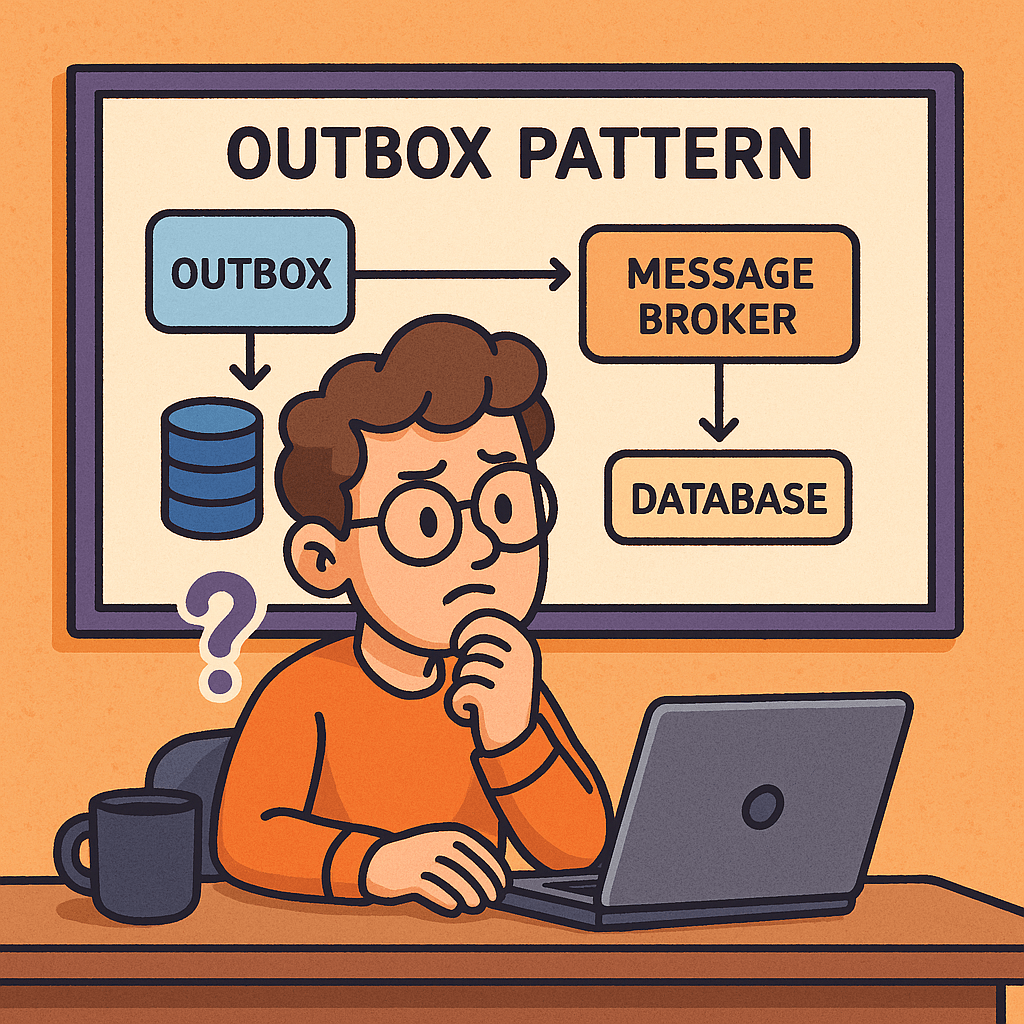
The Outbox Pattern is a design pattern commonly used in distributed systems and microservices to ensure reliable message delivery. It addresses the problem of data consistency when a service needs to both update its database and send an event or message (for example, to a message broker like Kafka, RabbitMQ, or an event bus).

Instead of directly sending the event at the same time as writing to the database, the system first writes the event into an “outbox” table in the same database transaction as the business operation. A separate process then reads from the outbox and publishes the event to the message broker, ensuring that no events are lost even if failures occur.

How Does the Outbox Pattern Work?

  1. Business Transaction Execution
    • When an application performs a business action (e.g., order creation), it updates the primary database.
    • Along with this update, the application writes an event record to an Outbox table within the same transaction.
  2. Outbox Table
    • This table stores pending events that need to be published.
    • Because it’s part of the same transaction, the event and the business data are always consistent.
  3. Event Relay Process
    • A separate background job or service scans the Outbox table.
    • It reads the pending events and publishes them to the message broker (Kafka, RabbitMQ, AWS SNS/SQS, etc.).
  4. Marking Events as Sent
    • Once the event is successfully delivered, the system marks the record as processed (or deletes it).
    • This ensures events are not sent multiple times (unless idempotency is designed in).

Benefits and Advantages of the Outbox Pattern

1. Guaranteed Consistency

  • Ensures the business operation and the event are always in sync.
  • Avoids the “dual write” problem, where database and message broker updates can go out of sync.

2. Reliability

  • No events are lost, even if the system crashes before publishing to the broker.
  • Events stay in the Outbox until safely delivered.

3. Scalability

  • Works well with microservices architectures where multiple services rely on events for communication.
  • Prevents data discrepancies across distributed systems.

4. Resilience

  • Recovers gracefully after failures.
  • Background jobs can retry delivery without affecting the original business logic.

Disadvantages of the Outbox Pattern

  1. Increased Complexity
    • Requires maintaining an additional outbox table and cleanup process.
    • Adds overhead in terms of storage and monitoring.
  2. Event Delivery Delay
    • Since events are delivered asynchronously via a polling job, there can be a slight delay between database update and event publication.
  3. Idempotency Handling
    • Consumers must be designed to handle duplicate events (because retries may occur).
  4. Operational Overhead
    • Requires monitoring outbox size, ensuring jobs run reliably, and managing cleanup policies.

Real World Examples

  • E-commerce Order Management
    When a customer places an order, the system stores the order in the database and writes an “OrderCreated” event in the Outbox. A background job later publishes this event to notify the Payment Service and Shipping Service.
  • Banking and Financial Systems
    A transaction record is stored in the database along with an outbox entry. The event is then sent to downstream fraud detection and accounting systems, ensuring that no financial transaction event is lost.
  • Logistics and Delivery Platforms
    When a package status changes, the update and the event notification (to notify the customer or update tracking systems) are stored together, ensuring both always align.

When and How Should We Use It?

When to Use It

  • In microservices architectures where multiple services must stay in sync.
  • When using event-driven systems with critical business data.
  • In cases where data loss is unacceptable (e.g., payments, orders, transactions).

How to Use It

  1. Add an Outbox Table
    Create an additional table in your database to store events.
  2. Write Events with Business Transactions
    Ensure your application writes to the Outbox within the same transaction as the primary data.
  3. Relay Service or Job
    Implement a background worker (cron job, Kafka Connect, Debezium CDC, etc.) that polls the Outbox and delivers events.
  4. Cleanup Strategy
    Define how to archive or delete processed events to prevent table bloat.

Integrating the Outbox Pattern into Your Current Software Development Process

  • Step 1: Identify Event Sources
    Find operations in your system where database updates must also trigger external events (e.g., order, payment, shipment).
  • Step 2: Implement Outbox Table
    Add an Outbox table to the same database schema to capture events reliably.
  • Step 3: Modify Business Logic
    Update services so that they not only store data but also write an event entry in the Outbox.
  • Step 4: Build Event Publisher
    Create a background service that publishes events from the Outbox to your event bus or message queue.
  • Step 5: Monitor and Scale
    Add monitoring for outbox size, processing delays, and failures. Scale your relay jobs as needed.

Conclusion

The Outbox Pattern is a powerful solution for ensuring reliable and consistent communication in distributed systems. It guarantees that critical business events are never lost and keeps systems in sync, even during failures. While it introduces some operational complexity, its reliability and consistency benefits make it a key architectural choice for event-driven and microservices-based systems.

Saga Pattern: Reliable Distributed Transactions for Microservices

What is saga pattern?

What Is a Saga Pattern?

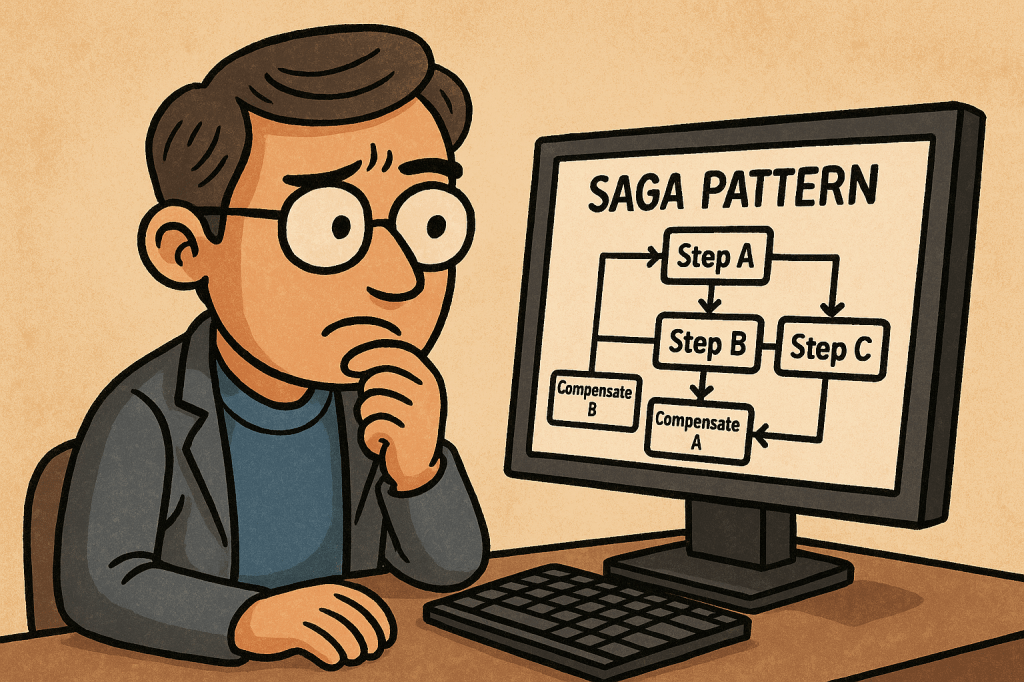
A saga is a sequence of local transactions that update multiple services without a global ACID transaction. Each local step commits in its own database and publishes an event or sends a command to trigger the next step. If any step fails, the saga runs compensating actions to undo the work already completed. The result is eventual consistency across services.

How Does It Work?

Two Coordination Styles

  • Choreography (event-driven): Each service listens for events and emits new events after its local transaction. There is no central coordinator.
    Pros: simple, highly decoupled. Cons: flow becomes hard to visualize/govern as steps grow.
  • Orchestration (command-driven): A dedicated orchestrator (or “process manager”) tells services what to do next and tracks state.
    Pros: clear control and visibility. Cons: one more component to run and scale.

Compensating Transactions

Instead of rolling back with a global lock, sagas use compensation—business-level “undo” (e.g., “release inventory”, “refund payment”). Compensations must be idempotent and safe to retry.

Success & Failure Paths

  • Happy path: Step A → Step B → Step C → Done
  • Failure path: Step B fails → run B’s compensation (if needed) → run A’s compensation → saga ends in a terminal “compensated” state.

How to Implement a Saga (Step-by-Step)

  1. Model the business workflow
    • Write the steps, inputs/outputs, and compensation rules for each step.
    • Define when the saga starts, ends, and the terminal states.
  2. Choose coordination style
    • Start with orchestration for clarity on complex flows; use choreography for small, stable workflows.
  3. Define messages
    • Commands (do X) and events (X happened). Include correlation IDs and idempotency keys.
  4. Persist saga state
    • Keep a saga log/state (e.g., “PENDING → RESERVED → CHARGED → SHIPPED”). Store step results and compensation status.
  5. Guarantee message delivery
    • Use a broker (e.g., Kafka/RabbitMQ/Azure Service Bus). Implement at-least-once delivery + idempotent handlers.
    • Consider the Outbox pattern so DB changes and messages are published atomically.
  6. Retries, timeouts, and backoff
    • Add exponential backoff and timeouts per step. Use dead-letter queues for poison messages.
  7. Design compensations
    • Make them idempotent, auditable, and business-correct (refund, release, cancel, notify).
  8. Observability
    • Emit traces (OpenTelemetry), metrics (success rate, average duration, compensation rate), and structured logs with correlation IDs.
  9. Testing
    • Unit test each step and its compensation.
    • Contract test message schemas.
    • End-to-end tests for happy & failure paths (including chaos/timeout scenarios).
  10. Production hardening checklist
  • Schema versioning, consumer backward compatibility
  • Replay safety (idempotency)
  • Operational runbooks for stuck/partial sagas
  • Access control on orchestration commands

Mini Orchestration Sketch (Pseudocode)

startSaga(orderId):
  save(state=PENDING)
  send ReserveInventory(orderId)

on InventoryReserved(orderId):
  save(state=RESERVED)
  send ChargePayment(orderId)

on PaymentCharged(orderId):
  save(state=CHARGED)
  send CreateShipment(orderId)

on ShipmentCreated(orderId):
  save(state=COMPLETED)

on StepFailed(orderId, step):
  runCompensationsUpTo(step)
  save(state=COMPENSATED)

Main Features

  • Long-lived, distributed workflows with eventual consistency
  • Compensating transactions instead of global rollbacks
  • Asynchronous messaging and decoupled services
  • Saga state/log for reliability, retries, and audits
  • Observability hooks (tracing, metrics, logs)
  • Idempotent handlers and deduplication for safe replays

Advantages & Benefits (In Detail)

  • High availability: No cross-service locks or 2PC; services stay responsive.
  • Business-level correctness: Compensations reflect real business semantics (refunds, releases).
  • Scalability & autonomy: Each service owns its data; sagas coordinate outcomes, not tables.
  • Resilience to partial failures: Built-in retries, timeouts, and compensations.
  • Clear audit trail: Saga state/log makes post-mortems and compliance easier.
  • Evolvability: Add steps or change flows with isolated deployments and versioned events.

When and Why You Should Use It

Use sagas when:

  • A process spans multiple services/datastores and global transactions aren’t available (or are too costly).
  • Steps are long-running (minutes/hours) and eventual consistency is acceptable.
  • You need business-meaningful undo (refund, release, cancel).

Prefer simpler patterns when:

  • All updates are inside one service/database with ACID support.
  • The process is tiny and won’t change—choreography might still be fine, but a direct call chain could be simpler.

Real-World Examples (Detailed)

  1. E-commerce Checkout
    • Steps: Reserve inventory → Charge payment → Create shipment → Confirm order
    • Failure: If shipment creation fails, refund payment, release inventory, cancel order, notify customer.
  2. Travel Booking
    • Steps: Hold flight → Hold hotel → Hold car → Confirm all and issue tickets
    • Failure: If hotel hold fails, release flight/car holds and void payments.
  3. Banking Transfers
    • Steps: Debit source → Credit destination → Notify
    • Failure: If credit fails, reverse debit and flag account for review.
  4. KYC-Gated Subscription
    • Steps: Create account → Run KYC → Activate subscription → Send welcome
    • Failure: If KYC fails, deactivate, refund, delete PII per policy.

Integrating Sagas into Your Software Development Process

  1. Architecture & Design
    • Start with domain event storming or BPMN to map steps and compensations.
    • Choose orchestration for complex flows; choreography for simple, stable ones.
    • Define message schemas (JSON/Avro), correlation IDs, and error contracts.
  2. Team Practices
    • Consumer-driven contracts for messages; enforce schema compatibility in CI.
    • Readiness checklists before adding a new step: idempotency, compensation, timeout, metrics.
    • Playbooks for manual compensation, replay, and DLQ handling.
  3. Platform & Tooling
    • Message broker, saga state store, and a dashboard for monitoring runs.
    • Consider helpers/frameworks (e.g., workflow engines or lightweight state machines) if they fit your stack.
  4. CI/CD & Operations
    • Use feature flags to roll out steps incrementally.
    • Add synthetic transactions in staging to exercise both happy and compensating paths.
    • Capture traces/metrics and set alerts on compensation spikes, timeouts, and DLQ growth.
  5. Security & Compliance
    • Propagate auth context safely; authorize orchestrator commands.
    • Keep audit logs of compensations; plan for PII deletion and data retention.

Quick Implementation Checklist

  • Business steps + compensations defined
  • Orchestration vs. choreography decision made
  • Message schemas with correlation/idempotency keys
  • Saga state persistence + outbox pattern
  • Retries, timeouts, DLQ, backoff
  • Idempotent handlers and duplicate detection
  • Tracing, metrics, structured logs
  • Contract tests + end-to-end failure tests
  • Ops playbooks and dashboards

Sagas coordinate multi-service workflows through local commits + compensations, delivering eventual consistency without 2PC. Start with a clear model, choose orchestration for complex flows, make every step idempotent & observable, and operationalize with retries, timeouts, outbox, DLQ, and dashboards.

Aspect-Oriented Programming (AOP) in Software Development

What is aspect oriented programming?

Software systems grow complex over time, often combining business logic, infrastructure, and cross-cutting concerns. To manage this complexity, developers rely on design paradigms. One such paradigm that emerged to simplify and modularize software is Aspect-Oriented Programming (AOP).

What is Aspect-Oriented Programming?

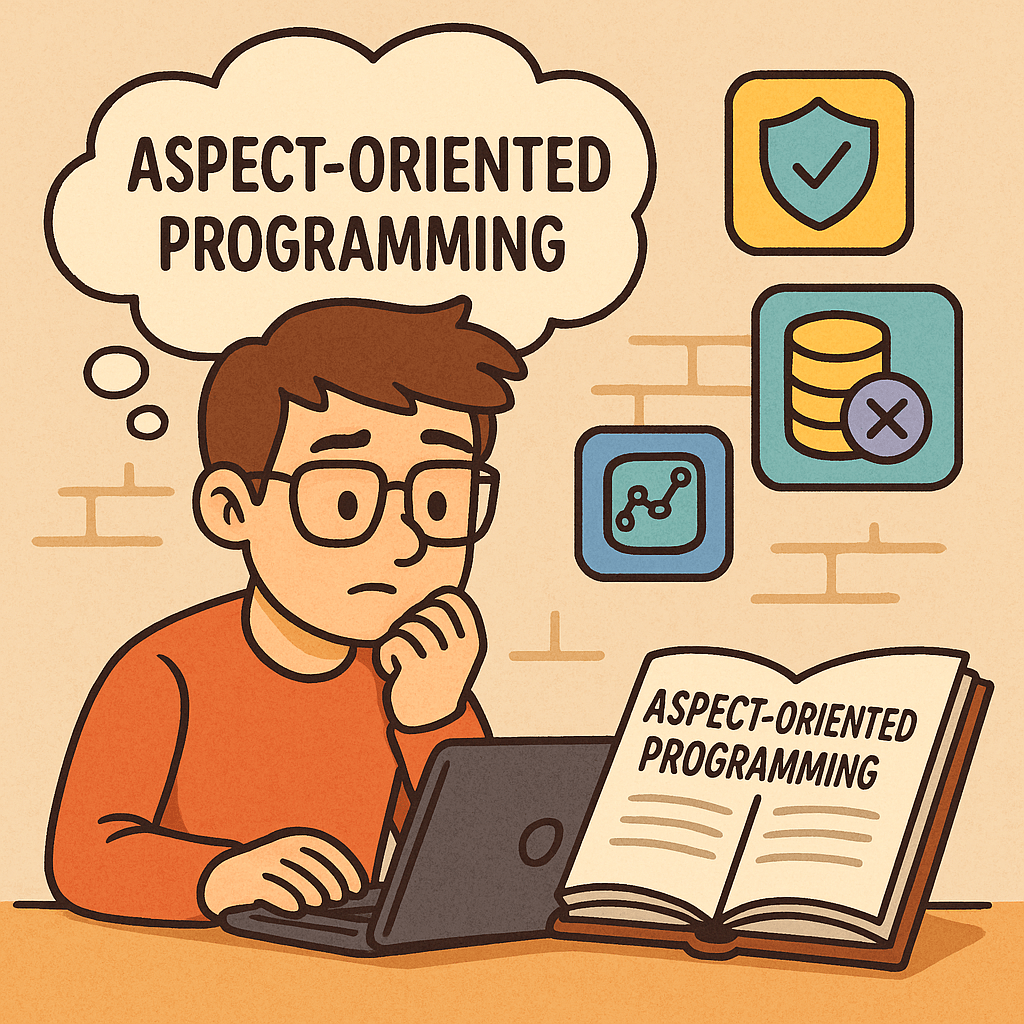
Aspect-Oriented Programming (AOP) is a programming paradigm that focuses on separating cross-cutting concerns from the main business logic of a program.
In traditional programming approaches, such as Object-Oriented Programming (OOP), concerns like logging, security, transaction management, or error handling often end up scattered across multiple classes and methods. AOP provides a structured way to isolate these concerns into reusable modules called aspects, improving code clarity, maintainability, and modularity.

History of Aspect-Oriented Programming

The concept of AOP was first introduced in the mid-1990s at Xerox Palo Alto Research Center (PARC) by Gregor Kiczales and his team.
They noticed that even with the widespread adoption of OOP, developers struggled with the “tangling” and “scattering” of cross-cutting concerns in enterprise systems. OOP did a good job encapsulating data and behavior, but it wasn’t effective for concerns that affected multiple modules at once.

To solve this, Kiczales and colleagues developed AspectJ, an extension to the Java programming language, which became the first practical implementation of AOP. AspectJ made it possible to write aspects separately and weave them into the main application code at compile time or runtime.

Over the years, AOP spread across multiple programming languages, frameworks, and ecosystems, especially in enterprise software development.

Main Concerns Addressed by AOP

AOP primarily targets cross-cutting concerns, which are functionalities that span across multiple modules. Common examples include:

  • Logging – capturing method calls and system events.
  • Security – applying authentication and authorization consistently.
  • Transaction Management – ensuring database operations are atomic and consistent.
  • Performance Monitoring – tracking execution time of functions.
  • Error Handling – managing exceptions in a centralized way.
  • Caching – applying caching policies without duplicating code.

Main Components of AOP

Aspect-Oriented Programming is built around a few core concepts:

  • Aspect – A module that encapsulates a cross-cutting concern.
  • Join Point – A point in the program execution (like a method call or object creation) where additional behavior can be inserted.
  • Pointcut – A set of join points where an aspect should be applied.
  • Advice – The action taken by an aspect at a join point (before, after, or around execution).
  • Weaving – The process of linking aspects with the main code. This can occur at compile time, load time, or runtime.

How AOP Works

Here’s a simplified workflow of how AOP functions:

  1. The developer defines aspects (e.g., logging or security).
  2. Within the aspect, pointcuts specify where in the application the aspect should apply.
  3. Advices define what code runs at those pointcuts.
  4. During weaving, the AOP framework inserts the aspect’s logic into the appropriate spots in the main application.

This allows the business logic to remain clean and focused, while cross-cutting concerns are modularized.

Benefits of Aspect-Oriented Programming

  • Improved Modularity – separates business logic from cross-cutting concerns.
  • Better Maintainability – changes to logging, security, or monitoring can be made in one place.
  • Reusability – aspects can be reused across multiple projects.
  • Cleaner Code – reduces code duplication and improves readability.
  • Scalability – simplifies large applications by isolating infrastructure logic.

When and How to Use AOP

AOP is particularly useful in enterprise systems where cross-cutting concerns are numerous and repetitive. Some common scenarios:

  • Web applications – for security, session management, and performance monitoring.
  • Financial systems – for enforcing consistent auditing and transaction management.
  • Microservices – for centralized logging and tracing across distributed services.
  • API Development – for applying rate-limiting, authentication, and exception handling consistently.

To use AOP effectively, it’s often integrated with frameworks. For example:

  • In Java, Spring AOP and AspectJ are popular choices.
  • In .NET, libraries like PostSharp provide AOP capabilities.
  • In Python and JavaScript, decorators and proxies mimic many AOP features.

Real-World Examples

  1. Logging with Spring AOP (Java)
    Instead of writing logging code inside every service method, a logging aspect captures method calls automatically, reducing duplication.
  2. Security in Web Applications
    A security aspect checks user authentication before allowing access to sensitive methods, ensuring consistency across the system.
  3. Transaction Management in Banking Systems
    A transaction aspect ensures that if one operation in a multi-step process fails, all others roll back, maintaining data integrity.
  4. Performance Monitoring
    An aspect measures execution time for functions and logs slow responses, helping developers optimize performance.

Conclusion

Aspect-Oriented Programming is not meant to replace OOP but to complement it by addressing concerns that cut across multiple parts of an application. By cleanly separating cross-cutting concerns, AOP helps developers write cleaner, more modular, and more maintainable code.

In modern enterprise development, frameworks like Spring AOP make it straightforward to integrate AOP into existing projects, making it a powerful tool for building scalable and maintainable software systems.

Understanding Loose Coupling in Software Development

What is Loose Coupling?

What is Loose Coupling?

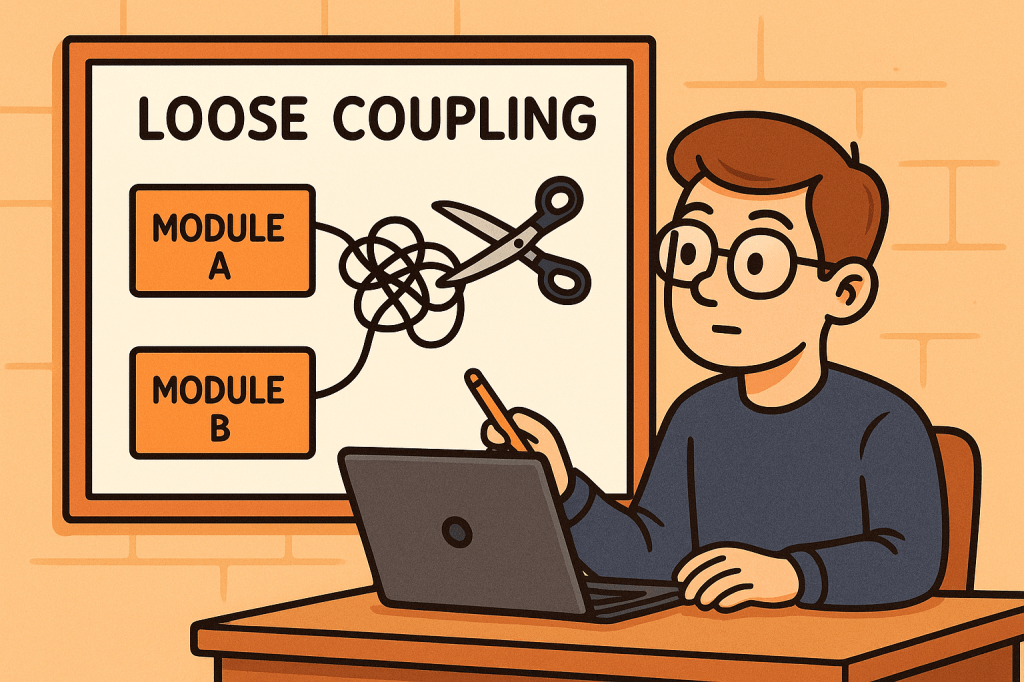
Loose coupling is a design principle in software engineering where different components, modules, or services in a system are designed to have minimal dependencies on one another. This means that each component can function independently, with limited knowledge of the internal details of other components.

The opposite of loose coupling is tight coupling, where components are heavily dependent on each other’s internal implementation, making the system rigid and difficult to modify.

How Does Loose Coupling Work?

Loose coupling works by reducing the amount of direct knowledge and reliance that one module has about another. Instead of modules directly calling each other’s methods or accessing internal data structures, they interact through well-defined interfaces, abstractions, or contracts.

For example:

  • Instead of a class instantiating another class directly, it may depend on an interface or abstract class.
  • Instead of a service calling another service directly, it may use APIs, message queues, or dependency injection.
  • Instead of hardcoding configurations, the system may use external configuration files or environment variables.

Benefits of Loose Coupling

Loose coupling provides several advantages to software systems:

  1. Flexibility – You can easily replace or update one component without breaking others.
  2. Reusability – Independent components can be reused in other projects or contexts.
  3. Maintainability – Code is easier to read, modify, and test because components are isolated.
  4. Scalability – Loosely coupled systems are easier to scale since you can distribute or upgrade components independently.
  5. Testability – With fewer dependencies, you can test components in isolation using mocks or stubs.
  6. Resilience – Failures in one module are less likely to cause cascading failures in the entire system.

How to Achieve Loose Coupling

Here are some strategies to achieve loose coupling in software systems:

  1. Use Interfaces and Abstractions
    Depend on interfaces rather than concrete implementations. This allows you to switch implementations without changing the dependent code.
  2. Apply Dependency Injection
    Instead of creating dependencies inside a class, inject them from the outside. This removes hardcoded connections.
  3. Follow Design Patterns
    Patterns such as Strategy, Observer, Factory, and Adapter promote loose coupling by separating concerns and reducing direct dependencies.
  4. Use Message Brokers or APIs
    Instead of direct calls between services, use message queues (like Kafka or RabbitMQ) or REST/GraphQL APIs to communicate.
  5. Externalize Configurations
    Keep system configurations outside the codebase to avoid hard dependencies.
  6. Modularize Your Codebase
    Break your system into small, independent modules that interact through clear contracts.

When and Why Should We Use Loose Coupling?

Loose coupling should be applied whenever you are building systems that need to be flexible, maintainable, and scalable.

  • When building microservices – Each service should be independent and loosely coupled with others through APIs or messaging.
  • When building large enterprise applications – Loose coupling helps reduce complexity and makes maintenance easier.
  • When working in agile environments – Teams can work on separate components independently, with minimal conflicts.
  • When integrating third-party systems – Using abstractions helps replace or upgrade external services without changing the whole codebase.

Without loose coupling, systems quickly become brittle. A small change in one part could cause a chain reaction of errors throughout the system.

Real World Examples

  1. Payment Systems
    In an e-commerce platform, the checkout system should not depend on the details of a specific payment gateway. Instead, it should depend on a payment interface. This allows swapping PayPal, Stripe, or any other provider without major code changes.
  2. Logging Frameworks
    Instead of directly using System.out.println in Java, applications use logging libraries like SLF4J. The application depends on the SLF4J interface, while the actual implementation (Logback, Log4j, etc.) can be switched easily.
  3. Microservices Architecture
    In Netflix’s architecture, microservices communicate using APIs and messaging systems. Each microservice can be developed, deployed, and scaled independently.
  4. Database Access
    Using ORM tools like Hibernate allows developers to work with an abstract data model. If the underlying database changes from MySQL to PostgreSQL, minimal code changes are needed.

How Can We Use Loose Coupling in Our Software Development Process?

To integrate loose coupling into your process:

  1. Start with Good Architecture – Apply principles like SOLID, Clean Architecture, or Hexagonal Architecture.
  2. Emphasize Abstraction – Always code to an interface, not an implementation.
  3. Adopt Dependency Injection Frameworks – Use frameworks like Spring (Java), Angular (TypeScript), or .NET Core’s built-in DI.
  4. Write Modular Code – Divide your system into independent modules with clear boundaries.
  5. Encourage Team Autonomy – Different teams can own different modules if the system is loosely coupled.
  6. Review for Tight Coupling – During code reviews, check for hard dependencies and suggest abstractions.

By adopting loose coupling in your development process, you create systems that are future-proof, resilient, and easier to maintain, ensuring long-term success.

Understanding Dependency Injection in Software Development

Understanding Dependency Injection

What is Dependency Injection?

Dependency Injection (DI) is a design pattern in software engineering where the dependencies of a class or module are provided from the outside, rather than being created internally. In simpler terms, instead of a class creating the objects it needs, those objects are “injected” into it. This approach decouples components, making them more flexible, testable, and maintainable.

For example, instead of a class instantiating a database connection itself, the connection object is passed to it. This allows the class to work with different types of databases without changing its internal logic.

A Brief History of Dependency Injection

The concept of Dependency Injection has its roots in the Inversion of Control (IoC) principle, which was popularized in the late 1990s and early 2000s. Martin Fowler formally introduced the term “Dependency Injection” in 2004, describing it as a way to implement IoC. Frameworks like Spring (Java) and later .NET Core made DI a first-class citizen in modern software development, encouraging developers to separate concerns and write loosely coupled code.

Main Components of Dependency Injection

Dependency Injection typically involves the following components:

  • Service (Dependency): The object that provides functionality (e.g., a database service, logging service).
  • Client (Dependent Class): The object that depends on the service to function.
  • Injector (Framework or Code): The mechanism responsible for providing the service to the client.

For example, in Java Spring:

  • The database service is the dependency.
  • The repository class is the client.
  • The Spring container is the injector that wires them together.

Why is Dependency Injection Important?

DI plays a crucial role in writing clean and maintainable code because:

  • It decouples the creation of objects from their usage.
  • It makes code more adaptable to change.
  • It enables easier testing by allowing dependencies to be replaced with mocks or stubs.
  • It reduces the “hardcoding” of configurations and promotes flexibility.

Benefits of Dependency Injection

  1. Loose Coupling: Clients are independent of specific implementations.
  2. Improved Testability: You can easily inject mock dependencies for unit testing.
  3. Reusability: Components can be reused in different contexts.
  4. Flexibility: Swap implementations without modifying the client.
  5. Cleaner Code: Reduces boilerplate code and centralizes dependency management.

When and How Should We Use Dependency Injection?

  • When to Use:
    • In applications that require flexibility and maintainability.
    • When components need to be tested in isolation.
    • In large systems where dependency management becomes complex.
  • How to Use:
    • Use frameworks like Spring (Java), Guice (Java), Dagger (Android), or ASP.NET Core built-in DI.
    • Apply DI principles when designing classes—focus on interfaces rather than concrete implementations.
    • Configure injectors (containers) to manage dependencies automatically.

Real World Examples of Dependency Injection

Spring Framework (Java):
A service class can be injected into a controller without explicitly creating an instance.

    @Service
    public class UserService {
        public String getUser() {
            return "Emre";
        }
    }
    
    @RestController
    public class UserController {
        private final UserService userService;
    
        @Autowired
        public UserController(UserService userService) {
            this.userService = userService;
        }
    
        @GetMapping("/user")
        public String getUser() {
            return userService.getUser();
        }
    }


    Conclusion

    Dependency Injection is more than just a pattern—it’s a fundamental approach to building flexible, testable, and maintainable software. By externalizing the responsibility of managing dependencies, developers can focus on writing cleaner code that adapts easily to change. Whether you’re building a small application or a large enterprise system, DI can simplify your architecture and improve long-term productivity.

    Blog at WordPress.com.

    Up ↑