Search

Software Engineer's Notes

Category

Genel

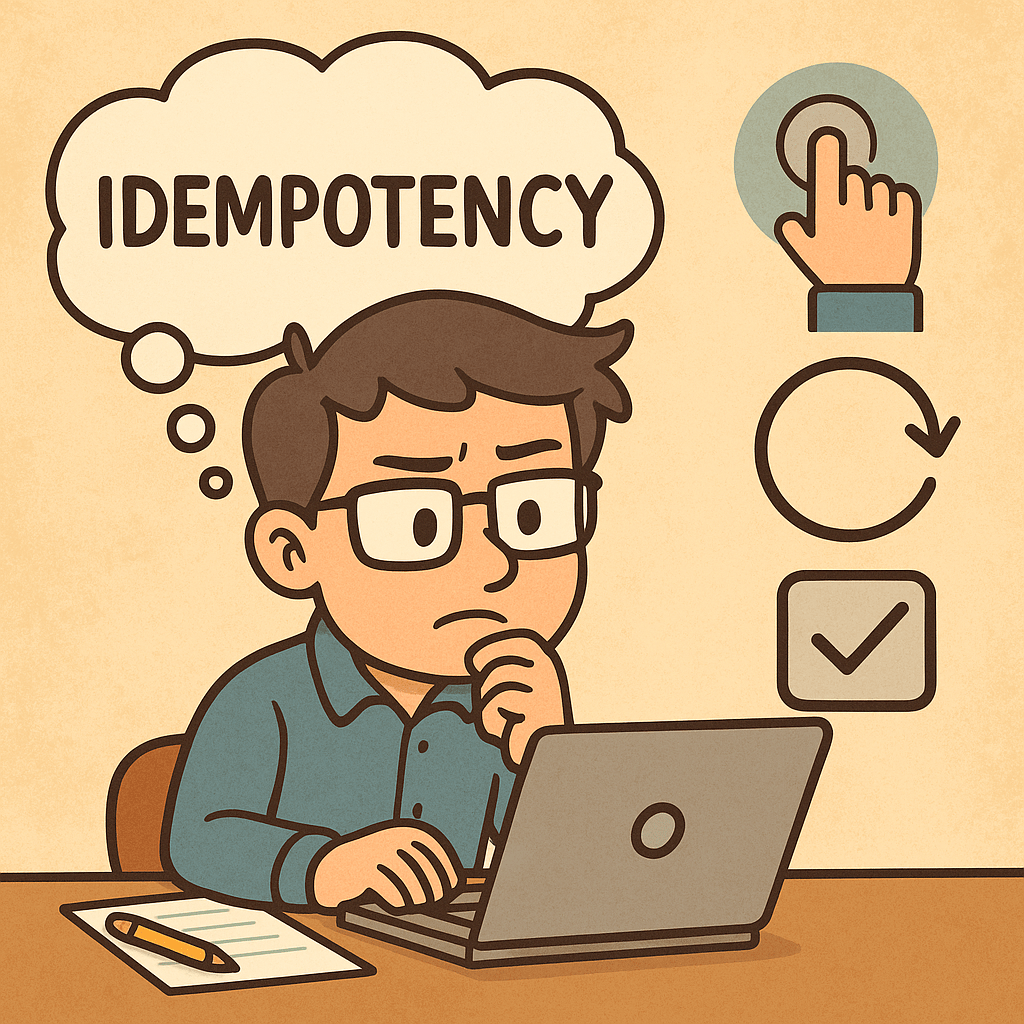
Understanding Idempotent in Computer Science

Understanding Idempotent

What Does Idempotent Mean in Computer Science?

In computer science, the term idempotent describes an operation that produces the same result even if it is executed multiple times. In other words, no matter how many times you perform the operation, the outcome remains unchanged after the first execution.

The concept originates from mathematics, but in computing it is widely used in programming, APIs, databases, and distributed systems.

Example (Mathematics):

  • Absolute value function abs(x) is idempotent. Applying it once or multiple times gives the same result: abs(abs(-5)) = 5.

Example (Computing):

  • If an API request updates a user’s email to user@example.com, sending that request once or multiple times should always result in the same final state (the email being user@example.com).

Key Aspects of Idempotency

  1. Consistency of Result
    • The main property is that the final state does not change no matter how many times the operation is repeated.
  2. No Additional Side Effects
    • Idempotent operations do not accumulate effects. Running them multiple times won’t duplicate records or increase counters unexpectedly.
  3. Statelessness in APIs
    • In RESTful APIs, idempotent HTTP methods (like PUT and DELETE) are designed so clients can retry operations safely without altering the result.
  4. Error Recovery and Retry Safety
    • Idempotent operations allow safe retries. If a network fails during a request, resending it won’t cause unintended consequences.

Why Is Idempotency Important?

  1. Reliability in Distributed Systems
    • Systems with network communication often face issues like retries, duplicates, or dropped requests. Idempotent operations prevent inconsistencies.
  2. Simplifies Error Handling
    • If an operation is idempotent, developers don’t need complex logic to prevent multiple executions.
  3. Improved User Experience
    • Users won’t accidentally make double payments or submit multiple orders when they click twice due to slow responses.
  4. Safety in Automation
    • Automated systems often retry failed tasks. Idempotency ensures these retries don’t corrupt the system state.

Real World Examples of Idempotent Operations

1. HTTP Methods in REST APIs

  • GET: Retrieving data is always idempotent. Requesting the same resource multiple times does not change the state.
  • PUT: Updating a record to a specific state is idempotent. Re-sending the same update request results in the same final record.
  • DELETE: Removing a resource is idempotent. Once the resource is deleted, further delete requests have no additional effect.
  • POST: Generally not idempotent, because creating a new resource each time results in duplicates.

2. Database Operations

  • Setting a column value: UPDATE users SET status = 'active' WHERE id = 1;
    • This is idempotent, since running it multiple times leaves the same state.
  • Incrementing a counter: UPDATE users SET points = points + 10 WHERE id = 1;
    • This is not idempotent, since each execution increases the points further.

3. Payment Systems

  • Charging a customer is not idempotent.
  • Marking an invoice as “paid” is idempotent. Multiple requests will always leave the invoice in the “paid” state without double-charging.

4. File Systems

  • Deleting a file: Once deleted, repeated delete operations don’t change the state.
  • Creating a new file with the same name (without overwrite) is not idempotent, as it can cause errors or duplicate entries.

How to Apply Idempotency in Software Development

  1. Design APIs with Retry Safety
    • Use unique request identifiers to avoid duplicates.
    • Ensure updates and deletes follow idempotent behavior.
  2. Database Design
    • Prefer updates that set values rather than incrementing counters when idempotency is needed.
    • Use transactions to guarantee consistent results.
  3. Payment and Order Systems
    • Implement idempotency keys (unique tokens for each transaction request) to prevent double charges.
  4. Automation & DevOps
    • Deployment scripts should be idempotent. Running the same script multiple times should not reinstall or duplicate components unnecessarily.

Final Thoughts

Idempotency is a powerful concept in computer science that ensures consistency, reliability, and safety in operations. Whether in APIs, databases, or automation scripts, designing with idempotency in mind helps build resilient systems that can gracefully handle retries, failures, and duplicate requests.

By applying idempotent principles in your software development process, you reduce risk, improve reliability, and create a better user experience.


Understanding the YAGNI Principle in Software Development

Understanding YAGNI principle

In software engineering, simplicity and focus are two of the most important values for building sustainable systems. One of the principles that embodies this mindset is YAGNI. Let’s dive deep into what it is, why it matters, and how you can apply it effectively in your projects.

What is the YAGNI Principle?

YAGNI stands for “You Aren’t Gonna Need It”.
It is a principle from Extreme Programming (XP) that reminds developers not to implement functionality until it is absolutely necessary.

In other words, don’t build features, classes, methods, or infrastructure just in case they might be useful in the future. Instead, focus on what is required right now.

How Do You Apply YAGNI?

Applying YAGNI in practice requires discipline and clear communication within the development team. Here are key ways to apply it:

  • Implement only what is needed today: Build features to meet current requirements, not hypothetical future ones.
  • Rely on requirements, not assumptions: Only code against documented and confirmed user stories.
  • Refactor instead of overdesigning: When new requirements emerge, refactor your existing system instead of building speculative features in advance.
  • Keep feedback loops short: Use Agile methods like iterative sprints and regular demos to ensure you’re only building what’s needed.

Benefits of the YAGNI Principle

  1. Reduced Complexity
    By avoiding unnecessary code, your system remains easier to understand, maintain, and test.
  2. Lower Development Costs
    Every line of code written has a cost. YAGNI prevents waste by ensuring developers don’t spend time on features that might never be used.
  3. Improved Focus
    Developers can concentrate on solving the real problems instead of theoretical ones.
  4. Flexibility and Adaptability
    Since you’re not tied down to speculative designs, your software can evolve naturally as real requirements change.

Key Considerations When Using YAGNI

  • Balance with Future-Proofing: While YAGNI warns against overengineering, you still need good architecture and coding standards that allow future changes to be integrated smoothly.
  • Avoid “Shortcut” Thinking: YAGNI doesn’t mean ignoring best practices like clean code, tests, or proper design patterns. It only discourages unnecessary features.
  • Understand the Context: In some industries (e.g., healthcare, finance), regulatory or compliance requirements may require upfront planning. Use YAGNI carefully in such cases.

Real-World Examples of YAGNI

  1. Over-Engineering a Login System
    A startup might only need email/password login for their MVP. Adding OAuth integrations with Facebook, Google, and GitHub from day one would waste time if the product hasn’t even validated its user base yet.
  2. Premature Optimization
    Developers sometimes write highly complex caching logic before knowing if performance is actually an issue. With YAGNI, you wait until performance bottlenecks appear before optimizing.
  3. Unused API Endpoints
    Teams sometimes build API endpoints “because we might need them later.” YAGNI says to avoid this—add them only when there is a confirmed use case.

How Can We Apply YAGNI in Our Software Development Process?

  • Adopt Agile Methodologies: Use Scrum or Kanban to deliver small increments of value based on actual requirements.
  • Prioritize Requirements Clearly: Work with product owners to ensure that only validated, high-value features are included in the backlog.
  • Practice Test-Driven Development (TDD): Write tests for real, existing requirements instead of speculative scenarios.
  • Encourage Code Reviews: Reviewers can identify overengineered code and push back on “just in case” implementations.
  • Refactor Regularly: Accept that your system will change and evolve; keep it lean so changes are manageable.

Conclusion

The YAGNI principle is about restraint, focus, and pragmatism in software development. By resisting the temptation to overbuild and sticking to what is truly necessary, you not only save time and resources but also keep your systems cleaner, simpler, and more adaptable for the future.

When applied with discipline, YAGNI can significantly improve the agility and sustainability of your software development process.

KISS Principle in Computer Science

What is KISS principle?

What is the KISS Principle?

The KISS principle stands for “Keep It Simple, Stupid”, a design philosophy that emphasizes simplicity in systems, software, and problem-solving. Originally coined in the 1960s by the U.S. Navy, the principle highlights that most systems work best when they are kept simple rather than made unnecessarily complex.

In computer science, KISS means writing code, designing architectures, and creating solutions that are straightforward, easy to understand, and easy to maintain. Simplicity reduces the likelihood of errors, speeds up development, and ensures long-term scalability.

How Do You Apply the KISS Principle?

Applying KISS requires conscious effort to avoid over-engineering or introducing complexity that is not needed. Some ways to apply it include:

  • Write readable code: Use clear naming conventions, simple logic, and avoid clever but confusing shortcuts.
  • Break problems into smaller pieces: Solve problems with modular, self-contained components.
  • Avoid unnecessary abstractions: Don’t add extra layers, classes, or patterns unless they solve a real need.
  • Leverage existing solutions: Use built-in language features or libraries rather than reinventing the wheel.
  • Document simply: Ensure documentation is concise and easy to follow.

Benefits of the KISS Principle

Keeping things simple offers multiple advantages:

  1. Maintainability – Simple systems are easier to maintain and update over time.
  2. Readability – Developers can quickly understand the logic without deep onboarding.
  3. Fewer bugs – Simplicity reduces the risk of introducing hidden issues.
  4. Faster development – Less complexity means faster coding, testing, and deployment.
  5. Better collaboration – Teams can work more effectively on systems that are easier to grasp.

Main Considerations When Using KISS

While simplicity is powerful, there are important considerations:

  • Balance with functionality: Simplicity should not come at the cost of missing essential features.
  • Avoid oversimplification: Stripping away too much may lead to fragile designs.
  • Think ahead, but not too far: Plan for scalability, but don’t build for problems that don’t exist yet.
  • Consistency matters: Simplicity is most effective when applied consistently across the entire codebase.

Real-World Examples of KISS

  1. Unix Philosophy – Each tool does one thing well (e.g., grep, ls, cat). Instead of one complex tool, simple utilities are combined for powerful results.
  2. Hello World programs – A minimal program to test environments. It demonstrates clarity without unnecessary detail.
  3. RESTful APIs – Designed with simple, stateless principles that are easier to understand and scale compared to overly complex RPC systems.
  4. Version Control (Git) – Core commands like commit, push, and pull follow simple workflows. Advanced features exist, but the basics are simple and intuitive.

Applying KISS in Software Development Processes

Here are practical ways to embed KISS into your workflow:

  • Code reviews: Encourage reviewers to question unnecessary complexity.
  • Agile and iterative development: Build simple versions first (MVPs) and expand only if needed.
  • Design discussions: Ask, “Can this be made simpler?” before finalizing architectures.
  • Testing strategies: Simple unit tests are often more reliable than over-engineered test suites.
  • Refactoring sessions: Regularly revisit old code to simplify it as the system grows.

Conclusion

The KISS principle is a timeless guide for software engineers: simplicity is the key to robustness, maintainability, and efficiency. By applying it consistently, teams can build systems that last longer, are easier to maintain, and deliver more value with fewer headaches.

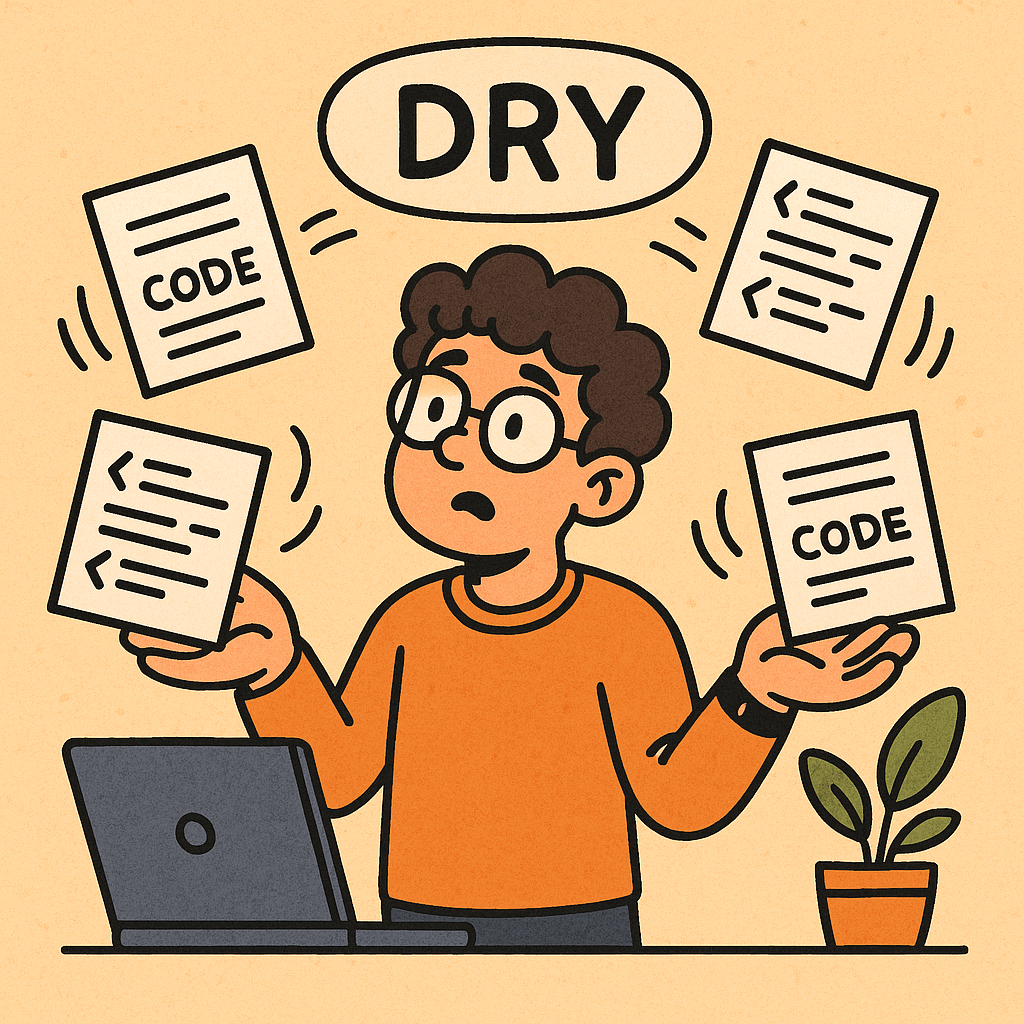
Understanding the DRY Principle in Computer Science

What is dry principle?

In software engineering, one of the most valuable design principles is the DRY principle. DRY stands for “Don’t Repeat Yourself”, and it is a fundamental guideline that helps developers write cleaner, more maintainable, and efficient code.

What is the DRY Principle?

The DRY principle was first introduced in the book The Pragmatic Programmer by Andy Hunt and Dave Thomas. It emphasizes that every piece of knowledge should have a single, unambiguous, authoritative representation within a system.

In simpler terms, it means avoiding code or logic duplication. When functionality is repeated in multiple places, it increases the risk of errors, makes maintenance harder, and slows down development.

How Do You Apply the DRY Principle?

Applying DRY involves identifying repetition in code, logic, or even processes, and then refactoring them into reusable components. Here are some ways:

  • Functions and Methods: If you see the same block of code in multiple places, extract it into a method or function.
  • Classes and Inheritance: Use object-oriented design to encapsulate shared behavior.
  • Libraries and Modules: Group reusable logic into shared libraries or modules to avoid rewriting the same code.
  • Configuration Files: Store common configurations (like database connections or API endpoints) in a single place instead of scattering them across multiple files.
  • Database Normalization: Apply DRY at the data level by ensuring information is stored in one place and referenced where needed.

Benefits of the DRY Principle

  1. Improved Maintainability
    When changes are needed, you only update the logic in one place, reducing the chance of introducing bugs.
  2. Reduced Code Size
    Less duplication means fewer lines of code, making the codebase easier to read and navigate.
  3. Better Consistency
    Logic stays uniform throughout the system since it comes from a single source of truth.
  4. Faster Development
    Reusing well-tested components speeds up feature development and reduces time spent debugging.

Main Considerations When Using DRY

While DRY is powerful, it must be applied thoughtfully:

  • Over-Abstraction: Extracting too early or without enough context may lead to unnecessary complexity.
  • Readability vs. Reuse: Sometimes, duplicating a small piece of code is better than forcing developers to chase references across multiple files.
  • Context Awareness: Just because two code blocks look similar doesn’t mean they serve the same purpose. Blindly merging them could create confusion.

Real-World Examples of DRY in Action

  1. Web Development
    Instead of writing the same HTML header and footer on every page, developers use templates or components (e.g., React components, Thymeleaf templates in Spring, or partials in Django).
  2. Database Design
    Instead of storing customer address details in multiple tables, create one address table and reference it with foreign keys. This avoids inconsistency.
  3. API Development
    Common error handling logic is extracted into a middleware or filter instead of repeating the same try-catch blocks in every endpoint.
  4. Configuration Management
    Storing connection strings, API keys, or environment variables in a central config file instead of embedding them across multiple services.

How to Apply DRY in Software Development Projects

  1. Code Reviews
    Encourage teams to identify duplicated code during reviews and suggest refactoring.
  2. Use Frameworks and Libraries
    Leverage well-established libraries to handle common tasks (logging, authentication, database access) instead of rewriting them.
  3. Refactor Regularly
    As projects grow, revisit the codebase to consolidate repeating logic.
  4. Adopt Best Practices
    • Write modular code.
    • Follow design patterns (like Singleton, Factory, or Strategy) when applicable.
    • Use version control to track refactoring safely.
  5. Balance DRY with Other Principles
    Combine DRY with principles like KISS (Keep It Simple, Stupid) and YAGNI (You Aren’t Gonna Need It) to avoid unnecessary abstractions.

Conclusion

The DRY principle is more than just a coding style rule—it’s a mindset that reduces duplication, improves maintainability, and keeps software consistent. By applying it carefully, balancing reuse with clarity, and leveraging it in real-world contexts, teams can significantly improve the quality and scalability of their projects.

Conflict-free Replicated Data Type (CRDT)

What is Conflict-free Replicated Data Type (CRDT)?

What is a Conflict-free Replicated Data Type?

A Conflict-free Replicated Data Type (CRDT) is a data structure that allows multiple computers or systems to update shared data independently and concurrently without requiring coordination. Even if updates happen in different orders across different replicas, CRDTs guarantee that all copies of the data will eventually converge to the same state.

In simpler terms, CRDTs make it possible to build distributed systems (like collaborative applications) where users can work offline, make changes, and later sync with others without worrying about conflicts.

A Brief History of CRDTs

The concept of CRDTs emerged in the late 2000s when researchers in distributed computing began looking for alternatives to traditional locking and consensus mechanisms. Traditional approaches like Paxos or Raft ensure consistency but often come with performance trade-offs and complex coordination.

CRDTs were formally introduced around 2011 by Marc Shapiro and his team, who proposed them as a solution for eventual consistency in distributed systems. Since then, CRDTs have been widely researched and adopted in real-world applications such as collaborative editors, cloud storage, and messaging systems.

How Do CRDTs Work?

CRDTs are designed around two main principles:

  1. Local Updates Without Coordination
    Each replica of the data can be updated independently, even while offline.
  2. Automatic Conflict Resolution
    Instead of requiring external conflict resolution, CRDTs are mathematically designed so that when updates are merged, the data structure always converges to the same state.

They achieve this by relying on mathematical properties like commutativity (order doesn’t matter) and idempotence (repeating an operation has no negative effect).

Benefits of CRDTs

  • No Conflicts: Updates never conflict; they are automatically merged.
  • Offline Support: Applications can work offline and sync later.
  • High Availability: Since coordination isn’t required for each update, systems remain responsive even in cases of network partitions.
  • Scalability: Suitable for large-scale distributed applications because they reduce synchronization overhead.

Types of CRDTs

CRDTs come in two broad categories: Operation-based and State-based.

1. State-based CRDTs (Convergent Replicated Data Types)

  • Each replica periodically sends its entire state to others.
  • The states are merged using a mathematical function that ensures convergence.
  • Example: G-Counter (Grow-only Counter).

2. Operation-based CRDTs (Commutative Replicated Data Types)

  • Instead of sending full states, replicas send the operations (like “add 1” or “insert character”) to others.
  • Operations are designed so that they commute (order doesn’t matter).
  • Example: PN-Counter (Positive-Negative Counter).

Common CRDT Structures

  1. Counters
    • G-Counter: Only increases. Useful for counting events.
    • PN-Counter: Can increase and decrease.
  2. Registers
    • Stores a single value.
    • Last-Write-Wins Register resolves conflicts by picking the latest update based on timestamps.
  3. Sets
    • G-Set (Grow-only Set): Items can only be added.
    • 2P-Set (Two-Phase Set): Items can be added and removed, but once removed, cannot be re-added.
    • OR-Set (Observed-Removed Set): Allows both adds and removes with better flexibility.
  4. Sequences
    • Used in collaborative text editing where multiple users edit documents simultaneously.
    • Example: RGA (Replicated Growable Array) or LSEQ.
  5. Maps
    • A dictionary-like structure where keys map to CRDT values (counters, sets, etc.).

Real-World Use Cases of CRDTs

  • Collaborative Document Editing: Google Docs, Microsoft Office Online, and other real-time editors use CRDT-like concepts to merge changes from multiple users.
  • Messaging Apps: WhatsApp and Signal use CRDT principles for message synchronization across devices.
  • Distributed Databases: Databases like Riak and Redis (with CRDT extensions) implement them for high availability.
  • Cloud Storage: Systems like Dropbox and OneDrive rely on CRDTs to merge offline file edits.

When and How Should We Use CRDTs?

When to Use

  • Applications that require real-time collaboration (text editors, shared whiteboards).
  • Messaging platforms that need to handle offline delivery and sync.
  • Distributed systems where network failures are common but consistency is still required.
  • IoT systems where devices may work offline but sync data later.

How to Use

  • Choose the right CRDT type (counter, set, register, map, or sequence) depending on your use case.
  • Integrate CRDT libraries available for your programming language (e.g., Automerge in JavaScript, Riak’s CRDT support in Erlang, or Akka Distributed Data in Scala/Java).
  • Design your application around eventual consistency rather than strict, immediate consistency.

Conclusion

Conflict-free Replicated Data Types (CRDTs) are powerful tools for building modern distributed applications that require collaboration, offline support, and high availability. With their mathematically guaranteed conflict resolution, they simplify the complexity of distributed data synchronization.

If you’re building an app where multiple users interact with the same data—whether it’s text editing, messaging, or IoT data collection—CRDTs might be the right solution.

Understanding OLTP Databases: A Complete Guide

Understanding OLTP Databases

What is an OLTP Database?

OLTP stands for Online Transaction Processing. It refers to a type of database system designed to handle large numbers of small, quick operations such as insertions, updates, and deletions. These operations are often transactional in nature—for example, making a bank transfer, booking a flight ticket, or purchasing an item online.

An OLTP database focuses on speed, concurrency, and reliability, ensuring that millions of users can perform operations simultaneously without data loss or corruption.

A Brief History of OLTP Databases

  • 1960s–1970s: Early database systems relied heavily on hierarchical and network models. Transaction processing was limited and often batch-oriented.
  • 1970s–1980s: With the invention of relational databases (thanks to Edgar F. Codd’s relational model), OLTP became more structured and efficient.
  • 1980s–1990s: As businesses expanded online, the demand for real-time transaction processing grew. Systems like IBM’s CICS (Customer Information Control System) became cornerstones of OLTP.
  • 2000s–Today: Modern OLTP databases (e.g., Oracle, MySQL, PostgreSQL, SQL Server) have evolved with features like replication, clustering, and distributed transaction management to support large-scale web and mobile applications.

Main Characteristics of OLTP Databases

  1. High Transaction Throughput
    • Capable of handling thousands to millions of operations per second.
    • Optimized for small, frequent read/write queries.
  2. Concurrency Control
    • Multiple users can access and modify data at the same time.
    • Uses mechanisms like locks, isolation levels, and ACID properties.
  3. Real-Time Processing
    • Transactions are executed instantly with immediate feedback to users.
  4. Data Integrity
    • Enforces strict ACID compliance (Atomicity, Consistency, Isolation, Durability).
    • Ensures data is reliable even in cases of system failures.
  5. Normalization
    • OLTP databases are usually highly normalized to reduce redundancy and maintain consistency.

Key Features of OLTP Databases

  • Fast Query Processing: Designed for quick response times.
  • Support for Concurrent Users: Handles thousands of simultaneous connections.
  • Transaction-Oriented: Focused on CRUD operations (Create, Read, Update, Delete).
  • Error Recovery: Rollback and recovery mechanisms guarantee system stability.
  • Security: Role-based access and encryption ensure secure data handling.

Main Components of OLTP Systems

  1. Database Engine
    • Executes queries, manages transactions, and enforces ACID properties.
    • Examples: MySQL InnoDB, PostgreSQL, Oracle Database.
  2. Transaction Manager
    • Monitors ongoing transactions, manages concurrency, and resolves conflicts.
  3. Locking & Concurrency Control System
    • Ensures that multiple users can work on data without conflicts.
  4. Backup and Recovery Systems
    • Protects against data loss and ensures durability.
  5. User Interfaces & APIs
    • Front-end applications that allow users and systems to perform transactions.

Benefits of OLTP Databases

  • High Performance: Handles thousands of transactions per second.
  • Reliability: ACID compliance ensures accuracy and stability.
  • Scalability: Supports large user bases and can scale horizontally with clustering and replication.
  • Data Integrity: Prevents data anomalies with strict consistency rules.
  • Real-Time Analytics: Provides up-to-date information for operational decisions.

When and How Should We Use OLTP Databases?

  • Use OLTP databases when:
    • You need to manage frequent, small transactions.
    • Real-time processing is essential.
    • Data consistency is critical (e.g., finance, healthcare, e-commerce).
  • How to use them effectively:
    • Choose a relational DBMS like PostgreSQL, Oracle, SQL Server, or MySQL.
    • Normalize schema design for data integrity.
    • Implement indexing to speed up queries.
    • Use replication and clustering for scalability.
    • Regularly monitor and optimize performance.

Real-World Examples of OLTP Databases

  1. Banking Systems: Handling deposits, withdrawals, and transfers in real time.
  2. E-commerce Platforms: Managing product purchases, payments, and shipping.
  3. Airline Reservation Systems: Booking flights, updating seat availability instantly.
  4. Healthcare Systems: Recording patient check-ins, lab results, and prescriptions.
  5. Retail Point-of-Sale (POS) Systems: Processing sales transactions quickly.

Integrating OLTP Databases into Software Development

  • Step 1: Requirement Analysis
    • Identify transaction-heavy components in your application.
  • Step 2: Schema Design
    • Use normalized schemas to ensure consistency.
  • Step 3: Choose the Right Database
    • For mission-critical systems: Oracle or SQL Server.
    • For scalable web apps: PostgreSQL or MySQL.
  • Step 4: Implement Best Practices
    • Use connection pooling, indexing, and query optimization.
  • Step 5: Ensure Reliability
    • Set up backups, replication, and monitoring systems.
  • Step 6: Continuous Integration
    • Include database migrations and schema validations in your CI/CD pipeline.

Conclusion

OLTP databases are the backbone of modern transaction-driven systems. Their speed, reliability, and ability to support high volumes of concurrent users make them indispensable in industries like finance, healthcare, retail, and travel.

By understanding their history, characteristics, and integration methods, software engineers can effectively design systems that are both scalable and reliable.

Understanding Heisenbugs in Software Development

Understanding Heisenbugs

What is a Heisenbug?

A Heisenbug is a type of software bug that seems to disappear or alter its behavior when you attempt to study, debug, or isolate it. In other words, the very act of observing or interacting with the system changes the conditions that make the bug appear.

These bugs are particularly frustrating because they are inconsistent and elusive. Sometimes, they only appear under specific conditions like production workloads, certain timing scenarios, or hardware states. When you add debugging statements, logs, or step through the code, the problem vanishes, leaving you puzzled.

The term is derived from the Heisenberg Uncertainty Principle in quantum physics, which states that you cannot precisely measure both the position and momentum of a particle at the same time. Similarly, a Heisenbug resists measurement or observation.

History of the Term

The term Heisenbug originated in the 1980s among computer scientists and software engineers. It became popular in the field of debugging complex systems, where timing and concurrency played a critical role. The concept was closely tied to emerging issues in multithreading, concurrent programming, and distributed systems, where software behavior could shift when studied.

The word became part of hacker jargon and was documented in The New Hacker’s Dictionary (based on the Jargon File), spreading the concept widely among programmers.

Real-World Examples of Heisenbugs

  1. Multithreading race conditions
    A program that crashes only when two threads access shared data simultaneously. Adding a debug log alters the timing, preventing the crash.
  2. Memory corruption in C/C++
    A program that overwrites memory accidentally may behave unpredictably. When compiled with debug flags, memory layout changes, and the bug disappears.
  3. Network communication issues
    A distributed application that fails when many requests arrive simultaneously, but behaves normally when slowed down during debugging.
  4. UI rendering bugs
    A graphical application where a glitch appears in release mode but never shows up when using a debugger or extra logs.

How Do We Know If We Encounter a Heisenbug?

You may be dealing with a Heisenbug if:

  • The issue disappears when you add logging or debugging code.
  • The bug only shows up in production but not in development or testing.
  • Timing, workload, or environment changes make the bug vanish or behave differently.
  • You cannot consistently reproduce the error under controlled debugging conditions.

Best Practices to Handle Heisenbugs

  1. Use Non-Intrusive Logging
    Instead of adding print statements everywhere, rely on structured logging, performance counters, or telemetry that doesn’t change timing drastically.
  2. Reproduce in Production-like Environments
    Set up staging environments that mirror production workloads, hardware, and configurations as closely as possible.
  3. Automated Stress and Concurrency Testing
    Run automated tests with randomized workloads, race condition detection tools, or fuzzing to expose hidden timing issues.
  4. Version Control Snapshots
    Keep precise build and configuration records. Small environment differences can explain why the bug shows up in one setting but not another.
  5. Use Tools Designed for Concurrency Bugs
    Tools like Valgrind, AddressSanitizer, ThreadSanitizer, or specialized profilers can sometimes catch hidden issues.

How to Debug a Heisenbug

  • Record and Replay: Use software or hardware that captures execution traces so you can replay the exact scenario later.
  • Binary Search Debugging: Narrow down suspicious sections of code by selectively enabling/disabling features.
  • Deterministic Testing Frameworks: Run programs under controlled schedulers that force thread interleavings to be repeatable.
  • Minimize Side Effects of Debugging: Avoid adding too much logging or breakpoints, which may hide the issue.
  • Look for Uninitialized Variables or Race Conditions: These are the most common causes of Heisenbugs.

Suggestions for Developers

  • Accept that Heisenbugs are part of software development, especially in complex or concurrent systems.
  • Invest in robust testing strategies like chaos engineering, stress testing, and fuzzing.
  • Encourage peer code reviews to catch subtle concurrency or memory issues before they make it to production.
  • Document the conditions under which the bug appears so future debugging sessions can be more targeted.

Conclusion

Heisenbugs are some of the most frustrating problems in software development. Like quantum particles, they change when you try to observe them. However, with careful testing, logging strategies, and specialized tools, developers can reduce the impact of these elusive bugs. The key is persistence, systematic debugging, and building resilient systems that account for unpredictability.

State Management in Software Engineering

Learning state management

What Is State Management?

State is the “memory” of a system—the data that captures what has happened so far and what things look like right now.
State management is the set of techniques you use to represent, read, update, persist, share, and synchronize that data across components, services, devices, and time.

Examples of state:

  • A user’s shopping cart
  • The current screen and filters in a UI
  • A microservice’s cache
  • A workflow’s step (“Pending → Approved → Shipped”)
  • A distributed ledger’s account balances

Why Do We Need It?

  • Correctness: Make sure reads/writes follow rules (e.g., no negative inventory).
  • Predictability: Same inputs produce the same outputs; fewer “heisenbugs.”
  • Performance: Cache and memoize expensive work.
  • Scalability: Share and replicate state safely across processes/regions.
  • Resilience: Recover after crashes with snapshots, logs, or replicas.
  • Collaboration: Keep many users and services in sync (conflict handling included).
  • Auditability & Compliance: Track how/when state changed (who did what).

How Can We Achieve It? (Core Approaches)

  1. Local/In-Memory State
    • Kept inside a process (e.g., component state in a UI, service memory cache).
    • Fast, simple; volatile and not shared by default.
  2. Centralized Store
    • A single source of truth (e.g., Redux store, Vuex/Pinia, NgRx).
    • Deterministic updates via actions/reducers; great for complex UIs.
  3. Server-Side Persistence
    • Databases (SQL/NoSQL), key-value stores (Redis), object storage.
    • ACID/transactions for strong consistency; or tunable/BASE for scale.
  4. Event-Driven & Logs
    • Append-only logs (Kafka, Pulsar), pub/sub, event sourcing.
    • Rebuild state from events; great for audit trails and temporal queries.
  5. Finite State Machines/Statecharts
    • Explicit states and transitions (e.g., XState).
    • Eliminates impossible states; ideal for workflows and UI flows.
  6. Actor Model
    • Isolated “actors” own their state and communicate via messages (Akka, Orleans).
    • Avoids shared memory concurrency issues.
  7. Sagas/Process Managers
    • Coordinate multi-service transactions with compensating actions.
    • Essential for long-running, distributed workflows.
  8. Caching & Memoization
    • In-memory, Redis, CDN edge caches; read-through/write-through patterns.
  9. Synchronization & Consensus
    • Leader election and config/state coordination (Raft/etcd, Zookeeper).
    • Used for distributed locks, service discovery, cluster metadata.
  10. Conflict-Friendly Models
    • CRDTs and operational transforms for offline-first and collaborative editing.

Patterns & When To Use Them

  • Repository Pattern: Encapsulate persistence logic behind an interface.
  • Unit of Work: Group changes into atomic commits (helpful with ORMs).
  • CQRS: Separate reads and writes for scale/optimization.
  • Event Sourcing: Store the events; derive current state on demand.
  • Domain-Driven Design (DDD) Aggregates: Keep invariants inside boundaries.
  • Idempotent Commands: Safe retries in distributed environments.
  • Outbox Pattern: Guarantee DB + message bus consistency.
  • Cache-Aside / Read-Through: Balance performance and freshness.
  • Statechart-Driven UIs: Model UI states explicitly to avoid edge cases.

Benefits of Good State Management

  • Fewer bugs & clearer mental model (explicit transitions and invariants)
  • Traceability (who changed what, when, and why)
  • Performance (targeted caching, denormalized read models)
  • Flexibility (swap persistence layers, add features without rewrites)
  • Scalability (independent read/write scaling, sharding)
  • Resilience (snapshots, replays, blue/green rollouts)

Real-World Use Cases

  • E-commerce: Cart, inventory reservations, orders (Sagas + Outbox + CQRS).
  • Banking/FinTech: Double-entry ledgers, idempotent transfers, audit trails (Event Sourcing).
  • Healthcare: Patient workflow states, consent, auditability (Statecharts + DDD aggregates).
  • IoT: Device twins, last-known telemetry, conflict resolution (CRDTs or eventual consistency).
  • Collaboration Apps: Docs/whiteboards with offline editing (CRDTs/OT).
  • Gaming/Realtime: Matchmaking and player sessions (Actor model + in-memory caches).
  • Analytics/ML: Feature stores and slowly changing dimensions (immutable logs + batch/stream views).

Choosing an Approach (Quick Guide)

  • Simple UI component: Local state → lift to a small store if many siblings need it.
  • Complex UI interactions: Statecharts or Redux-style store with middleware.
  • High read throughput: CQRS with optimized read models + cache.
  • Strong auditability: Event sourcing + snapshots + projections.
  • Cross-service transactions: Sagas with idempotent commands + Outbox.
  • Offline/collaborative: CRDTs or OT, background sync, conflict-free merges.
  • Low-latency hot data: In-memory/Redis cache + cache-aside.

How To Use It In Your Software Projects

1) Model the Domain and State

  • Identify entities, value objects, and aggregates.
  • Write down invariants (“inventory ≥ 0”) and state transitions as a state diagram.

2) Define Read vs Write Paths

  • Consider CQRS if reads dominate or need different shapes than writes.
  • Create projections or denormalized views for common queries.

3) Pick Storage & Topology

  • OLTP DB for strong consistency; document/column stores for flexible reads.
  • Redis/memory caches for latency; message bus (Kafka) for event pipelines.
  • Choose consistency model (strong vs eventual) per use case.

4) Orchestrate Changes

  • Commands → validation → domain logic → events → projections.
  • For cross-service flows, implement Sagas with compensations.
  • Ensure idempotency (dedupe keys, conditional updates).

5) Make Failures First-Class

  • Retries with backoff, circuit breakers, timeouts.
  • Outbox for DB-to-bus consistency; dead-letter queues.
  • Snapshots + event replay for recovery.

6) Testing Strategy

  • Unit tests: Reducers/state machines (no I/O).
  • Property-based tests: Invariants always hold.
  • Contract tests: Between services for event/command schemas.
  • Replay tests: Rebuild from events and assert final state.

7) Observability & Ops

  • Emit domain events and metrics on state transitions.
  • Trace IDs through commands, handlers, and projections.
  • Dashboards for lag, cache hit rate, saga success/fail ratios.

8) Security & Compliance

  • AuthN/AuthZ checks at state boundaries.
  • PII encryption, data retention, and audit logging.

Practical Examples

Example A: Shopping Cart (Service + Cache + Events)

  • Write path: AddItemCommand validates stock → updates DB (aggregate) → emits ItemAdded.
  • Read path: Cart view uses a projection kept fresh via events; Redis caches the view.
  • Resilience: Outbox ensures ItemAdded is published even if the service restarts.

Example B: UI Wizard With Statecharts

  • States: Start → PersonalInfo → Shipping → Payment → Review → Complete
  • Guards prevent illegal transitions (e.g., can’t pay before shipping info).
  • Tests assert allowed transitions and side-effects per state.

Example C: Ledger With Event Sourcing

  • Only store TransferInitiated, Debited, Credited, TransferCompleted/Failed.
  • Current balances are projections; rebuilding is deterministic and auditable.

Common Pitfalls (and Fixes)

  • Implicit state in many places: Centralize or document owners; use a store.
  • Mutable shared objects: Prefer immutability; copy-on-write.
  • Missing idempotency: Add request IDs, conditional updates, and dedupe.
  • Tight coupling to DB schema: Use repositories and domain models.
  • Ghost states in UI: Use statecharts or a single source of truth.
  • Cache incoherence: Establish clear cache-aside/invalidations; track TTLs.

Lightweight Checklist

  • Enumerate state, owners, and lifecycle.
  • Decide consistency model per boundary.
  • Choose patterns (CQRS, Sagas, ES, Statecharts) intentionally.
  • Plan storage (DB/log/cache) and schemas/events.
  • Add idempotency and the Outbox pattern where needed.
  • Write reducer/state machine/unit tests.
  • Instrument transitions (metrics, logs, traces).
  • Document invariants and recovery procedures.

Final Thoughts

State management is not one tool—it’s a discipline. Start with your domain’s invariants and consistency needs, then choose patterns and storage that make those invariants easy to uphold. Keep state explicit, observable, and testable. Your systems—and your future self—will thank you.

What is a Modular Monolith?

What is a Modular Monolith?

A modular monolith is a software architecture style where an application is built as a single deployable unit (like a traditional monolith), but internally it is organized into well-defined modules. Each module encapsulates specific functionality and communicates with other modules through well-defined interfaces, making the system more maintainable and scalable compared to a classic monolith.

Unlike microservices, where each service is deployed and managed separately, modular monoliths keep deployment simple but enforce modularity within the application.

Main Components and Features of a Modular Monolith

1. Modules

  • Self-contained units with a clear boundary.
  • Each module has its own data structures, business logic, and service layer.
  • Modules communicate through interfaces, not direct database or code access.

2. Shared Kernel or Core

  • Common functionality (like authentication, logging, error handling) that multiple modules use.
  • Helps avoid duplication but must be carefully managed to prevent tight coupling.

3. Interfaces and Contracts

  • Communication between modules is strictly through well-defined APIs or contracts.
  • Prevents “spaghetti code” where modules become tangled.

4. Independent Development and Testing

  • Modules can be developed, tested, and even versioned separately.
  • Still compiled and deployed together, but modularity speeds up development cycles.

5. Single Deployment Unit

  • Unlike microservices, deployment remains simple (a single application package).
  • Easier to manage operationally while still benefiting from modularity.

Benefits of a Modular Monolith

1. Improved Maintainability

  • Clear separation of concerns makes the codebase easier to navigate and modify.
  • Developers can work within modules without breaking unrelated parts.

2. Easier Transition to Microservices

  • A modular monolith can serve as a stepping stone toward microservices.
  • Well-designed modules can later be extracted into independent services.

3. Reduced Complexity in Deployment

  • Single deployment unit avoids the operational complexity of managing multiple microservices.
  • No need to handle distributed systems challenges like service discovery or network latency.

4. Better Scalability Than a Classic Monolith

  • Teams can scale development efforts by working on separate modules independently.
  • Logical boundaries support parallel development.

5. Faster Onboarding

  • New developers can focus on one module at a time instead of the entire system.

Advantages and Disadvantages

Advantages

  • Simpler deployment compared to microservices.
  • Strong modular boundaries improve maintainability.
  • Lower infrastructure costs since everything runs in one unit.
  • Clear path to microservices if needed in the future.

Disadvantages

  • Scaling limits: the whole application still scales as one unit.
  • Tight coupling risk: if boundaries are not enforced, modules can become tangled.
  • Database challenges: teams must resist the temptation of a single shared database without proper separation.
  • Not as resilient: a failure in one module can still crash the entire system.

Real-World Use Cases and Examples

  1. E-commerce Platforms
    • Modules like “Product Catalog,” “Shopping Cart,” “Payments,” and “User Management” are separate but deployed together.
  2. Banking Systems
    • Modules for “Accounts,” “Transactions,” “Loans,” and “Reporting” allow different teams to work independently.
  3. Healthcare Applications
    • Modules like “Patient Records,” “Appointments,” “Billing,” and “Analytics” benefit from modular monolith design before moving to microservices.
  4. Enterprise Resource Planning (ERP)
    • HR, Finance, and Inventory modules can live in a single deployment but still be logically separated.

How to Integrate Modular Monolith into Your Software Development Process

  1. Define Clear Module Boundaries
    • Start by identifying core domains and subdomains (Domain-Driven Design can help).
  2. Establish Communication Rules
    • Only allow interaction through interfaces or APIs, not direct database or code references.
  3. Use Layered Architecture Within Modules
    • Separate each module into layers: presentation, application logic, and domain logic.
  4. Implement Independent Testing for Modules
    • Write unit and integration tests per module.
  5. Adopt Incremental Refactoring
    • If you have a classic monolith, refactor gradually into modules.
  6. Prepare for Future Growth
    • Design modules so they can be extracted as microservices when scaling demands it.

Conclusion

A modular monolith strikes a balance between the simplicity of a traditional monolith and the flexibility of microservices. By creating strong modular boundaries, teams can achieve better maintainability, parallel development, and scalability while avoiding the operational overhead of distributed systems.

It’s a great fit for teams who want to start simple but keep the door open for future microservices adoption.

Blog at WordPress.com.

Up ↑