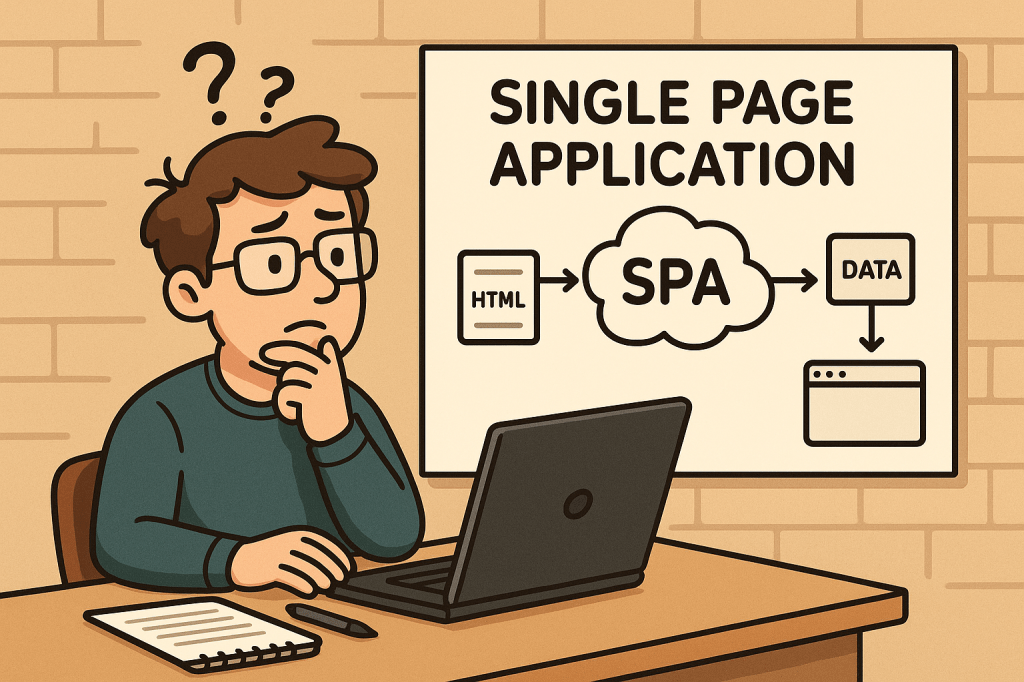
What is a Single-Page Application?
A Single-Page Application (SPA) is a web app that loads a single HTML document once and then updates the UI dynamically via JavaScript as the user navigates. Instead of requesting full HTML pages for every click, the browser fetches data (usually JSON) and the client-side application handles routing, state, and rendering.
A Brief History
- Pre-2005: Early “dynamic HTML” and XMLHttpRequest experiments laid the groundwork for asynchronous page updates.
- 2005 — AJAX named: The term AJAX popularized a new model: fetch data asynchronously and update parts of the page without full reloads.
- 2010–2014 — Framework era:
- Backbone.js and Knockout introduced MV* patterns.
- AngularJS (2010) mainstreamed templating + two-way binding.
- Ember (2011) formalized conventions for ambitious web apps.
- React (2013) brought a component + virtual DOM model.
- Vue (2014) emphasized approachability + reactivity.
- 2017+ — SSR/SSG & hydration: Frameworks like Next.js, Nuxt, SvelteKit and Remix bridged SPA ergonomics with server-side rendering (SSR), static site generation (SSG), islands, and progressive hydration—mitigating SEO/perf issues while preserving SPA feel.
- Today: “SPA” is often blended with SSR/SSG/ISR strategies to balance interactivity, performance, and SEO.
How Does an SPA Work?
- Initial Load:
- Browser downloads a minimal HTML shell, JS bundle(s), and CSS.
- Client-Side Routing:
- Clicking links updates the URL via the History API and swaps views without full reloads.
- Data Fetching:
- The app requests JSON from APIs (REST/GraphQL), then renders UI from that data.
- State Management:
- Local (component) state + global stores (Redux/Pinia/Zustand/MobX) track UI and data.
- Rendering & Hydration:
- Pure client-side render or combine with SSR/SSG and hydrate on the client.
- Optimizations:
- Code-splitting, lazy loading, prefetching, caching, service workers for offline.
Minimal Example (client fetch):
<!-- In your SPA index.html or embedded WP page -->
<div id="app"></div>
<script>
async function main() {
  const res = await fetch('/wp-json/wp/v2/posts?per_page=3');
  const posts = await res.json();
  document.getElementById('app').innerHTML =
    posts.map(p => `<article><h2>${p.title.rendered}</h2>${p.excerpt.rendered}</article>`).join('');
}
main();
</script>
Benefits
- App-like UX: Snappy transitions; users stay “in flow.”
- Reduced Server HTML: Fetch data once, render multiple views client-side.
- Reusable Components: Encapsulated UI blocks accelerate development and consistency.
- Offline & Caching: Service workers enable offline hints and instant back/forward.
- API-First: Clear separation between data (API) and presentation (SPA) supports multi-channel delivery.
Challenges (and Practical Mitigations)
| Challenge | Why it Happens | How to Mitigate |
|---|---|---|
| Initial Load Time | Large JS bundles | Code-split; lazy load routes; tree-shake; compress; adopt SSR/SSG for critical paths |
| SEO/Indexing | Content rendered client-side | SSR/SSG or pre-render; HTML snapshots for bots; structured data; sitemap |
| Accessibility (a11y) | Custom controls & focus can break semantics | Use semantic HTML; ARIA thoughtfully; manage focus on route changes; test with screen readers |
| Analytics & Routing | No full page loads | Manually fire page-view events on route changes; validate with SPA-aware analytics |
| State Complexity | Cross-component sync | Keep stores small; use query libraries (React Query/Apollo) and normalized caches |
| Security | XSS, CSRF, token handling | Escape output, CSP, HttpOnly cookies or token best practices, WP nonces for REST |
| Memory Leaks | Long-lived sessions | Unsubscribe/cleanup effects; audit with browser devtools |
When Should You Use an SPA?
Great fit:
- Dashboards, admin panels, CRMs, BI tools
- Editors/builders (documents, diagrams, media)
- Complex forms and interactive configurators
- Applications needing offline or near-native responsiveness
Think twice (or go hybrid/SSR-first):
- Content-heavy, SEO-critical publishing sites (blogs, news, docs)
- Ultra-light marketing pages where first paint and crawlability are king
Real-World Examples (What They Teach Us)
- Gmail / Outlook Web: Rich, multi-pane interactions; caching and optimistic UI matter.
- Trello / Asana: Board interactions and real-time updates; state normalization and websocket events are key.
- Notion: Document editor + offline sync; CRDTs or conflict-resistant syncing patterns are useful.
- Figma (Web): Heavy client rendering with collaborative presence; performance budgets and worker threads become essential.
- Google Maps: Incremental tile/data loading and seamless panning; chunked fetch + virtualization techniques.
Integrating SPAs Into a WordPress-Based Development Process
You have two proven paths. Choose based on your team’s needs and hosting constraints.
Option A — Hybrid: Embed an SPA in WordPress
Keep WordPress as the site, theme, and routing host; mount an SPA in a page/template and use the WP REST API for content.
Ideal when: You want to keep classic WP features/plugins, menus, login, and SEO routing — but need SPA-level interactivity on specific pages (e.g., /app, /dashboard).
Steps:
- Create a container page in WP (e.g.,
/app) with a<div id="spa-root"></div>. - Enqueue your SPA bundle (built with React/Vue/Angular) from your theme or a small plugin:
// functions.php (theme) or a custom plugin
add_action('wp_enqueue_scripts', function() {
  wp_enqueue_script(
    'my-spa',
    get_stylesheet_directory_uri() . '/dist/app.bundle.js',
    array(), // add 'react','react-dom' if externalized
    '1.0.0',
    true
  );

  // Pass WP REST endpoint + nonce to the SPA
  wp_localize_script('my-spa', 'WP_ENV', array(
    'restUrl' => esc_url_raw( rest_url() ),
    'nonce'   => wp_create_nonce('wp_rest')
  ));
});
- Call the WP REST API from your SPA with nonce headers for authenticated routes:
async function wpGet(path) {
  const res = await fetch(`${WP_ENV.restUrl}${path}`, {
    headers: { 'X-WP-Nonce': WP_ENV.nonce }
  });
  if (!res.ok) throw new Error(await res.text());
  return res.json();
}
- Handle client-side routing inside the mounted div (e.g., React Router).
- SEO strategy: Use the classic WP page for meta + structured data; for deeply interactive sub-routes, consider pre-render/SSR for critical content or provide crawlable summaries.
Pros: Minimal infrastructure change; keeps WP admin/editor; fastest path to value.
Cons: You’ll still ship a client bundle; deep SPA routes won’t be first-class WP pages unless mirrored.
Option B — Headless WordPress + SPA Frontend
Run WordPress strictly as a content platform. Your frontend is a separate project (React/Next.js, Vue/Nuxt, SvelteKit, Angular Universal) consuming WP content via REST or WPGraphQL.
Ideal when: You need full control of performance, SSR/SSG/ISR, routing, edge rendering, and modern DX — while keeping WP’s editorial flow.
Steps:
- Prepare WordPress headlessly:
- Enable Permalinks and ensure WP REST API is available (
/wp-json/). - (Optional) Install WPGraphQL for a typed schema and powerful queries.
- Enable Permalinks and ensure WP REST API is available (
- Choose a frontend framework with SSR/SSG (e.g., Next.js).
- Fetch content at build/runtime and render pages server-side for SEO.
Next.js example (REST):
// pages/index.tsx
export async function getStaticProps() {
  const res = await fetch('https://your-wp-site.com/wp-json/wp/v2/posts?per_page=5');
  const posts = await res.json();
  return { props: { posts }, revalidate: 60 }; // ISR
}

export default function Home({ posts }) {
  return (
    <main>
      {posts.map(p => (
        <article key={p.id}>
          <h2 dangerouslySetInnerHTML={{__html: p.title.rendered}} />
          <div dangerouslySetInnerHTML={{__html: p.excerpt.rendered}} />
        </article>
      ))}
    </main>
  );
}
Next.js example (WPGraphQL):
// lib/wp.ts
export async function wpQuery(query: string, variables?: Record<string, any>) {
  const res = await fetch('https://your-wp-site.com/graphql', {
    method: 'POST',
    headers: {'Content-Type': 'application/json'},
    body: JSON.stringify({ query, variables })
  });
  const { data, errors } = await res.json();
  if (errors) throw new Error(JSON.stringify(errors));
  return data;
}
Pros: Best performance + SEO via SSR/SSG; tech freedom; edge rendering; clean separation.
Cons: Two repos to operate; preview/webhooks complexity; plugin/theme ecosystem may need headless-aware alternatives.
Development Process: From Idea to Production
1) Architecture & Standards
- Decide Hybrid vs Headless early.
- Define API contracts (OpenAPI/GraphQL schema).
- Pick routing + data strategy (React Query/Apollo; SWR; fetch).
- Set performance budgets (e.g., ≤ 200 KB initial JS, LCP < 2.5 s).
2) Security & Compliance
- Enforce CSP, sanitize HTML output, store secrets safely.
- Use WP nonces for REST writes; prefer HttpOnly cookies over localStorage for sensitive tokens.
- Validate inputs server-side; rate-limit critical endpoints.
3) Accessibility (a11y)
- Semantic HTML; keyboard paths; focus management on route change; color contrast.
- Test with screen readers; add linting (eslint-plugin-jsx-a11y).
4) Testing
- Unit: Jest/Vitest.
- Integration: React Testing Library, Vue Test Utils.
- E2E: Playwright/Cypress (SPA-aware route changes).
- Contract tests: Ensure backend/frontend schema alignment.
5) CI/CD & Observability
- Build + lint + test pipelines.
- Preview deployments for content editors.
- Monitor web vitals, route-change errors, and API latency (Sentry, OpenTelemetry).
- Log client errors with route context.
6) SEO & Analytics for SPAs
- For Hybrid: offload SEO to WP pages; expose JSON-LD/OG tags server-rendered.
- For Headless: generate meta server-side; produce sitemap/robots; handle canonical URLs.
- Fire analytics events on route change manually.
7) Performance Tuning
- Split routes; lazy-load below-the-fold components.
- Use image CDNs; serve modern formats (WebP/AVIF).
- Cache API responses; use HTTP/2/3; prefetch likely next routes.
Example: Embedding a React SPA into a WordPress Page (Hybrid)
- Build your SPA to
dist/with a mount ID, e.g.,<div id="spa-root"></div>. - Create a WP page called “App” and insert
<div id="spa-root"></div>via a Custom HTML block (or include it in a template). - Enqueue the bundle (see PHP snippet above).
- Use WP REST for content/auth.
- Add a fallback message for no-JS users and bots.
Common Pitfalls & Quick Fixes
- Back button doesn’t behave: Ensure router integrates with History API; restore scroll positions.
- Flash of unstyled content: Inline critical CSS or SSR critical path.
- “Works on dev, slow on prod”: Measure bundle size, enable gzip/brotli, serve from CDN, audit images.
- Robots not seeing content: Add SSR/SSG or pre-render; verify with “Fetch as Google”-style tools.
- CORS errors hitting WP REST: Configure
Access-Control-Allow-Originsafely or proxy via same origin.
Checklist
- Choose Hybrid or Headless
- Define API schema/contracts
- Set performance budgets + a11y rules
- Implement routing + data layer
- Add analytics on route change
- SEO meta (server-rendered) + sitemap
- Security: CSP, nonces, cookies, sanitization
- CI/CD: build, test, preview, deploy
- Monitoring: errors, web vitals, API latency
Final Thoughts
SPAs shine for interactive, app-like experiences, but you’ll get the best results when you pair them with the right rendering strategy (SSR/SSG/ISR) and a thoughtful DevEx around performance, accessibility, and SEO. With WordPress, you can go hybrid for speed and familiarity or headless for maximal control and scalability.







 Software Engineer's Notes
Recent Comments