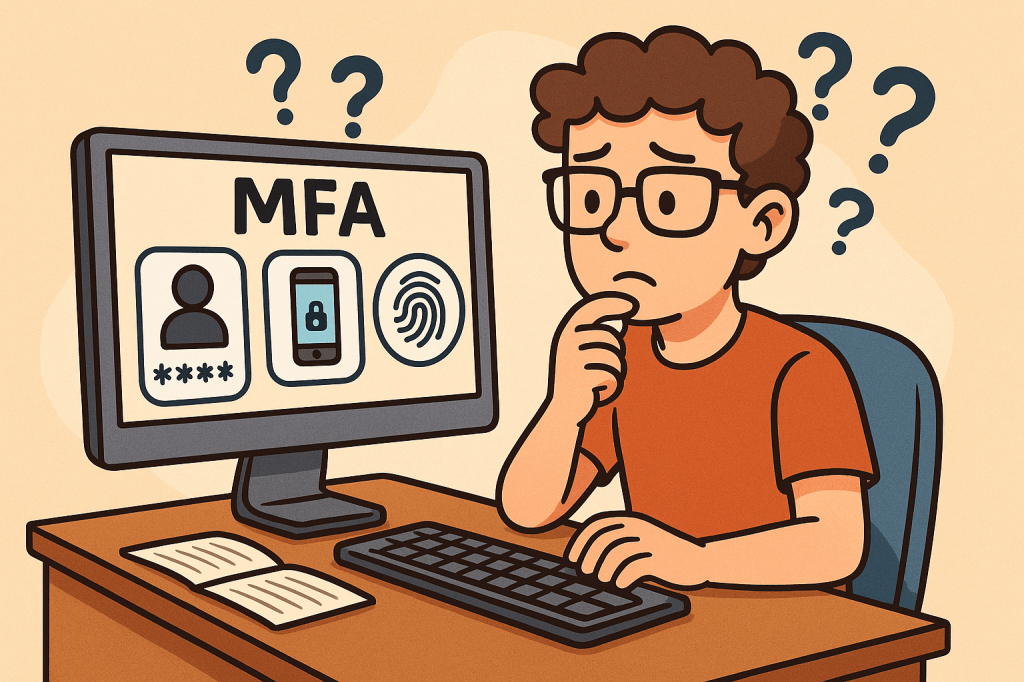
In today’s digital world, security is more important than ever. Passwords alone are no longer enough to protect sensitive data, systems, and personal accounts. That’s where Multi-Factor Authentication (MFA) comes in. MFA adds an extra layer of security by requiring multiple forms of verification before granting access. In this post, we’ll explore what MFA is, its history, how it works, its main components, benefits, and practical ways to integrate it into modern software development processes.
What is Multi-Factor Authentication (MFA)?
Multi-Factor Authentication (MFA) is a security mechanism that requires users to provide two or more independent factors of authentication to verify their identity. Instead of relying solely on a username and password, MFA combines different categories of authentication to strengthen access security.
These factors usually fall into one of three categories:
- Something you know – passwords, PINs, or answers to security questions.
- Something you have – a physical device like a smartphone, hardware token, or smart card.
- Something you are – biometric identifiers such as fingerprints, facial recognition, or voice patterns.
A Brief History of MFA
- 1960s – Passwords Introduced: Early computing systems introduced password-based authentication, but soon it became clear that passwords alone could be stolen or guessed.
- 1980s – Two-Factor Authentication (2FA): The first wide adoption of hardware tokens emerged in the financial sector. RSA Security introduced tokens generating one-time passwords (OTPs).
- 1990s – Wider Adoption: Enterprises began integrating smart cards and OTP devices for employees working with sensitive systems.
- 2000s – Rise of Online Services: With e-commerce and online banking growing, MFA started becoming mainstream, using SMS-based OTPs and email confirmations.
- 2010s – Cloud and Mobile Era: MFA gained momentum with apps like Google Authenticator, Authy, and push-based authentication, as cloud services required stronger protection.
- Today – Ubiquity of MFA: MFA is now a standard security practice across industries, with regulations like GDPR, HIPAA, and PCI-DSS recommending or requiring it.
How Does MFA Work?
The MFA process follows these steps:
- Initial Login Attempt: A user enters their username and password.
- Secondary Challenge: After validating the password, the system prompts for a second factor (e.g., an OTP code, push notification approval, or biometric scan).
- Verification of Factors: The system verifies the additional factor(s).
- Access Granted or Denied: If all required factors are correct, the user gains access. Otherwise, access is denied.
MFA systems typically rely on:
- Time-based One-Time Passwords (TOTP): Generated codes that expire quickly.
- Push Notifications: Mobile apps sending approval requests.
- Biometric Authentication: Fingerprint or facial recognition scans.
- Hardware Tokens: Devices that produce unique, secure codes.
Main Components of MFA
- Authentication Factors: Knowledge, possession, and inherence (biometric).
- MFA Provider/Service: Software or platform managing authentication (e.g., Okta, Microsoft Authenticator, Google Identity Platform).
- User Device: Smartphone, smart card, or hardware token.
- Integration Layer: APIs and SDKs to connect MFA into existing applications.
- Policy Engine: Rules that determine when MFA is enforced (e.g., high-risk logins, remote access, or all logins).
Benefits of MFA
- Enhanced Security: Strong protection against password theft, phishing, and brute-force attacks.
- Regulatory Compliance: Meets security requirements in industries like finance, healthcare, and government.
- Reduced Fraud: Prevents unauthorized access to financial accounts and sensitive systems.
- Flexibility: Multiple methods available (tokens, biometrics, SMS, apps).
- User Trust: Increases user confidence in the system’s security.
When and How Should We Use MFA?
MFA should be used whenever sensitive data or systems are accessed. Common scenarios include:
- Online banking and financial transactions.
- Corporate systems with confidential business data.
- Cloud-based services (AWS, Azure, Google Cloud).
- Email accounts and communication platforms.
- Healthcare and government portals with personal data.
Organizations can enforce MFA selectively based on risk-based authentication—for example, requiring MFA only when users log in from new devices, unfamiliar locations, or during high-risk transactions.
Integrating MFA Into Software Development
To integrate MFA into modern software systems:
- Choose an MFA Provider: Options include Auth0, Okta, AWS Cognito, Azure AD, Google Identity.
- Use APIs & SDKs: Most MFA providers offer ready-to-use APIs, libraries, and plugins for web and mobile applications.
- Adopt Standards: Implement open standards like OAuth 2.0, OpenID Connect, and SAML with MFA extensions.
- Implement Risk-Based MFA: Use adaptive MFA policies (e.g., require MFA for admin access or when logging in from suspicious IPs).
- Ensure Usability: Provide multiple authentication options to avoid locking users out.
- Continuous Integration: Add MFA validation in CI/CD pipelines for admin and developer accounts accessing critical infrastructure.
Conclusion
Multi-Factor Authentication is no longer optional—it’s a necessity for secure digital systems. With its long history of evolution from simple passwords to advanced biometrics, MFA provides a robust defense against modern cyber threats. By integrating MFA into software development, organizations can safeguard users, comply with regulations, and build trust in their platforms.

 Software Engineer's Notes
Recent Comments