Search

Software Engineer's Notes

Month

September 2025

Ephemeral Nature in Computer Science

What is Ephemeral nature?

In computer science, not everything is built to last forever. Some concepts, processes, and resources are intentionally ephemeral—temporary by design, existing only for as long as they are needed. Understanding the ephemeral nature in computing is crucial in today’s world of cloud computing, distributed systems, and modern software engineering practices.

What Is Ephemeral Nature?

The word ephemeral comes from the Greek term ephemeros, meaning “lasting only a day.” In computing, ephemeral nature refers to temporary resources, data, or processes that exist only for a short period of time before disappearing.

Unlike persistent storage, permanent identifiers, or long-running services, ephemeral entities are created dynamically and destroyed once their purpose is fulfilled. This design pattern helps optimize resource usage, increase security, and improve scalability.

Key Features of Ephemeral Nature

Ephemeral components in computer science share several common characteristics:

  • Short-lived existence – Created on demand and destroyed after use.
  • Statelessness – They typically avoid storing long-term data locally, relying instead on persistent storage systems.
  • Dynamic allocation – Resources are provisioned as needed, often automatically.
  • Lightweight – Ephemeral systems focus on speed and efficiency rather than durability.
  • Disposable – If destroyed, they can be recreated without data loss or interruption.

Examples of Ephemeral Concepts

Ephemeral nature shows up across many areas of computing. Here are some key examples:

1. Ephemeral Ports

Operating systems assign ephemeral ports dynamically for outbound connections. These ports are temporary and only exist during the lifetime of the connection. Once closed, the port number is freed for reuse.

2. Ephemeral Containers

In containerized environments (like Docker or Kubernetes), ephemeral containers are temporary instances used for debugging, testing, or handling short-lived workloads. They can be spun up and torn down quickly without long-term impact.

3. Ephemeral Storage

Many cloud providers (AWS, Azure, GCP) offer ephemeral storage volumes attached to virtual machines. These disks are temporary and wiped when the instance is stopped or terminated.

4. Ephemeral Keys and Certificates

In cryptography, ephemeral keys (like in Diffie-Hellman Ephemeral, DHE) are generated for each session, ensuring forward secrecy. They exist only during the connection and are discarded afterward.

Real-World Examples

  • Cloud Virtual Machines: AWS EC2 instances often come with ephemeral storage. If you stop or terminate the instance, the storage is deleted automatically.
  • Kubernetes Pods: Pods are designed to be ephemeral—if one crashes, Kubernetes spins up a replacement automatically.
  • TLS Handshakes: Ephemeral session keys are used to secure encrypted communications over HTTPS, preventing attackers from decrypting past conversations even if they obtain long-term keys.
  • CI/CD Pipelines: Build agents are often ephemeral; they spin up for a job, run the build, then terminate to save costs.

Why and How Should We Use Ephemeral Nature?

Why Use It?

  • Scalability: Short-lived resources allow systems to adapt to demand.
  • Efficiency: Prevents waste by using resources only when necessary.
  • Security: Temporary keys and sessions reduce the attack surface.
  • Reliability: Systems like Kubernetes rely on ephemeral workloads for resilience and fault tolerance.

How To Use It?

  • Design stateless applications – Store critical data in persistent databases or distributed storage, not in ephemeral containers.
  • Leverage cloud services – Use ephemeral VMs, containers, and storage to reduce infrastructure costs.
  • Implement security best practices – Use ephemeral credentials (like short-lived API tokens) instead of long-lived secrets.
  • Automate recreation – Ensure your system can automatically spin up replacements when ephemeral resources are destroyed.

Conclusion

The ephemeral nature in computer science is not a weakness but a strength—it enables efficiency, scalability, and security in modern systems. From cloud computing to encryption, ephemeral resources are everywhere, shaping how we build and run software today.

By embracing ephemeral concepts in your architecture, you can design systems that are more resilient, cost-effective, and secure, perfectly aligned with today’s fast-changing digital world.


Forward Secrecy in Computer Science: A Detailed Guide

What is forward secrecy?

What is Forward Secrecy?

Forward Secrecy (also called Perfect Forward Secrecy or PFS) is a cryptographic property that ensures the confidentiality of past communications even if the long-term private keys of a server are compromised in the future.

In simpler terms: if someone records your encrypted traffic today and later manages to steal the server’s private key, forward secrecy prevents them from decrypting those past messages.

This makes forward secrecy a powerful safeguard in modern security protocols, especially in an age where data is constantly being transmitted and stored.

A Brief History of Forward Secrecy

The concept of forward secrecy grew out of concerns around key compromise and long-term encryption risks:

  • 1976 – Diffie–Hellman key exchange introduced: Whitfield Diffie and Martin Hellman presented a method for two parties to establish a shared secret over an insecure channel. This idea laid the foundation for forward secrecy.
  • 1980s–1990s – Early SSL/TLS protocols: Early versions of SSL/TLS encryption primarily relied on static RSA keys. While secure at the time, they did not provide forward secrecy—meaning if a private RSA key was stolen, past encrypted sessions could be decrypted.
  • 2000s – TLS with Ephemeral Diffie–Hellman (DHE/ECDHE): Forward secrecy became more common with the adoption of ephemeral Diffie–Hellman key exchanges, where temporary session keys were generated for each communication.
  • 2010s – Industry adoption: Companies like Google, Facebook, and WhatsApp began enforcing forward secrecy in their security protocols to protect users against large-scale data breaches and surveillance.
  • Today: Forward secrecy is considered a best practice in modern cryptographic systems and is a default in most secure implementations of TLS 1.3.

How Does Forward Secrecy Work?

Forward secrecy relies on ephemeral key exchanges—temporary keys that exist only for the duration of a single session.

The process typically works like this:

  1. Key Agreement: Two parties (e.g., client and server) use a protocol like Diffie–Hellman Ephemeral (DHE) or Elliptic-Curve Diffie–Hellman Ephemeral (ECDHE) to generate a temporary session key.
  2. Ephemeral Nature: Once the session ends, the key is discarded and never stored permanently.
  3. Data Encryption: All messages exchanged during the session are encrypted with this temporary key.
  4. Protection: Even if the server’s private key is later compromised, attackers cannot use it to decrypt old traffic because the session keys were unique and have been destroyed.

This contrasts with static key exchanges, where a single private key could unlock all past communications if stolen.

Benefits of Forward Secrecy

Forward secrecy offers several key advantages:

  • Protection Against Key Compromise: If an attacker steals your long-term private key, they still cannot decrypt past sessions.
  • Data Privacy Over Time: Even if adversaries record encrypted traffic today, it will remain safe in the future.
  • Resilience Against Mass Surveillance: Prevents large-scale attackers from retroactively decrypting vast amounts of data.
  • Improved Security Practices: Encourages modern cryptographic standards such as TLS 1.3.

Example:

Imagine an attacker records years of encrypted messages between a bank and its customers. Later, they manage to steal the bank’s private TLS key.

  • Without forward secrecy: all those years of recorded traffic could be decrypted.
  • With forward secrecy: the attacker gains nothing—each past session had its own temporary key that is now gone.

Weaknesses and Limitations of Forward Secrecy

While forward secrecy is powerful, it is not without challenges:

  • Performance Overhead: Generating ephemeral keys requires more CPU resources, though this has become less of an issue with modern hardware.
  • Complex Implementations: Incorrectly implemented ephemeral key exchange protocols may introduce vulnerabilities.
  • Compatibility Issues: Older clients, servers, or protocols may not support DHE/ECDHE, leading to fallback on weaker, non-forward-secret modes.
  • No Protection for Current Sessions: If a session key is stolen during an active session, forward secrecy cannot help—it only protects past sessions.

Why and How Should We Use Forward Secrecy?

Forward secrecy is a must-use in today’s security landscape because:

  • Data breaches are inevitable, but forward secrecy reduces their damage.
  • Cloud services, messaging platforms, and financial institutions handle sensitive data daily.
  • Regulations and industry standards increasingly recommend or mandate forward secrecy.

Real-World Examples:

  • Google and Facebook: Enforce forward secrecy across their HTTPS connections to protect user data.
  • WhatsApp and Signal: Use end-to-end encryption with forward secrecy, ensuring messages cannot be decrypted even if long-term keys are compromised.
  • TLS 1.3 (2018): The newest version of TLS requires forward secrecy by default, pushing the industry toward safer encryption practices.

Integrating Forward Secrecy into Software Development

Here’s how you can adopt forward secrecy in your own development process:

  1. Use Modern Protocols: Prefer TLS 1.3 or TLS 1.2 with ECDHE key exchange.
  2. Update Cipher Suites: Configure servers to prioritize forward-secret cipher suites (e.g., ECDHE_RSA_WITH_AES_256_GCM_SHA384).
  3. Secure Messaging Systems: Implement end-to-end encryption protocols that leverage ephemeral keys.
  4. Code Reviews & Testing: Ensure forward secrecy is included in security testing and DevSecOps pipelines.
  5. Stay Updated: Regularly patch and upgrade libraries like OpenSSL, BoringSSL, or GnuTLS to ensure forward secrecy support.

Conclusion

Forward secrecy is no longer optional—it is a critical defense mechanism in modern cryptography. By ensuring that past communications remain private even after a key compromise, forward secrecy offers long-term protection in an increasingly hostile cyber landscape.

Integrating forward secrecy into your software development process not only enhances security but also builds user trust. With TLS 1.3, messaging protocols, and modern encryption libraries, adopting forward secrecy is easier than ever.

Homomorphic Encryption: A Comprehensive Guide

What is Homomorphic Encryption?

What is Homomorphic Encryption?

Homomorphic Encryption (HE) is an advanced form of encryption that allows computations to be performed on encrypted data without ever decrypting it. The result of the computation, once decrypted, matches the output as if the operations were performed on the raw, unencrypted data.

In simpler terms: you can run mathematical operations on encrypted information while keeping it private and secure. This makes it a powerful tool for data security, especially in environments where sensitive information needs to be processed by third parties.

A Brief History of Homomorphic Encryption

  • 1978 – Rivest, Adleman, Dertouzos (RAD paper): The concept was first introduced in their work on “Privacy Homomorphisms,” which explored how encryption schemes could support computations on ciphertexts.
  • 1982–2000s – Partial Homomorphism: Several encryption schemes were developed that supported only one type of operation (either addition or multiplication). Examples include RSA (multiplicative homomorphism) and Paillier (additive homomorphism).
  • 2009 – Breakthrough: Craig Gentry proposed the first Fully Homomorphic Encryption (FHE) scheme as part of his PhD thesis. This was a landmark moment, proving that it was mathematically possible to support arbitrary computations on encrypted data.
  • 2010s–Present – Improvements: Since Gentry’s breakthrough, researchers and companies (e.g., IBM, Microsoft, Google) have been working on making FHE more practical by improving performance and reducing computational overhead.

How Does Homomorphic Encryption Work?

At a high level, HE schemes use mathematical structures (like lattices, polynomials, or number theory concepts) to allow algebraic operations directly on ciphertexts.

  1. Encryption: Plaintext data is encrypted using a special homomorphic encryption scheme.
  2. Computation on Encrypted Data: Mathematical operations (addition, multiplication, etc.) are performed directly on the ciphertext.
  3. Decryption: The encrypted result is decrypted, yielding the same result as if the operations were performed on plaintext.

For example:

  • Suppose you encrypt numbers 4 and 5.
  • The server adds the encrypted values without knowing the actual numbers.
  • When you decrypt the result, you get 9.

This ensures that sensitive data remains secure during computation.

Variations of Homomorphic Encryption

There are different types of HE based on the level of operations supported:

  1. Partially Homomorphic Encryption (PHE): Supports only one operation (e.g., RSA supports multiplication, Paillier supports addition).
  2. Somewhat Homomorphic Encryption (SHE): Supports both addition and multiplication, but only for a limited number of operations before noise makes the ciphertext unusable.
  3. Fully Homomorphic Encryption (FHE): Supports unlimited operations of both addition and multiplication. This is the “holy grail” of HE but is computationally expensive.

Benefits of Homomorphic Encryption

  • Privacy Preservation: Data remains encrypted even during processing.
  • Enhanced Security: Third parties (e.g., cloud providers) can compute on data without accessing the raw information.
  • Regulatory Compliance: Helps organizations comply with privacy laws (HIPAA, GDPR) by securing sensitive data such as health or financial records.
  • Collaboration: Enables secure multi-party computation where organizations can jointly analyze data without exposing raw datasets.

Why and How Should We Use It?

We should use HE in cases where data confidentiality and secure computation are equally important. Traditional encryption secures data at rest and in transit, but HE secures data while in use.

Implementation steps include:

  1. Choosing a suitable library or framework (e.g., Microsoft SEAL, IBM HELib, PALISADE).
  2. Identifying use cases where sensitive computations are required (e.g., health analytics, secure financial transactions).
  3. Integrating HE into existing software through APIs or SDKs provided by these libraries.

Real World Examples of Homomorphic Encryption

  • Healthcare: Hospitals can encrypt patient data and send it to cloud servers for analysis (like predicting disease risks) without exposing sensitive medical records.
  • Finance: Banks can run fraud detection models on encrypted transaction data, ensuring privacy of customer information.
  • Machine Learning: Encrypted datasets can be used to train machine learning models securely, protecting training data from leaks.
  • Government & Defense: Classified information can be processed securely by contractors without disclosing the underlying sensitive details.

Integrating Homomorphic Encryption into Software Development

  1. Assess the Need: Determine if your application processes sensitive data that requires computation by third parties.
  2. Select an HE Library: Popular libraries include SEAL (Microsoft), HELib (IBM), and PALISADE (open-source).
  3. Design for Performance: HE is still computationally heavy; plan your architecture with efficient algorithms and selective encryption.
  4. Testing & Validation: Run test scenarios to validate that encrypted computations produce correct results.
  5. Deployment: Deploy as part of your microservices or cloud architecture, ensuring encrypted workflows where required.

Conclusion

Homomorphic Encryption is a game-changer in modern cryptography. While still in its early stages of practical adoption due to performance challenges, it provides a new paradigm of data security: protecting information not only at rest and in transit, but also during computation.

As the technology matures, more industries will adopt it to balance data utility with data privacy—a crucial requirement in today’s digital landscape.

ISO/IEC/IEEE 42010: Understanding the Standard for Architecture Descriptions

What is ISO/IEC/IEEE 42010?

What is ISO/IEC/IEEE 42010?

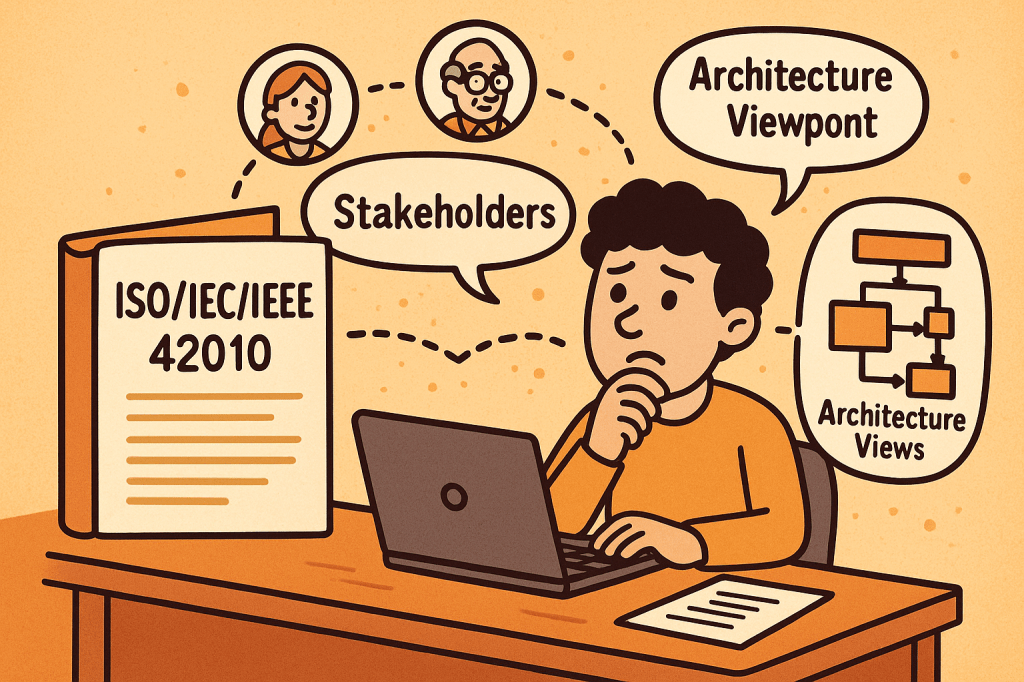
ISO/IEC/IEEE 42010 is an international standard that provides guidance for describing system and software architectures. It ensures that architecture descriptions are consistent, comprehensive, and understandable to all stakeholders.

The standard defines a framework and terminology that helps architects document, communicate, and evaluate software and systems architectures in a standardized and structured way.

At its core, ISO/IEC/IEEE 42010 answers the question: How do we describe architectures so they are meaningful, useful, and comparable?

A Brief History of ISO/IEC/IEEE 42010

The standard evolved to address the increasing complexity of systems and the lack of uniformity in architectural documentation:

  • 1996 – The original version was published as IEEE Std 1471-2000, known as “Recommended Practice for Architectural Description of Software-Intensive Systems.”
  • 2007 – Adopted by ISO and IEC as ISO/IEC 42010:2007, giving it wider international recognition.
  • 2011 – Revised and expanded as ISO/IEC/IEEE 42010:2011, incorporating both system and software architectures, aligning with global best practices, and harmonizing with IEEE.
  • Today – It remains the foundational standard for architecture description, often referenced in model-driven development, enterprise architecture, and systems engineering.

Key Components and Features of ISO/IEC/IEEE 42010

The standard defines several core concepts to ensure architecture descriptions are useful and structured:

1. Stakeholders

  • Individuals, teams, or organizations who have an interest in the system (e.g., developers, users, maintainers, regulators).
  • The standard emphasizes identifying stakeholders and their concerns.

2. Concerns

  • Issues that stakeholders care about, such as performance, security, usability, reliability, scalability, and compliance.
  • Architecture descriptions must explicitly address these concerns.

3. Architecture Views

  • Representations of the system from the perspective of particular concerns.
  • For example:
    • A deployment view shows how software maps to hardware.
    • A security view highlights authentication, authorization, and data protection.

4. Viewpoints

  • Specifications that define how to construct and interpret views.
  • Example: A UML diagram might serve as a viewpoint to express design details.

5. Architecture Description (AD)

  • The complete set of views, viewpoints, and supporting information documenting the architecture of a system.

6. Correspondences and Rationale

  • Explains how different views relate to each other.
  • Provides reasoning for architectural choices, improving traceability.

Why Do We Need ISO/IEC/IEEE 42010?

Architectural documentation often suffers from being inconsistent, incomplete, or too tailored to one stakeholder group. This is where ISO/IEC/IEEE 42010 adds value:

  • Improves communication
    Provides a shared vocabulary and structure for architects, developers, managers, and stakeholders.
  • Ensures completeness
    Encourages documenting all stakeholder concerns, not just technical details.
  • Supports evaluation
    Helps teams assess whether the architecture meets quality attributes like performance, maintainability, and security.
  • Enables consistency
    Standardizes how architectures are described, making them easier to compare, reuse, and evolve.
  • Facilitates governance
    Useful in regulatory or compliance-heavy industries (healthcare, aerospace, finance) where documentation must meet international standards.

What ISO/IEC/IEEE 42010 Does Not Cover

While it provides a strong framework for describing architectures, it does not define or prescribe:

  • Specific architectural methods or processes
    It does not tell you how to design an architecture (e.g., Agile, TOGAF, RUP). Instead, it tells you how to describe the architecture once you’ve designed it.
  • Specific notations or tools
    The standard does not mandate UML, ArchiMate, or SysML. Any notation can be used, as long as it aligns with stakeholder concerns.
  • System or software architecture itself
    It is not a design method, but rather a documentation and description framework.
  • Quality guarantees
    It ensures concerns are addressed and documented but does not guarantee that the system will meet those concerns in practice.

Final Thoughts

ISO/IEC/IEEE 42010 is a cornerstone standard in systems and software engineering. It brings clarity, structure, and rigor to how we document architectures. While it doesn’t dictate how to build systems, it ensures that when systems are built, their architectures are well-communicated, stakeholder-driven, and consistent.

For software teams, enterprise architects, and systems engineers, adopting ISO/IEC/IEEE 42010 can significantly improve communication, reduce misunderstandings, and strengthen architectural governance.

Acceptance Testing: A Complete Guide

What is acceptance testing?

What is Acceptance Testing?

Acceptance Testing is a type of software testing conducted to determine whether a system meets business requirements and is ready for deployment. It is the final phase of testing before software is released to production. The primary goal is to validate that the product works as expected for the end users and stakeholders.

Unlike unit or integration testing, which focus on technical correctness, acceptance testing focuses on business functionality and usability.

Main Features and Components of Acceptance Testing

  1. Business Requirement Focus
    • Ensures the product aligns with user needs and business goals.
    • Based on functional and non-functional requirements.
  2. Stakeholder Involvement
    • End users, product owners, or business analysts validate the results.
  3. Predefined Test Cases and Scenarios
    • Tests are derived directly from user stories or requirement documents.
  4. Pass/Fail Criteria
    • Each test has a clear outcome: if all criteria are met, the system is accepted.
  5. Types of Acceptance Testing
    • User Acceptance Testing (UAT): Performed by end users.
    • Operational Acceptance Testing (OAT): Focuses on operational readiness (backup, recovery, performance).
    • Contract Acceptance Testing (CAT): Ensures software meets contractual obligations.
    • Regulation Acceptance Testing (RAT): Ensures compliance with industry standards and regulations.

How Does Acceptance Testing Work?

  1. Requirement Analysis
    • Gather business requirements, user stories, and acceptance criteria.
  2. Test Planning
    • Define objectives, entry/exit criteria, resources, timelines, and tools.
  3. Test Case Design
    • Create test cases that reflect real-world business processes.
  4. Environment Setup
    • Prepare a production-like environment for realistic testing.
  5. Execution
    • Stakeholders or end users execute tests to validate features.
  6. Defect Reporting and Retesting
    • Any issues are reported, fixed, and retested.
  7. Sign-off
    • Once all acceptance criteria are met, the software is approved for release.

Benefits of Acceptance Testing

  • Ensures Business Alignment: Confirms that the software meets real user needs.
  • Improves Quality: Reduces the chance of defects slipping into production.
  • Boosts User Satisfaction: End users are directly involved in validation.
  • Reduces Costs: Catching issues before release is cheaper than fixing post-production bugs.
  • Regulatory Compliance: Ensures systems meet industry or legal standards.

When and How Should We Use Acceptance Testing?

  • When to Use:
    • At the end of the development cycle, after system and integration testing.
    • Before product release or delivery to the customer.
  • How to Use:
    • Involve end users early in test planning.
    • Define clear acceptance criteria at the requirement-gathering stage.
    • Automate repetitive acceptance tests for efficiency (e.g., using Cucumber, FitNesse).

Real-World Use Cases of Acceptance Testing

  1. E-commerce Platforms
    • Testing if users can successfully search, add products to cart, checkout, and receive order confirmations.
  2. Banking Systems
    • Verifying that fund transfers, account balance checks, and statement generations meet regulatory and business expectations.
  3. Healthcare Software
    • Ensuring that patient data is stored securely and workflows comply with HIPAA regulations.
  4. Government Systems
    • Confirming that online tax filing applications meet both citizen needs and legal compliance.

How to Integrate Acceptance Testing into the Software Development Process

  1. Agile & Scrum Integration
    • Define acceptance criteria in each user story.
    • Automate acceptance tests as part of the CI/CD pipeline.
  2. Shift-Left Approach
    • Involve stakeholders early in requirement definition and acceptance test design.
  3. Tool Support
    • Use tools like Cucumber, Behave, Selenium, FitNesse for automation.
    • Integrate with Jenkins, GitLab CI/CD, or Azure DevOps for continuous validation.
  4. Feedback Loops
    • Provide immediate feedback to developers and business owners when acceptance criteria fail.

Conclusion

Acceptance Testing is the bridge between technical correctness and business value. By validating the system against business requirements, organizations ensure higher quality, regulatory compliance, and user satisfaction. When properly integrated into the development process, acceptance testing reduces risks, improves product reliability, and builds stakeholder confidence.

System Testing: A Complete Guide

What is system testing?

Software development doesn’t end with writing code—it must be tested thoroughly to ensure it works as intended. One of the most comprehensive testing phases is System Testing, where the entire system is evaluated as a whole. This blog will explore what system testing is, its features, how it works, benefits, real-world examples, and how to integrate it into your software development process.

What is System Testing?

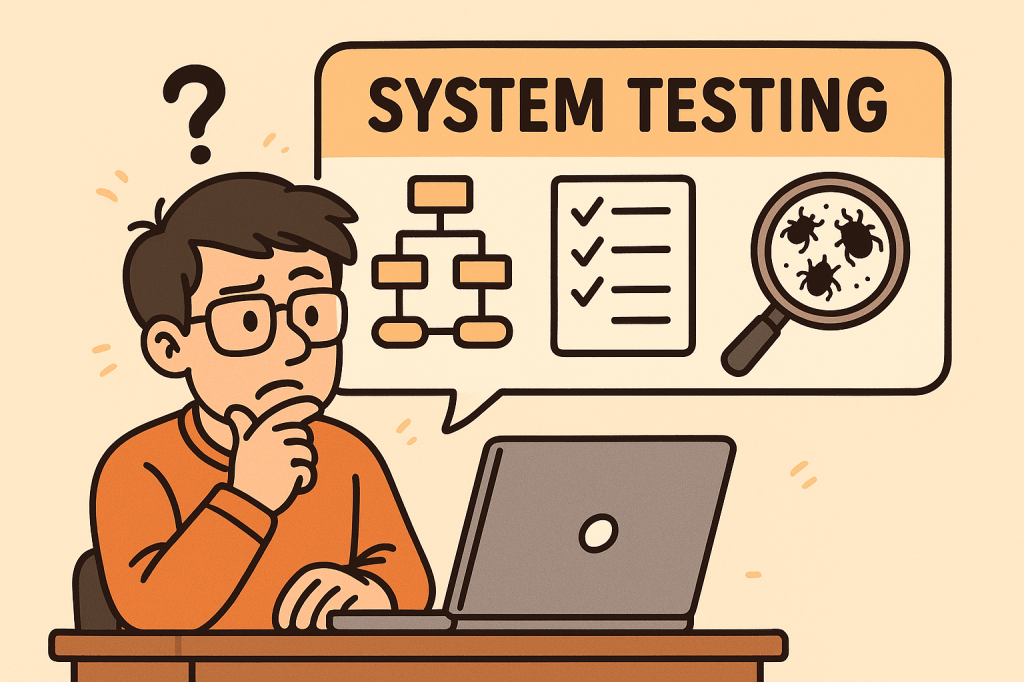
System Testing is a type of software testing where the entire integrated system is tested as a whole. Unlike unit testing (which focuses on individual components) or integration testing (which focuses on interactions between modules), system testing validates that the entire software product meets its requirements.

It is typically the final testing stage before user acceptance testing (UAT) and deployment.

Main Features and Components of System Testing

System testing includes several important features and components:

1. End-to-End Testing

Tests the software from start to finish, simulating real user scenarios.

2. Black-Box Testing Approach

Focuses on the software’s functionality rather than its internal code. Testers don’t need knowledge of the source code.

3. Requirement Validation

Ensures that the product meets all functional and non-functional requirements.

4. Comprehensive Coverage

Covers a wide variety of testing types such as:

  • Functional testing
  • Performance testing
  • Security testing
  • Usability testing
  • Compatibility testing

5. Environment Similarity

Conducted in an environment similar to production to detect environment-related issues.

How Does System Testing Work?

The process of system testing typically follows these steps:

  1. Requirement Review – Analyze functional and non-functional requirements.
  2. Test Planning – Define test strategy, scope, resources, and tools.
  3. Test Case Design – Create detailed test cases simulating user scenarios.
  4. Test Environment Setup – Configure hardware, software, and databases similar to production.
  5. Test Execution – Execute test cases and record results.
  6. Defect Reporting and Tracking – Log issues and track them until resolution.
  7. Regression Testing – Retest the system after fixes to ensure stability.
  8. Final Evaluation – Ensure the system is ready for deployment.

Benefits of System Testing

System testing provides multiple advantages:

  • Validates Full System Behavior – Ensures all modules and integrations work together.
  • Detects Critical Bugs – Finds issues missed during unit or integration testing.
  • Improves Quality – Increases confidence that the system meets requirements.
  • Reduces Risks – Helps prevent failures in production.
  • Ensures Compliance – Confirms the system meets legal, industry, and business standards.

When and How Should We Use System Testing?

When to Use:

  • After integration testing is completed.
  • Before user acceptance testing (UAT) and deployment.

How to Use:

  • Define clear acceptance criteria.
  • Automate repetitive system-level test cases where possible.
  • Simulate real-world usage scenarios to mimic actual customer behavior.

Real-World Use Cases of System Testing

  1. E-commerce Website
    • Verifying user registration, product search, cart, checkout, and payment workflows.
    • Ensuring the system handles high traffic loads during sales events.
  2. Banking Applications
    • Validating transactions, loan applications, and account security.
    • Checking compliance with financial regulations.
  3. Healthcare Systems
    • Testing appointment booking, patient data access, and medical records security.
    • Ensuring HIPAA compliance and patient safety.
  4. Mobile Applications
    • Confirming compatibility across devices, screen sizes, and operating systems.
    • Testing notifications, performance, and offline capabilities.

How to Integrate System Testing into the Software Development Process

  1. Adopt a Shift-Left Approach – Start planning system tests early in the development lifecycle.
  2. Use Continuous Integration (CI/CD) – Automate builds and deployments so system testing can be executed frequently.
  3. Automate Where Possible – Use tools like Selenium, JUnit, or Cypress for functional and regression testing.
  4. Define Clear Test Environments – Keep staging environments as close as possible to production.
  5. Collaborate Across Teams – Ensure developers, testers, and business analysts work together.
  6. Track Metrics – Measure defect density, test coverage, and execution time to improve continuously.

Conclusion

System testing is a critical step in delivering high-quality software. It validates the entire system as a whole, ensuring that all functionalities, integrations, and requirements are working correctly. By integrating system testing into your development process, you can reduce risks, improve reliability, and deliver products that users can trust.

Regression Testing: A Complete Guide for Software Teams

What is Regression Testing?

What is Regression Testing?

Regression testing is a type of software testing that ensures recent code changes, bug fixes, or new features do not negatively impact the existing functionality of an application. In simple terms, it verifies that what worked before still works now, even after updates.

This type of testing is crucial because software evolves continuously, and even small code changes can unintentionally break previously working features.

Main Features and Components of Regression Testing

  1. Test Re-execution
    • Previously executed test cases are run again after changes are made.
  2. Automated Test Suites
    • Automation is often used to save time and effort when repeating test cases.
  3. Selective Testing
    • Not all test cases are rerun; only those that could be affected by recent changes.
  4. Defect Tracking
    • Ensures that previously fixed bugs don’t reappear in later builds.
  5. Coverage Analysis
    • Focuses on areas where changes are most likely to cause side effects.

How Regression Testing Works

  1. Identify Changes
    Developers or QA teams determine which parts of the system were modified (new features, bug fixes, refactoring, etc.).
  2. Select Test Cases
    Relevant test cases from the test repository are chosen. This selection may include:
    • Critical functional tests
    • High-risk module tests
    • Frequently used features
  3. Execute Tests
    Test cases are rerun manually or through automation tools (like Selenium, JUnit, TestNG, Cypress).
  4. Compare Results
    The new test results are compared with the expected results to detect failures.
  5. Report and Fix Issues
    If issues are found, developers fix them, and regression testing is repeated until stability is confirmed.

Benefits of Regression Testing

  • Ensures Software Stability
    Protects against accidental side effects when new code is added.
  • Improves Product Quality
    Guarantees existing features continue working as expected.
  • Boosts Customer Confidence
    Users get consistent and reliable performance.
  • Supports Continuous Development
    Essential for Agile and DevOps environments where changes are frequent.
  • Reduces Risk of Production Failures
    Early detection of reappearing bugs lowers the chance of system outages.

When and How Should We Use Regression Testing?

  • After Bug Fixes
    Ensures the fix does not cause problems in unrelated features.
  • After Feature Enhancements
    New functionalities can sometimes disrupt existing flows.
  • After Code Refactoring or Optimization
    Even performance improvements can alter system behavior.
  • In Continuous Integration (CI) Pipelines
    Automated regression testing should be a standard step in CI/CD workflows.

Real World Use Cases of Regression Testing

  1. E-commerce Websites
    • Adding a new payment gateway may unintentionally break existing checkout flows.
    • Regression tests ensure the cart, discount codes, and order confirmations still work.
  2. Banking Applications
    • A bug fix in the fund transfer module could affect balance calculations or account statements.
    • Regression testing confirms financial transactions remain accurate.
  3. Mobile Applications
    • Adding a new push notification feature might impact login or navigation features.
    • Regression testing validates that old features continue working smoothly.
  4. Healthcare Systems
    • When updating electronic health record (EHR) software, regression tests confirm patient history retrieval still works correctly.

How to Integrate Regression Testing Into Your Software Development Process

  1. Maintain a Test Repository
    Keep all test cases in a structured and reusable format.
  2. Automate Regression Testing
    Use automation tools like Selenium, Cypress, or JUnit to reduce manual effort.
  3. Integrate with CI/CD Pipelines
    Trigger regression tests automatically with each code push.
  4. Prioritize Test Cases
    Focus on critical features first to optimize test execution time.
  5. Schedule Regular Regression Cycles
    Combine full regression tests with partial (smoke/sanity) regression tests for efficiency.
  6. Monitor and Update Test Suites
    As your application evolves, continuously update regression test cases to match new requirements.

Conclusion

Regression testing is not just a safety measure—it’s a vital process that ensures stability, reliability, and confidence in your software. By carefully selecting, automating, and integrating regression tests into your development pipeline, you can minimize risks, reduce costs, and maintain product quality, even in fast-moving Agile and DevOps environments.

Online Certificate Status Protocol (OCSP): A Practical Guide for Developers

What is Online Certificate Status Protocol?

What is the Online Certificate Status Protocol (OCSP)?

OCSP is an IETF standard that lets clients (browsers, apps, services) check whether an X.509 TLS certificate is valid, revoked, or unknownin real time—without downloading large Certificate Revocation Lists (CRLs). Instead of pulling a massive list of revoked certificates, a client asks an OCSP responder a simple question: “Is certificate X still good?” The responder returns a signed “good / revoked / unknown” answer.

OCSP is a cornerstone of modern Public Key Infrastructure (PKI) and the HTTPS ecosystem, improving performance and revocation freshness versus legacy CRLs.

Why OCSP Exists (The Problem It Solves)

  • Revocation freshness: CRLs can be hours or days old; OCSP responses can be minutes old.
  • Bandwidth & latency: CRLs are bulky; OCSP answers are tiny.
  • Operational clarity: OCSP provides explicit status per certificate rather than shipping a giant list.

How OCSP Works (Step-by-Step)

1) The players

  • Client: Browser, mobile app, API client, or service.
  • Server: The site or API you’re connecting to (presents a cert).
  • OCSP Responder: Operated by the Certificate Authority (CA) or delegated responder that signs OCSP responses.

2) The basic flow (without stapling)

  1. Client receives the server’s certificate chain during TLS handshake.
  2. Client extracts the OCSP URL from the certificate’s Authority Information Access (AIA) extension.
  3. Client builds an OCSP request containing the certificate’s serial number and issuer info.
  4. Client sends the request (usually HTTP/HTTPS) to the OCSP responder.
  5. Responder returns a digitally signed OCSP response: good, revoked, or unknown, plus validity (ThisUpdate/NextUpdate) and optional Nonces to prevent replay.
  6. Client verifies the responder’s signature and freshness window. If valid, it trusts the status.

3) OCSP Stapling (recommended)

To avoid per-client lookups:

  • The server (e.g., Nginx/Apache/CDN) periodically fetches a fresh OCSP response from the CA.
  • During the TLS handshake, the server staples (attaches) this response to the Certificate message using the TLS status_request extension.
  • The client validates the stapled response—no extra round trip to the CA, no privacy leak, and faster page loads.

4) Must-Staple (optional, stricter)

Some certificates include a “must-staple” extension indicating clients should require a valid stapled OCSP response. If missing/expired, the connection may be rejected. This boosts security but demands strong ops discipline (fresh stapling, good monitoring).

Core Features & Components

  • Per-certificate status: Query by serial number, get a clear “good/revoked/unknown”.
  • Signed responses: OCSP responses are signed by the CA or a delegated responder cert with the appropriate EKU (Extended Key Usage).
  • Freshness & caching: Responses carry ThisUpdate/NextUpdate and caching hints. Servers/clients cache within that window.
  • Nonce support: Guards against replay (client includes a nonce; responder echoes it back). Not all responders use nonces because they reduce cacheability.
  • Transport: Typically HTTP(S). Many responders now support HTTPS to prevent tampering.
  • Stapling support: Offloads lookups to the server and improves privacy/performance.

Benefits & Advantages

  • Lower latency & better UX: With stapling, there’s no extra client-to-CA trip.
  • Privacy: Stapling prevents the CA from learning which sites a specific client visits.
  • Operational resilience: Clients aren’t blocked by transient CA OCSP outages when stapled responses are fresh.
  • Granular revocation: Revoke a compromised cert quickly and propagate status within minutes.
  • Standards-based & broadly supported: Works across modern browsers, servers, and libraries.

When & How to Use OCSP

Use OCSP whenever you operate TLS-protected endpoints (websites, APIs, gRPC, SMTP/TLS, MQTT/TLS). Always enable OCSP stapling on your servers or CDN. Consider must-staple for high-assurance apps (financial, healthcare, enterprise SSO) where failing “closed” on revocation is acceptable and you can support the operational load.

Patterns:

  • Public websites & APIs: Enable stapling at the edge (load balancer, CDN, reverse proxy).
  • Service-to-service (mTLS): Internal clients (Envoy, Nginx, Linkerd, Istio) use OCSP or short-lived certs issued by your internal CA.
  • Mobile & desktop apps: Let the platform’s TLS stack do OCSP; if you pin, prefer pinning the CA/issuer key and keep revocation in mind.

Real-World Examples

  1. Large e-commerce site:
    Moved from CRL checks to OCSP stapling on an Nginx tier. Result: shaved ~100–200 ms on cold connections in some geos, reduced CA request volume, and eliminated privacy concerns from client lookups.
  2. CDN at the edge:
    CDN nodes fetch and staple OCSP responses for millions of certs. Clients validate instantly; outages at the CA OCSP endpoint don’t cause widespread page load delays because staples are cached and rotated.
  3. Enterprise SSO (must-staple):
    An identity provider uses must-staple certificates so that any missing/expired OCSP staple breaks login flows loudly. Ops monitors staple freshness aggressively to avoid false breaks.
  4. mTLS microservices:
    Internal PKI issues short-lived certs (hours/days) and enables OCSP on the service mesh. Short-lived certs reduce reliance on revocation, but OCSP still provides a kill-switch for emergency revokes.

Operational Considerations & Pitfalls

  • Soft-fail vs. hard-fail: Browsers often “soft-fail” if the OCSP responder is unreachable (they proceed). Must-staple pushes you toward hard-fail, which increases availability requirements on your side.
  • Staple freshness: If your server serves an expired staple, strict clients may reject the connection. Monitor NextUpdate and refresh early.
  • Responder outages: Use stapling + caching and multiple upstream OCSP responder endpoints where possible.
  • Nonce vs. cacheability: Nonces reduce replay risk but can hurt caching. Many deployments rely on time-bounded caching instead.
  • Short-lived certs: Greatly reduce revocation reliance, but you still want OCSP for emergency cases (key compromise).
  • Privacy & telemetry: Without stapling, client lookups can leak browsing behavior to the CA. Prefer stapling.

How to Integrate OCSP in Your Software Development Process

1) Design & Architecture

  • Decide your revocation posture:
    • Public web: Stapling at the edge; soft-fail acceptable for most consumer sites.
    • High-assurance: Must-staple + aggressive monitoring; consider short-lived certs.
  • Standardize on servers/LBs that support OCSP stapling (Nginx, Apache, HAProxy, Envoy, popular CDNs).

2) Dev & Config (Common Stacks)

Nginx (TLS):

ssl_stapling on;
ssl_stapling_verify on;
resolver 1.1.1.1 8.8.8.8 valid=300s;
resolver_timeout 5s;
# Ensure the full chain is served so stapling works:
ssl_certificate /etc/ssl/fullchain.pem;
ssl_certificate_key /etc/ssl/privkey.pem;

Apache (httpd):

SSLUseStapling          on
SSLStaplingResponderTimeout 5
SSLStaplingReturnResponderErrors off
SSLStaplingCache "shmcb:/var/run/ocsp(128000)"

3) CI/CD & Automation

  • Lint certs in CI: verify AIA OCSP URL presence, chain order, key usage.
  • Fetch & validate OCSP during pipeline or pre-deploy checks:
    • openssl ocsp -issuer issuer.pem -cert server.pem -url http://ocsp.ca.example -VAfile ocsp_signer.pem
  • Renewals: If you use Let’s Encrypt/ACME, ensure your automation reloads the web server so it refreshes stapled responses.

4) Monitoring & Alerting

  • Track staple freshness (time until NextUpdate), OCSP HTTP failures, and unknown/revoked statuses.
  • Add synthetic checks from multiple regions to catch CA or network-path issues.
  • Alert well before NextUpdate to avoid serving stale responses.

5) Security & Policy

  • Define when to hard-fail (must-staple, admin consoles, SSO) vs soft-fail (public brochureware).
  • Document an emergency revocation playbook (CA portal access, contact points, rotate keys, notify customers).

Testing OCSP in Practice

Check stapling from a client:

# Shows if server is stapling a response and whether it's valid
openssl s_client -connect example.com:443 -status -servername example.com </dev/null

Direct OCSP query:

# Query the OCSP responder for a given cert
openssl ocsp \
  -issuer issuer.pem \
  -cert server.pem \
  -url http://ocsp.ca.example \
  -CAfile ca_bundle.pem \
  -resp_text -noverify

Look for good status and confirm This Update / Next Update are within acceptable windows.

FAQs

Is OCSP enough on its own?
No. Pair it with short-lived certs, strong key management (HSM where possible), and sound TLS configuration.

What happens if the OCSP responder is down?
With stapling, clients rely on the stapled response (within freshness). Without stapling, many clients soft-fail. High-assurance apps should avoid a single point of failure via must-staple + robust monitoring.

Do APIs and gRPC clients use OCSP?
Most rely on the platform TLS stack. When building custom clients, ensure the TLS library you use validates stapled responses (or perform explicit OCSP checks if needed).

Integration Checklist (Copy into your runbook)

  • Enable OCSP stapling on every internet-facing TLS endpoint.
  • Serve the full chain and verify stapling works in staging.
  • Monitor staple freshness and set alerts before NextUpdate.
  • Decide soft-fail vs hard-fail per system; consider must-staple where appropriate.
  • Document revocation procedures and practice a drill.
  • Prefer short-lived certificates; integrate with ACME for auto-renewal.
  • Add CI checks for cert chain correctness and AIA fields.
  • Include synthetic OCSP tests from multiple regions.
  • Educate devs on how to verify stapling (openssl s_client -status).

Call to action:
If you haven’t already, enable OCSP stapling on your staging environment, run the openssl s_client -status check, and wire up monitoring for staple freshness. It’s one of the highest-leverage HTTPS hardening steps you can make in under an hour.

Secure Socket Layer (SSL): A Practical Guide for Modern Developers

What is Secure Socket Layer?

What is Secure Socket Layer (SSL)?

Secure Socket Layer (SSL) is a cryptographic protocol originally designed to secure communication over networks. Modern “SSL” in practice means TLS (Transport Layer Security)—the standardized, more secure successor to SSL. Although people say “SSL certificate,” what you deploy today is TLS (prefer TLS 1.2+, ideally TLS 1.3).

Goal: ensure that data sent between a client (browser/app) and a server is confidential, authentic, and untampered.

How SSL/TLS Works (Step by Step)

  1. Client Hello
    The client initiates a connection, sending supported TLS versions, cipher suites, and a random value.
  2. Server Hello & Certificate
    The server picks the best mutual cipher suite, returns its certificate chain (proving its identity), and sends its own random value.
  3. Key Agreement
    Using Diffie–Hellman (typically ECDHE), client and server derive a shared session key. This provides forward secrecy (a future key leak won’t decrypt past traffic).
  4. Certificate Validation (Client-side)
    The client verifies the server’s certificate:
    • Issued by a trusted Certificate Authority (CA)
    • Hostname matches the certificate’s CN/SAN
    • Certificate is valid (not expired/revoked)
  5. Finished Messages
    Both sides confirm handshake integrity. From now on, application data is encrypted with the session keys.
  6. Secure Data Transfer
    Data is encrypted (confidentiality), MAC’d or AEAD-authenticated (integrity), and tied to the server identity (authentication).

Key Features & Components (In Detail)

1) Certificates & Public Key Infrastructure (PKI)

  • End-Entity Certificate (the “SSL certificate”): issued to your domain/service.
  • Chain of Trust: your cert → intermediate CA(s) → root CA (embedded in OS/browser trust stores).
  • SAN (Subject Alternative Name): lists all domain names the certificate covers.
  • Wildcard Certs: e.g., *.example.com—useful for many subdomains.
  • EV/OV/DV: validation levels; DV is common and free via Let’s Encrypt.

2) TLS Versions & Cipher Suites

  • Prefer TLS 1.3 (simpler, faster, more secure defaults).
  • Cipher suites define algorithms for key exchange, encryption, and authentication.
  • Favor AEAD ciphers (e.g., AES-GCM, ChaCha20-Poly1305).

3) Perfect Forward Secrecy (PFS)

  • Achieved via (EC)DHE key exchange. Protects past sessions even if the server key is compromised later.

4) Authentication Models

  • Server Auth (typical web browsing).
  • Mutual TLS (mTLS) for APIs/microservices: both client and server present certificates.

5) Session Resumption

  • TLS session tickets or session IDs speed up repeat connections and reduce handshake overhead.

6) Integrity & Replay Protection

  • Each record has an integrity check (AEAD tag). Sequence numbers and nonces prevent replays.

Benefits & Advantages

  • Confidentiality: prevents eavesdropping (e.g., passwords, tokens, PII).
  • Integrity: detects tampering and man-in-the-middle (MITM) attacks.
  • Authentication: clients know they’re talking to the real server.
  • Compliance: many standards (PCI DSS, HIPAA, GDPR) expect encryption in transit.
  • SEO & Browser UX: HTTPS is a ranking signal; modern browsers label HTTP as “Not Secure.”
  • Performance: TLS 1.3 plus HTTP/2 or HTTP/3 (QUIC) can be faster than legacy HTTP due to fewer round trips and better multiplexing.

When & How Should We Use It?

Short answer: Always use HTTPS for public websites and TLS for all internal services and APIs—including development and staging—unless there’s a compelling, temporary reason not to.

Use cases:

  • Public web apps and websites (user logins, checkout, dashboards)
  • REST/gRPC APIs between services (often with mTLS)
  • Mobile apps calling backends
  • Messaging systems (MQTT over TLS for IoT)
  • Email in transit (SMTP with STARTTLS, IMAP/POP3 over TLS)
  • Data pipelines (Kafka, Postgres/MySQL connections over TLS)

Real-World Examples

  1. E-commerce Checkout
    • Browser ↔ Storefront: HTTPS with TLS 1.3
    • Storefront ↔ Payment Gateway: TLS with pinned CA or mTLS
    • Benefits: protects cardholder data; meets PCI DSS; builds user trust.
  2. B2B API Integration
    • Partner systems exchange JSON over HTTPS with mTLS.
    • Mutual auth plus scopes/claims reduces risk of credential leakage and MITM.
  3. Service Mesh in Kubernetes
    • Sidecars (e.g., Envoy) automatically enforce mTLS between pods.
    • Central policy defines minimum TLS version/ciphers; cert rotation is automatic.
  4. IoT Telemetry
    • Device ↔ Broker: MQTT over TLS with client certs.
    • Even if devices live on hostile networks, data remains confidential and authenticated.
  5. Email Security
    • SMTP with STARTTLS opportunistic encryption; for stricter guarantees, use MTA-STS and TLSRPT policies.

Integrating TLS Into Your Software Development Process

Phase 1 — Foundation & Inventory

  • Asset Inventory: list all domains, subdomains, services, and ports that accept connections.
  • Threat Modeling: identify data sensitivity and where mTLS is required.

Phase 2 — Certificates & Automation

  • Issue Certificates: Use a reputable CA. For web domains, Let’s Encrypt via ACME (e.g., Certbot) is ideal for automation.
  • Automated Renewal: never let certs expire. Integrate renewal hooks and monitoring.
  • Key Management: generate keys on the server or HSM; restrict file permissions; back up securely.

Phase 3 — Server Configuration (Web/App/API)

  • Enforce TLS: redirect HTTP→HTTPS; enable HSTS (with preload once you’re confident).
  • TLS Versions: enable TLS 1.2+, prefer TLS 1.3; disable SSLv2/3, TLS 1.0/1.1.
  • Ciphers: choose modern AEAD ciphers; disable weak/legacy ones.
  • OCSP Stapling: improve revocation checking performance.
  • HTTP/2 or HTTP/3: enable for multiplexing performance benefits.

Phase 4 — Client & API Hardening

  • Certificate Validation: ensure hostname verification and full chain validation.
  • mTLS (where needed): issue client certs; manage lifecycle (provision, rotate, revoke).
  • Pinning (cautious): consider HPKP alternatives (TLSA/DANE in DNSSEC or CA pinning in apps) to avoid bricking clients.

Phase 5 — CI/CD & Testing

  • Automated Scans: add TLS configuration checks (e.g., linting scripts) in CI.
  • Integration Tests: verify HTTPS endpoints, expected protocols/ciphers, and mTLS paths.
  • Dynamic Tests: run handshake checks in staging before prod deploys.

Phase 6 — Monitoring & Governance

  • Observability: track handshake errors, protocol use, cert expiry, ticket keys.
  • Logging: log TLS version and cipher used (sans secrets).
  • Policy: minimum TLS version, allowed CAs, rotation intervals, and incident runbooks.

Practical Snippets & Commands

Generate a Private Key & CSR (OpenSSL)

# 1) Private key (ECDSA P-256)
openssl ecparam -genkey -name prime256v1 -noout -out privkey.pem

# 2) Certificate Signing Request (CSR)
openssl req -new -key privkey.pem -out domain.csr -subj "/CN=example.com"

Use Let’s Encrypt (Certbot) – Typical Webserver

# Install certbot per your OS, then:
sudo certbot --nginx -d example.com -d www.example.com
# or for Apache:
sudo certbot --apache -d example.com

cURL: Verify TLS & Show Handshake Details

curl -Iv https://example.com

Java (OkHttp) with TLS (hostname verification is on by default)

OkHttpClient client = new OkHttpClient.Builder().build();
Request req = new Request.Builder().url("https://api.example.com").build();
Response res = client.newCall(req).execute();

Python (requests) with Certificate Verification

import requests
r = requests.get("https://api.example.com", timeout=10)  # verifies by default
print(r.status_code)

Enforcing HTTPS in Nginx (Basic)

server {
listen 80;
server_name example.com http://www.example.com;
return 301 https://$host$request_uri;
}

server {
listen 443 ssl http2;
server_name example.com http://www.example.com;

ssl_protocols TLSv1.2 TLSv1.3;
ssl_ciphers TLS_AES_256_GCM_SHA384:TLS_AES_128_GCM_SHA256:TLS_CHACHA20_POLY1305_SHA256;
ssl_prefer_server_ciphers on;

# Provide full chain and key
ssl_certificate /etc/letsencrypt/live/example.com/fullchain.pem;
ssl_certificate_key /etc/letsencrypt/live/example.com/privkey.pem;

# HSTS (enable after testing redirects)
add_header Strict-Transport-Security “max-age=31536000; includeSubDomains; preload” always;

location / {
proxy_pass http://app:8080;
}
}

Common Pitfalls (and How to Avoid Them)

  • Forgetting renewals: automate via ACME; alert on expiry ≥30 days out.
  • Serving incomplete chains: always deploy the full chain (leaf + intermediates).
  • Weak ciphers/old protocols: disable TLS 1.0/1.1 and legacy ciphers.
  • No HSTS after go-live: once redirects are stable, enable HSTS (careful with preload).
  • Skipping internal encryption: internal traffic is valuable to attackers—use mTLS.
  • Certificate sprawl: track ownership and expiry across teams and environments.

FAQ

Is SSL different from TLS?
Yes. SSL is the older protocol. Today, we use TLS; the term “SSL certificate” persists out of habit.

Which TLS version should I use?
TLS 1.3 preferred; keep TLS 1.2 for compatibility. Disable older versions.

Do I need a paid certificate?
Not usually. DV certs via Let’s Encrypt are trusted and free. For enterprise identity needs, OV/EV may be required by policy.

When should I use mTLS?
For service-to-service trust, partner APIs, and environments where client identity must be cryptographically proven.

Developer Checklist (Revision List)

  • Inventory all domains/services needing TLS
  • Decide: public DV vs internal PKI; mTLS where needed
  • Automate issuance/renewal (ACME) and monitor expiry
  • Enforce HTTPS, redirects, and HSTS
  • Enable TLS 1.3 (keep 1.2), disable legacy protocols
  • Choose modern AEAD ciphers (AES-GCM/ChaCha20-Poly1305)
  • Configure OCSP stapling and session resumption
  • Add TLS tests to CI/CD; pre-prod handshake checks
  • Log TLS version/cipher; alert on handshake errors
  • Document policy (min version, CAs, rotation, mTLS rules)

Blog at WordPress.com.

Up ↑